You are viewing this design in preview mode. The design MUST be published to be live on your website.
    •   New Board Member?
    •   Support
    •   Video Library
    • Workflow Library
    •  Page Content Library
    •  Email Builder Content Library

    Knowledgebase

    • Home
    • > Content
    • > Blog
    • > Use Blog Categories

    Use Blog Categories

    Blog categories can be a powerful tool. Categories can be used to filter blog posts for interested users or they can be used to limit a blog display to a specific subject. They are most useful when there is a large volume of content or when subject matter varies widely.

    1. Create Categories with the Blog option enabled.
    2. Create a blog post with that category assigned.
    3. If the category is only intended for filtering purposes, no further action is needed.
    4. If the category is intended to limit a display of blog articles, edit the page of interest.
    5. Click the blue + to add a new content section. Select Blog Post with Icon or Blog Posts Full.
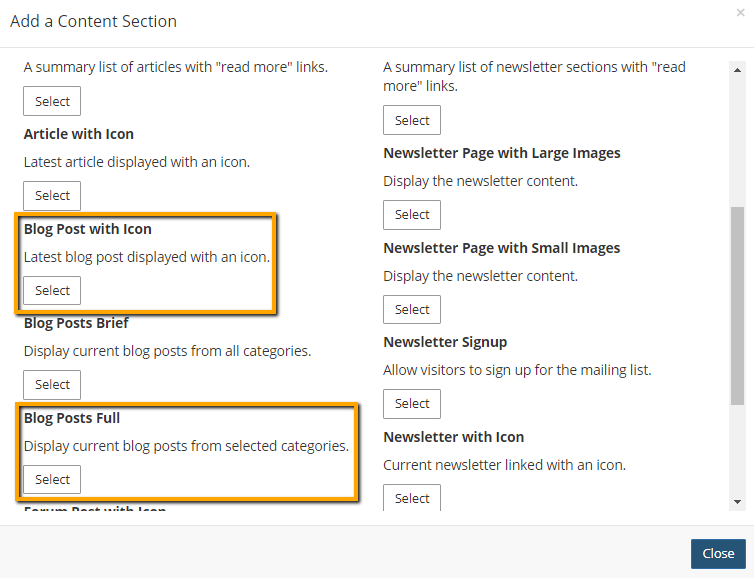
      blog post content section options

    6. Select the category or categories to include in the display.

      Selecting categories in a Blog Post with Icon section:
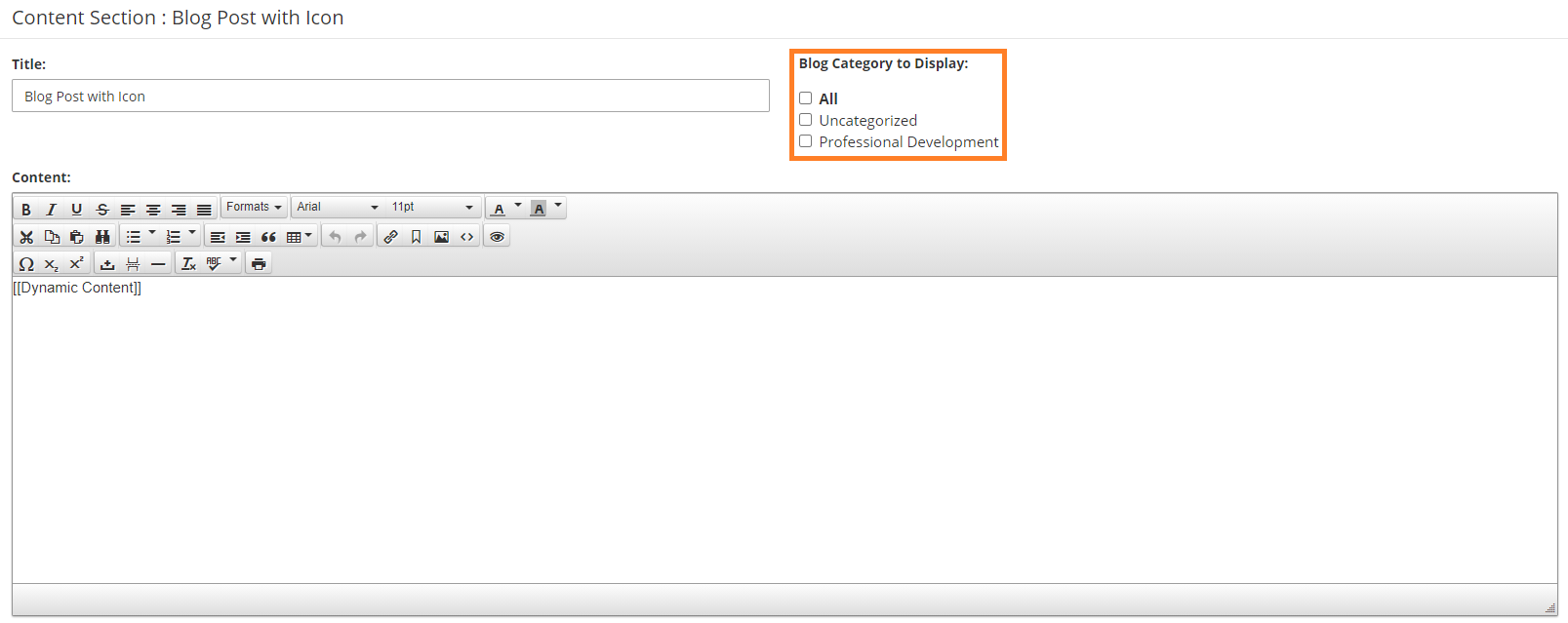
      selecting categories in a Blog Post with Icon section

      Selecting categories in a Blog Posts Full section:
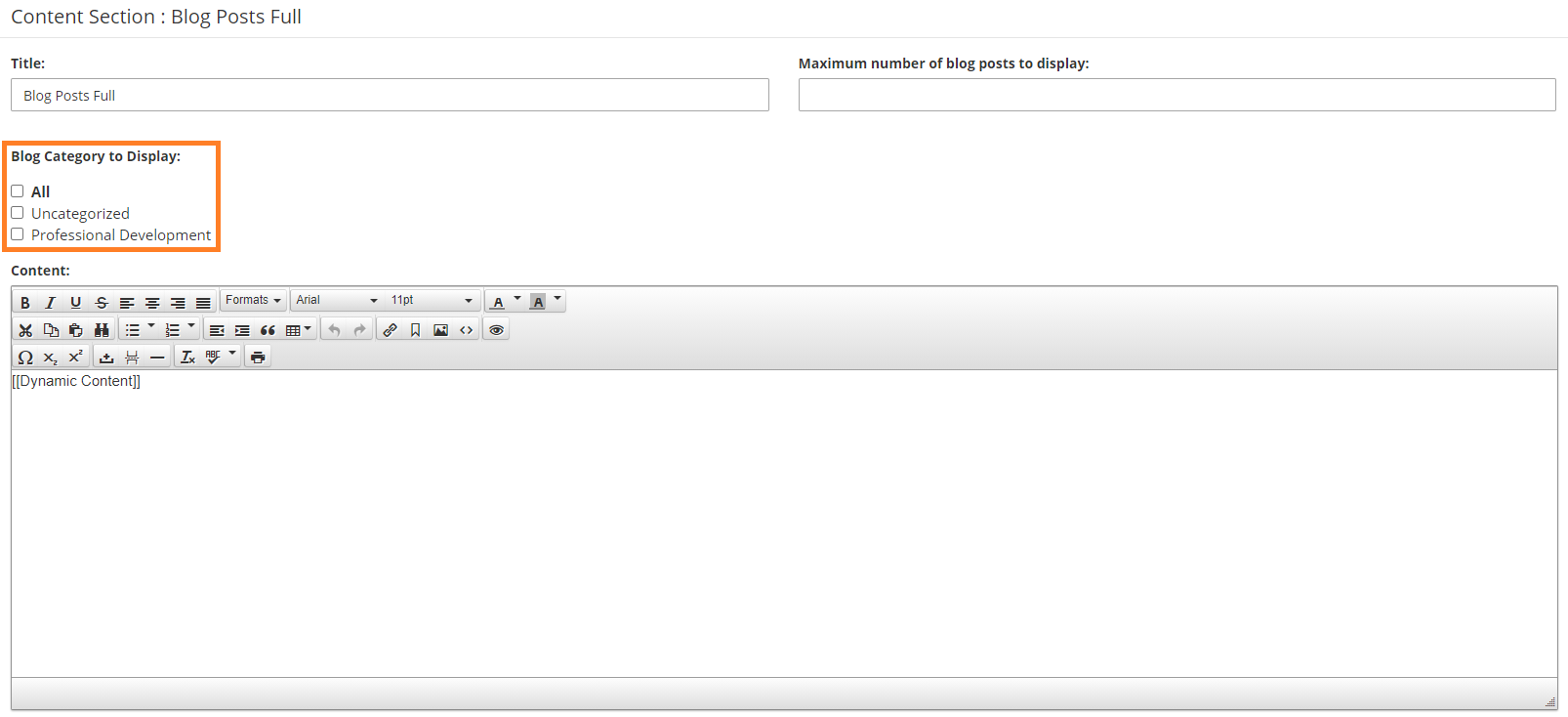

    7. Click Publish.

    Chapter Insights

    Posted by [email protected] on 02/14/2018 11:41 am  /   Content

    content part of redesign

    Consider Your Content as Part of Your Website Redesign

    member stories

    3 Reasons to Invest in Member Stories

    Cotent Blog Image - Advanced SEO – Name it Right, and they will Read

    Advanced SEO – Name it Right, and they will Read

    Content Blog Image - Advanced SEO – The 80/20 Rule for Success

    Advanced SEO – The 80/20 Rule for Success

    video for sponsorship

    Video is Key to Your Sponsor Strategy

    © 2026 StarChapter Software LLC All rights reserved.

    •  
      Board Training
    •  
      Services
    •  
      KB Home
    • Master Service Agreement
    • |
    • Privacy Policy
    . .


