
Create Categories for Community Tools
Categories are not required for use of Community tools, but they are helpful if a content needs to be sorted or broken down into different subject areas. Content sections are available for most community tools that can post only certain categories of content on pages beyond the built-in page for each tool.
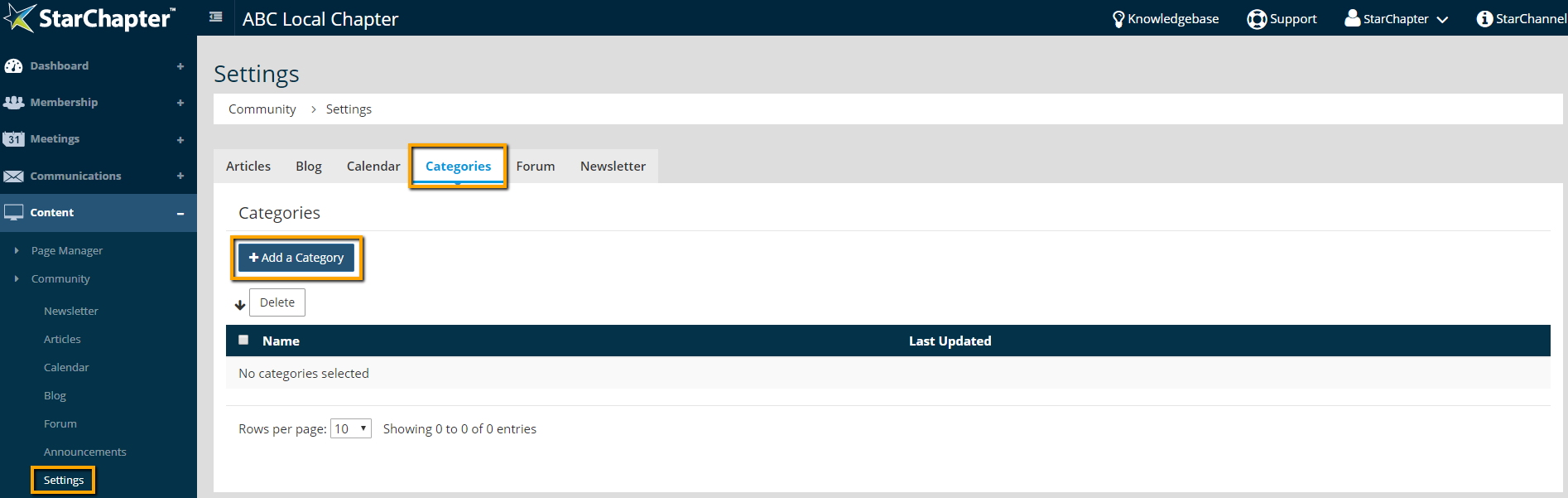
- Go to Content > Community > Settings > Categories.
- Click Add a Category.
- Name the category.
- Check all community tools where this category will be used. Note that this can always be edited, so only check the options that you intend to use.
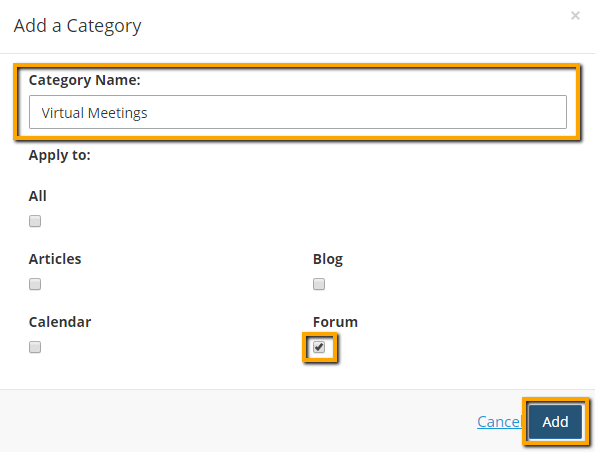
- Click Add.





