
Review Email History
Mass marketing requires management to ensure successful delivery to intended recipients. When an issue is identified, the first step is typically to determine the delivery status of past emails. StarChapter tracks the delivery status to all email addresses targeted with mail. Review this report to determine next steps when troubleshooting deliverability issues.
- Go to Communications > Charts and Reports > Reports > Email History.
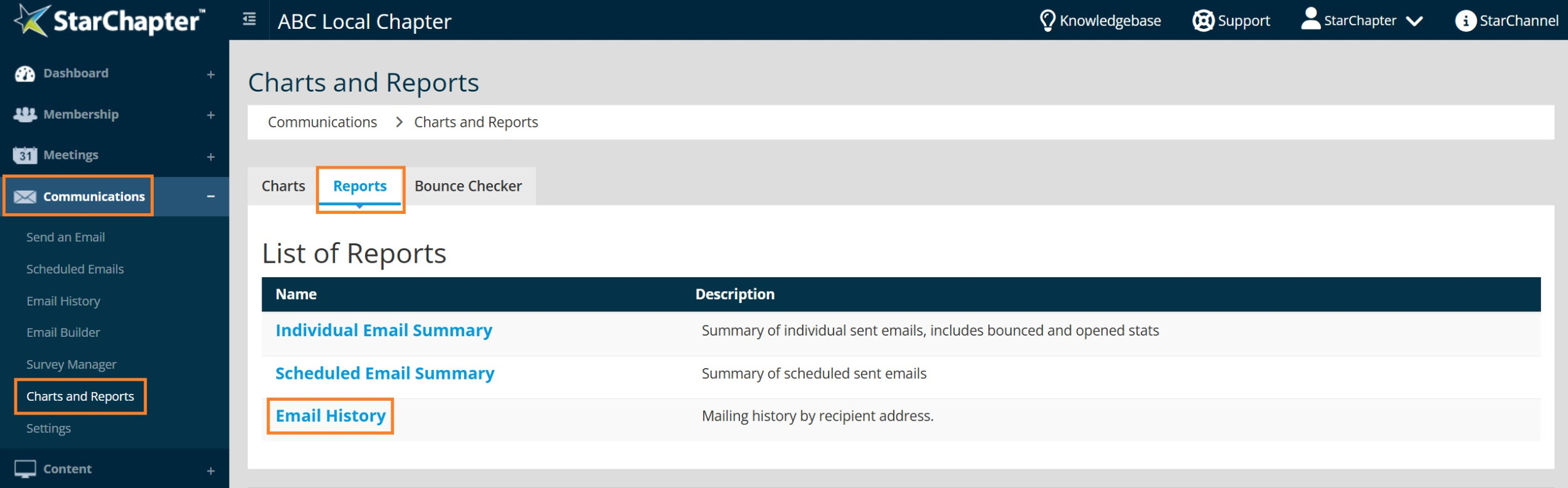
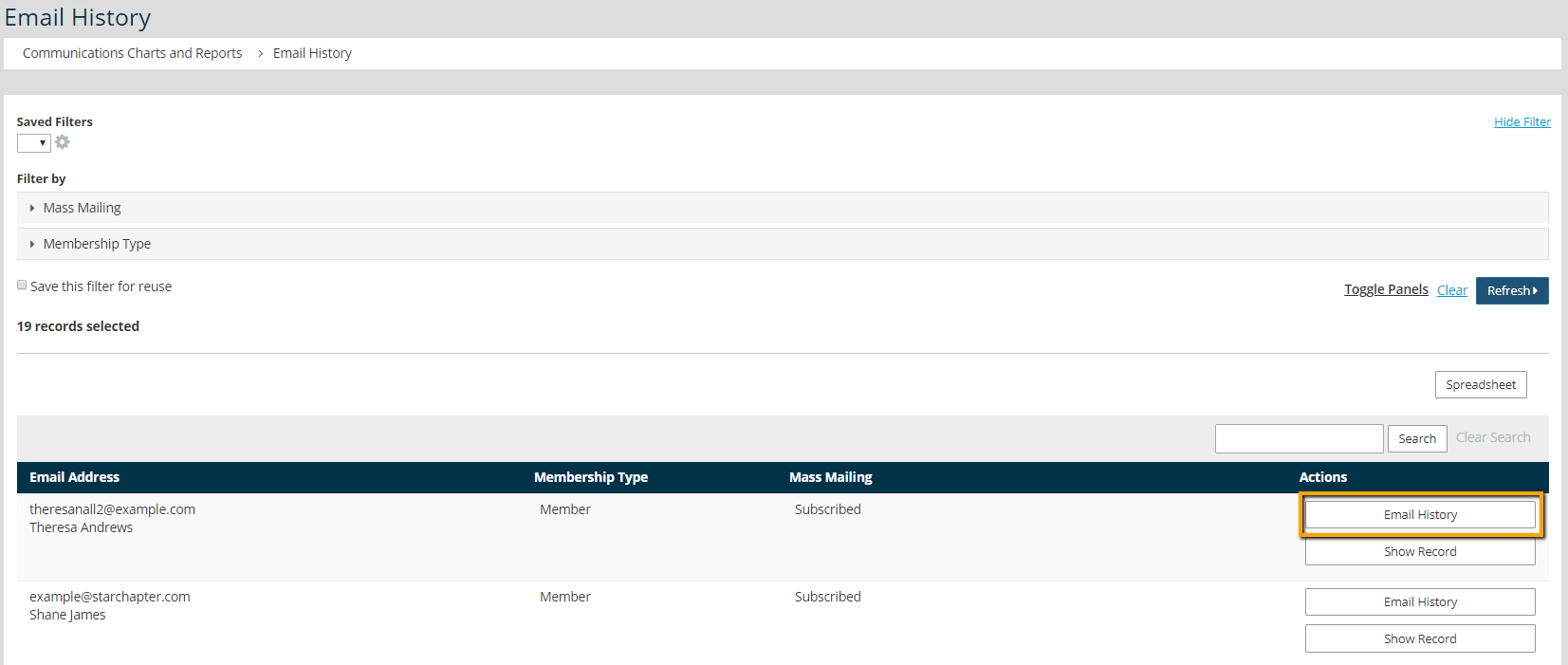
- Search for the email address in question.
- Click the Email History button.
- Review the delivery status of past emails.
Delivered - If a message is accepted by the recipient's email server, it will be marked as "delivered." This doesn't necessary mean that it made it to their inbox, so if messages are marked as delivered while the recipient states that they aren't being received, they will need to contact their IT team for assistance. Adding your organization to an allow list is typically the next step to troubleshoot this issue.
Opened - An "opened" status is confirmation that the recipient received the message. Statistics for "opened" messages are always lower than the actual number of opened messages because some firewalls block that status from being reported.
Bounced - A bounced email indicates that the email address was correct but the message was rejected by the email server. Review the content to ensure that the chances of delivery are optimized. If best practices were followed, ask the recipient to add your organization to their allow list.
Hard Failure - A hard failure indicates a permanent failure of the email address. Often this is due to a typo or because the email address was deactivated. Contact the recipient to confirm the email. If it is correct, re-verify the email address.


