
Connect StarPay
StarPay is a payment gateway service that can be connected to your StarChapter system. If your organization would like to processed credit cards through the system, you will need to apply for a StarPay account.
After your StarPay account is setup, our team will add the account details to your system. If your system is being setup when the StarPay account is approved, we will also enable credit card processing. If your system is already live, please follow the steps below when you're ready to enable this functionality. Please note that following these steps before you've applied for a StarPay account and gotten confirmation that you're approved will not result in successful payment processing.
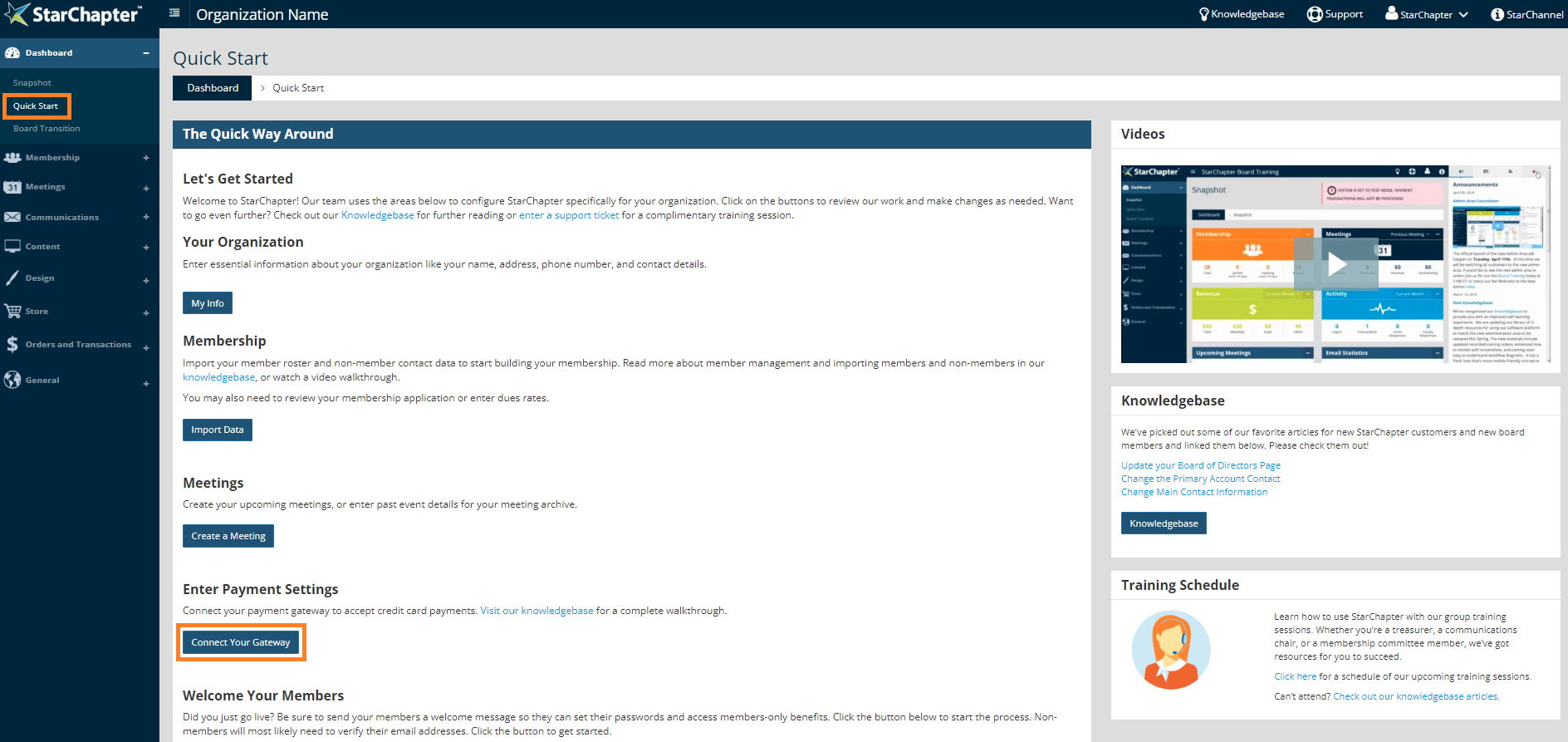
- Go to Dashboard > Quick Start.
- Click the Connect Your Gateway button.
- Select StarPay from the "Payment Gateway" drop-down menu.

Warning: If a StarPay Merchant ID is not populated when StarPay is selected, an account is not connected to your StarChapter system. If an application has not been submitted, sign up in your StarChapter Admin Area. If an application has been submitted, reach out to your chapter's project manager or the Technical Support Team for a status update on your application.
- Confirm that the "Send Transactions in Test Mode" field is not checked.
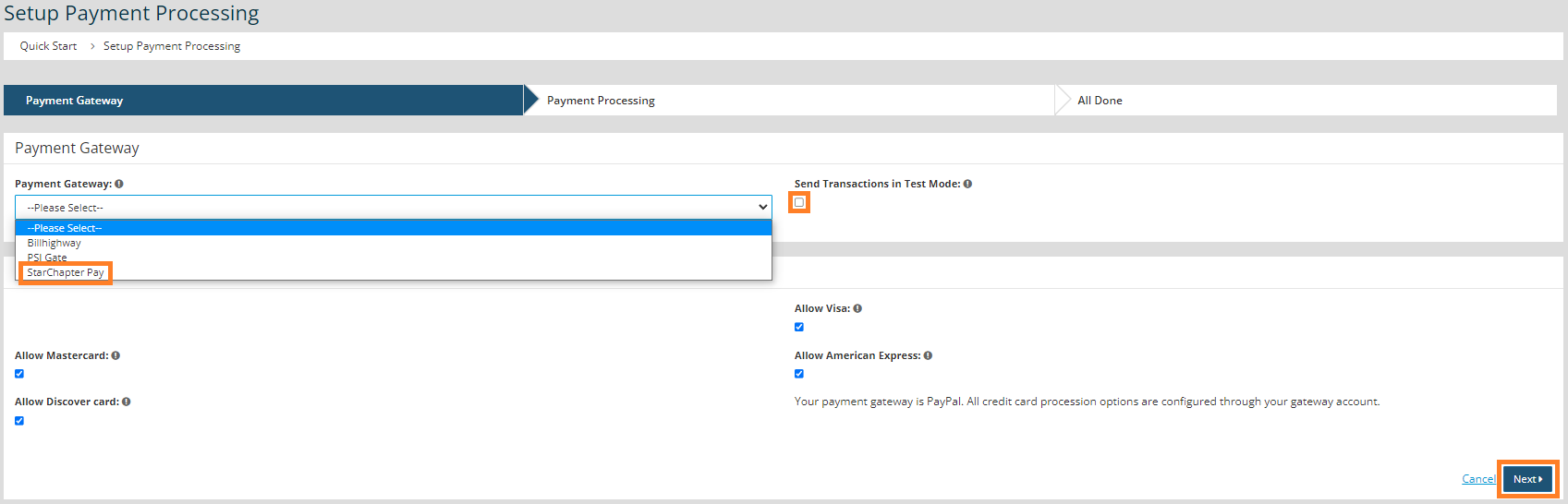
- Click Next.
- Confirm that the "Disable Credit Card Processing" field is not checked.
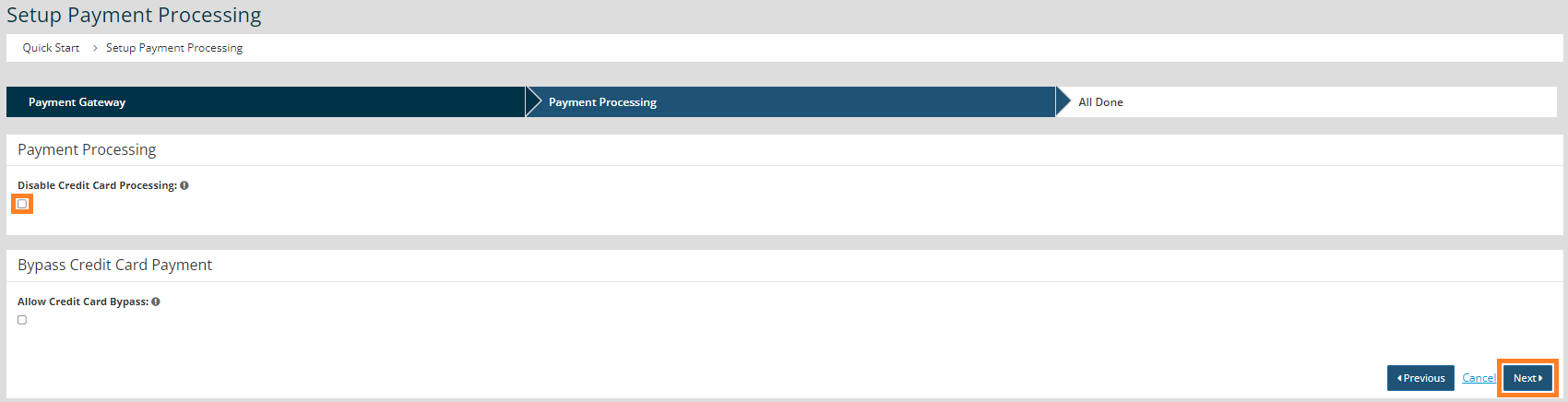
- Click Next.


