You are viewing this design in preview mode. The design MUST be published to be live on your website.
    •   New Board Member?
    •   Support
    •   Video Library
    • Workflow Library
    •  Page Content Library
    •  Email Builder Content Library

    Knowledgebase

    • Home
    • > Orders and Transactions
    • > Orders and Invoices
    • > Void an Order

    Void an Order

    Note: Voiding is limited to orders without any associated payments. If you need to void an order with logged payments, they must be deleted prior to the order being voided in the system. 

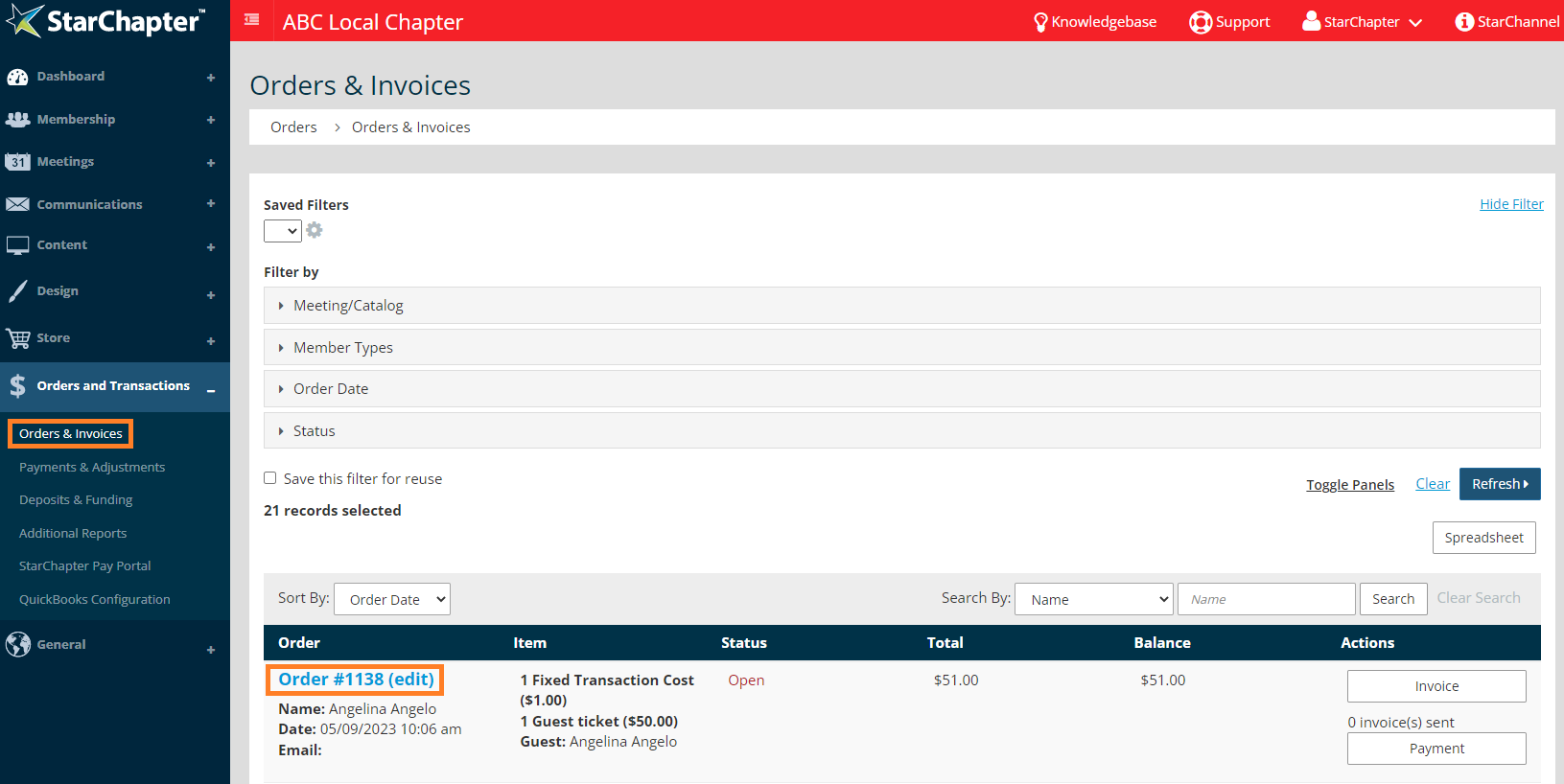
    1. Go to Orders and Transactions > Orders and Invoices.
    2. Locate the order to be removed and click the order number to open the order details.


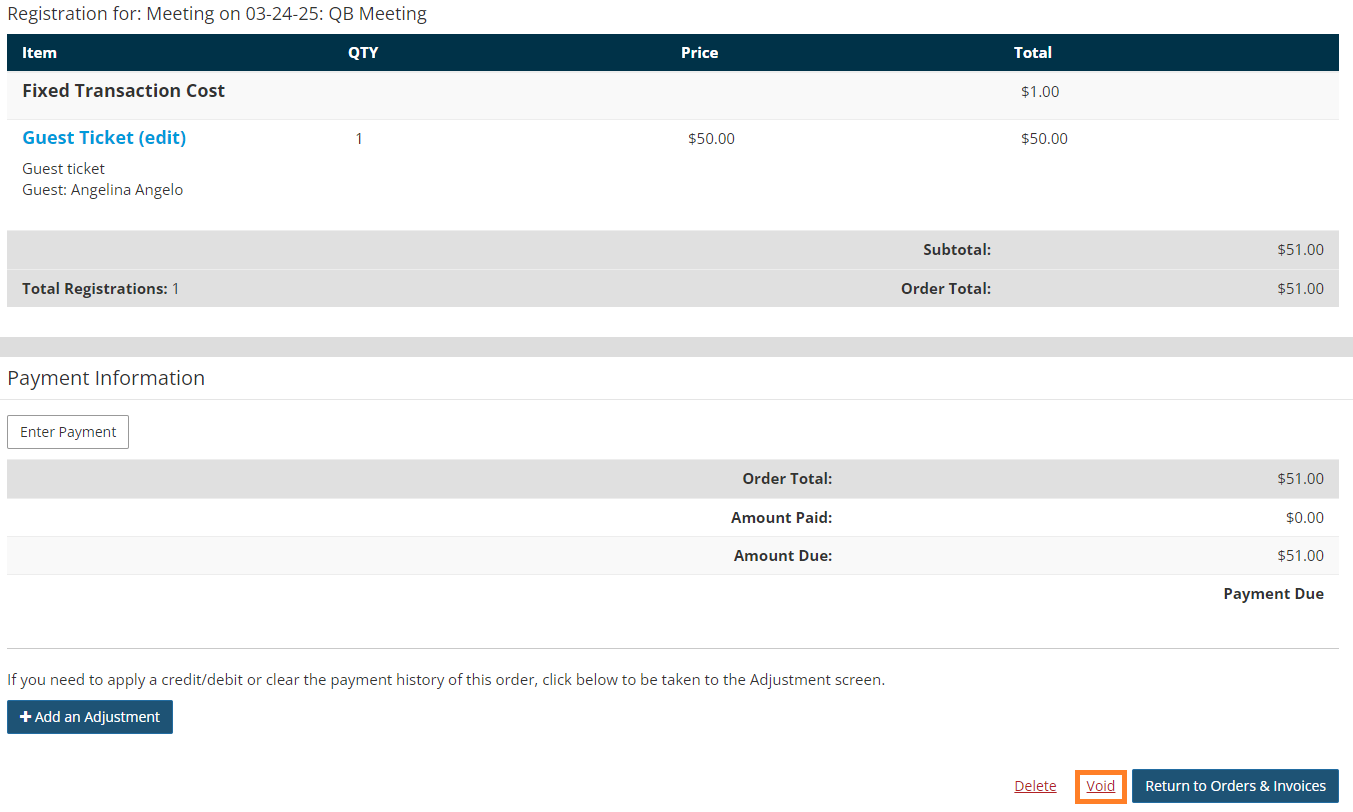
    3. Click Void.


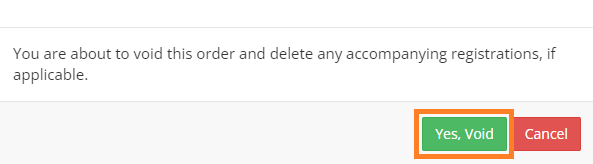
    4. Click Yes, Void in the pop-up window.

    Chapter Insights

    Posted by [email protected] on 02/20/2018 2:21 pm  /   Orders and Transactions

    Increase non-dues revenue

    How to Increase Your Non-Dues Revenue and Build a Strong Revenue Stream


    sponsorship revenue

    Building a Sustainable Revenue Stream with a Formal Sponsorship Program


    chapter finances

    A Plan for Your Chapter Finances is Key to Your Long-Term Success


    charge for meetings

    Why You Need to Charge for Meetings and Even More for Your Guests

    © 2026 StarChapter Software LLC All rights reserved.

    •  
      Board Training
    •  
      Services
    •  
      KB Home
    • Master Service Agreement
    • |
    • Privacy Policy
    . .