You are viewing this design in preview mode. The design MUST be published to be live on your website.
    •   New Board Member?
    •   Support
    •   Video Library
    • Workflow Library
    •  Page Content Library
    •  Email Builder Content Library

    Knowledgebase

    • Home
    • > Orders and Transactions
    • > Payments and Adjustments
    • > Delete a Non-Credit Card Payment

    Delete a Non-Credit Card Payment

    Credit card payments cannot be deleted, but they can be refunded. 

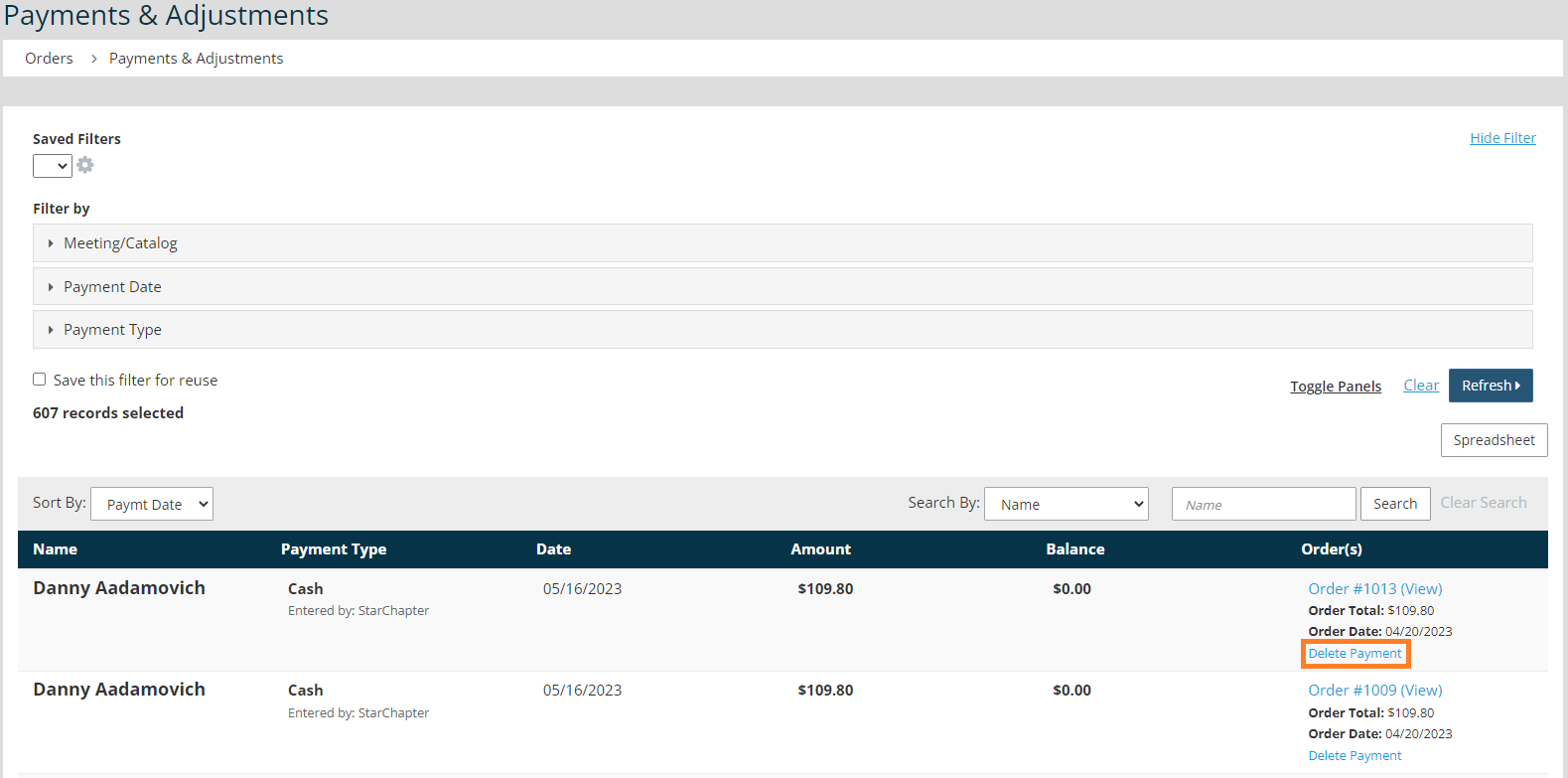
    1. Go to Orders and Transactions > Payments & Adjustments.
    2. Locate the payment to be deleted.
    3. Click Delete Payment under the payment details in the Order(s) column of the table.


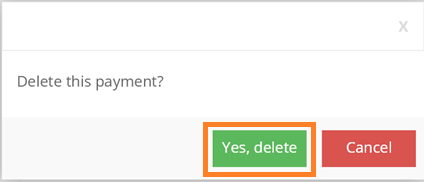
    4. Click Yes, delete in the pop-up confirmation.
    Intuit and QuickBooks are registered trademarks of Intuit Inc. Used with permission.

    Chapter Insights

    Posted by [email protected] on 02/20/2018 2:21 pm  /   Orders and Transactions

    Increase non-dues revenue

    How to Increase Your Non-Dues Revenue and Build a Strong Revenue Stream


    sponsorship revenue

    Building a Sustainable Revenue Stream with a Formal Sponsorship Program


    chapter finances

    A Plan for Your Chapter Finances is Key to Your Long-Term Success


    charge for meetings

    Why You Need to Charge for Meetings and Even More for Your Guests

    © 2026 StarChapter Software LLC All rights reserved.

    •  
      Board Training
    •  
      Services
    •  
      KB Home
    • Master Service Agreement
    • |
    • Privacy Policy
    . .