
Process a Refund through StarPay
StarPay users can process refunds directly through the StarChapter Admin Area. All other payment providers will require that refunds are processed through their payment portal, so you'll only log the refund in StarChapter in those cases. StarPay users can proceed as described here.
When a refund is processed, funds will typically take 5 to 7 business days to be credited back to the purchaser's original account.
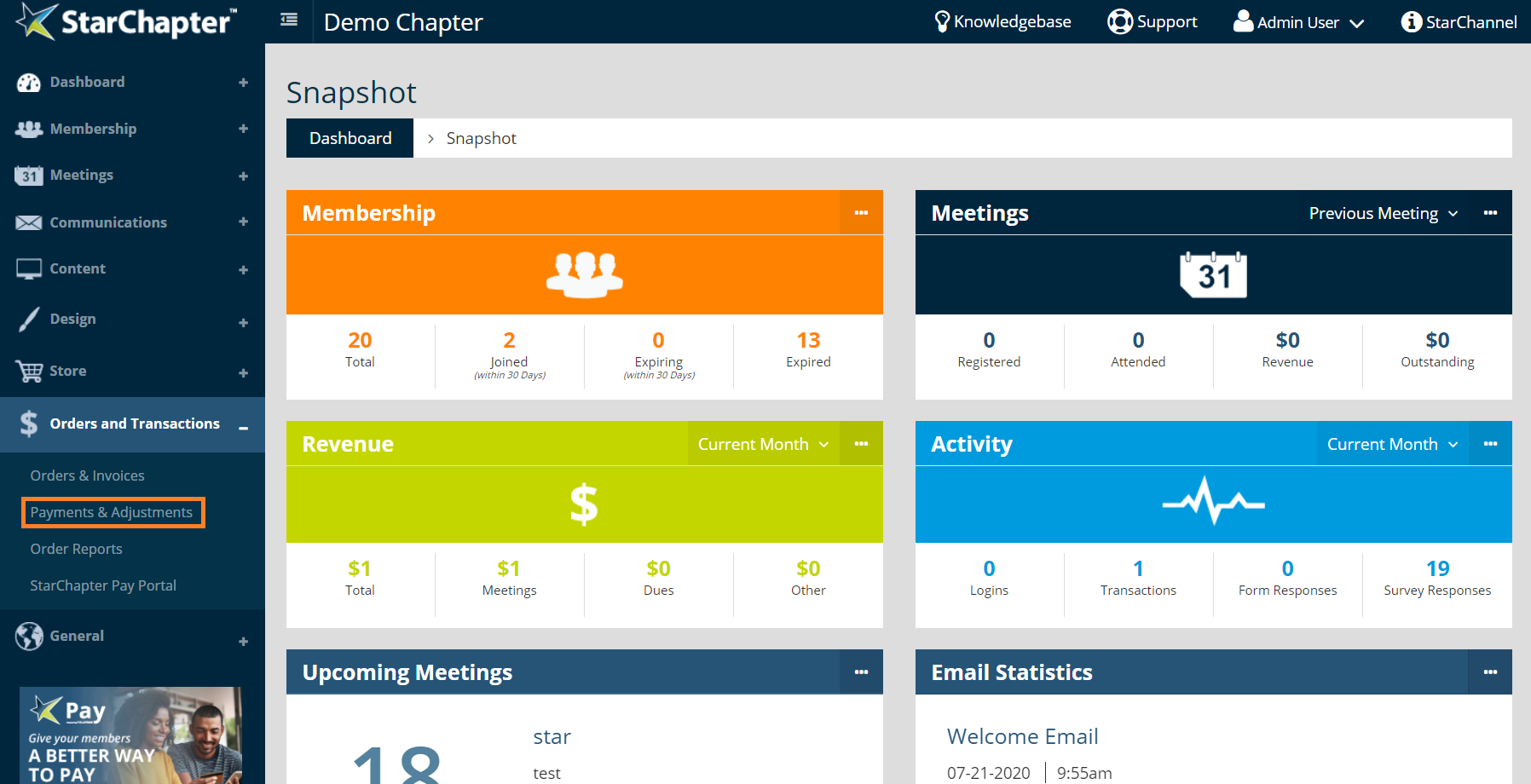
- Go to Orders & Transactions > Payment & Adjustments.
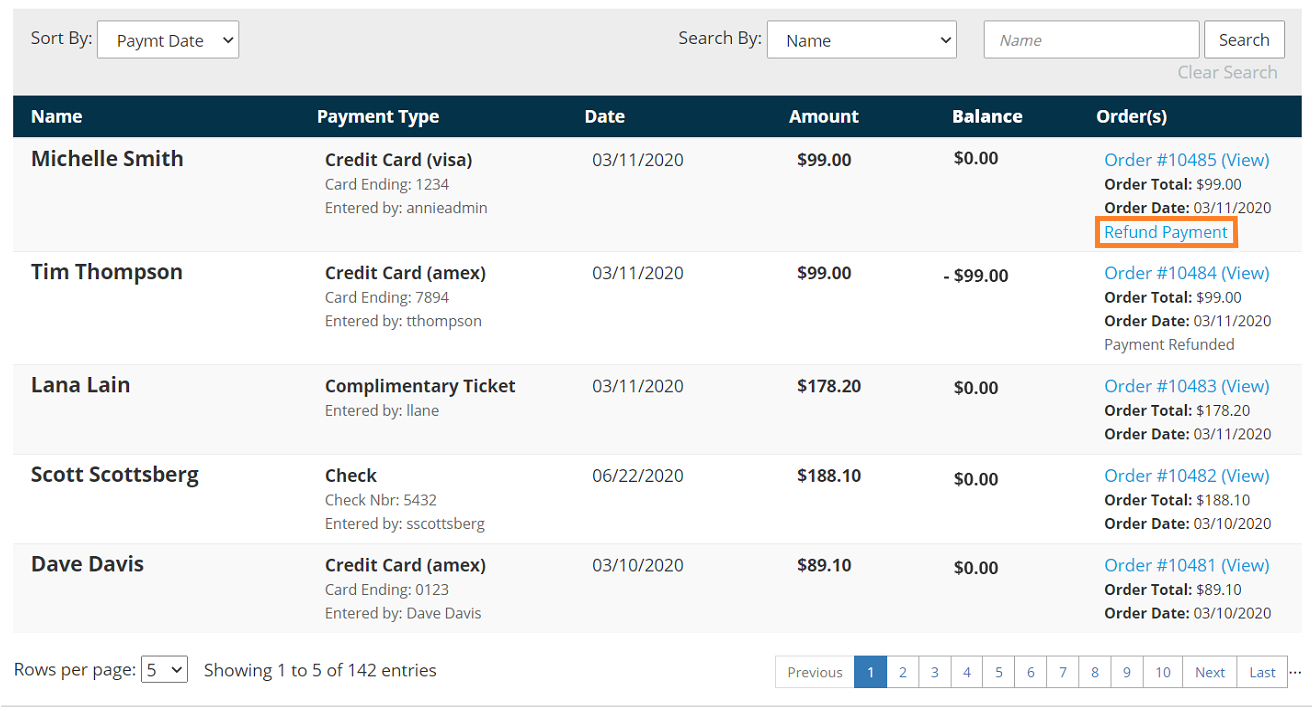
- Locate the payment of interest by searching by the name or order number.
- Click on the Refund Order link on the appropriate payment.
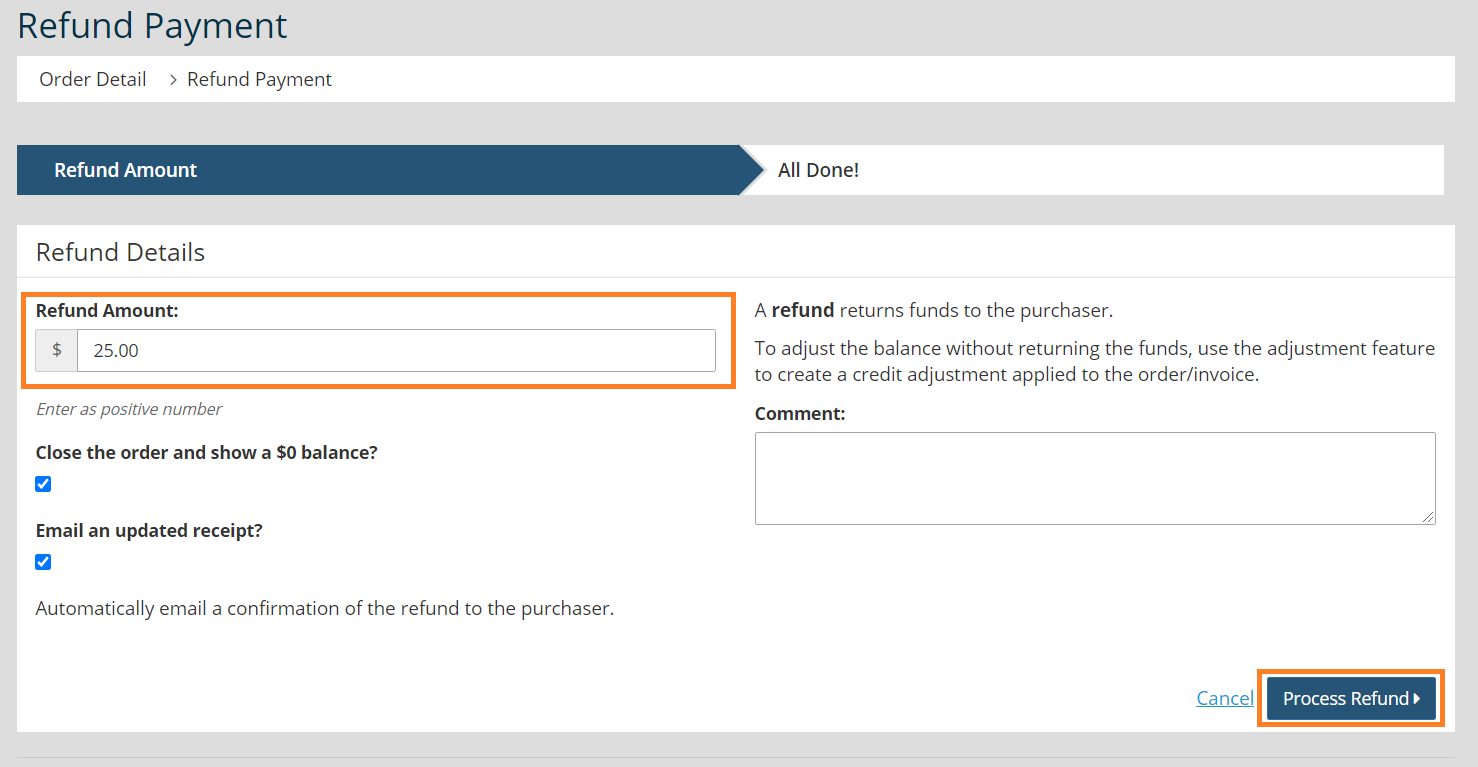
- Enter the Refund Amount and leave yourself a comment regarding the reason for the refund.

Warning: Comments are visible to members within their order history.
- Determine if the "Close the order and show a $0 balance?" setting should be checked. If the order was placed in error and is being canceled, check this box to close out the order without payment as part of the refund. If the order is valid and another payment is expected, do not check this box and the order will remain open.
- Click Process Refund.


