
Issue a Refund
 |
Tip: Unless you are using StarChapter Pay as your payment gateway, actually returning the funds must be done through the payment gateway portal, and cannot be done through StarChapter's admin area. Updates must be made in both areas to ensure accurate records. StarChapter Pay users follow a different process which is possible through the Admin Area. |
Add A Credit To The Order
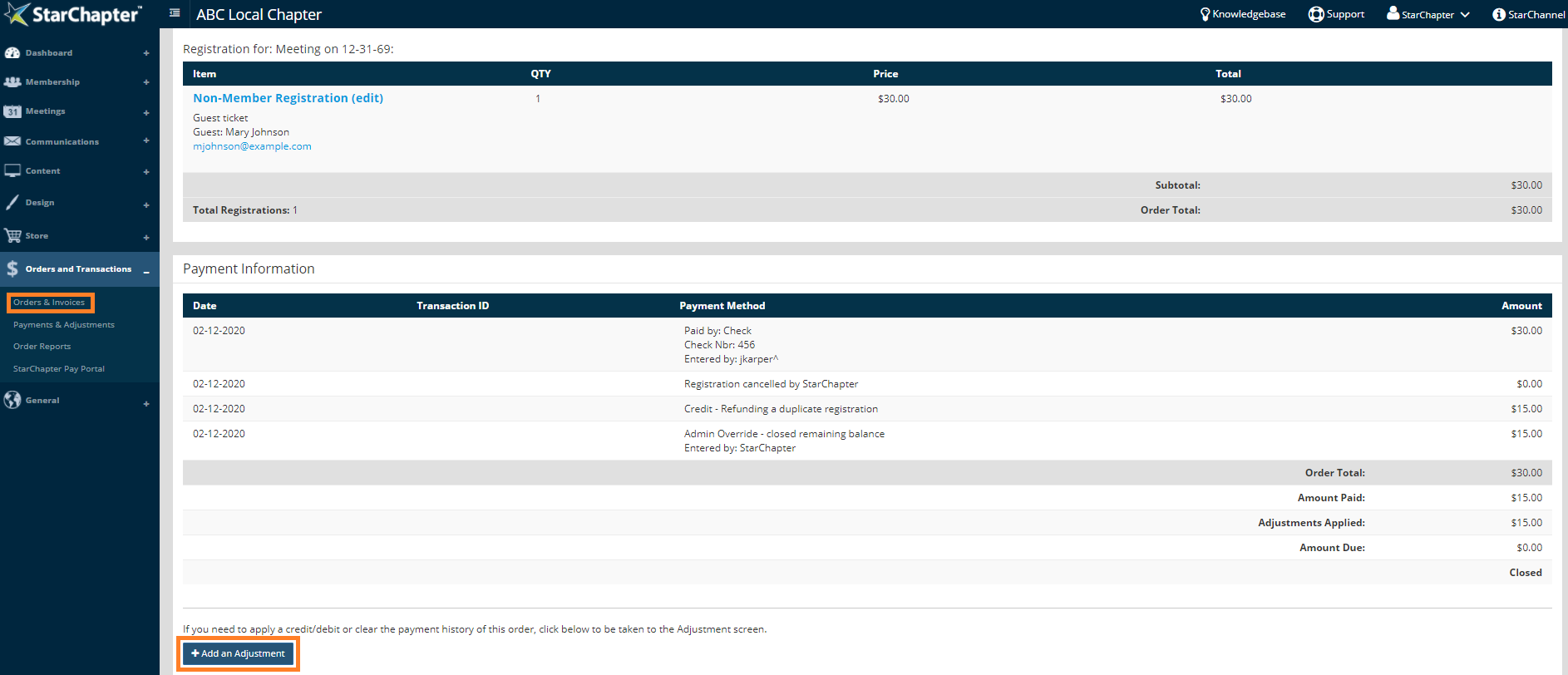
- Go to Orders and Transactions > Orders & Invoices.
- Search for the order requiring a refund.
- Click the Order # to open the record.
- Click Add an Adjustment.
- Set the Adjustment Type to Credit and leave a Note with the reason for the refund for future records. If the refund has already been issued through the payment gateway, enter those details here. For example, "Event canceled due to inclement weather. Refunded through Stripe on 3/01/18 by John Smith." Note that these comments are visible to purchasers.
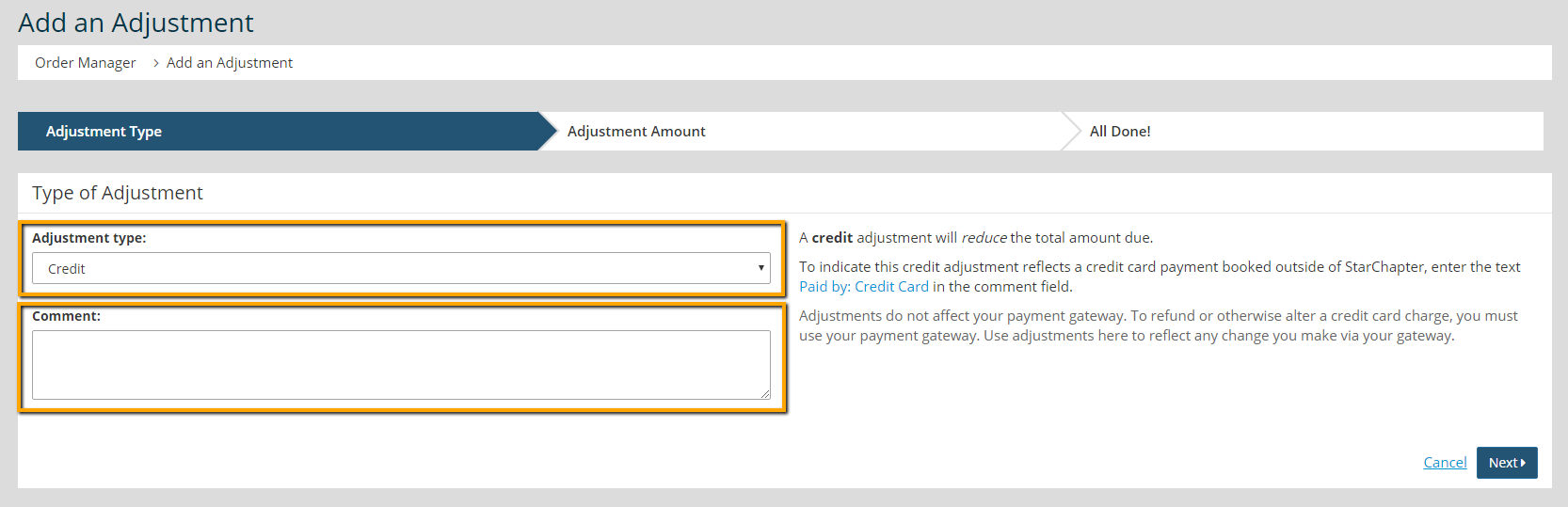
- Click Next.
- Enter the amount of the refund.
- Click Next.
Close The Remaining Balance
- Click Add an Adjustment, again.
- Set the Adjustment Type to Close Remaining Balance.
- Click Next.
- Click OK to confirm and close the order.


