Email Builder Community Content Section Library
StarChapter's Email Builder uses content sections to pull content dynamically from multiple areas throughout the system into a single Email Build. This allows admin users to efficiently and consistently draft emails and eliminate the need to duplicate effort. Each available content section has a different use and/or display and are allowed in certain mailing types.
Email Builder is only available on current design layouts. If your StarChapter system does not include Email Builder, you may want to consider a redesign of your StarChapter website.
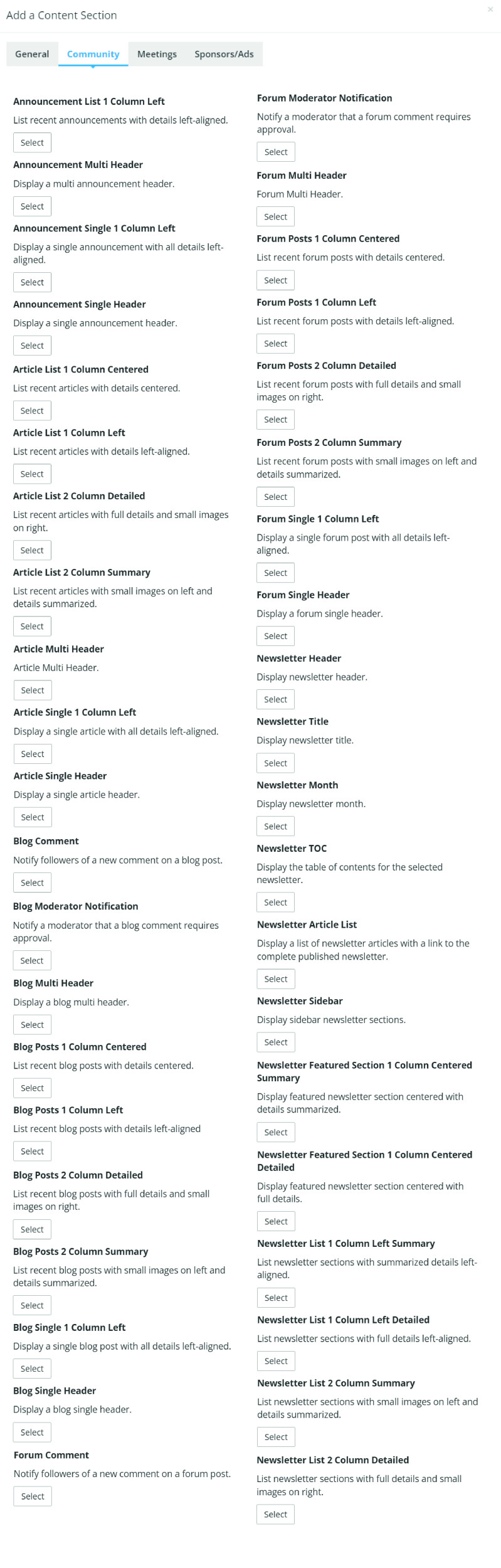
Select a content section in the screenshot on the right to learn more about that specific content section.
General Content Section Library
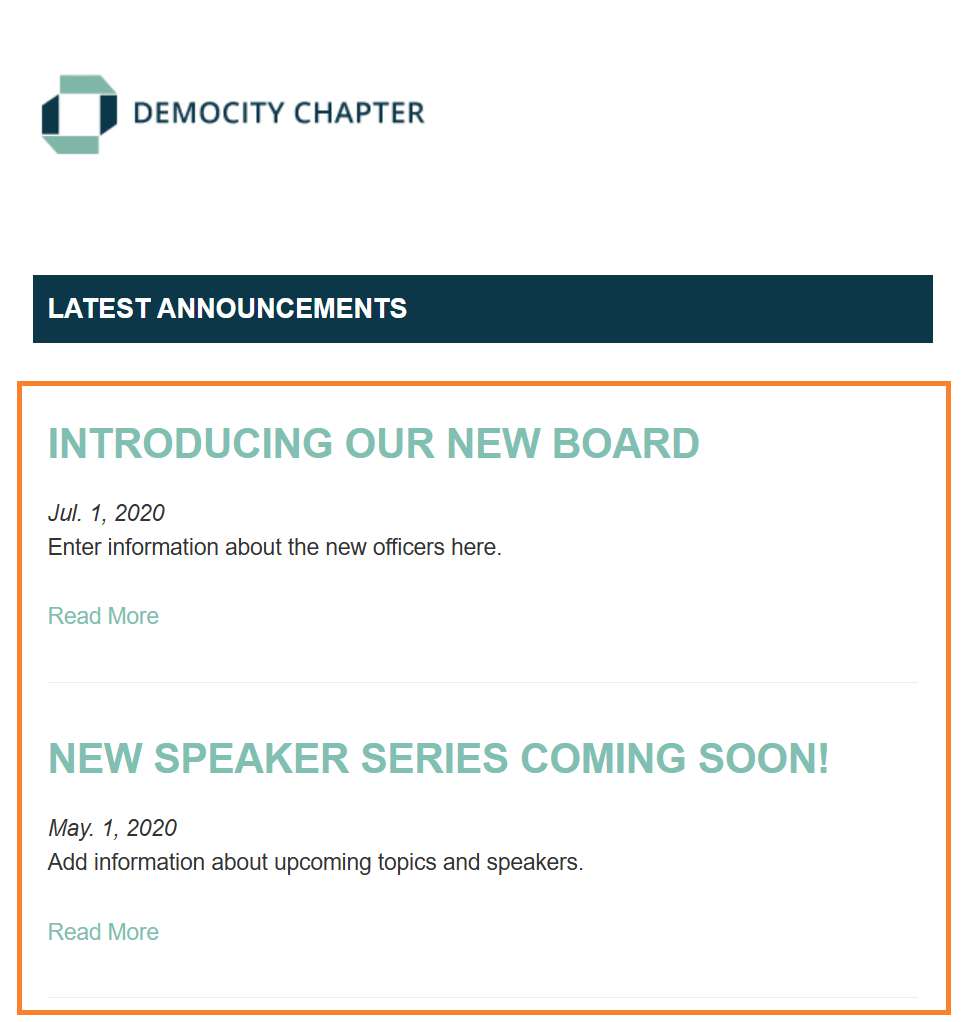
Announcement List 1 Column Left
- Lists your most recent announcements in a left-aligned design
- In Email Builder, you are able to enter a max # of announcements to display when the email sends; leave blank for no max
- Send our pre built system email build called "Announcement List 1 Column Left" or create your own custom email build and add this content section to it
 |
Tip: In Email Builder, this content section is available in ALL mailing types. |
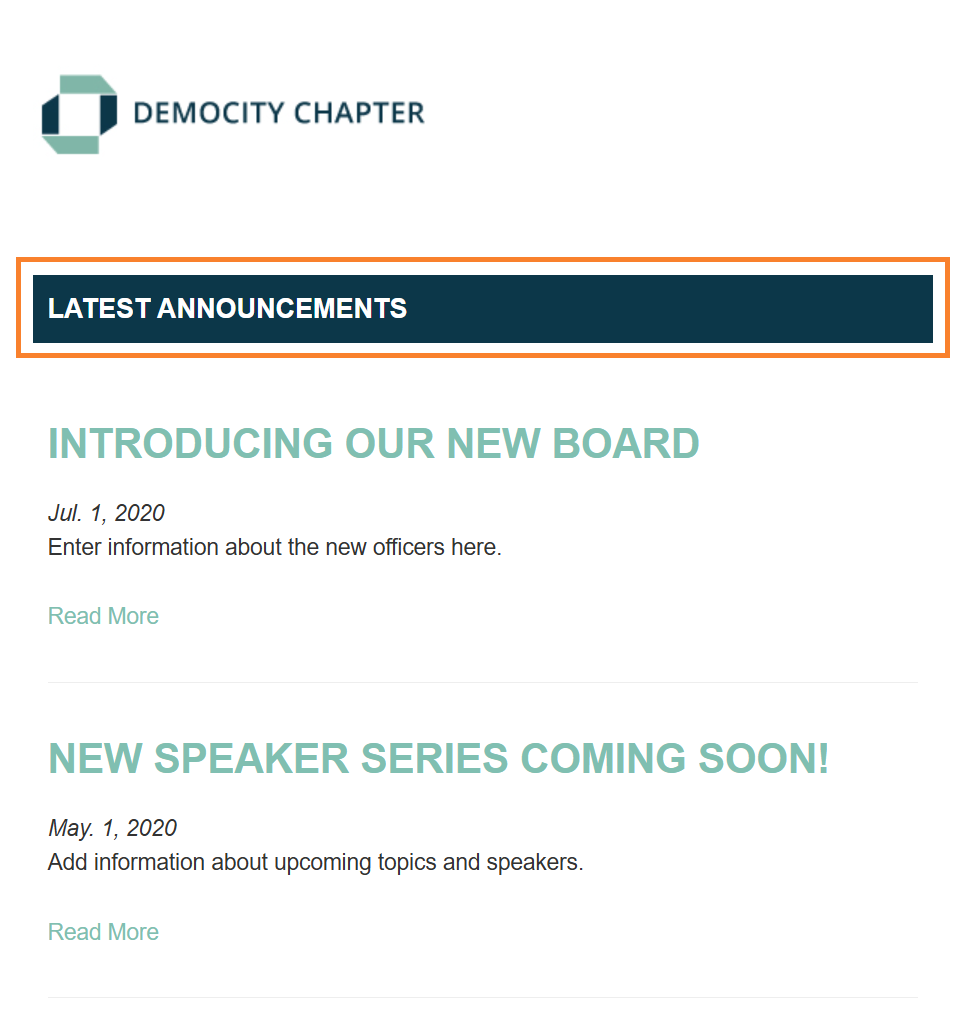
Announcement Multi Header
- Displays the text "Latest Announcements" in a header bar design style
- Send our pre built system email build called "Announcement List 1 Column Left" or create your own custom email build and add this content section to it
|
Tip: In Email Builder, this content section is available in ALL mailing types. |
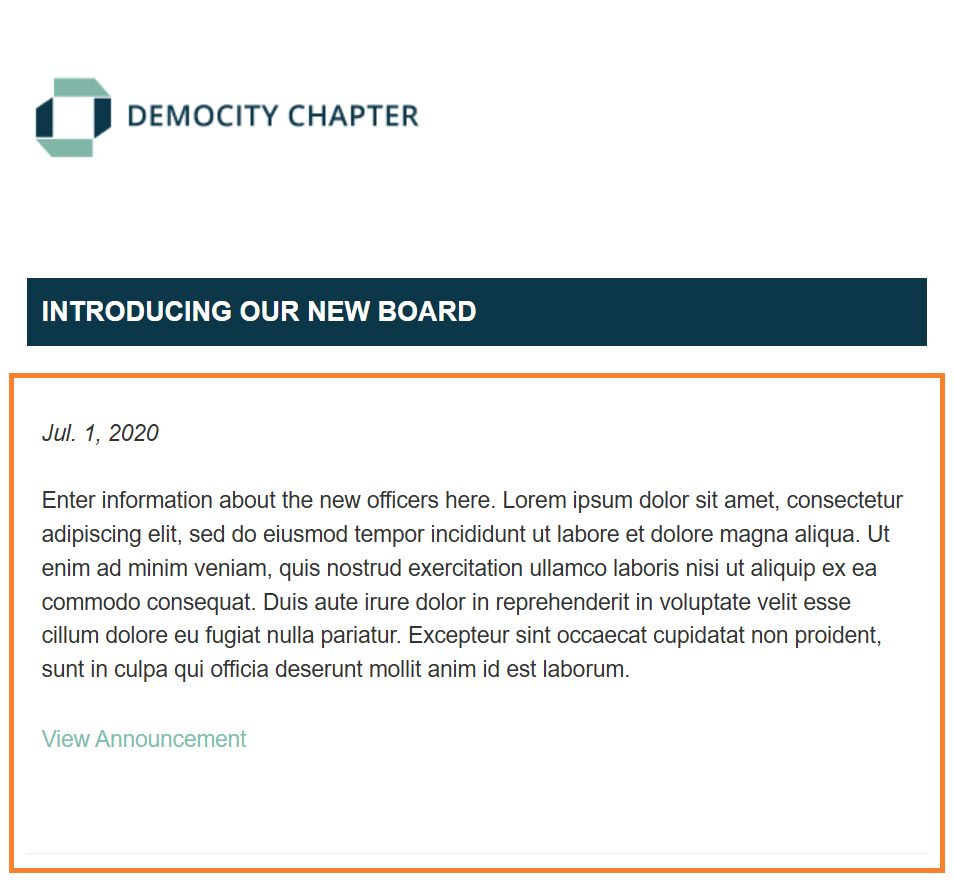
Announcement Single 1 Column Left
- Displays a single announcement with all announcement details left-aligned
- Send our pre built email build called "Single Announcement" or create your own custom announcement email build and add this content section to it
- At time of send, when you select an email build with this content section included, you will be asked to select which announcement you wish to send
|
Tip: In Email Builder, this content section is available in "Announcement" mailing types only. |
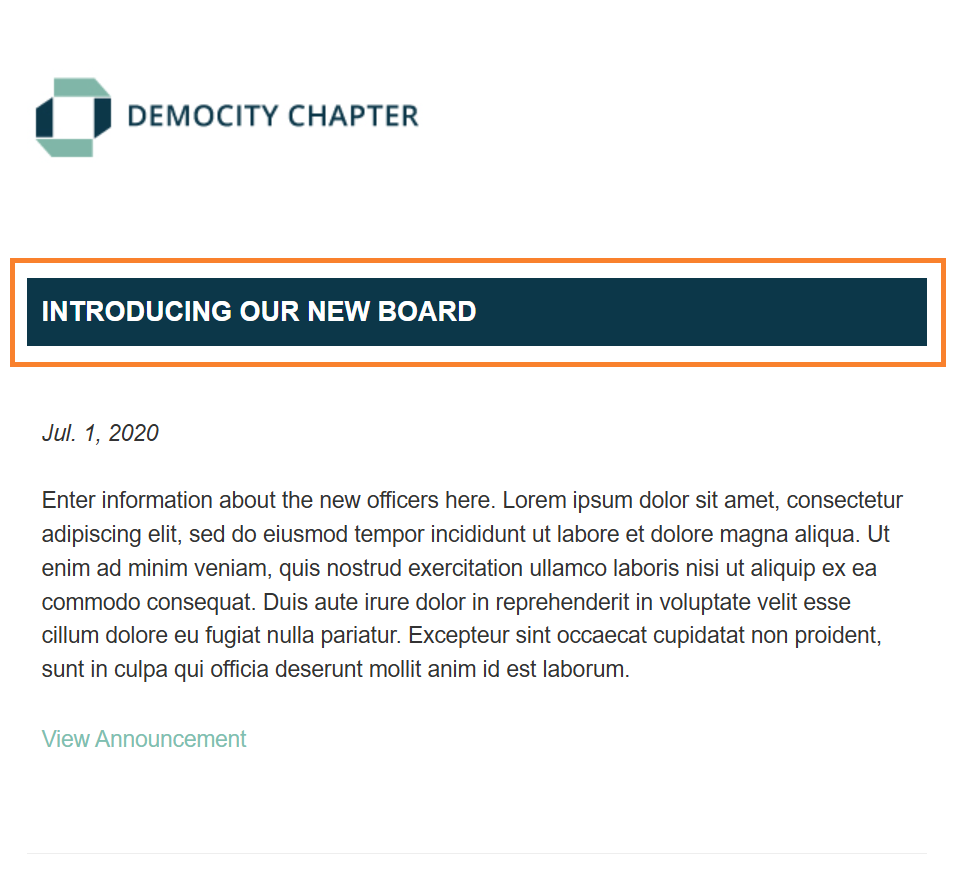
Announcement Single Header
- Displays the title of the announcement you are sending in a header bar design style
- Send our pre built system email build called "Single Announcement" or create your own custom announcement email build and add this content section to it
- At time of send, when you select an email build with this content section included, you will be asked to select which announcement you wish to send
|
Tip: In Email Builder, this content section is available in "Announcement" mailing types only. |
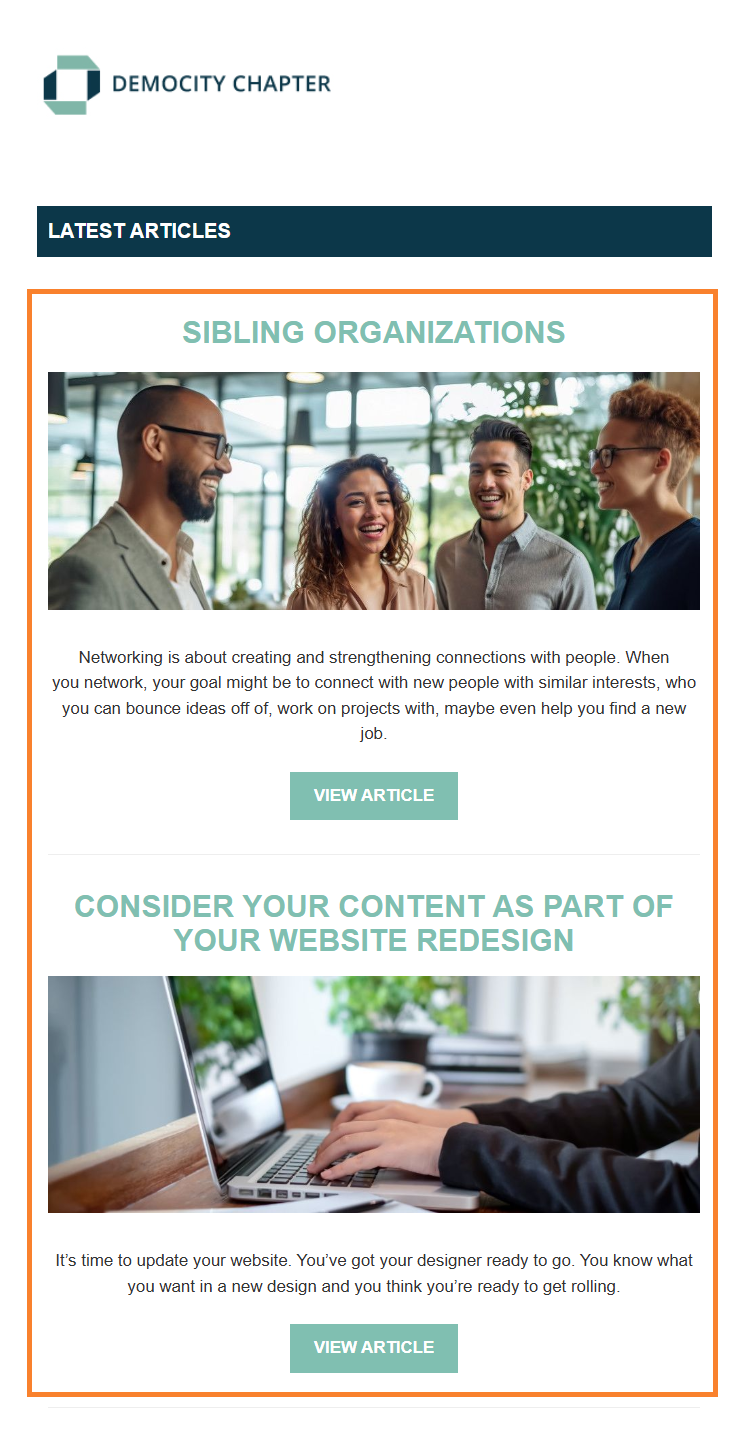
Article List 1 Column Centered
- Lists your most recent articles in a centered design
- In Email Builder you are able to select which article categories you wish to include
- In Email Builder you are able to enter a max # of articles to display when the email sends; leave blank for no max
- Send our pre built system email build called "Latest Articles 1 Column Centered" or create your own custom email build and add this content section to it
|
Tip: In Email Builder, this content section is available in ALL mailing types. |
Article List 1 Column Left
- Lists your most recent articles in a left-aligned design
- In Email Builder you are able to select which article categories you wish to include
- In Email Builder you are able to enter a max # of articles to display when the email sends; leave blank for no max
- Send our pre built system email build called "Latest Articles 1 Column Left" or create your own custom email build and add this content section to it

|
Tip: In Email Builder, this content section is available in ALL mailing types. |
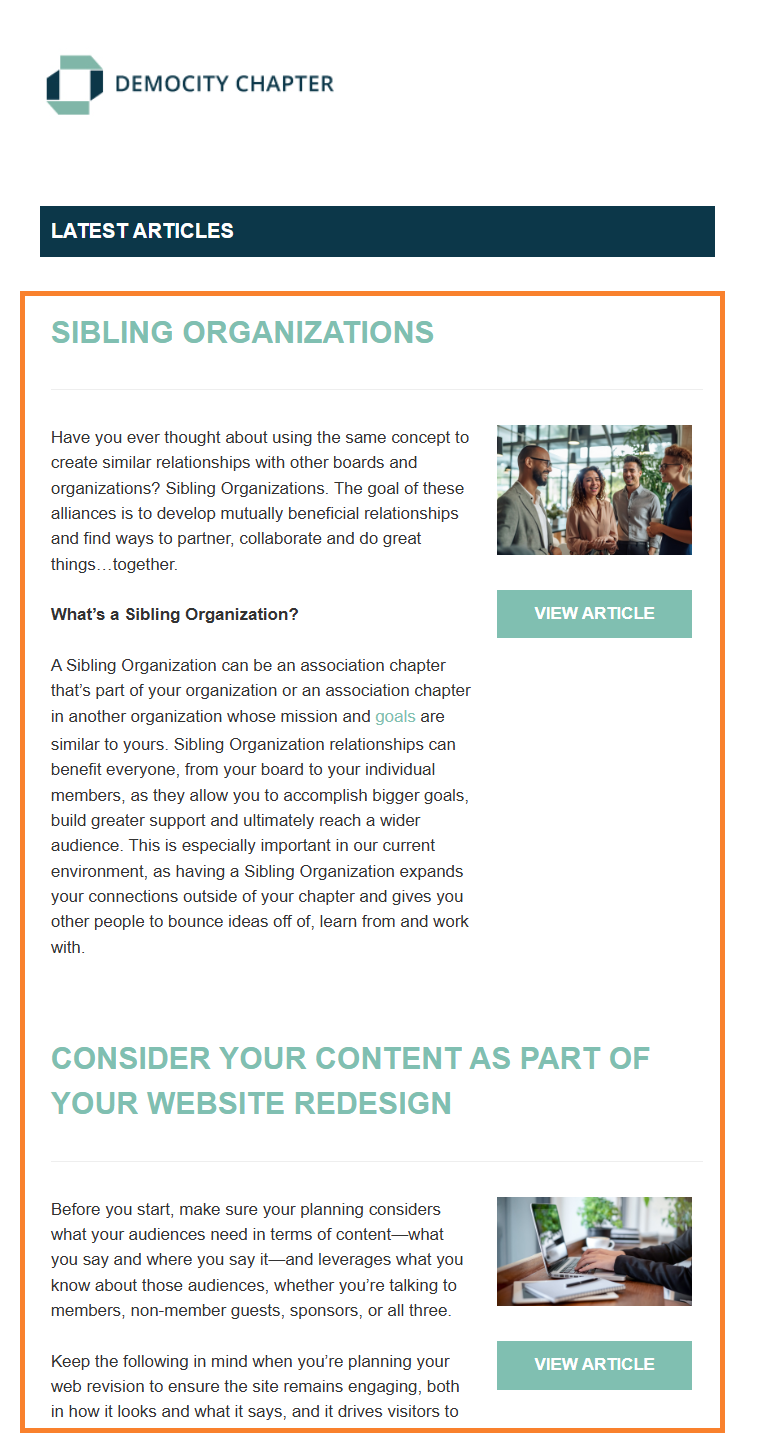
Article List 2 Column Detailed
- List your most recent articles with the full article details displayed in the left column and a small image in the right column
- In Email Builder you are able to select which article categories you wish to include
- In email Builder you are able to enter a max # of articles to display when the email sends; leave blank for no max
- Send our pre built system email build called "Latest Articles 2 Column Detailed" or create your own custom email build and add this content section to it
|
Tip: In Email Builder, this content section is available in ALL mailing types. |
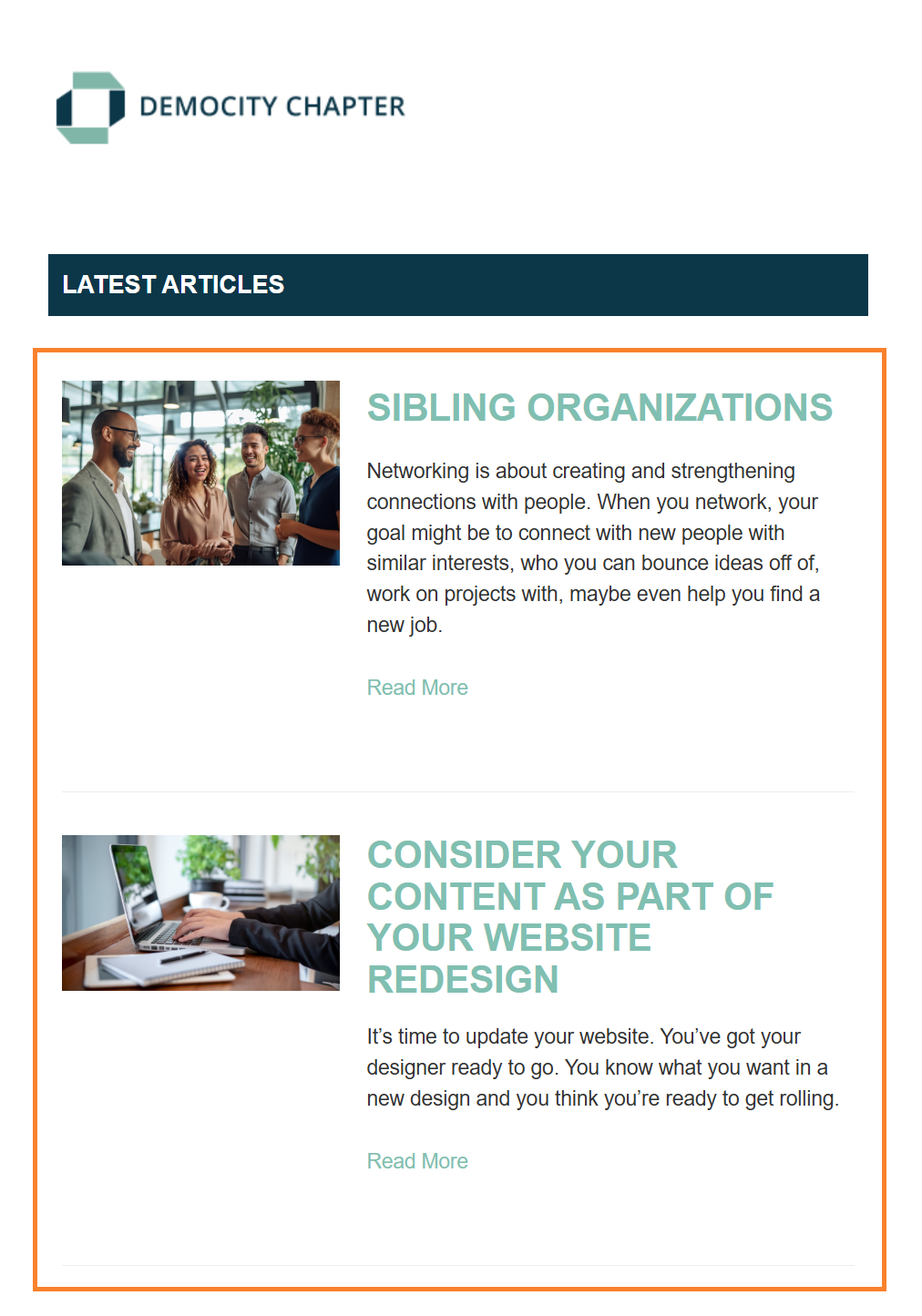
Article List 2 Column Summary
- Lists your most recent articles with a small image in the left column and the articles details summarized in the right column
- In Email Builder you are able to select which article categories you wish to include
- In Email Builder you are able to enter a max # of articles to display when the email sends; leave blank for no max
- Send our pre built system email build called "Latest Articles 2 Column Summary" or create your own custom email build and add this content section to it
|
Tip: In Email Builder, this content section is available in ALL mailing types. |
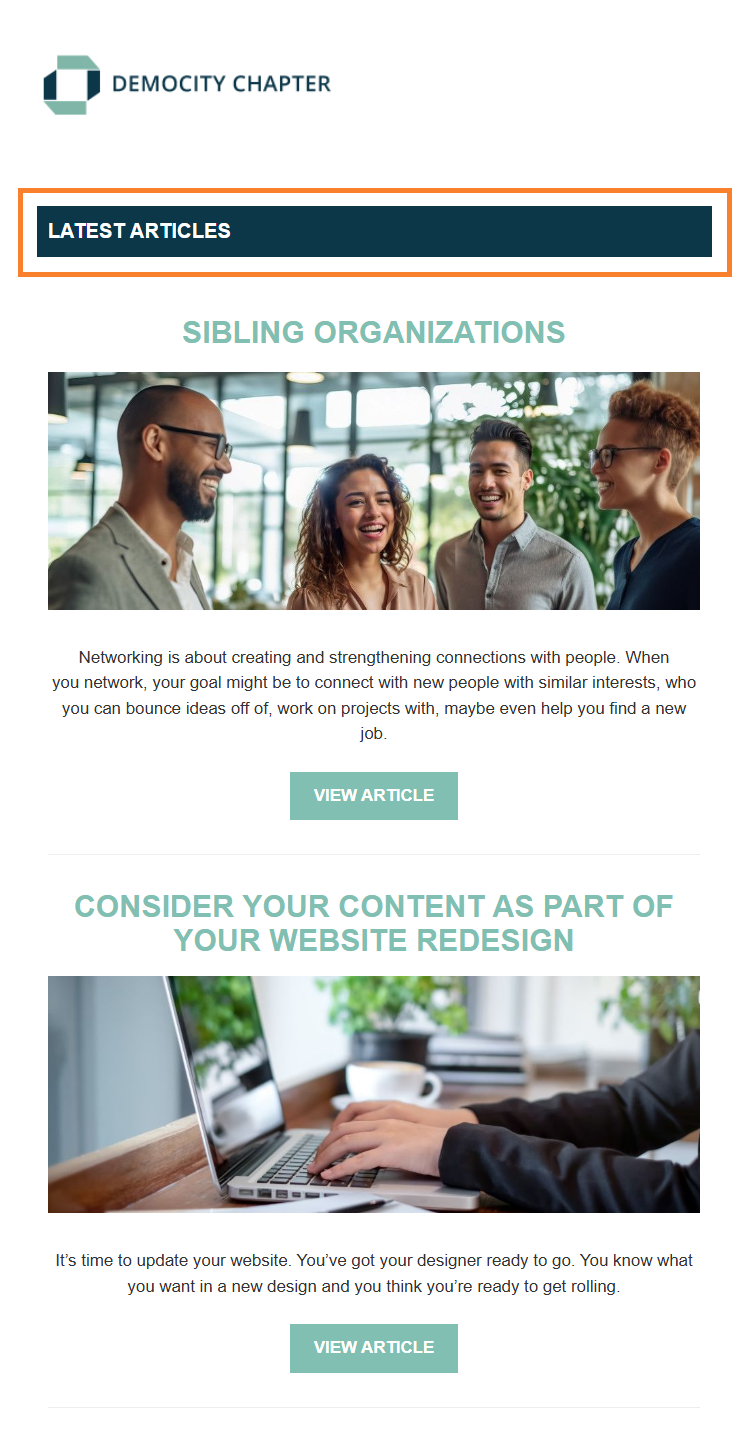
Article Multi Header
- Displays the text "Latest Articles" in a header bar design style
- Send one of our pre built system email builds for Article Lists, such as "Latest Articles 1 Column Centered", or create your own custom email build and add this content section to it
|
Tip: In Email Builder, this content section is available in ALL mailing types. |
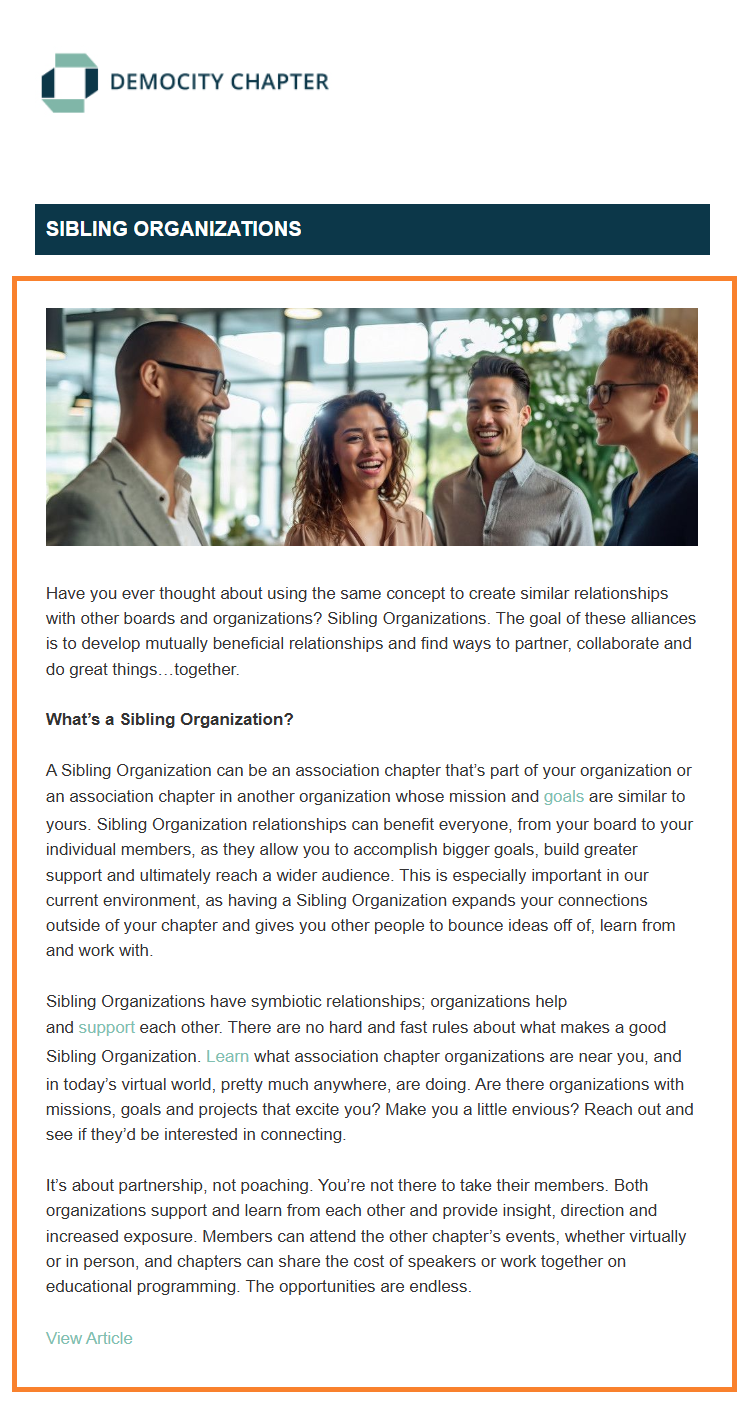
Article Single 1 Column Left
- Displays a single article with full article details left-aligned
- Send our pre built system email build called "Single Article 1 Column Left" or create your own custom email article build and add this content section to it
- At time of send, when you select an email build with this content section included, you will be asked to select which single article you wish to send
|
Tip: In Email Builder, this content section is available in "Article" mailing types only. |
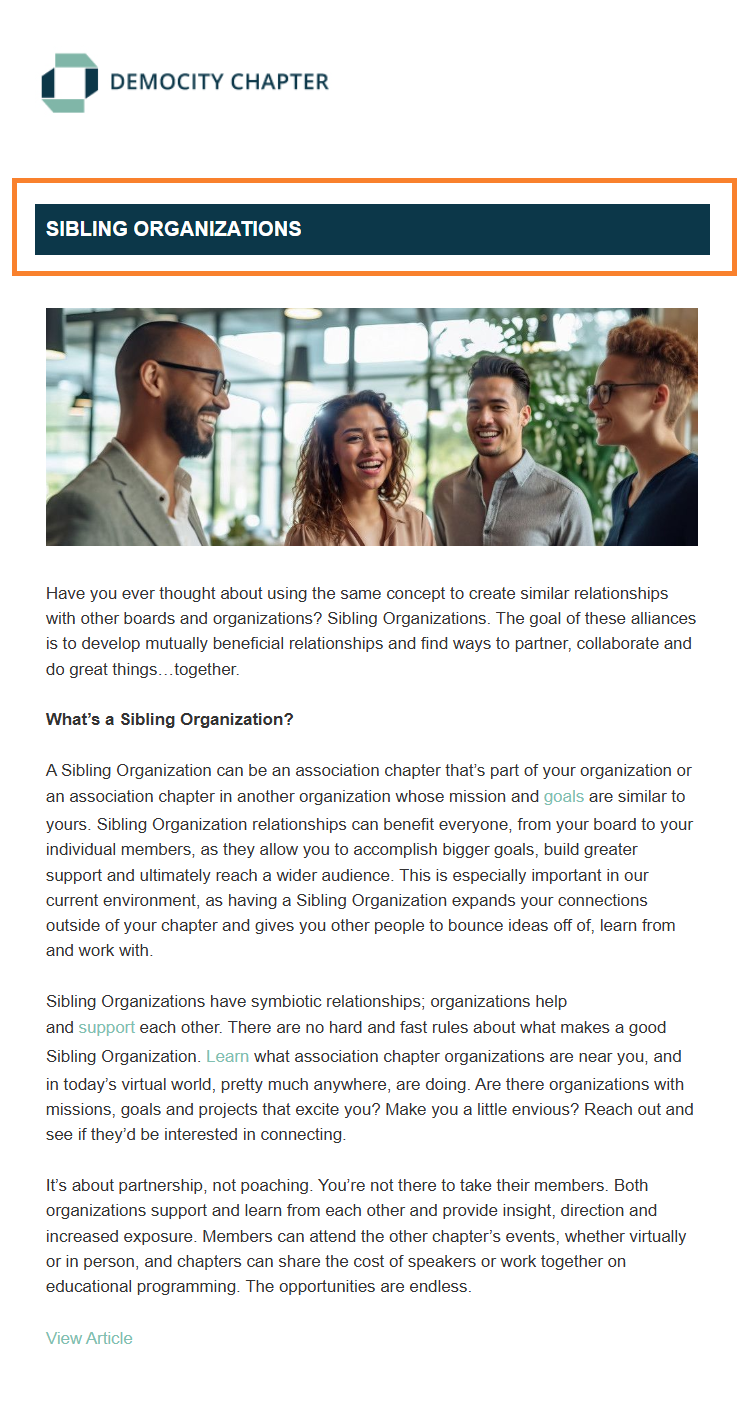
Article Single Header
- Displays the title of the article you are sending in a header bar design style
- Send our pre built system email build called "Single Article 1 Column Left" or create your own custom article email build and add this content section to it.
|
Tip: In Email Builder, this content section is available in "Article" mailing types only. |
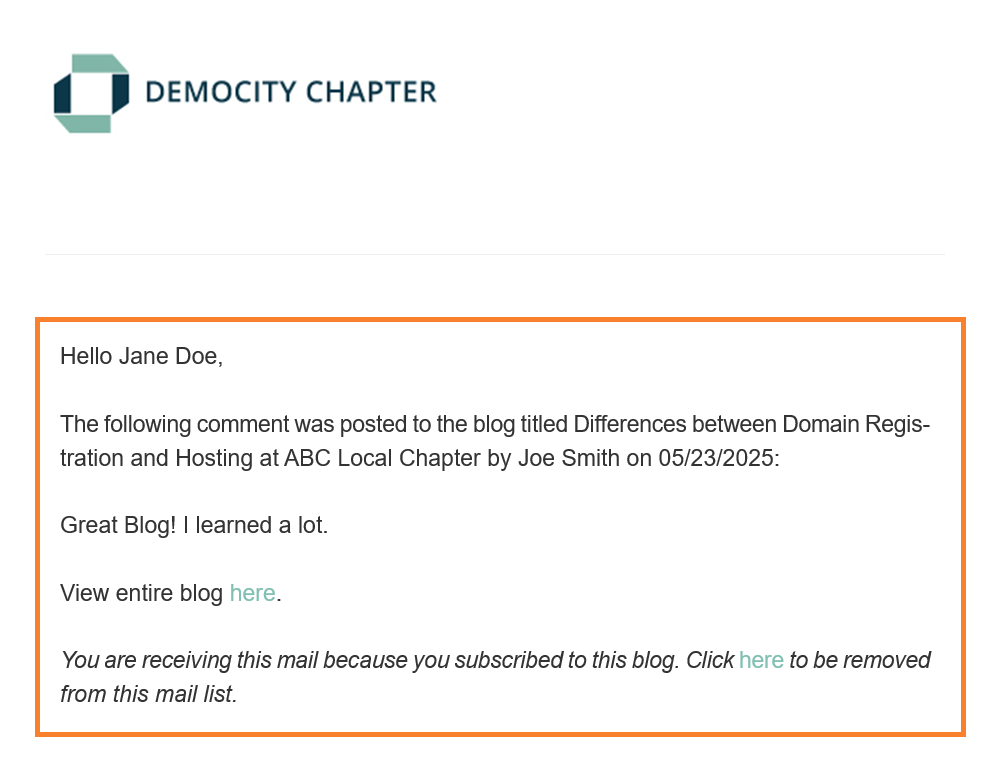
Blog Comment
- Notifies followers for a specific blog post that there has been a new comment posted on that blog
- Our pre built system email build called "Blog Comment" is set as the default email build and is sent automatically in our system when triggered
- You can create your own custom blog comment email build, add this content section to it, and set it as the default email build
|
Tip: In Email Builder, this content section is available in "Blog Comment" mailing types only. |
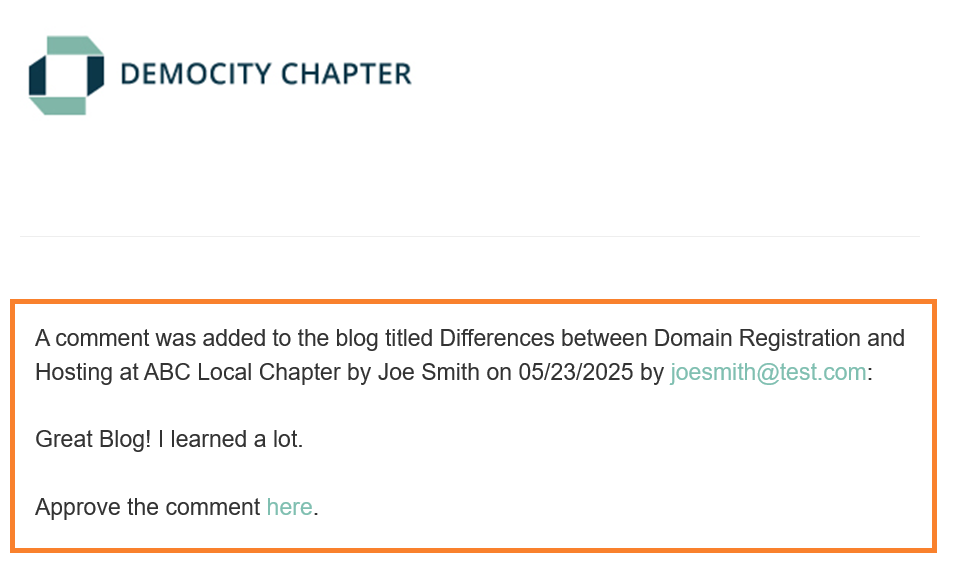
Blog Moderator Comment Notification
- Notifies the moderator that a blog comment has been made and requires approval
- Our pre built system email build called "Blog Moderator Comment Notification" is set as the default email build that is sent automatically in our system when triggered
- You can create your own custom blog moderator comment notification email build, add this content section to it, and set it as the default email build
|
Tip: In Email Builder, this content section is available in "Blog Moderator Comment Notification" mailing types only. |
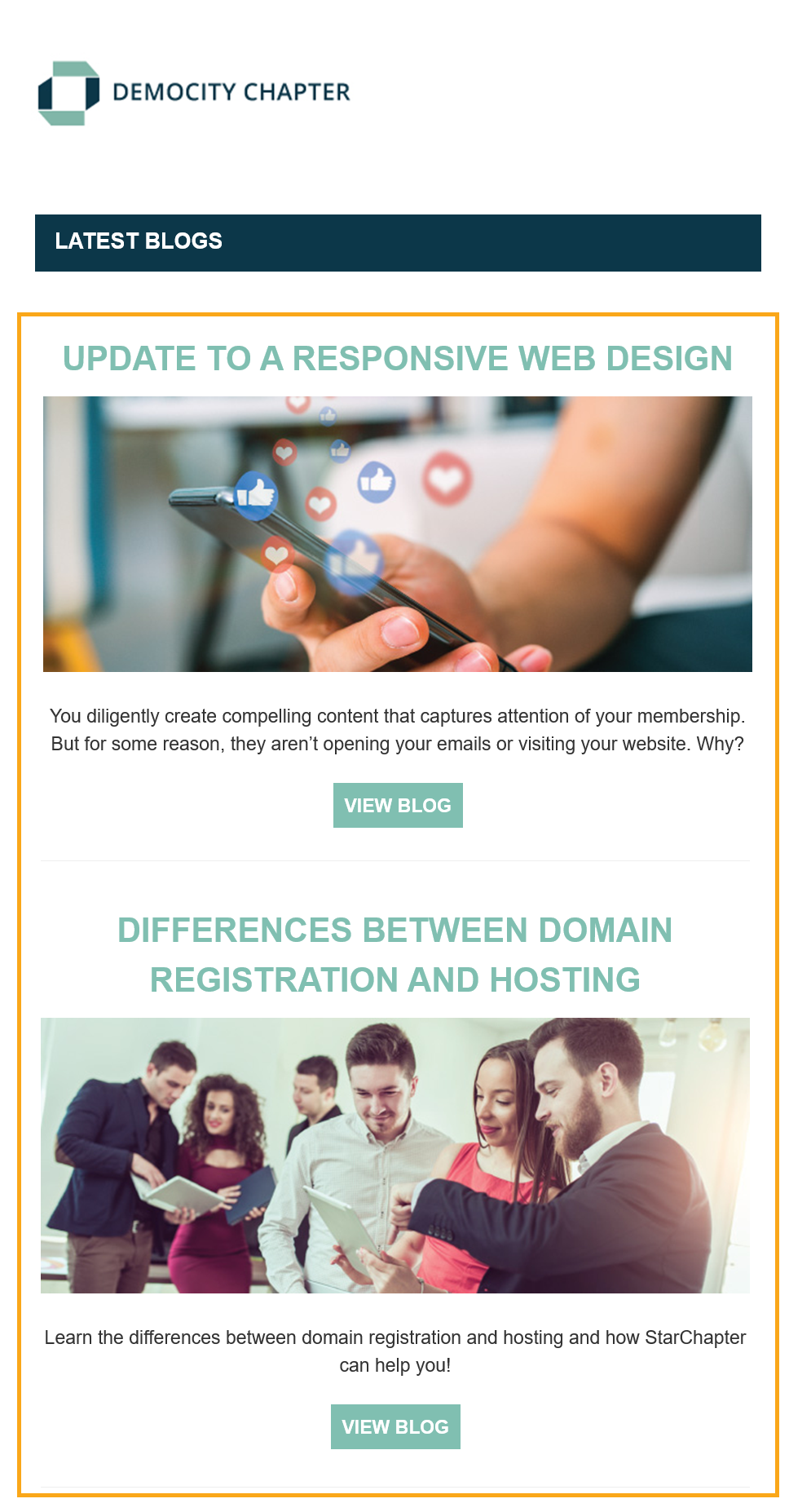
Blog Posts 1 Column Centered
- Lists your most recent blog posts in a centered design
- In Email Builder you are able to select which blog categories you wish to include
- In Email Builder you are able to enter a max # of blogs to display when the email sends; leave blank for no max
- Send our pre built system email build called "Latest Blog Posts 1 Column Centered" or create your own custom email build and add this content section to it
|
Tip: In Email Builder, this content section is available in ALL mailing types. |
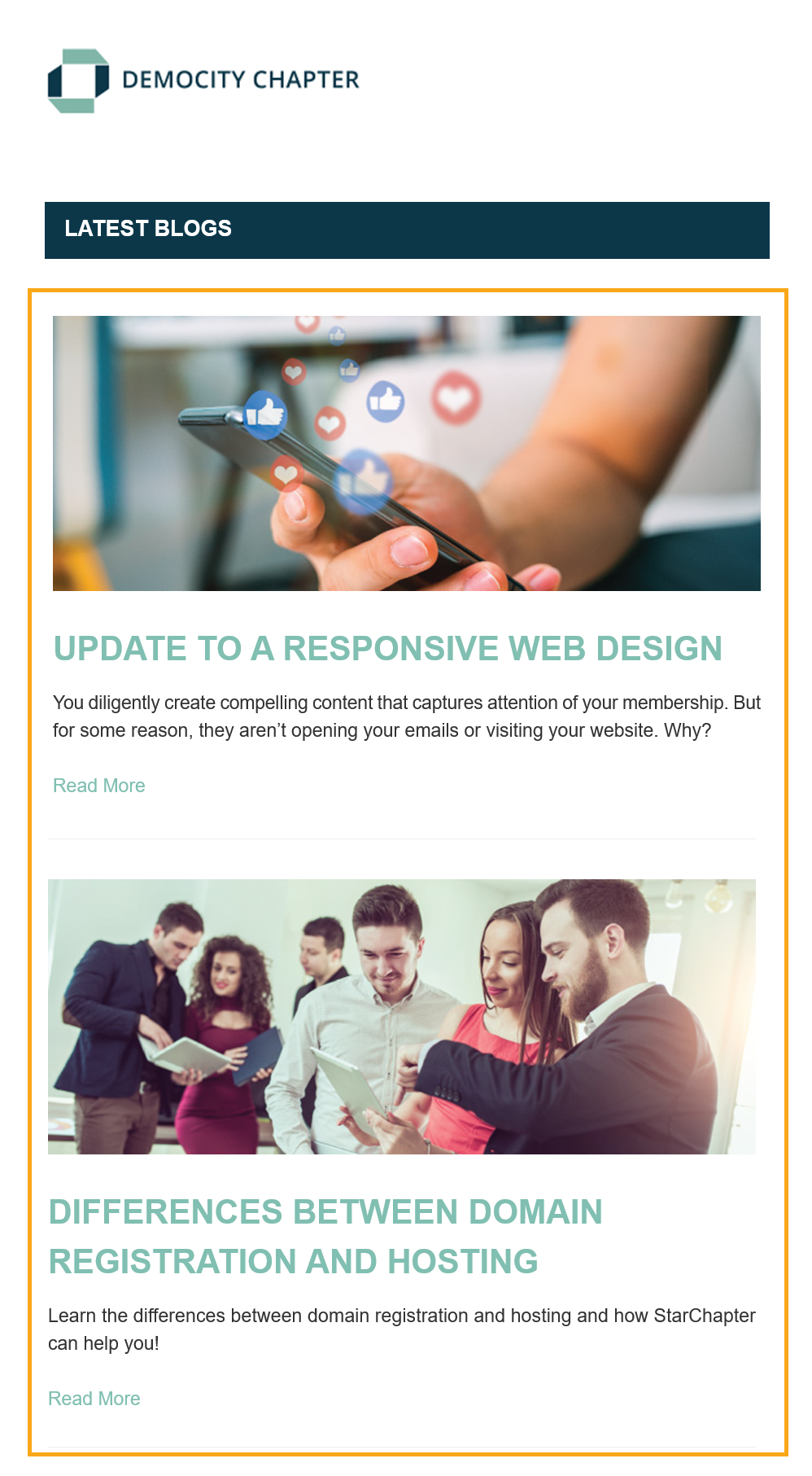
Blog Posts 1 Column Left
- Lists your most recent blog posts in a left-aligned design
- In Email Builder you are able to select which blog categories you wish to include
- In Email Builder you are able to enter a max # of blogs to display when the email sends; leave blank for no max
- Send our pre built system email build called "Latest Blog Posts 1 Column Left" or create your own custom email build and add this content section to it
|
Tip: In Email Builder, this content section is available in ALL mailing types. |
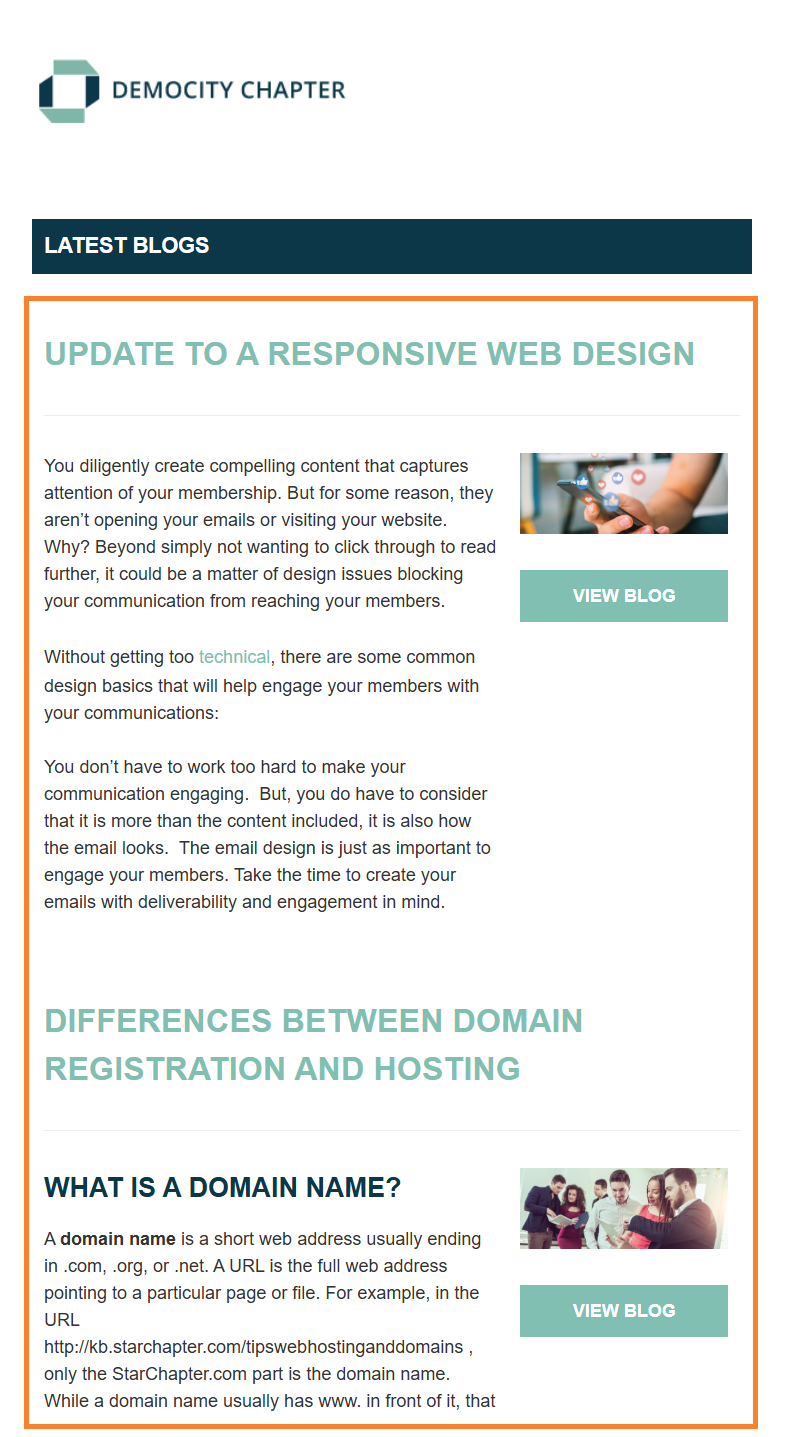
Blog Posts 2 Column Detailed
- Lists your most recent blog posts with the full blog details displayed in the left column and a small image in the right column
- In Email Builder you are able to select which blog categories you wish to include
- In Email Builder you are able to enter a max # of blog posts to display when the email sends; leave blank for no max
- Send our pre built system email build called "Latest Blog Posts 2 Column Detailed" or create your own custom email build and add this content section to it
|
Tip: In Email Builder, this content section is available in ALL mailing types. |
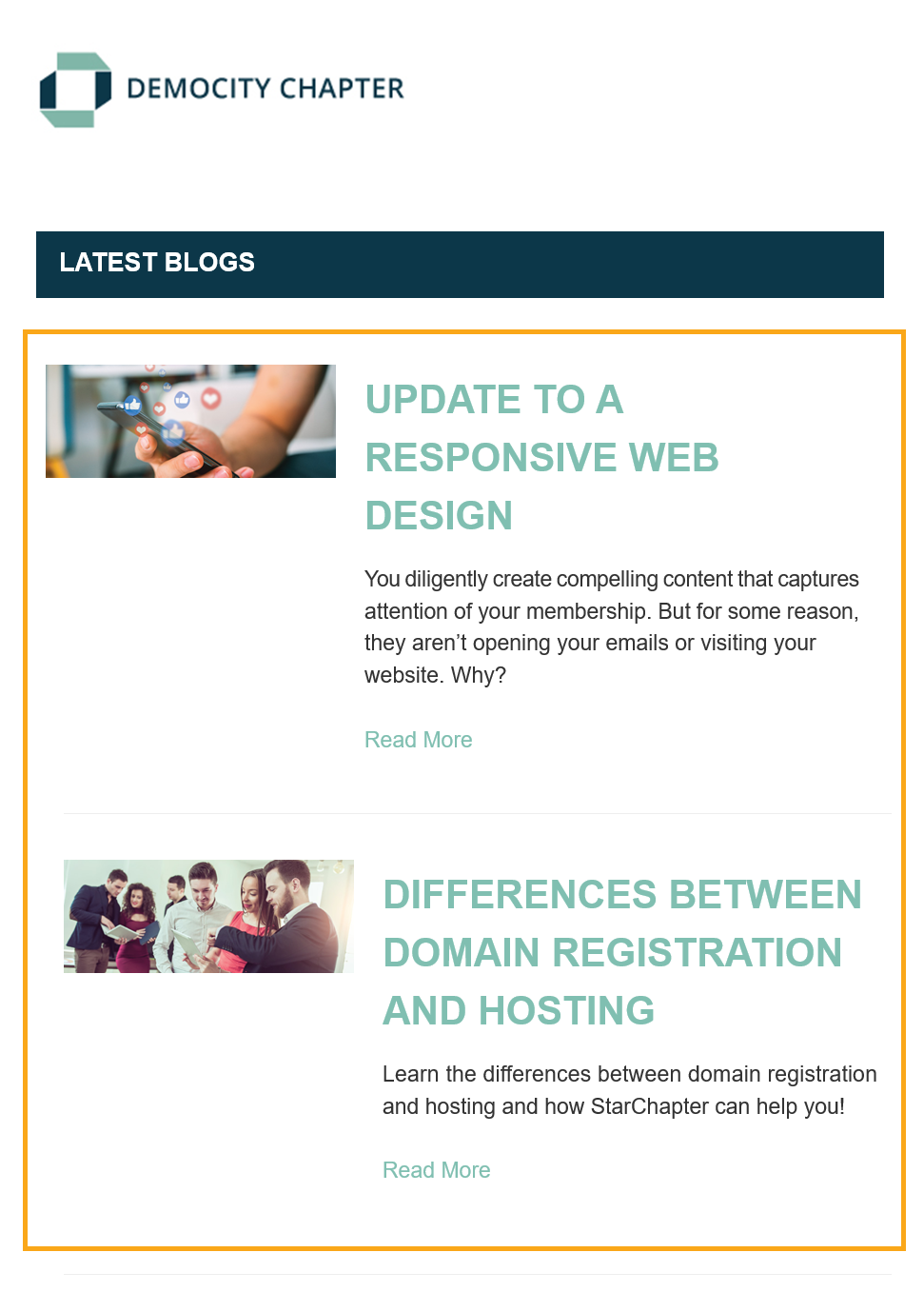
Blog Posts 2 Column Summary
- List your most recent blogs with a small image in the left column and the blog details summarized in the right column
- In Email Builder you are able to select which blog categories you wish to include
- In Email Builder you are able to enter a max # of blogs to display when the email sends; leave blank for no max
- Send our pre built system email build called "Latest Blog Posts 2 Column Summary" or create your own custom email build and add this content section to it
|
Tip: In Email Builder, this content section is available in ALL mailing types. |
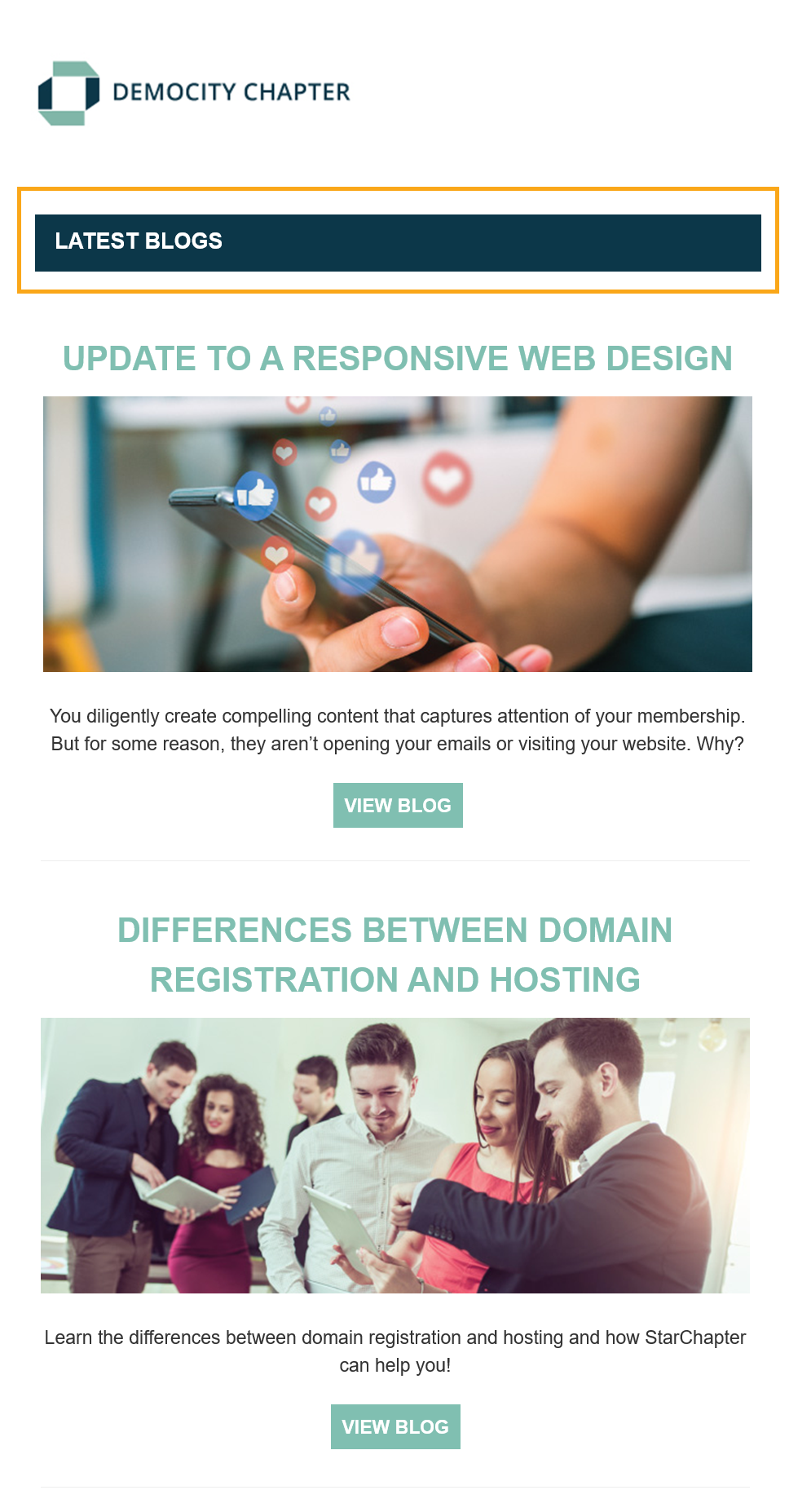
Blog Multi Header
- Displays the text "Latest Blogs" in a header bar design style
- Send one of our pre built system email builds for Blog Posts, such as "Latest Blog Posts 1 Column Centered", or create your own custom email build and add this content section to it
|
Tip: In Email Builder, this content section is available in ALL mailing types. |
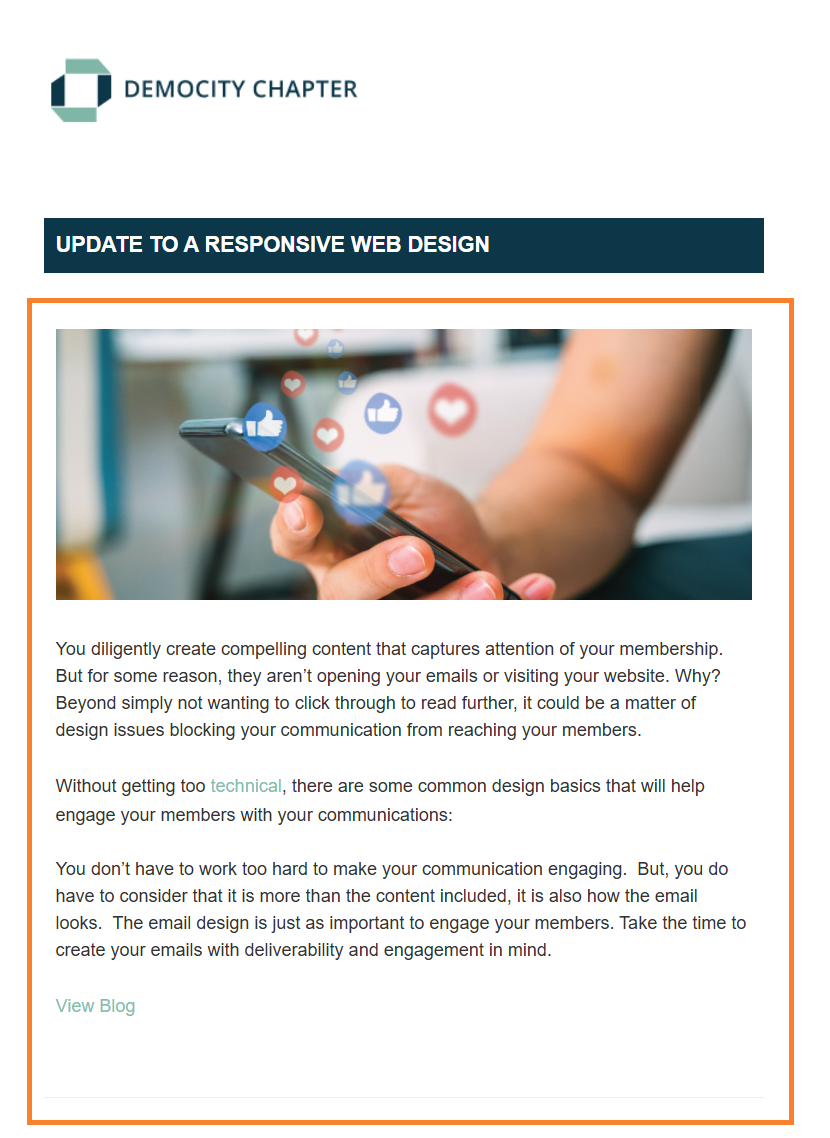
Blog Single 1 Column Left
- Displays a single blog with all blog details left-aligned
- Send our pre built system email build called "Single Blog Posts 1 Column Left" or create your own custom email blog build and add this content section to it
- At time of send, when you select an email build with this content section included, you will be asked to select which single blog post you wish to send
|
Tip: In Email Builder, this content section is available in "Blog" mailing types only. |
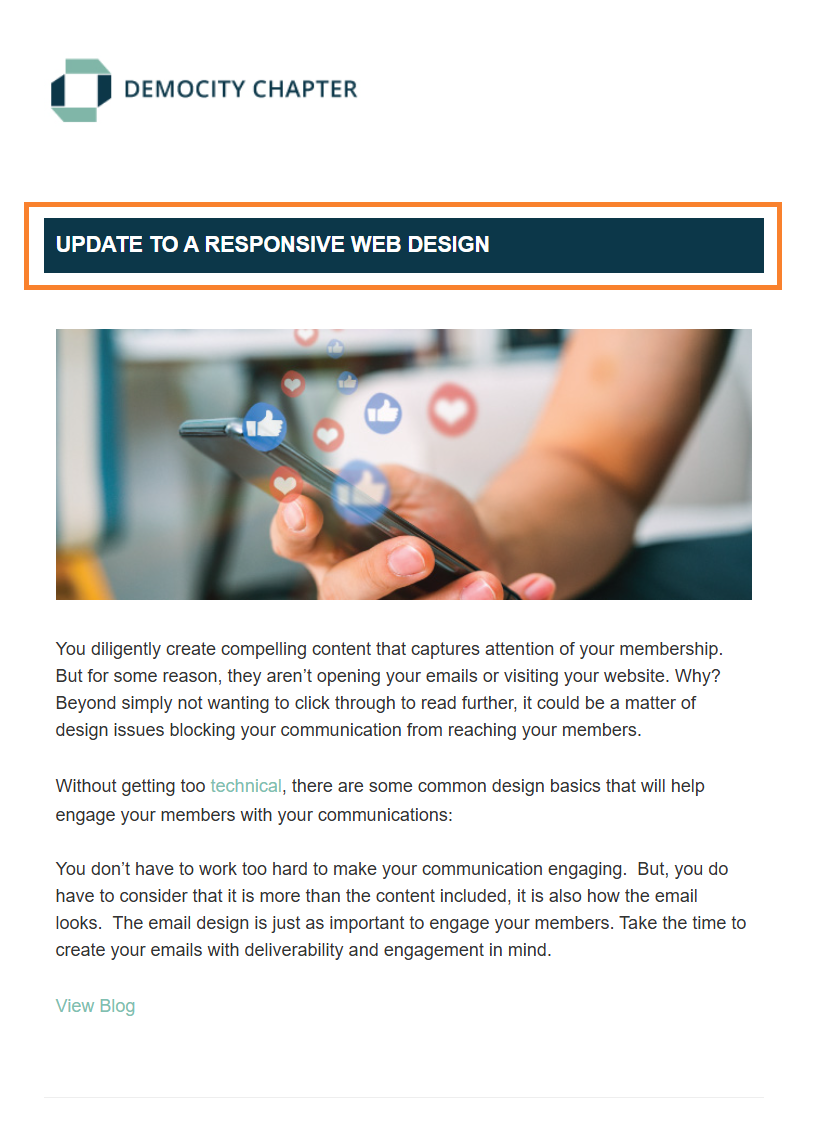
Blog Single Header
- Displays the title of the blog you are sending in a header bar design style
- Send our pre built system email build called "Single Blog 1 Column Left" or create your own custom blog email build and add this content section to it
|
Tip: In Email Builder, this content section is available in "Blog" mailing types only. |
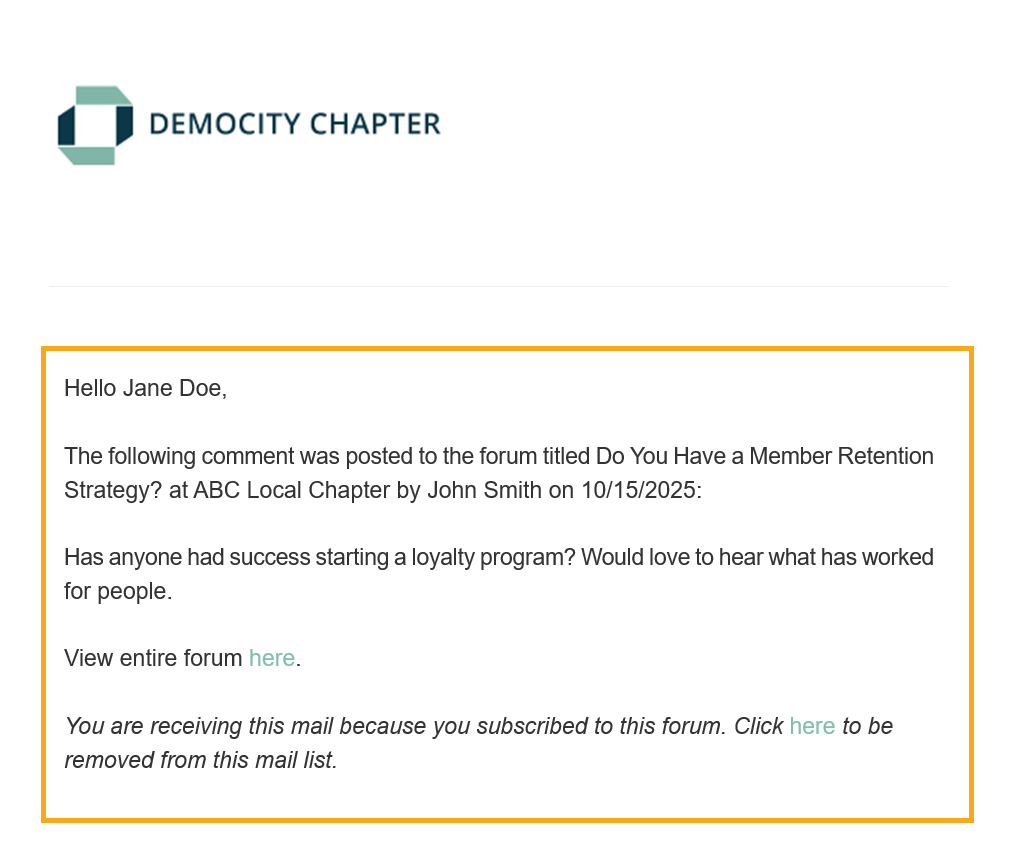
Forum Comment
- Notifies followers for a specific forum that there has been a new comment posted on that forum
- Our pre built system email build called "Forum Comment" is set as the default email build and is sent automatically in our system when triggered
- You can create your own custom forum comment email build, add this content section to it, and set it as the default email build
|
Tip: In Email Builder, this content section is available in "Forum Comment" mailing types only. |
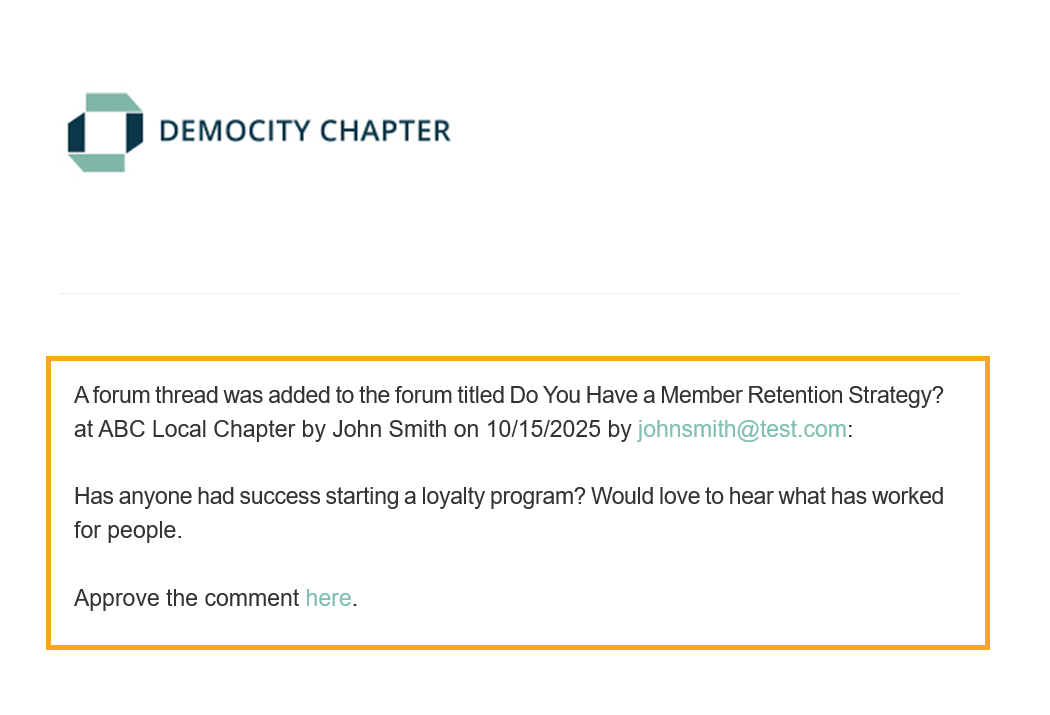
Forum Moderator Notification
- Notifies the moderator that a forum comment has been made and requires approval
- Our pre built system email build called "Forum Moderator" is set as the default email build that is sent automatically in our system when triggered
- You can create your own custom forum moderator email build, add this content section to it, and set it as the default email build
|
Tip: In Email Builder, this content section is available in "Forum Moderator" mailing types only. |
Forum Posts 1 Column Centered
- Lists your most recent forum posts in a centered design
- In Email Builder you are able to select which forum categories you wish to include
- In Email Builder you are able to enter a max # of forum posts to display when the email sends; leave blank for no max
- Send our pre built system email build called "Latest Forum Posts 1 Column Centered" or create your own custom email build and add this content section to it

|
Tip: In Email Builder, this content section is available in ALL mailing types. |
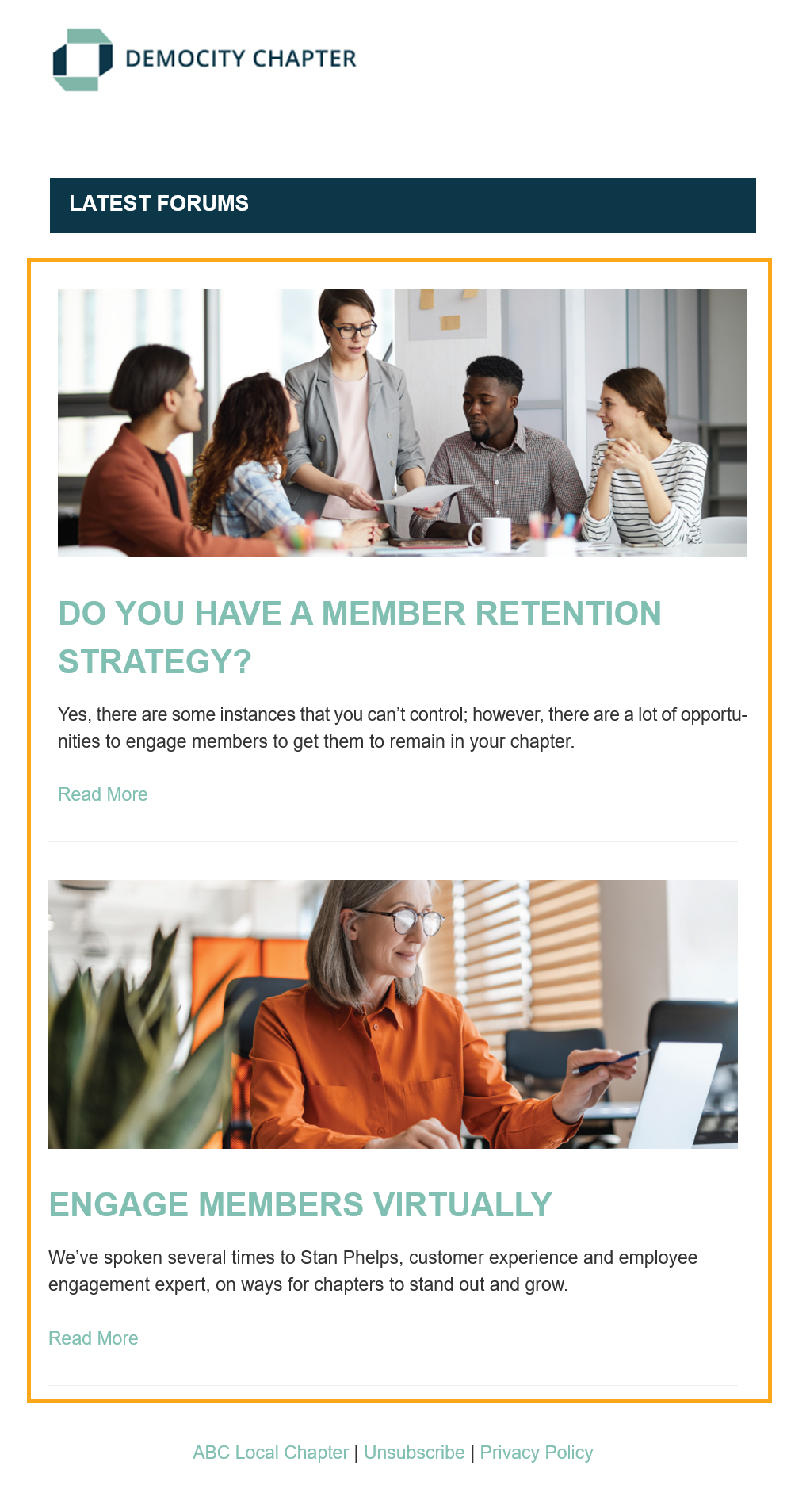
Forum Posts 1 Column Left
- Lists your most recent forum posts in a left-aligned design
- In Email Builder you are able to select which forum categories you wish to include
- In Email Builder you are able to enter a max # of forums to display when the email sends; leave blank for no max
- Send our pre built system email build called "Latest Forum Posts 1 Column Left" or create your own custom email build and add this content section to it
|
Tip: In Email Builder, this content section is available in ALL mailing types. |
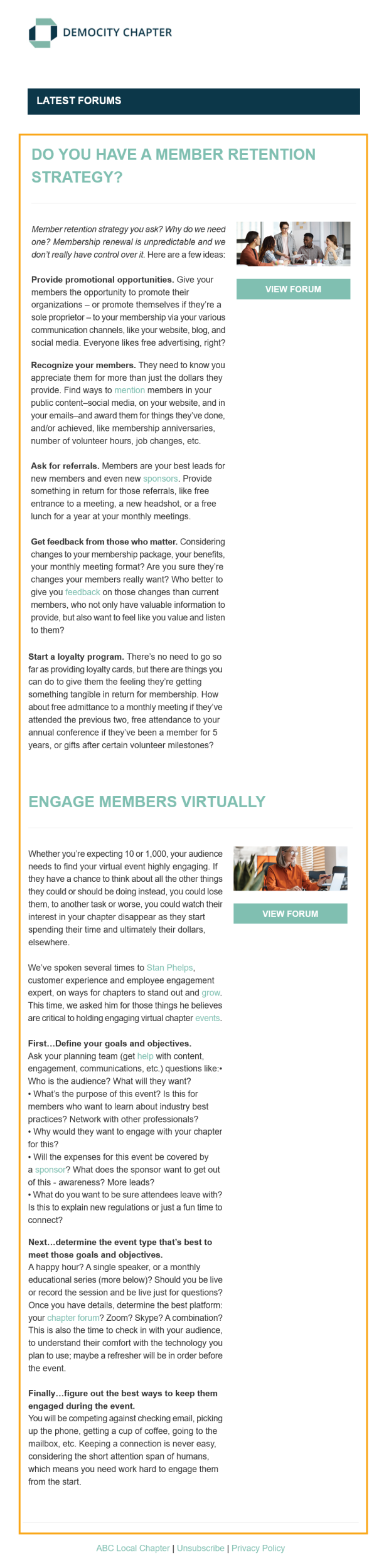
Forum Posts 2 Column Detailed
- Lists your most recent forum posts with the full forum details displayed in the left column and a small image in the right column
- In Email Builder you are able to select which forum categories you wish to include
- In Email Builder you are able to enter a max # of forums to display when the email sends; leave blank for no max
- Send our pre built system email build called "Latest Forum Posts 2 Column Detailed" or create your own custom email build and add this content section to it
|
Tip: In Email Builder, this content section is available in ALL mailing types. |
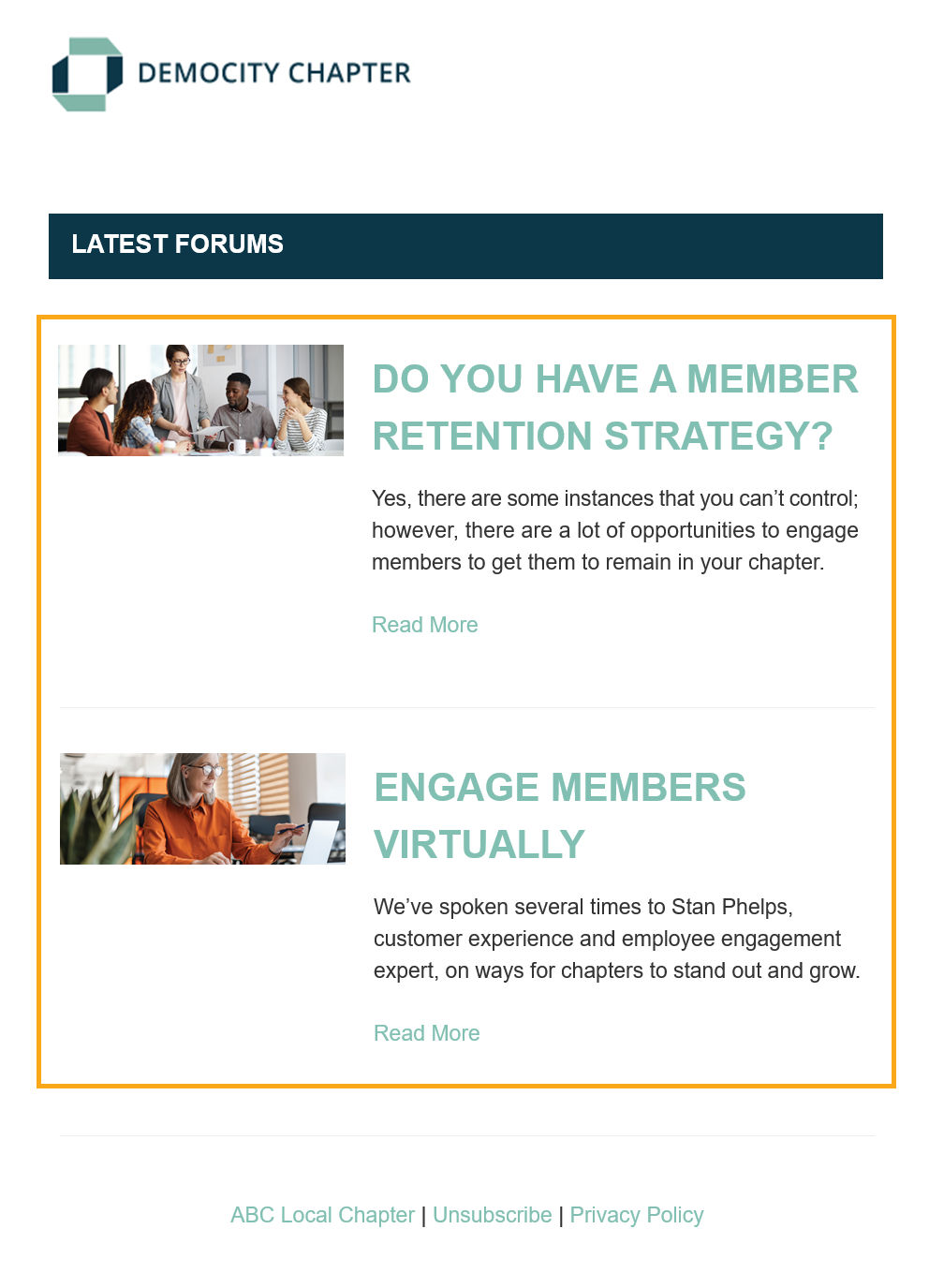
Forum Posts 2 Column Summary
- List your most recent forum posts with a small image in the left column and the forum details summarized in the right column
- In Email Builder you are able to select which forum categories you wish to include
- In Email Builder you are able to enter a max # of forums to display when the email sends; leave blank for no max
- Send our pre built system email build called "Latest Forum Posts 2 Column Summary" or create your own custom email build and add this content section to it
|
Tip: In Email Builder, this content section is available in ALL mailing types. |
Forum Multi Header
- Displays the text "Latest Forums" in a header bar design style
- Send one of our pre built system email builds for Forum Posts, such as "Latest Forum Posts 1 Column Centered", or create your own custom email build and add this content section to it

|
Tip: In Email Builder, this content section is available in ALL mailing types. |
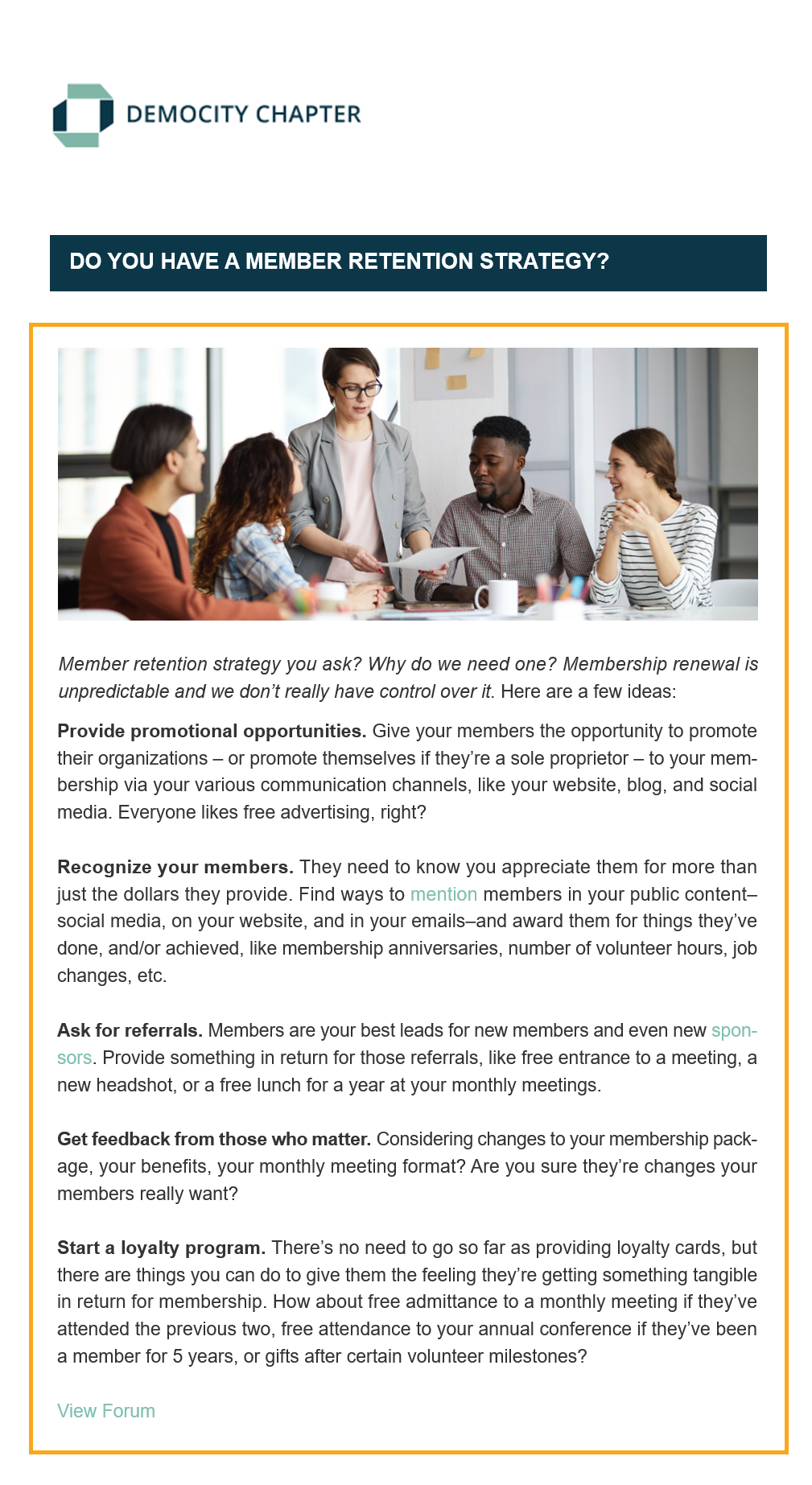
Forum Single 1 Column Left
- Displays a single forum with all forum details left-aligned
- Send our pre built system email build called "Single Forum Posts 1 Column Left" or create your own custom email forum build and add this content section to it
- At time of send, when you select an email build with this content section included, you will be asked to select which single forum you wish to send
|
Tip: In Email Builder, this content section is available in "Forum" mailing types only. |
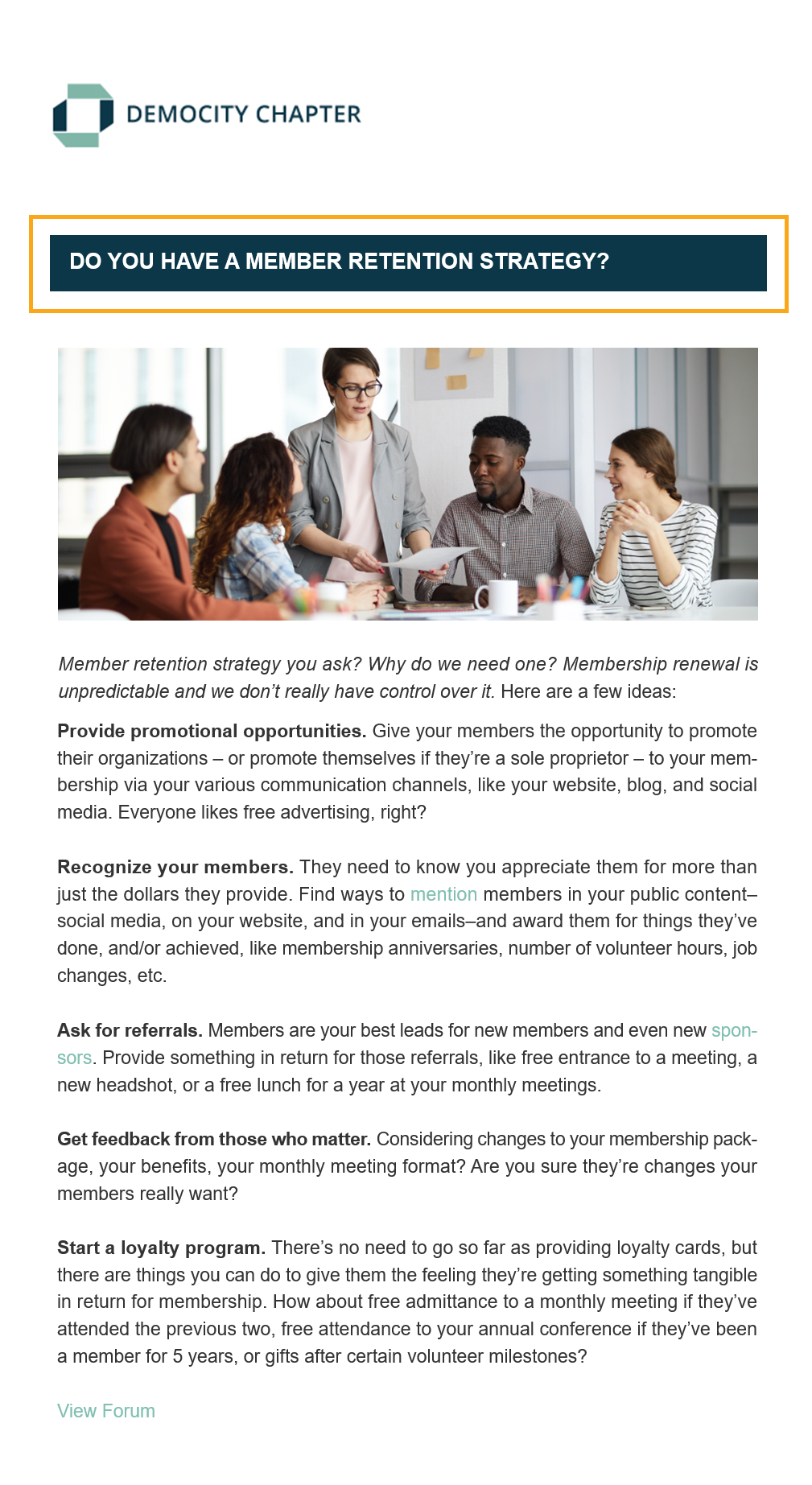
Forum Single Header
- Displays the title of the forum you are sending in a header bar design style
- Send our pre built system email build called "Single Forum 1 Column Left" or create your own custom forum email build and add this content section to it
|
Tip: In Email Builder, this content section is available in "Forum" mailing types only. |
Newsletter Header
- Displays the newsletter title, month, and year in a header bar design style
- Send one of our pre built system email builds for Newsletters, such as "Newsletter With Featured Section And Excerpts Only", or create your own custom newsletter email build and add this content section to it
- At time of send, when you select an email build with this content section included, you will be asked to select which newsletter you wish to send

|
Tip: In Email Builder, this content section is available in "Newsletters" mailing types only. |
Newsletter Title
- Displays the newsletter title in a header style
- Create your own custom newsletter email build and add this content section to it
- At time of send, when you select an email build with this content section included, you will be asked to select which newsletter you wish to send

|
Tip: In Email Builder, this content section is available in "Newsletters" mailing types only. |
Newsletter Month
- Displays the newsletter month and year in a header style
- Create your own custom newsletter email build and add this content section to it
- At time of send, when you select an email build with this content section included, you will be asked to select which newsletter you wish to send

|
Tip: In Email Builder, this content section is available in "Newsletters" mailing types only. |
Newsletter TOC
- Displays the table of contents for the selected newsletter
- Send our pre built system email build called "Newsletter With Sidebar Sponsor Images" or create your own custom forum email build and add this content section to it
- At time of send, when you select an email build with this content section included, you will be asked to select which newsletter you wish to send

|
Tip: In Email Builder, this content section is available in "Newsletters" mailing types only. |
Newsletter Article List
- Displays your newsletter articles with a link to the complete published newsletter
- Create your own custom email build and add this content section to it

|
Tip: In Email Builder, this content section is available in ALL mailing types. |
Newsletter Sidebar
- Displays your sidebar newsletter sections
- Send our pre built system email build called "Newsletter With Sidebar Sponsor Images" or create your own custom forum email build and add this content section to it
- Learn how to select which newsletter sections display in a sidebar here

|
Tip: In Email Builder, this content section is available in "Newsletters" mailing types only. |
Newsletter Featured Section 1 Column Centered Summary
- Display your featured newsletter section with summarized details in a centered design
- Not sure if you have a featured newsletter section? Learn more here
- In Email Builder you are able to select if you want to "Include Newsletter Body Below"; when checked this will display not only your featured newsletter section but the rest of the newsletter sections in the same design style
- Send our pre built system email build called "Newsletter With Featured Section And Excerpts Only" or create your own custom email build and add this content section to it

|
Tip: In Email Builder, this content section is available in "Newsletters" mailing types only. |
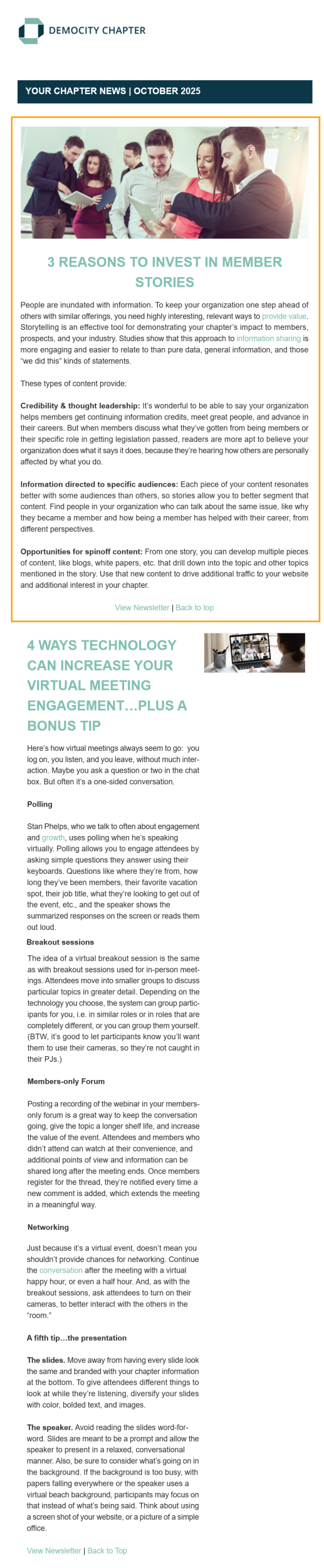
Newsletter Featured Section 1 Column Centered Detailed
- Display your featured newsletter section with full details in a centered design
- Not sure if you have a featured newsletter section? Learn more here.
- In Email Builder you are able to select if you want to "Include Newsletter Body Below"; this will display not only your featured newsletter section but the rest of the newsletter sections in the same design style
- Send our pre built system email build called "Newsletter With Featured Section And Full Text" or create your own custom email build and add this content section to it
|
Tip: In Email Builder, this content section is available in "Newsletters" mailing types only. |
Newsletter List 1 Column Left Summary
- List your newsletter sections with summarized details in left-aligned design
- In Email Builder you are able to select if you want to "Include Featured Newsletter Above"; when checked this will display not only your newsletter sections but it will include the featured article, if one is set, in the same design style. Not sure if you have a featured newsletter section? Learn more here
- Send our pre built system email build called "Newsletter With Large Images And Excerpts Only" or create your own custom email build and add this content section to it

|
Tip: In Email Builder, this content section is available in "Newsletters" mailing types only. |
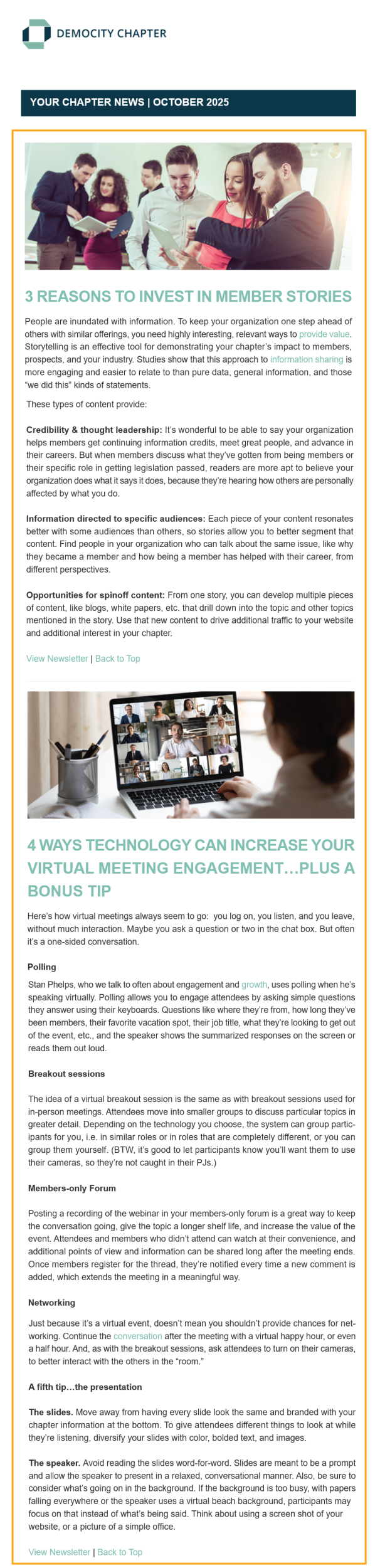
Newsletter List 1 Column Left Detailed
- List your newsletter sections with full details in left-aligned design
- In Email Builder you are able to select if you want to "Include Featured Newsletter Above"; when checked this will display not only your newsletter sections but it will include the featured article, if one is set, in the same design style. Not sure if you have a featured newsletter section? Learn more here
- Send our pre built system email build called "Newsletter With Large Images And Full Body Text" or create your own custom email build and add this content section to it
|
Tip: In Email Builder, this content section is available in "Newsletters" mailing types only. |
Newsletter List 2 Column Summary
- Lists your newsletter sections in a 2 column design with small images on the left and details summarized on the right
- In Email Builder you are able to select if you want to "Include Featured Newsletter Above"; when checked this will display not only your newsletter sections but it will include the featured article, if one is set, in the same design style. Not sure if you have a featured newsletter section? Learn more here
- Send our pre built system email build called "Newsletter With Small Images And Excerpts Only" or create your own custom email build and add this content section to it

|
Tip: In Email Builder, this content section is available in "Newsletters" mailing types only. |
Newsletter List 2 Column Detailed
- List your newsletter sections in a 2 column design with full details on the left and small images on the right
- In Email Builder you are able to select if you want to "Include Featured Newsletter Above"; when checked this will display not only your newsletter sections but it will include the featured section, if one is set, in the same design style. Not sure if you have a featured newsletter section? Learn more here
- Send our pre built system email build called "Newsletter With Small Images And Full Text" or create your own custom email build and add this content section to it

|
Tip: In Email Builder, this content section is available in "Newsletters" mailing types only. |