You are viewing this design in preview mode. The design MUST be published to be live on your website.
    •   New Board Member?
    •   Support
    •   Video Library
    • Workflow Library
    •  Page Content Library
    •  Email Builder Content Library

    Knowledgebase

    • Home
    • > Design
    • > Design Editor
    • > Update the Email Header

    Update the Email Header

    The email header image displays on some, but not all, email builds. All email header images must be 600 pixels wide. Images that are not sized to 600 pixels wide will result in a distorted image in those email builds. All email header images MUST be named "email-header" and be saved as a jpg. 

    StarChapter's Classic systems do not include Email Builder tools. If your system has the Email Manager tool instead, you will follow these steps to update your email header.

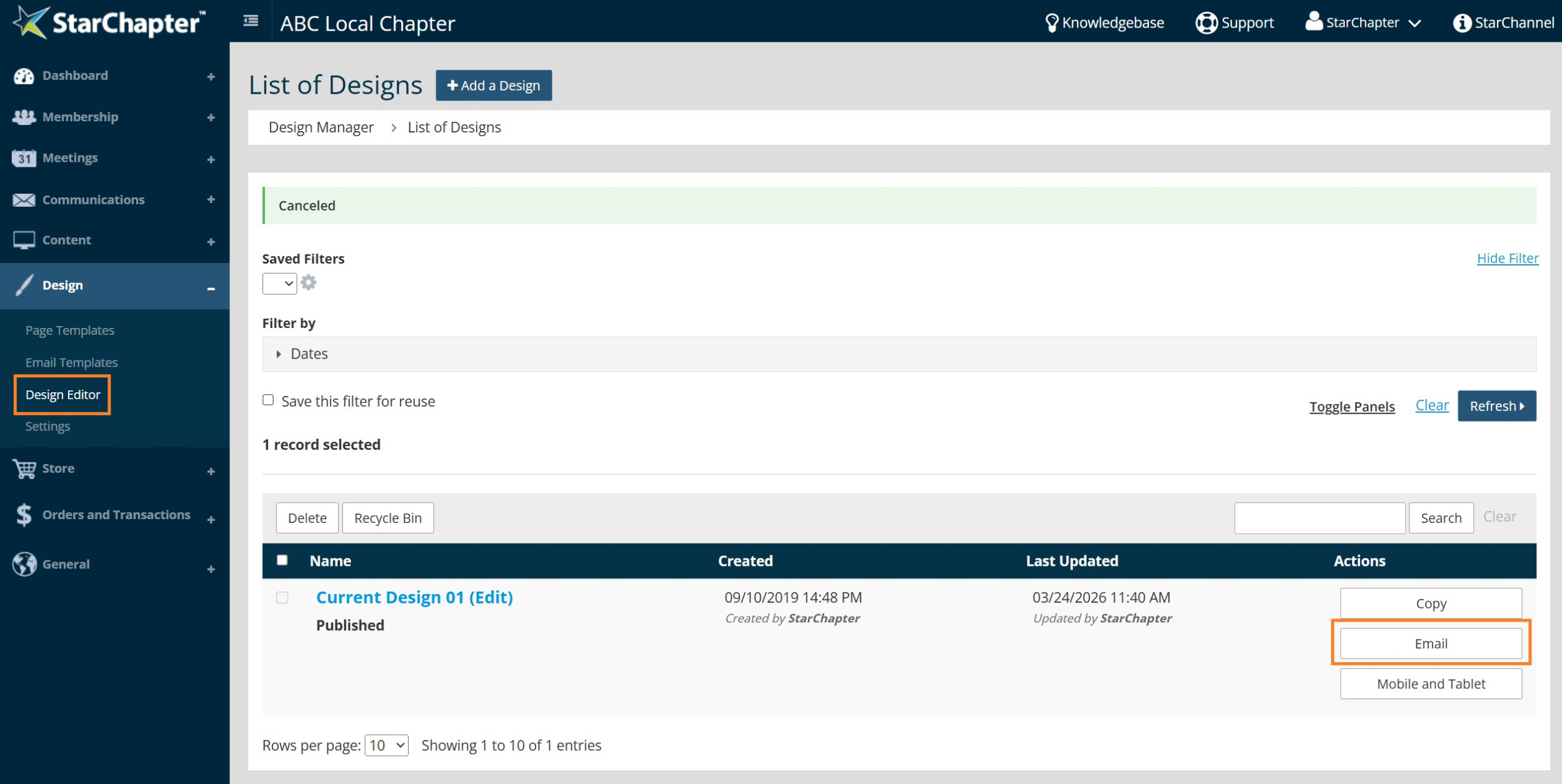
    1. Go to Design > Design Editor.
    2. Click the Email button to the right of your published design.


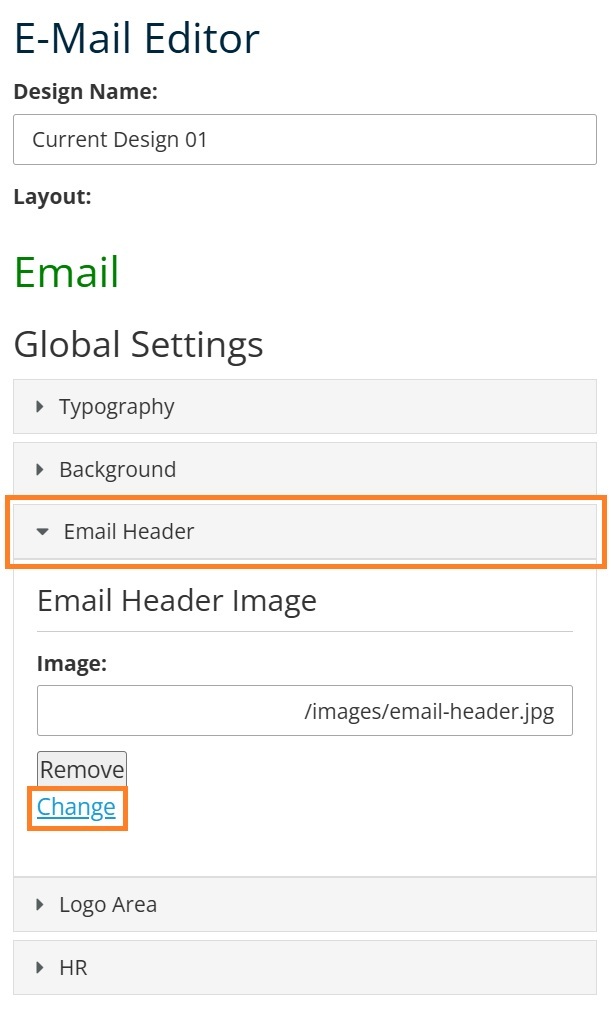
    3. Click the Email Header section of the left navigation to expand that section.
    4. Click Change.


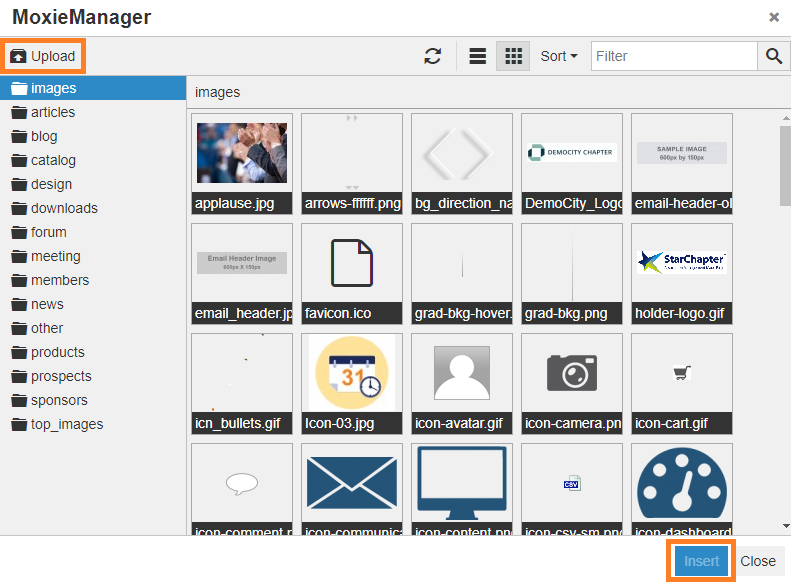
    5. Click Upload and select your preferred email header image from your local network.
    6. Click Insert.


    7. Click Save.

    Chapter Insights

    Posted by [email protected] on 03/07/2018 9:39 am  /   Design

    Design Blog Image - Email Design Basics to Engage Your Members

    Email Design Basics to Engage Your Members

    launch a new redesigned website

    How to Launch a New or Newly Redesigned Website

    © 2026 StarChapter Software LLC All rights reserved.

    •  
      Board Training
    •  
      Services
    •  
      KB Home
    • Master Service Agreement
    • |
    • Privacy Policy
    . .