
Send an Email through Email Manager
 |
Tip: Email Manager is the primary Communications tool on StarChapter's Classic Designs. To redesign your StarChapter system to a current design, submit a Support Ticket for more information. If your StarChapter system is on a current design, refer to the Send an Email article. |
- Go to Communications > Email Manager.
- Click Send an Email > Send Now.
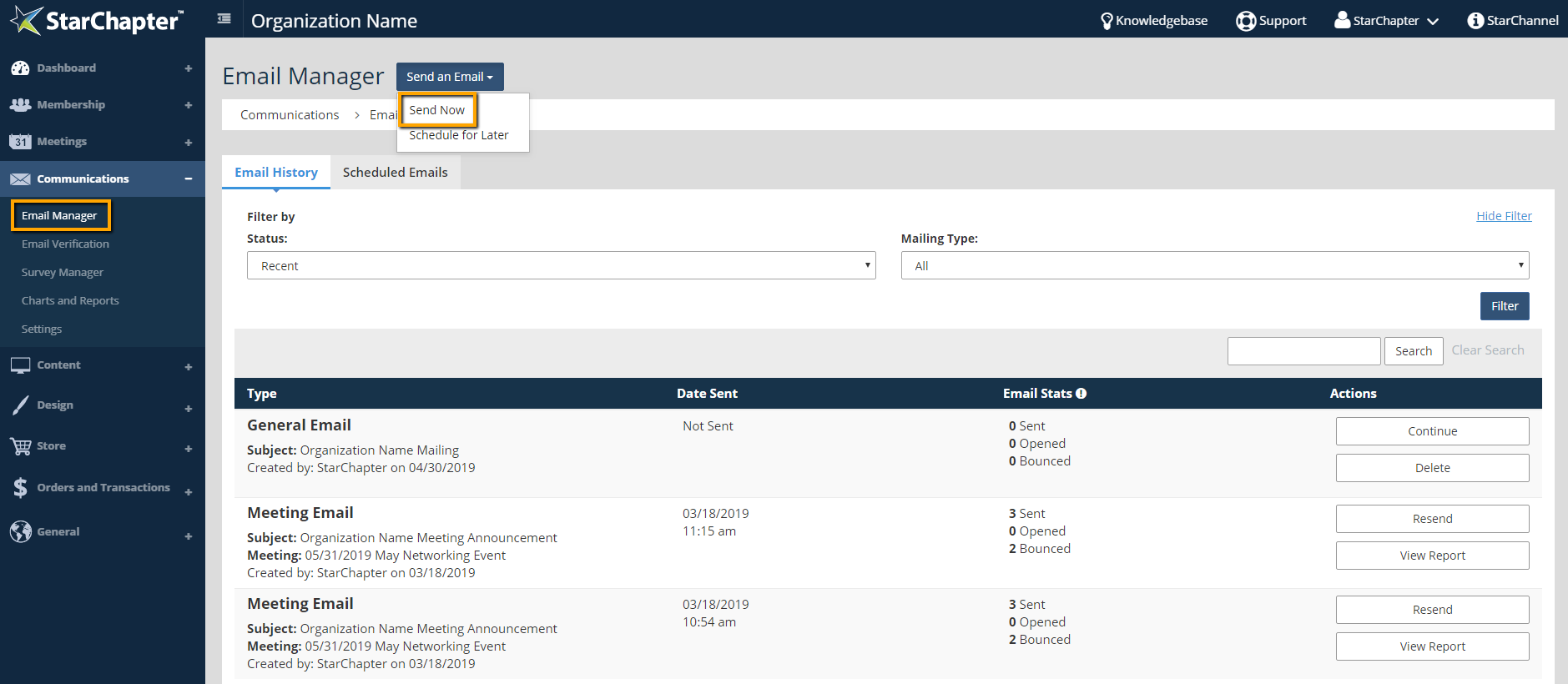
- Choose a Mailing Type.
- Choose the related template and any other options related to the Mailing Type.
Tip: Email Templates use variables that pull content and information from related areas within the system. If a unique message is needed, the Chapter Letterhead template provides a blank email.
- Click Next.

- Review the Subject line, Reply To Email, and email content. Make any neccesary changes either in the content of the email or the related area within the system.
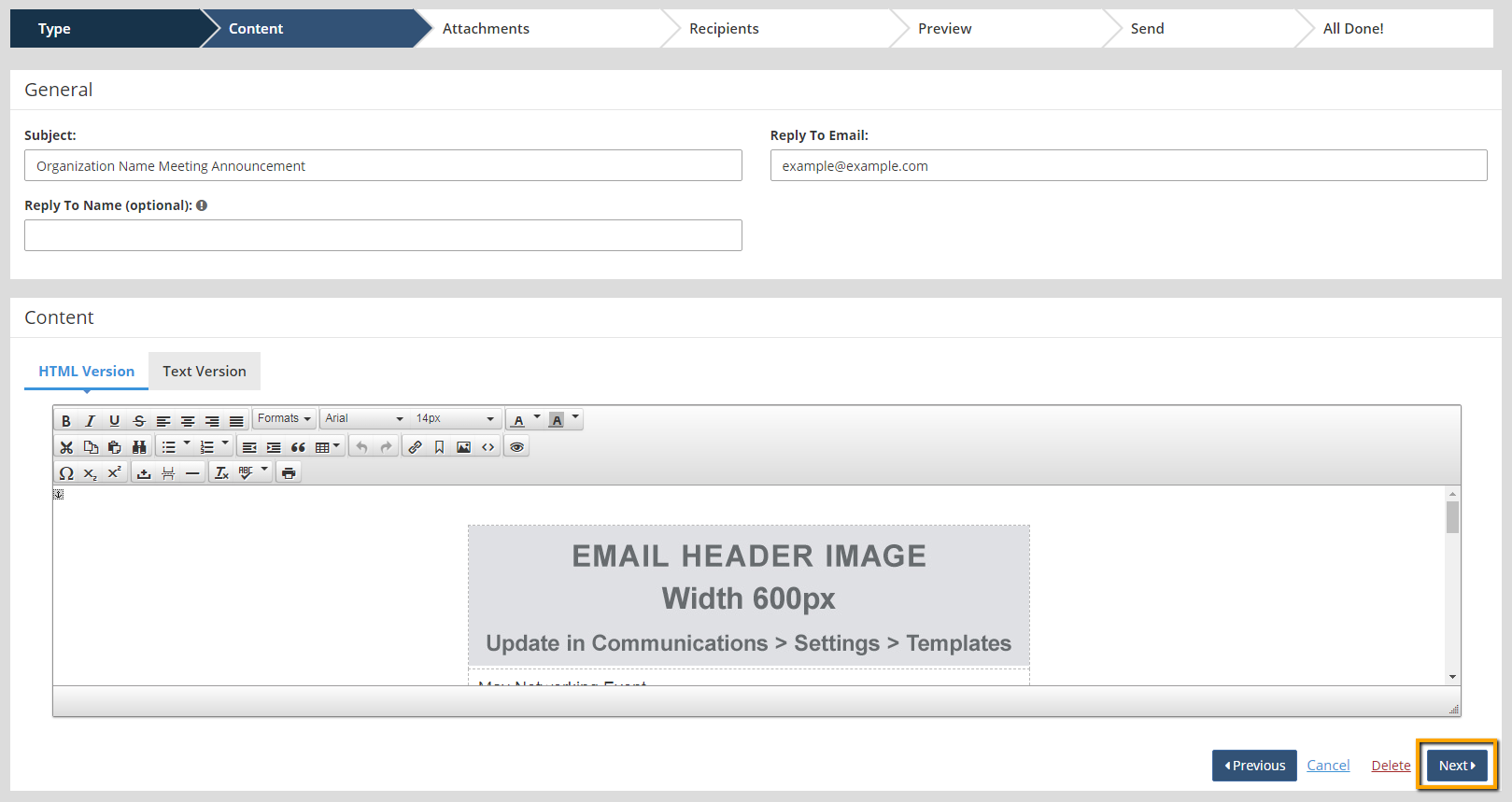
Tip: Avoid excessive punctuation in the subject line to prevent emails from going to spam. This is typically done with exclamation points, so limit this to just one punctuation mark per sentence. Also, the reply-to email address must be an email address on the system's domain name.
- Click Next twice to reach the Recipients screen.
Tip: Attachments are not recommended because they often times cause emails to be flagged by spam filters. Alternatively, documents can be uploaded to the Documents area of the system, and a document-specific link can be provided in the body of the email.
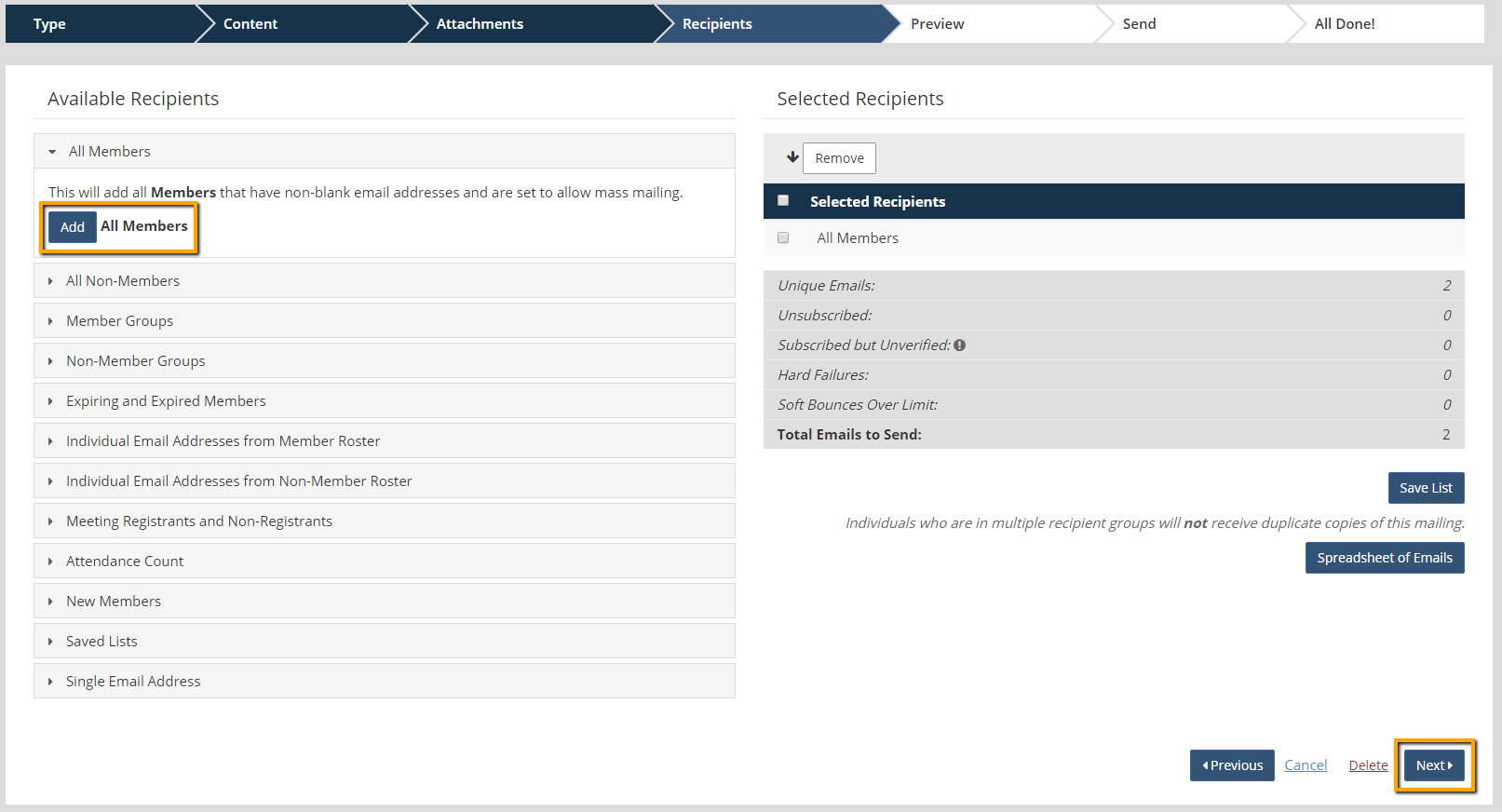
- Select recipients.
- Click Next.
- Review all sections of the email.
- Click Send Email.



