You are viewing this design in preview mode. The design MUST be published to be live on your website.
    •   New Board Member?
    •   Support
    •   Video Library
    • Workflow Library
    •  Page Content Library
    •  Email Builder Content Library

    Knowledgebase

    • Home
    • > Communications
    • > Send an Email
    • > Create a Unique Email

    Send a Unique Email

     While StarChapter offers a variety of standard email templates, it may be necessary to create an email with unique content. 

    1. Go to Communications > Send an Email.
    2. Click Send a Email > One-Time Email.


    3. In the Mailing Type drop-down, select General.
    4. In the Email drop-down, select Chapter Logo Header.
    5. Click Next.


    6. Update the "Replace this text with your message content" with the message you want to send.
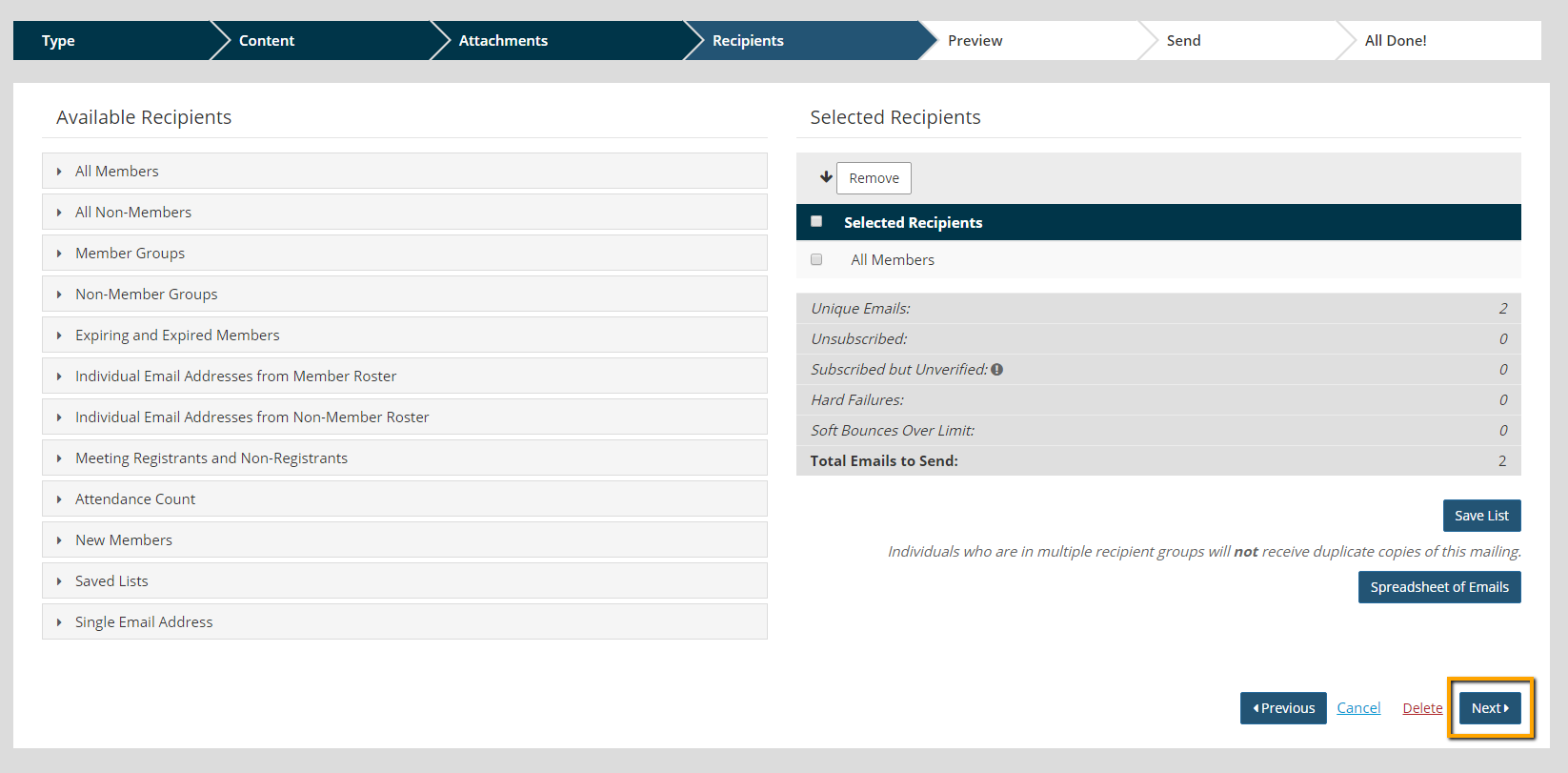
    7. Click Next twice to reach the Recipients screen.
    8. Add recipients.
    9. Click Next.


    10. Review the email.
    11. Click Send Email.

    Chapter Insights

    Posted by [email protected] on 02/14/2018 1:10 pm  /   Communications

    millennial engagement

    Improve Your Millennial Engagement Through Better Understanding

    redefine use of social media

    Is It Time to Redefine Your Chapter's Use of Social Media?

    generational marketing

    Is Generational Marketing Part of Your Plan?

    email fatigue

    Decrease Your Audience's Email Fatigue by Segmenting Your Audiences and Your Emails


    Communications Blog Image - 5 Goals for Using the Chapter Newsletter to Increase Member Value

    5 Goals for Using the Chapter Newsletter to Increase Member Value

    © 2026 StarChapter Software LLC All rights reserved.

    •  
      Board Training
    •  
      Services
    •  
      KB Home
    • Master Service Agreement
    • |
    • Privacy Policy
    . .