Restrict Dues Purchase to Specific Member Type
Depending on your chapter's membership policy, members may be able to select from any published dues rate during their renewal or they may be limited to the rate that matches their member type.
Assign Dues Rates to Member Types
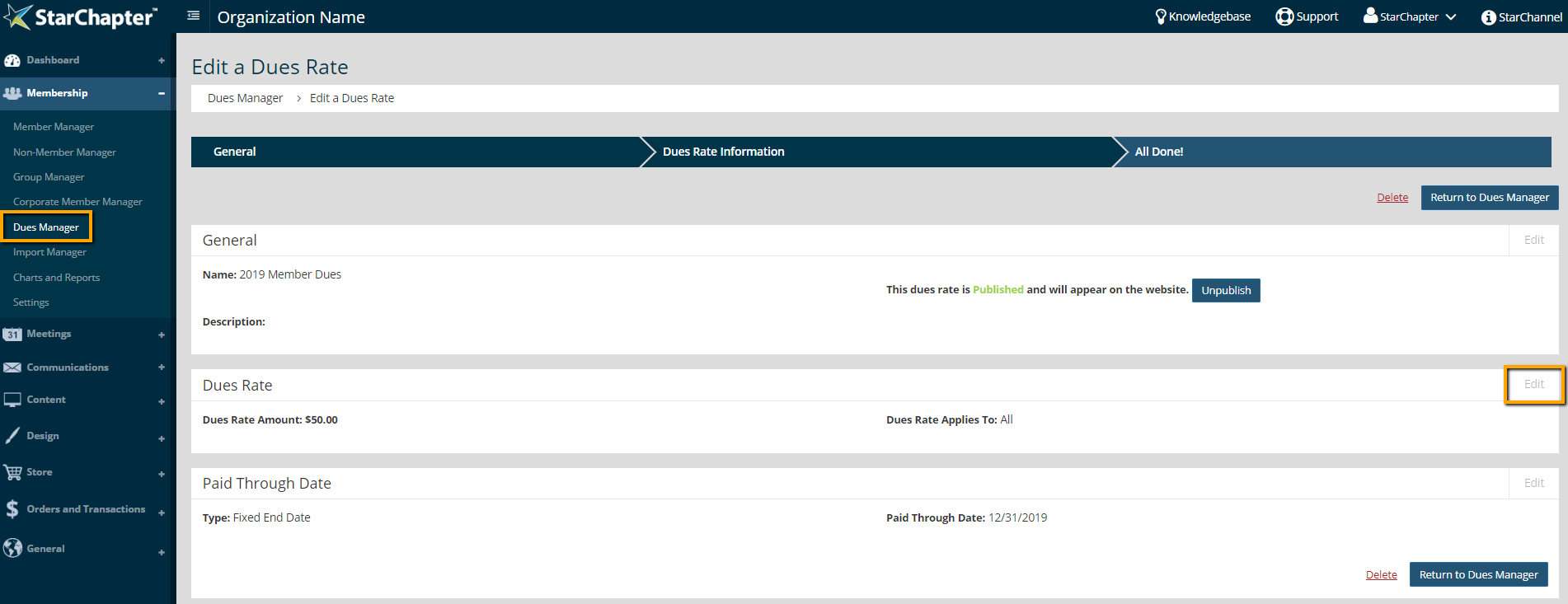
- Go to Membership > Dues Manager.
- Click on a current dues rate to review the setup details.
- Click Edit in the Dues Rate box.
- Select the appropriate member type from the "Dues Rate Applies To" field.
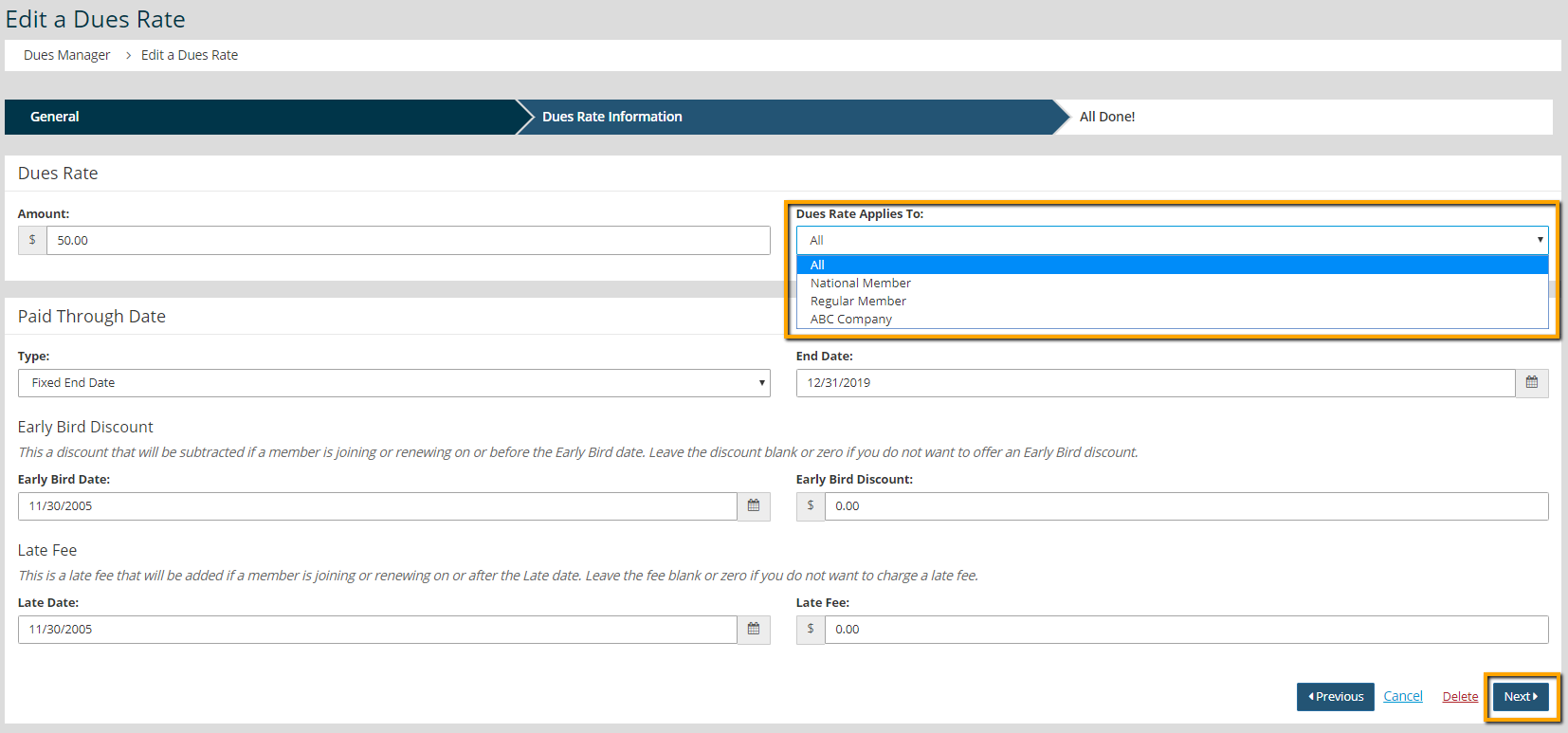
- Click Next to save the update.
Dues Setting Configuration
There are a few settings that will either allow or disallow members to select a rate that doesn't match their currently assigned member type. In Membership > Settings > Dues, check the appropriate setting that works for your organizations Dues Settings.