
Resend an Email
The Copy function is a valuable tool that can allow a previously sent email to be resent. Resending an email can be a quick and easy way to remind members and non-members that they may need to take action on an email previously sent. This is particularly helpful when an email was drafted manually rather than through one of the email templates available within StarChapter. When resending an email, new recipients can be selected.
- Go to Communications > Email History.
- Next to an email that has been previously completed and sent, click the Copy button.
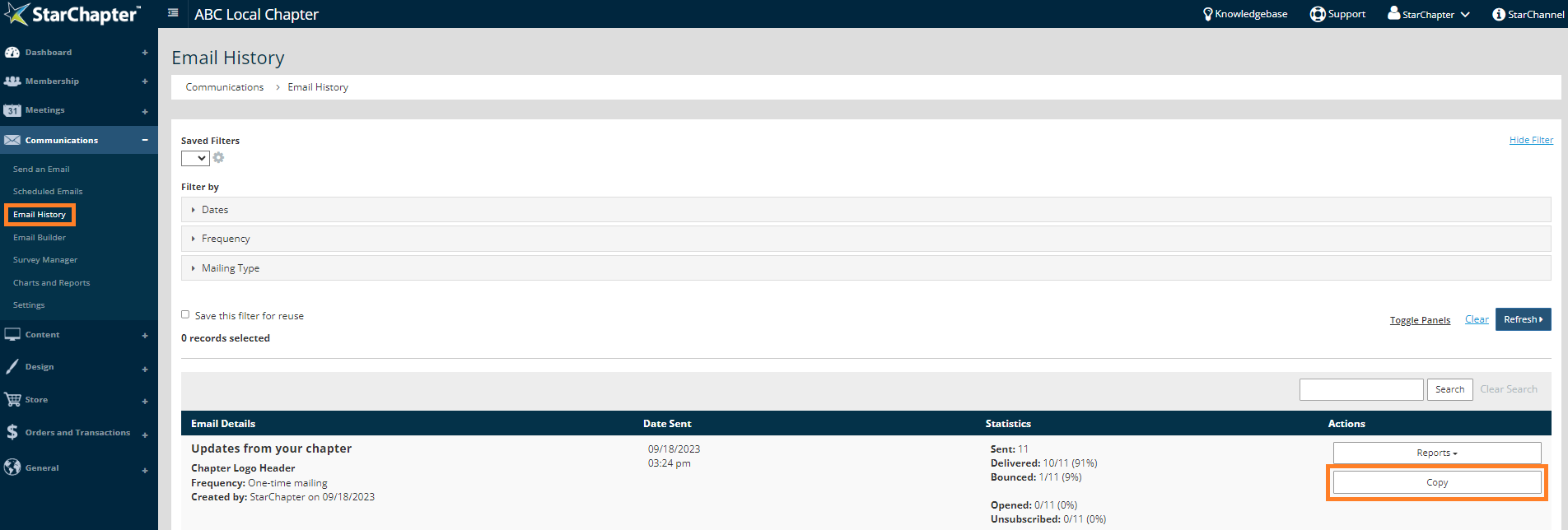
- Click OK in the pop-up confirmation.

- Click Next.
- Edit content as needed, and click Next.
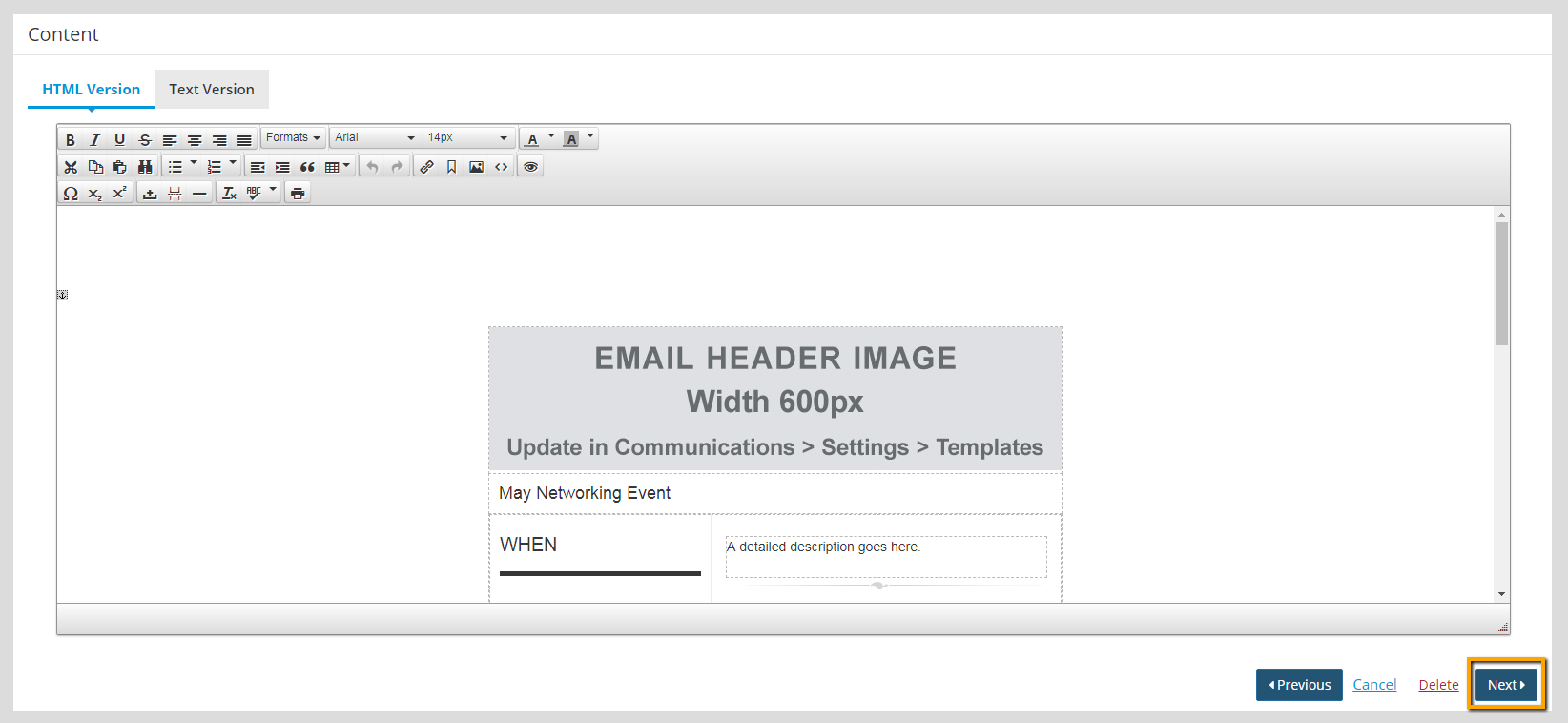
- Click Next. Attachments are not recommended.
- Remove and add any recipients as needed, and click Next.
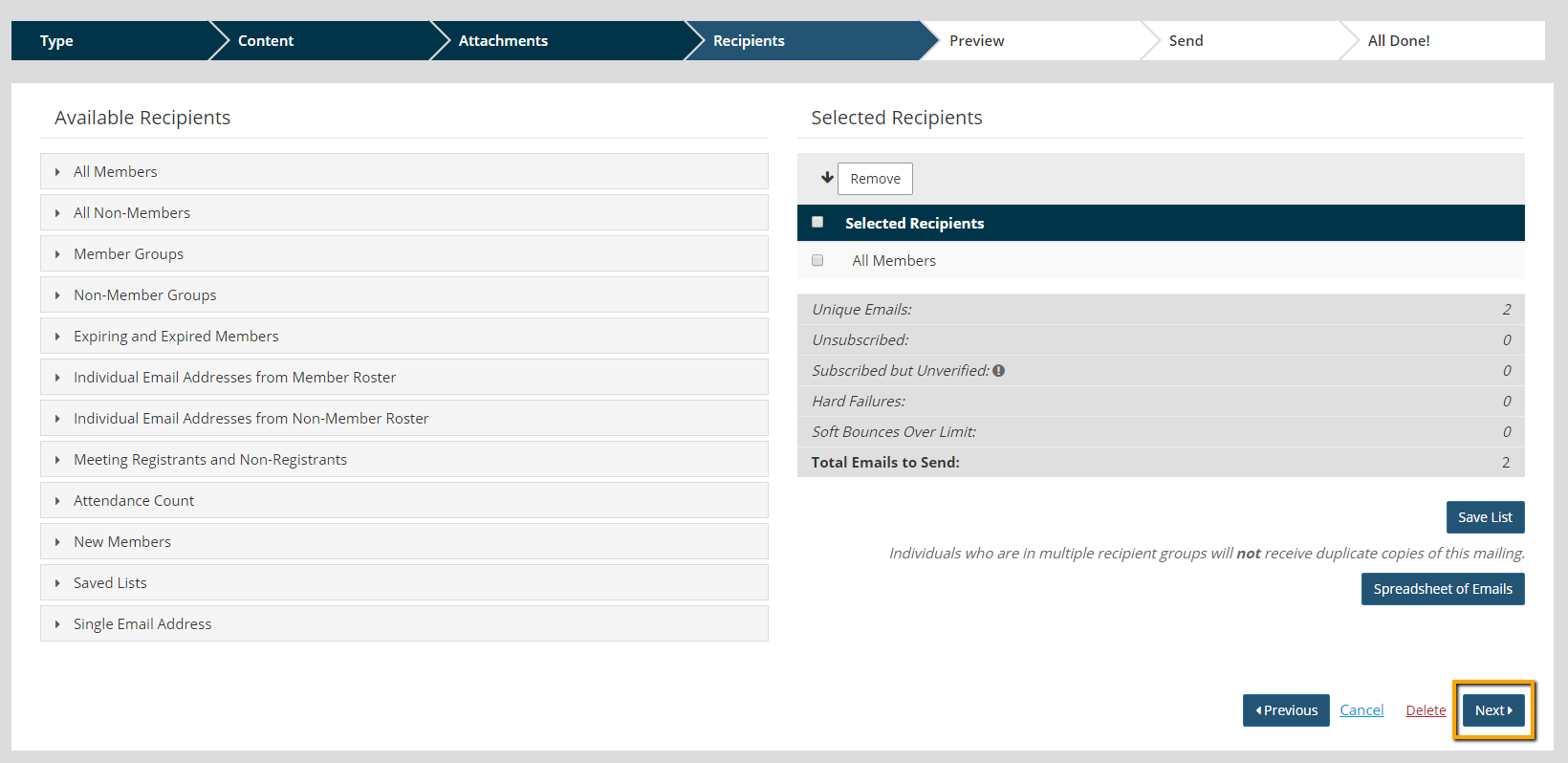
- Preview the Email.
- Click Send Email.



