You are viewing this design in preview mode. The design MUST be published to be live on your website.
    •   New Board Member?
    •   Support
    •   Video Library
    • Workflow Library
    •  Page Content Library
    •  Email Builder Content Library

    Knowledgebase

    • Home
    • > Meetings
    • > Settings
    • > Allow Members to Request a Registration Cancellation

    Allow Members to Request a Registration Cancellation

    It may useful to allow members to request a registration cancellation and refund from their View My Order History page. When a member requests this, an admin can then cancel their registration and process a refund.

    1. Go to Meetings > Settings.
    2. Check the box for "Allow users to cancel their order and request a refund from the 'View My Order History' page?"
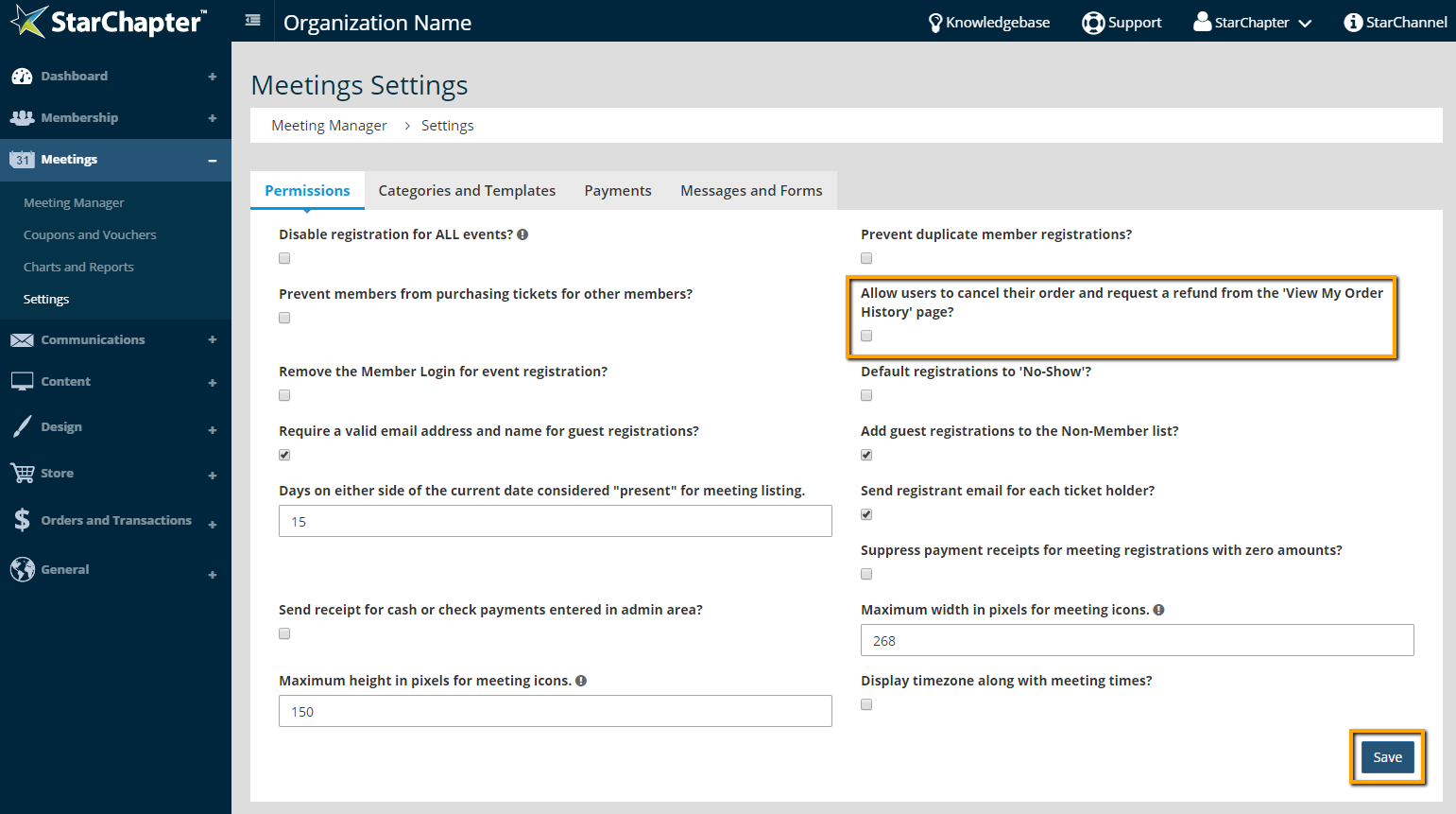
       
    3. Click Save.
    Tip Icon

    Tip: When a member requests a refund from the View My Order History page, the Treasurer Contact will be notified. Their refund will NOT be processed automatically. If you are a StarChapter Pay customer, funds can be returned through your Admin Area. If another payment provider is being used, login to the service portal for that account to process the refund.


    Chapter Insights

    Posted by [email protected] on 03/07/2018 9:28 am  /   Meetings

    4 Ways Technology Can Increase Your Virtual Meeting Engagement


    Turn Your Average Remote Events into Engaging Virtual Experiences 


    Hosting a Virtual Golf Event - It Can Be Done


    Give Your Team the Direction They Need to Hold Successful Virtual Events

    © 2026 StarChapter Software LLC All rights reserved.

    •  
      Board Training
    •  
      Services
    •  
      KB Home
    • Master Service Agreement
    • |
    • Privacy Policy
    . .