
Add a Slider to an Internal Page
Slider images on internal pages can be used to add visual interest to a text heavy page or add weight to important pages.
Create a Slider Gallery
Make sure that all new images are cropped to a consistent and correct height and width. Learn more about slider image sizes here.
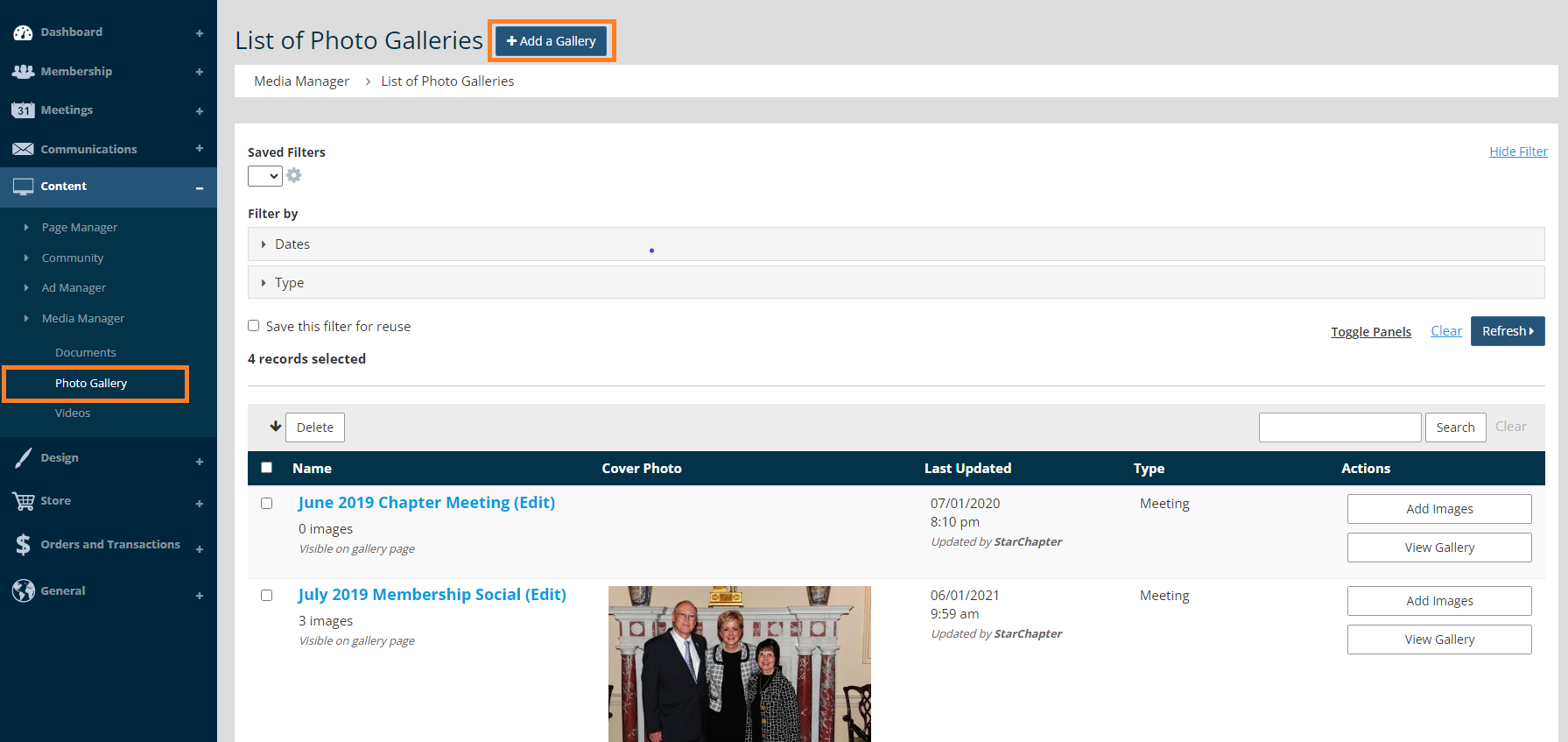
- Go to Content > Media Manager > Photo Gallery.
- Click Add a Gallery.
- Select Slider in the Type dropdown field.
- Click the "Hide on gallery page of website" box.
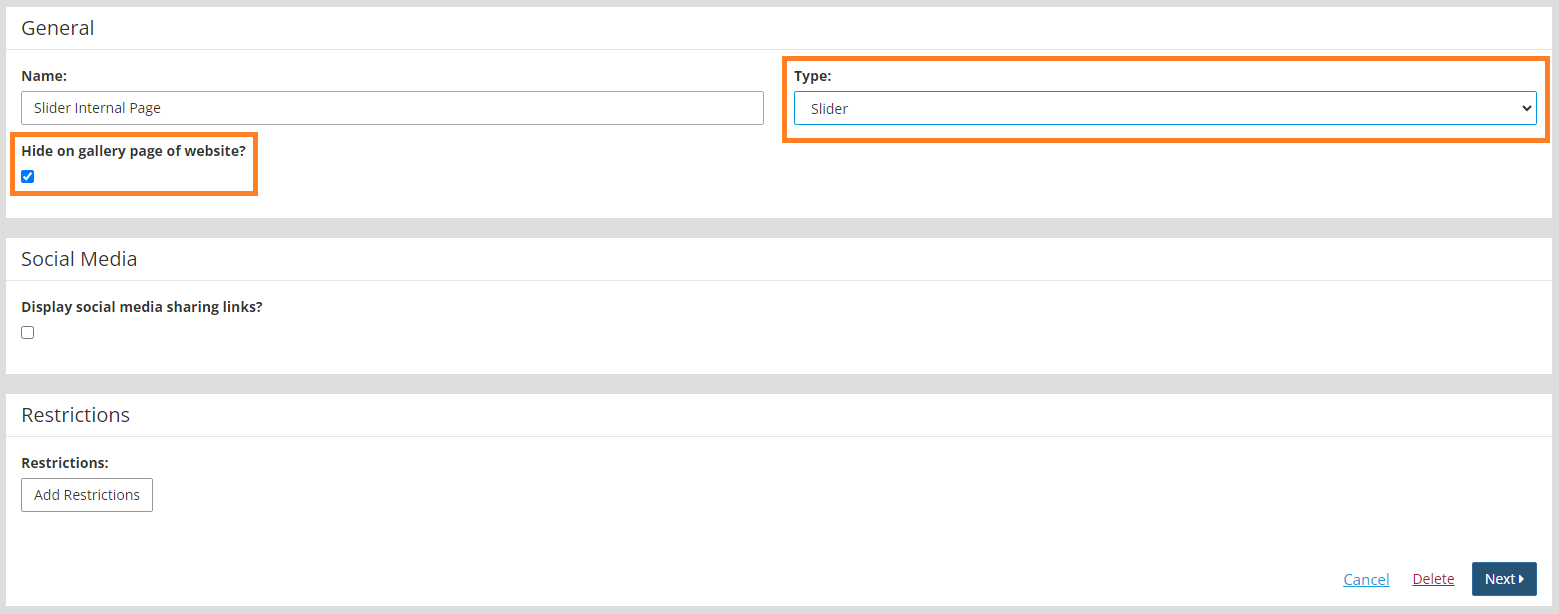
- Click Next.
- Click on the Add Images button.
- Select files from your computer, and click Upload.
- Add links and captions to the images, if necessary.
- Click Next.
Add the Slider to a Page
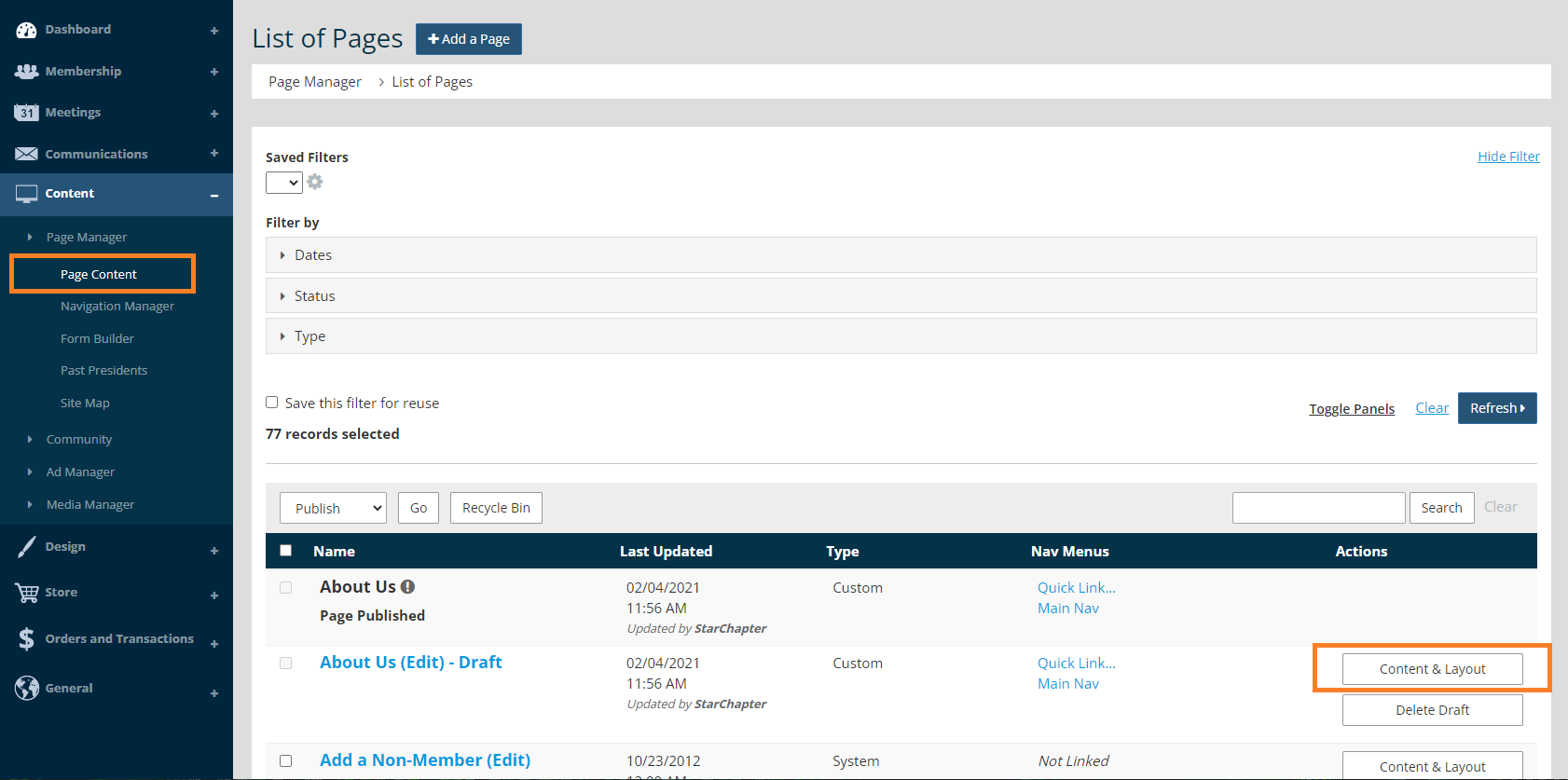
- Go to Content > Page Manager > Page Content.
- Search for your page, and click the Content & Layout button.
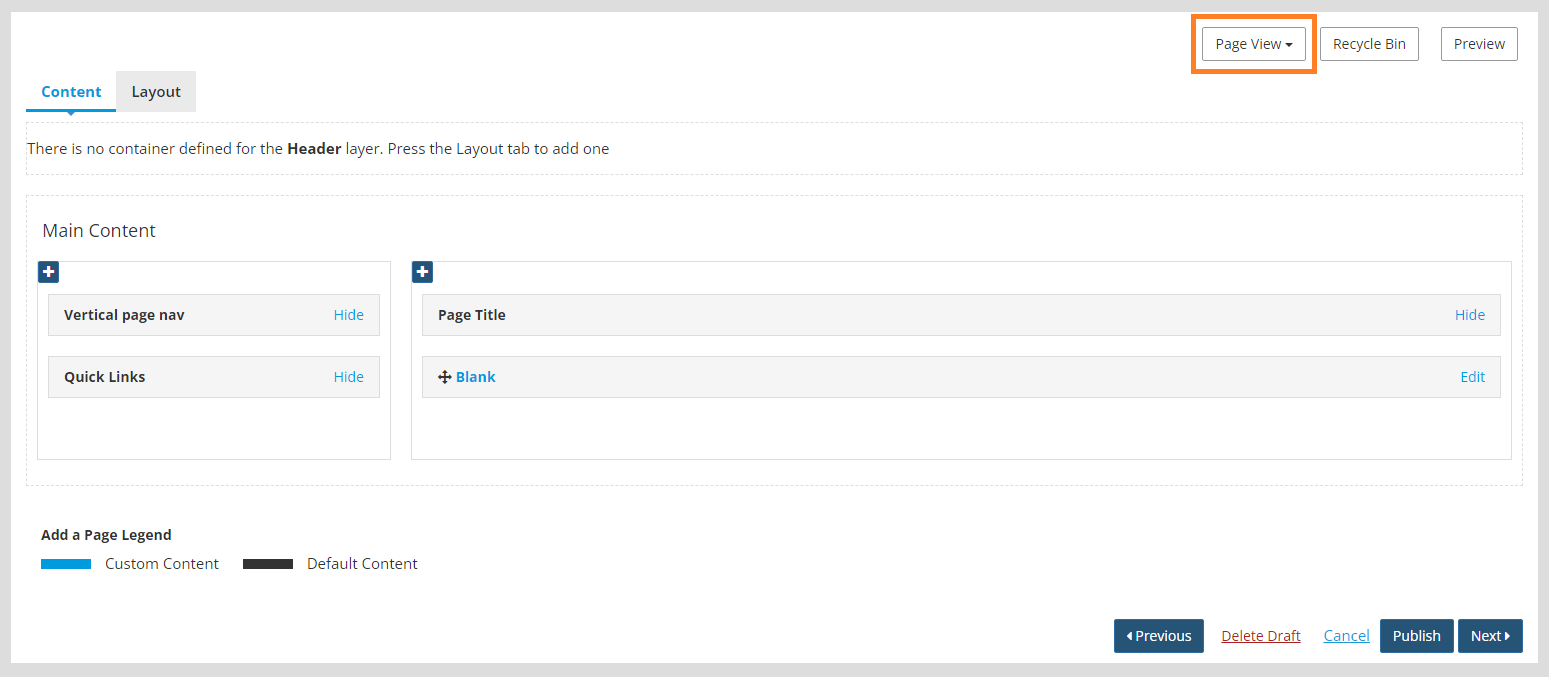
- Click Page View.
- Select Header Bottom.
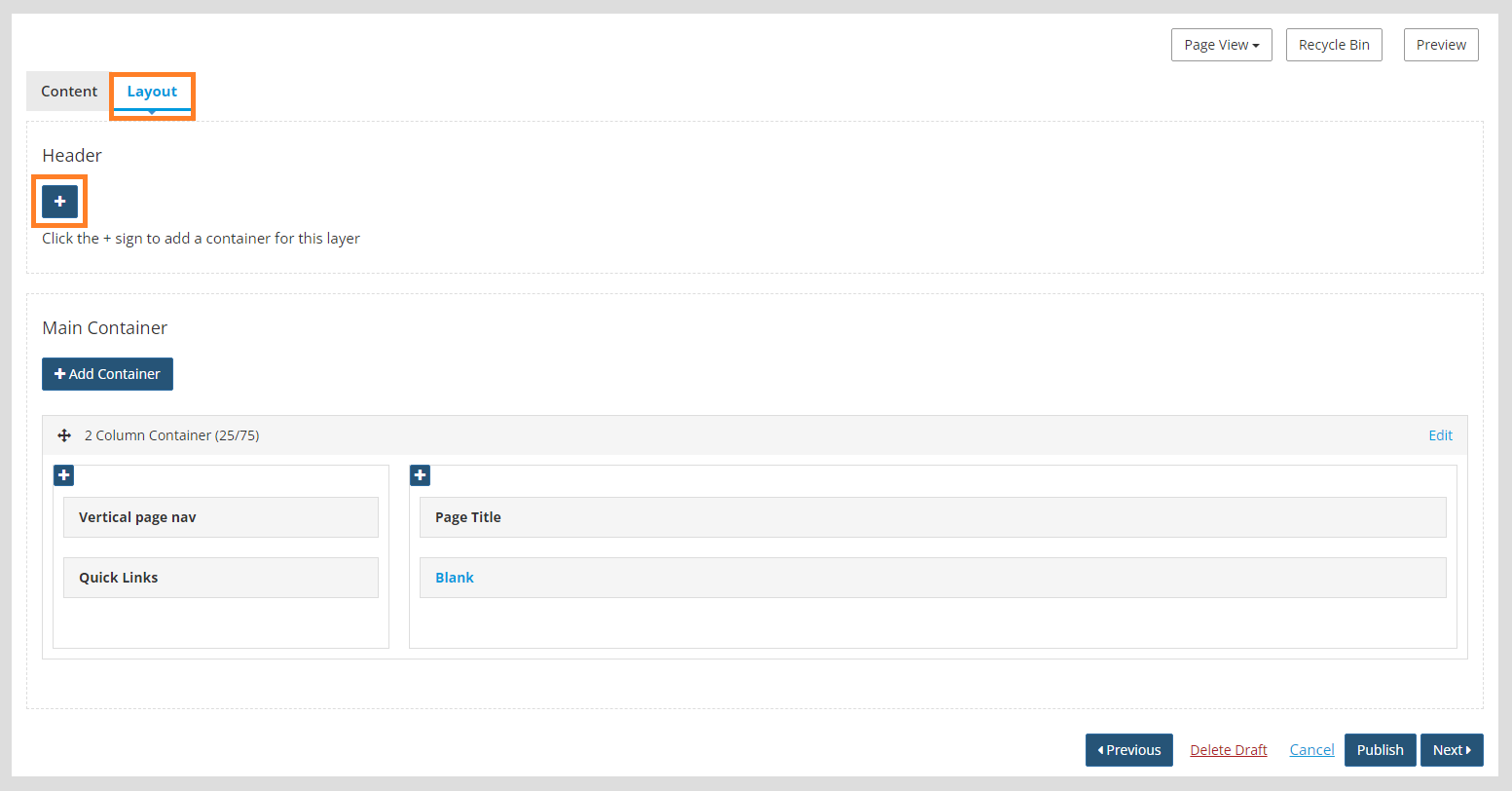
- Click the Layout tab.
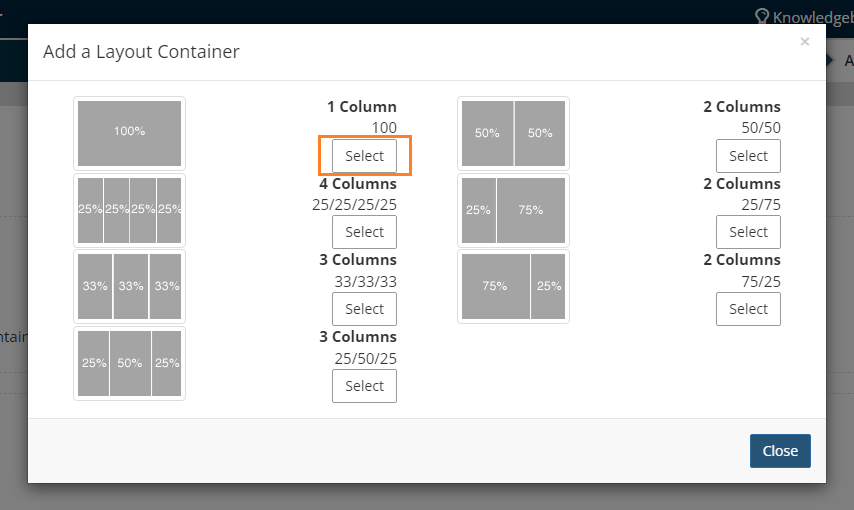
- Click the blue + in the Header layer to add a 1 Column container.
- Select the 1 Column 100% container.
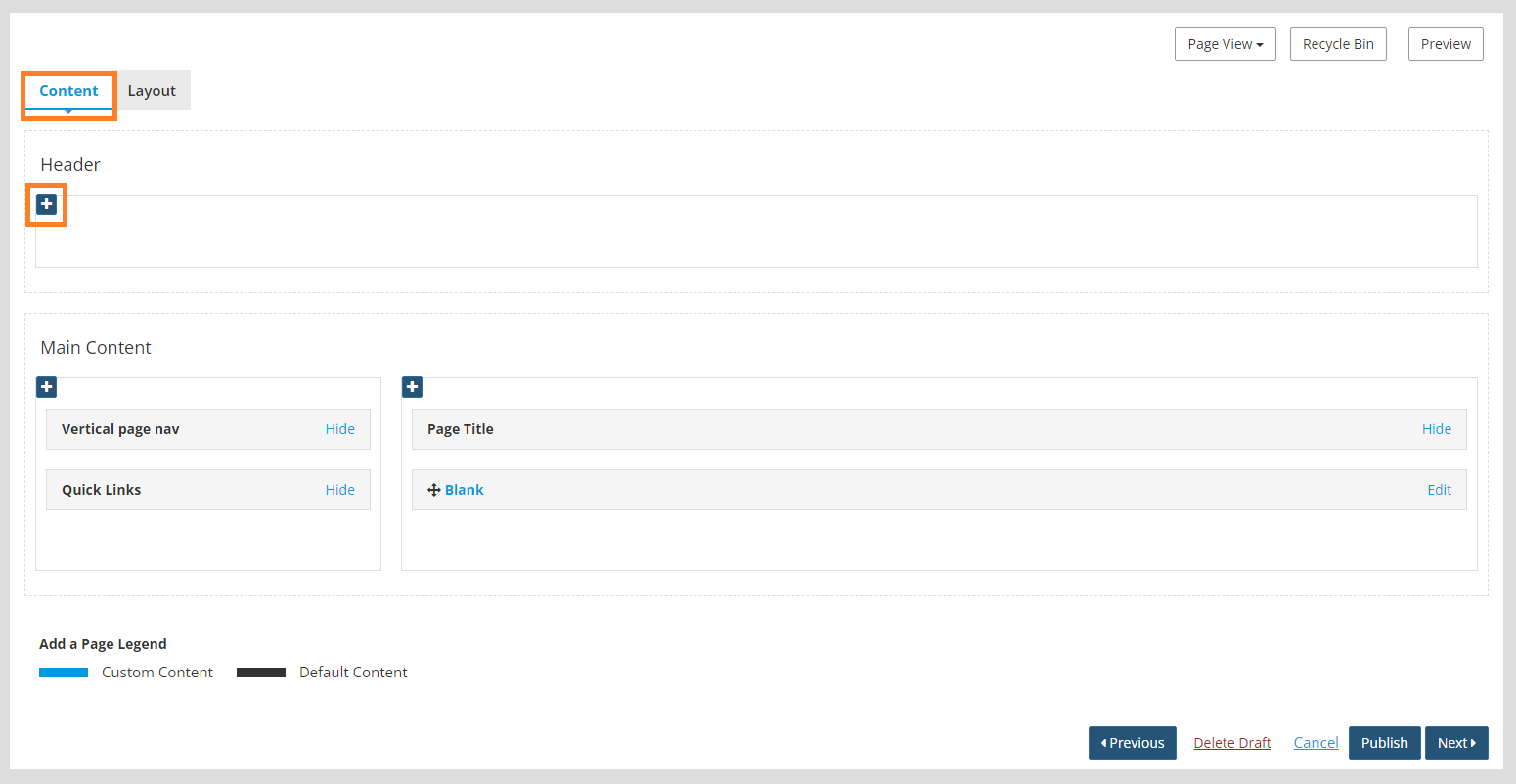
- Click the Content tab.
- Click the blue + in the Header container.
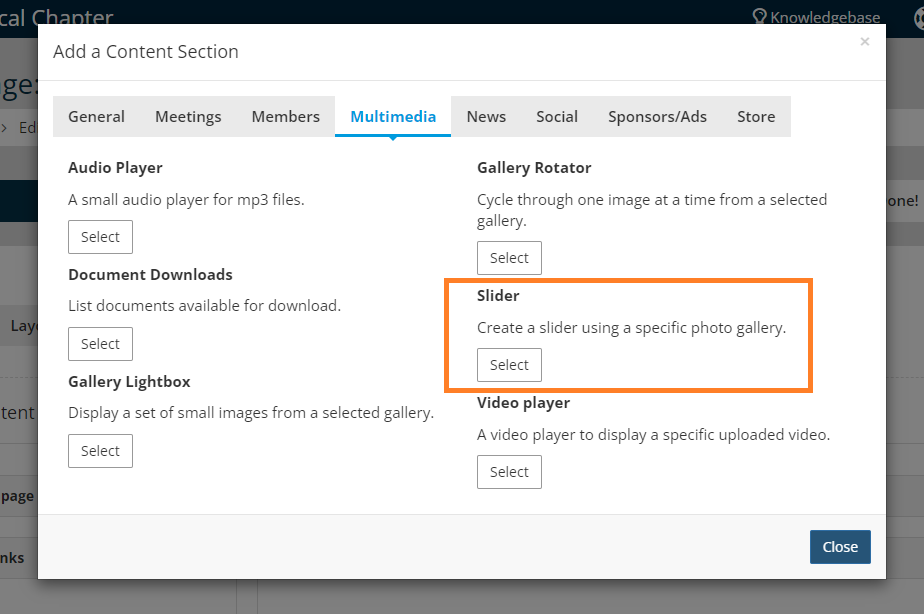
- Choose the Slider content section under the Multimedia tab.
- A slider content section will open. Under the "Gallery" dropdown, select the slider that you just created.
- Check "Open link instead of gallery?"

- Click the Add button.
- Click Publish in the lower right to publish the page.





