Slider Image Sizes
Crop all slider images to the appropriate size for your design to accomplish a consistent, professional look. Recommended image sizes are as follows:
S Series and M Series Layouts
S Series Layouts 1, 3, 5, 6, 7, 8 / M Series Layouts 1, 3, 5
1920px X 500px
S Series Layout 2 / M Series Layout 2
1600px X 500px
S Series Layout 4 / M Series Layout 4
1920px X 850px
Classic Layouts
Layouts 1, 2, 3, 4, 5, 6, 7, 8, 10
960px X 300px
Layout 9
700px X 300px
Not sure what layout you are on?
- Go to Design > Design Editor. Find and click on the published design to edit.
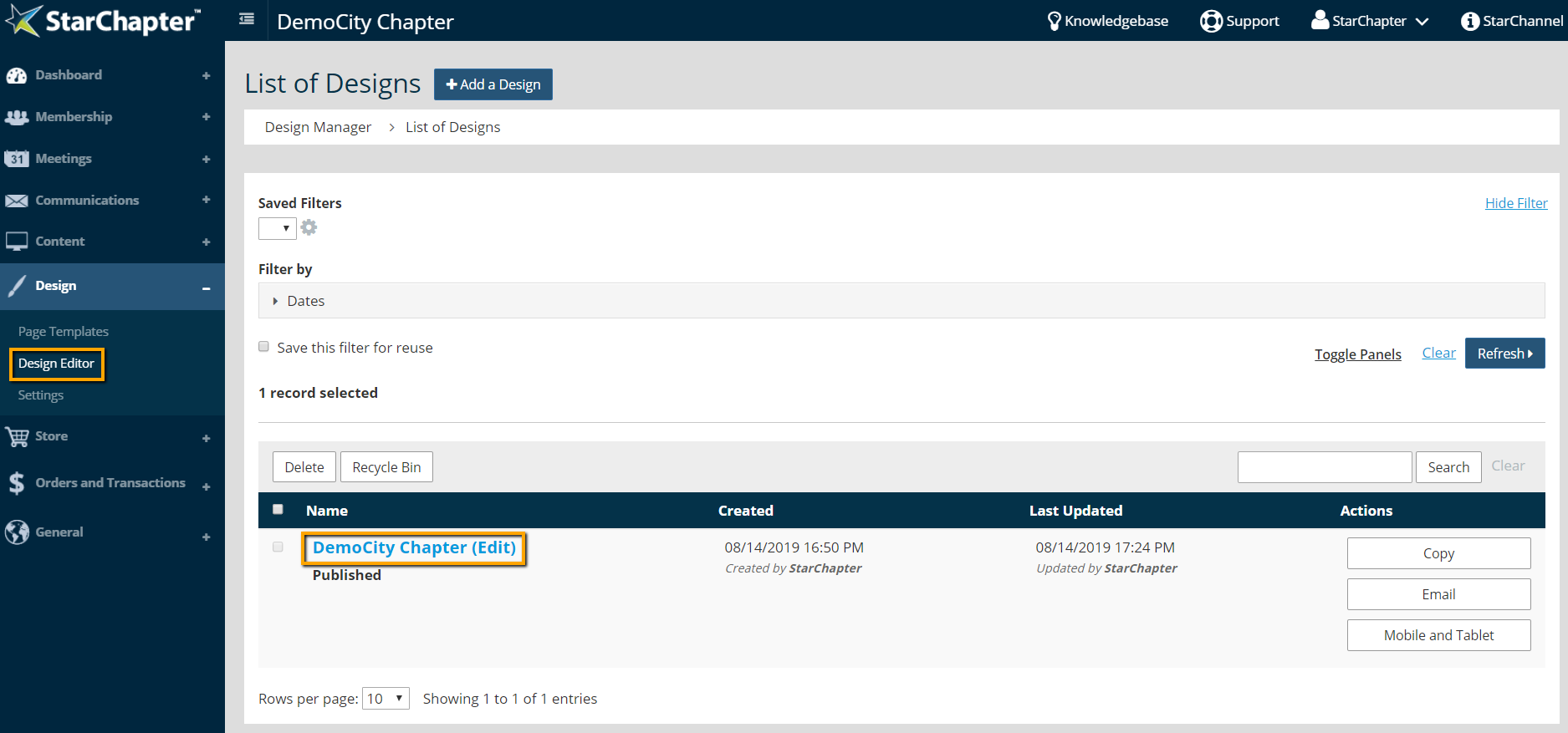

Tip: StarChapter's Legacy designs do not include the Design Editor tool. If you do not see Design Editor listed in the Design area of the system, reach out to our Support Team for specific information about your slider size.
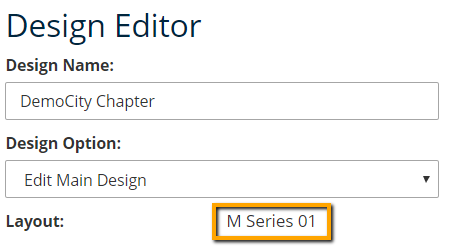
- In Design Editor you will see the Layout displayed in the top left hand corner.