You are viewing this design in preview mode. The design MUST be published to be live on your website.
    •   New Board Member?
    •   Support
    •   Video Library
    • Workflow Library
    •  Page Content Library
    •  Email Builder Content Library

    Knowledgebase

    • Home
    • > Orders and Transactions
    • > Orders and Invoices
    • > Add a Payment Adjustment

    How To Add a Payment Adjustment

    Payment Adjustments are necessary when an order balance must be changed for any reason other than a payment. This may be to apply a discount, write off the order, or any other number of reasons. It is important to carefully apply adjustments to ensure that financial reports are accurate. 

    1. Go to Orders and Transactions > Orders & Invoices.
    2. Use the Search box to find the appropriate order.
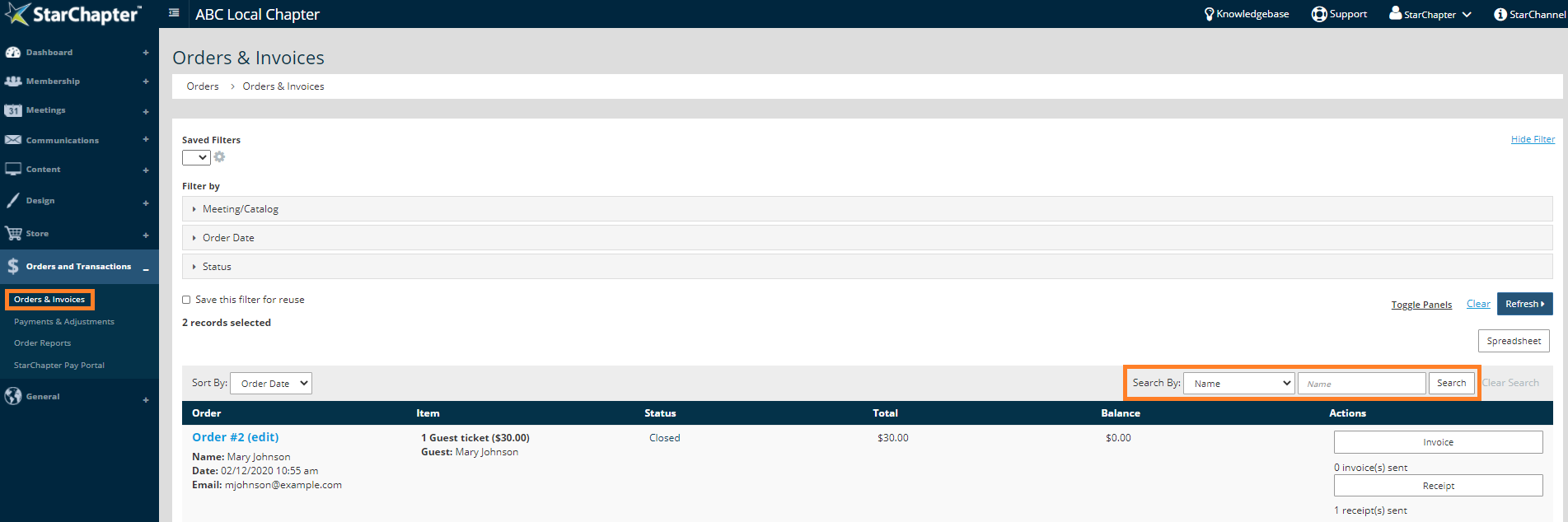
      Access Orders & Invoices

    3. Click on the Order to edit.

      Edit Order
    4. Within the Payment Information section, click the Add an Adjustment button.
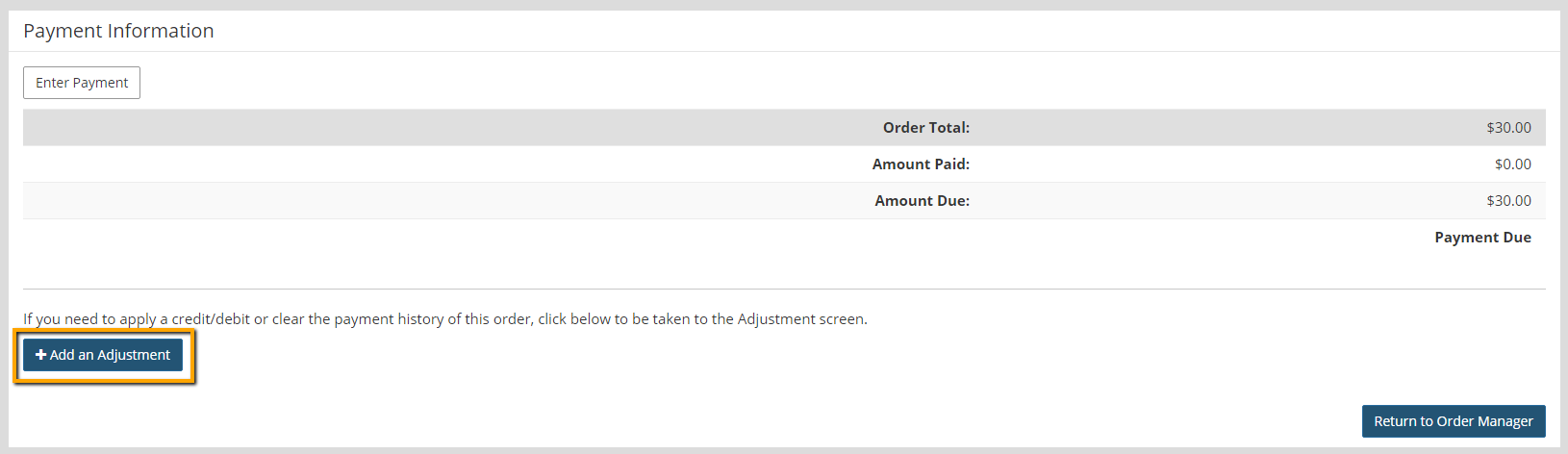
      Add an Adjustment Button
    5. Select the appropriate adjustment type from the drop down list. A description of the adjustment type is listed on the right side of the screen for reference.
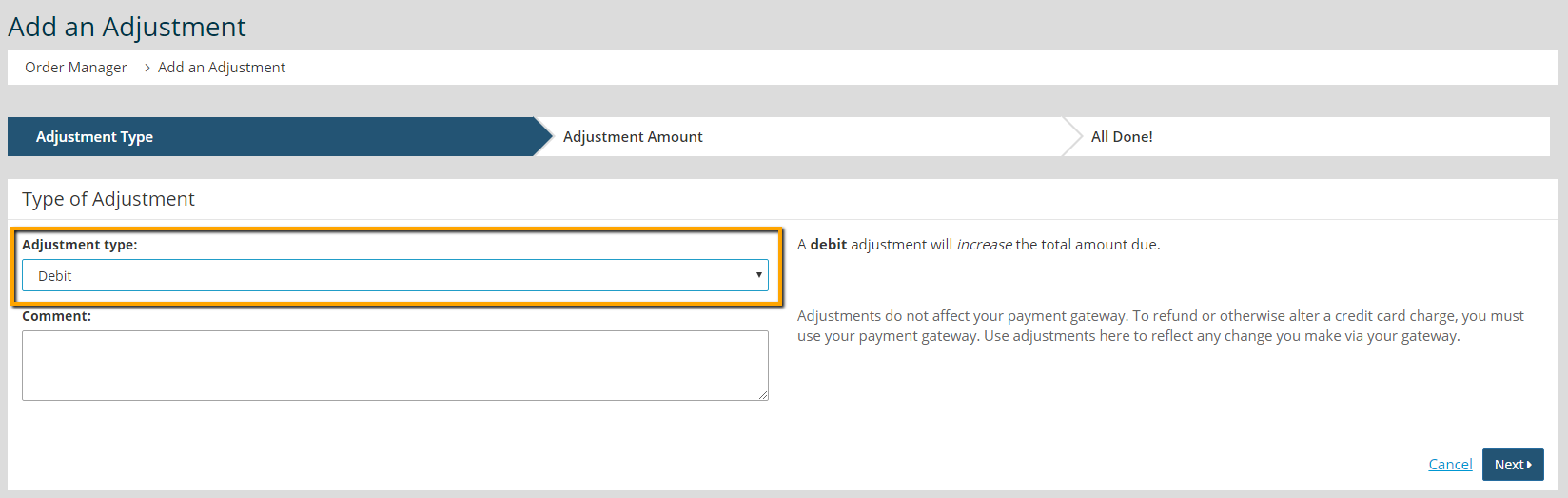
      Select Adjustment Type 

      Tip Icon

      Tip: When adding an adjustment, we recommend adding additional information in the Comment field so you can later reference why an adjustment was needed.

    6. Click Next.
    7. Enter your adjustment amount, if applicable. The field will change depending on the Adjustment Type that was selected in the previous step. 
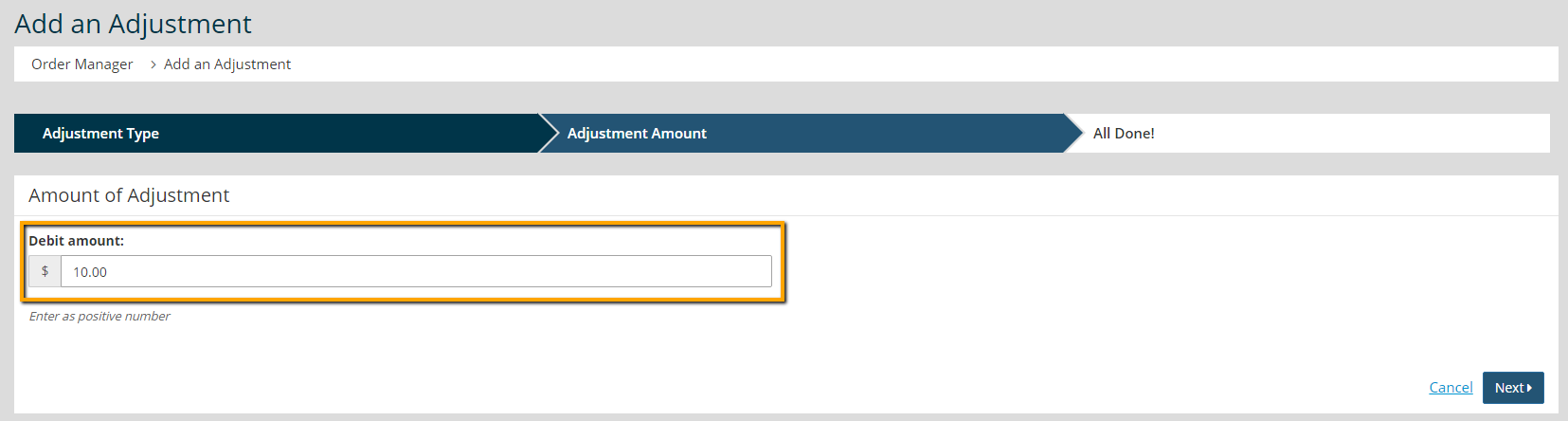
      Enter Adjustment Amount
    8. Click Next.
    9. The All Done screen will confirm that you added a payment adjustment, and will display information about the adjustment you entered. Click the Return to Order Manager button. 
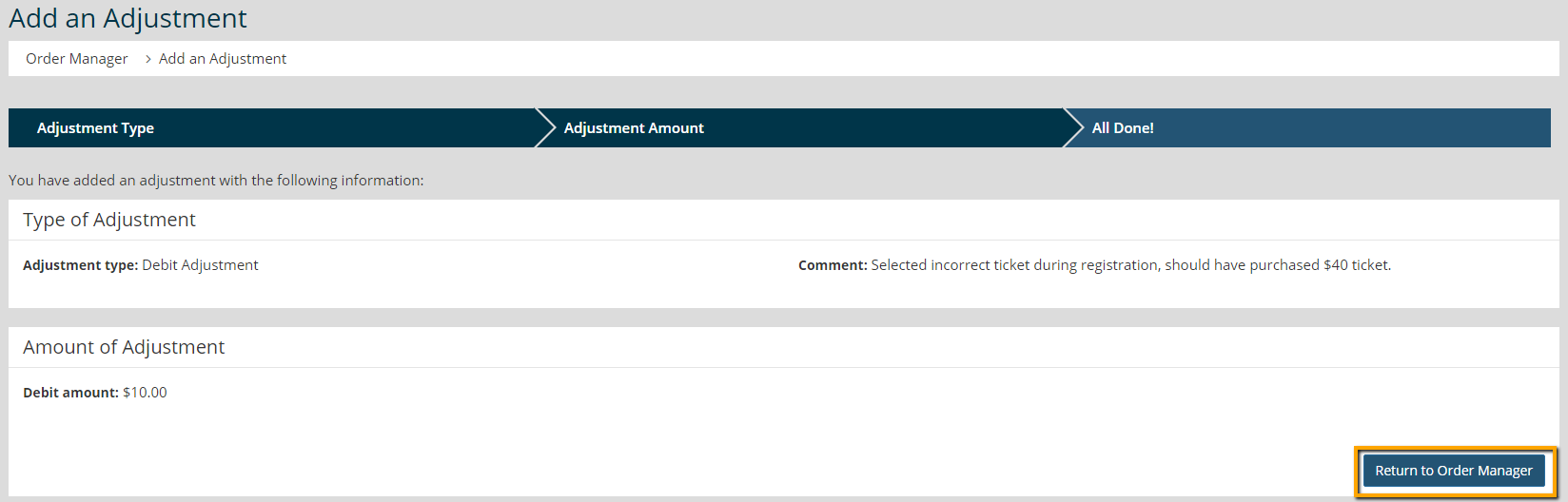
      Review All Done Screen
    10. The Payment and Adjustment View tab will show you the adjustment records for each order.
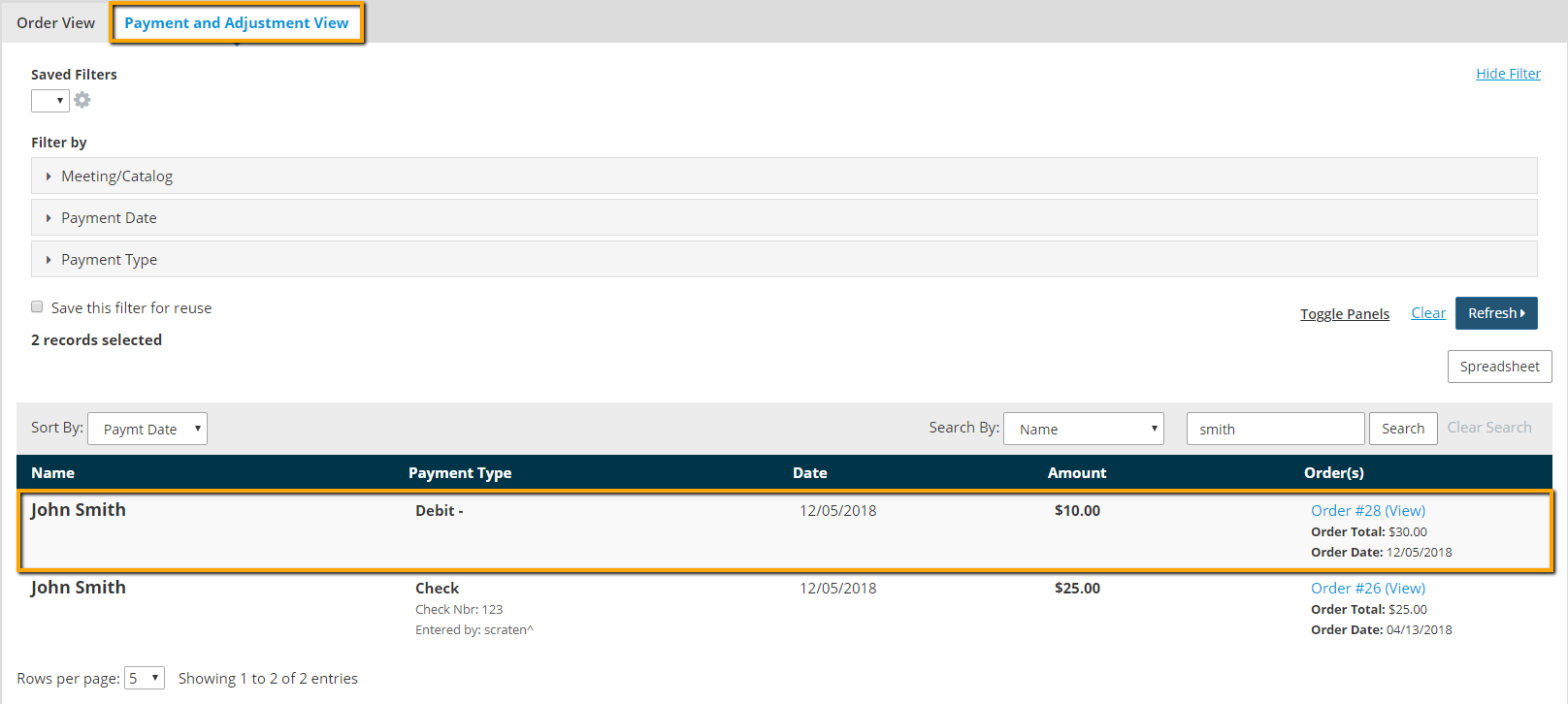
      Payment and Adjustment View
    11. You have the ability to filter this list and download an excel spreadsheet if needed.
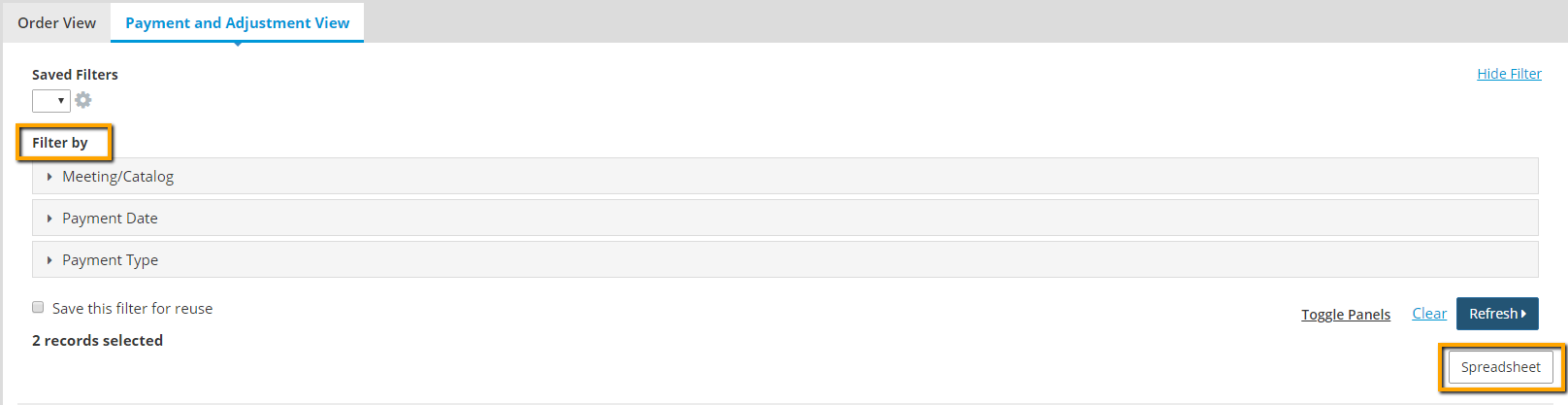
      Filter and Spreadsheet

    Chapter Insights

    Posted by [email protected] on 02/14/2018 11:41 am  /   Content

    content part of redesign

    Consider Your Content as Part of Your Website Redesign

    member stories

    3 Reasons to Invest in Member Stories

    Cotent Blog Image - Advanced SEO – Name it Right, and they will Read

    Advanced SEO – Name it Right, and they will Read

    Content Blog Image - Advanced SEO – The 80/20 Rule for Success

    Advanced SEO – The 80/20 Rule for Success

    video for sponsorship

    Video is Key to Your Sponsor Strategy

    © 2026 StarChapter Software LLC All rights reserved.

    •  
      Board Training
    •  
      Services
    •  
      KB Home
    • Master Service Agreement
    • |
    • Privacy Policy
    . .



