You are viewing this design in preview mode. The design MUST be published to be live on your website.
    •   New Board Member?
    •   Support
    •   Video Library
    • Workflow Library
    •  Page Content Library
    •  Email Builder Content Library

    Knowledgebase

    • Home
    • > Content
    • > Page Content
    • > Add an Image to a Page

    Add an Image to a Page

    Images can be added to any page within the system using a Blank content section. The text editor has an option to insert images, so depending on the goal, the image can be the only content in the content section or it can be set within additional text. If the image will be a supplement to text content, reference this article for more targeted guidance. This article will cover how to add a single image.

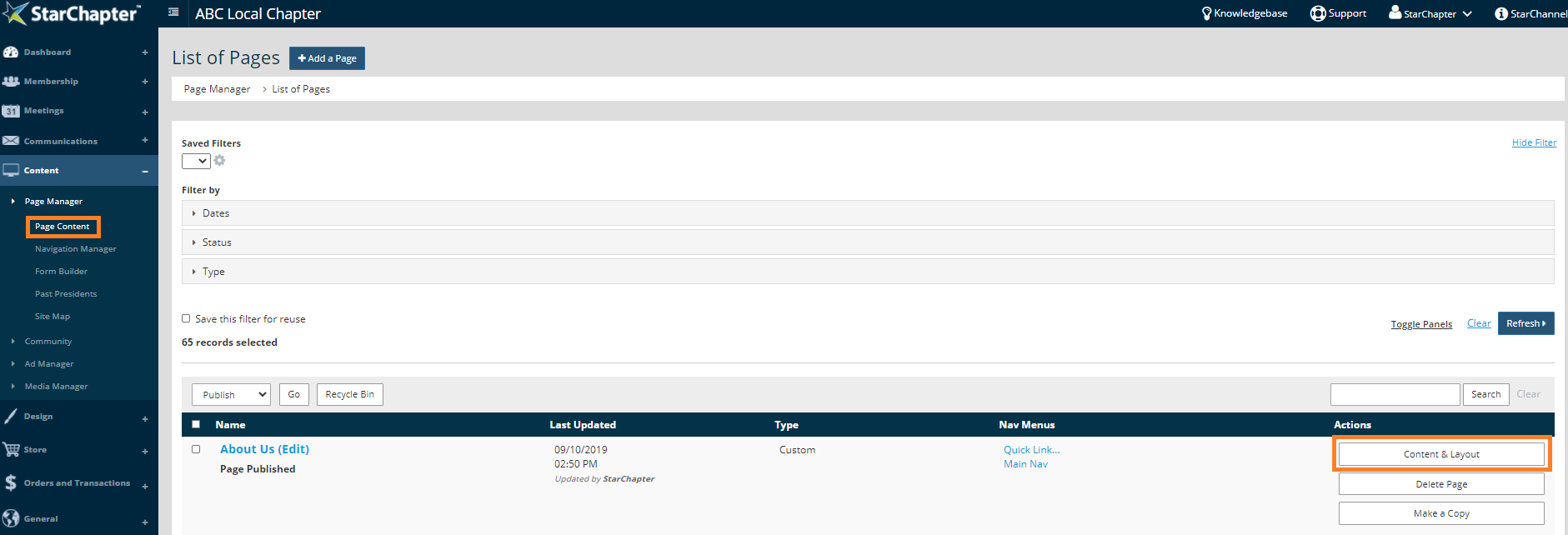
    1. Go to Content > Page Manager > Page Content.
    2. Search for your page of interest.
    3. Click the Content & Layout button.

      Access page content

    4. Click the blue + to add a new content section.
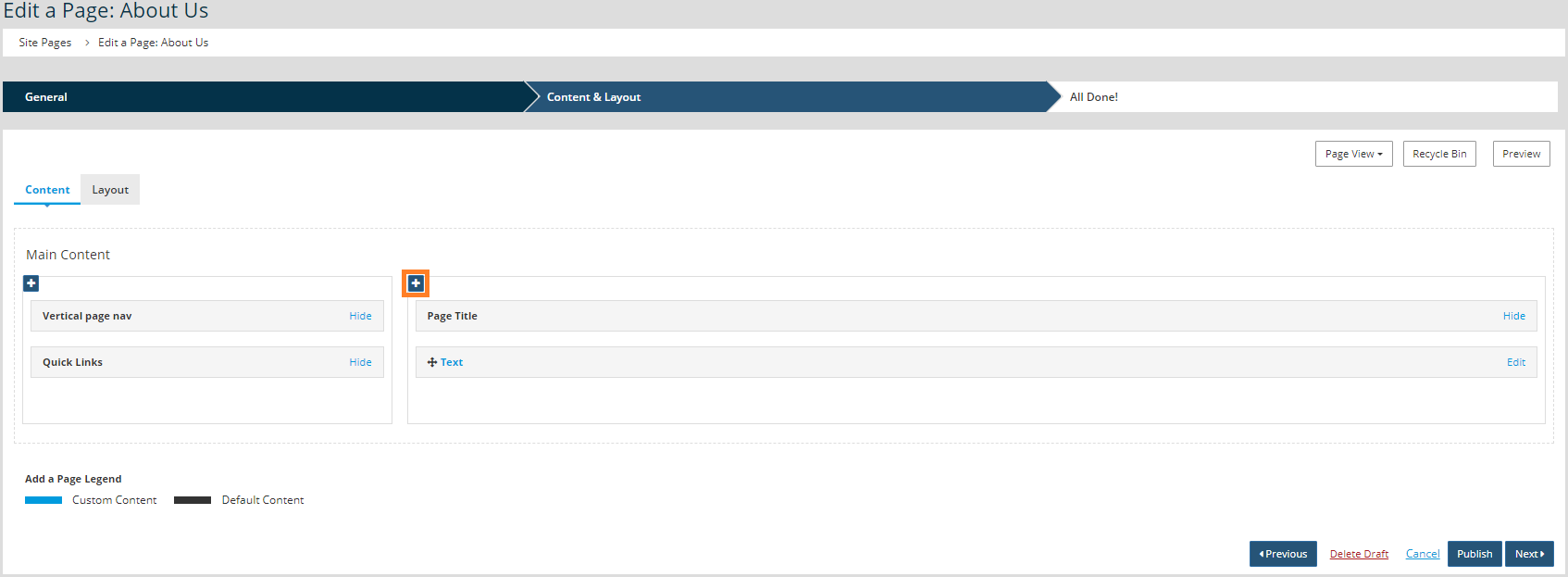
      Add page content

    5. Select the Blank content section option.
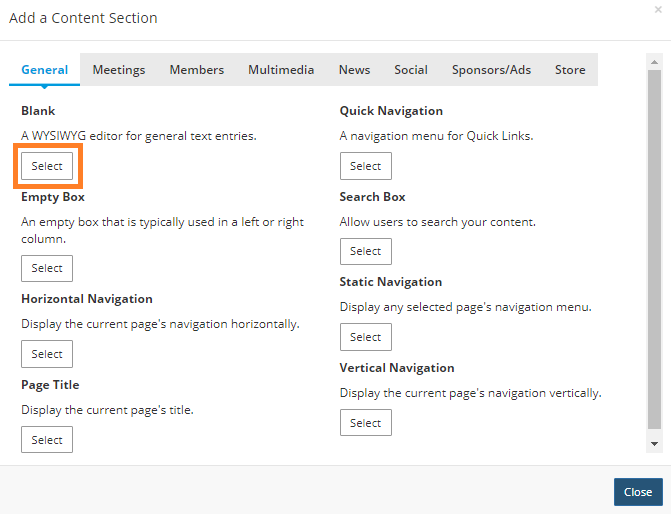
      Selecting a Blank content section

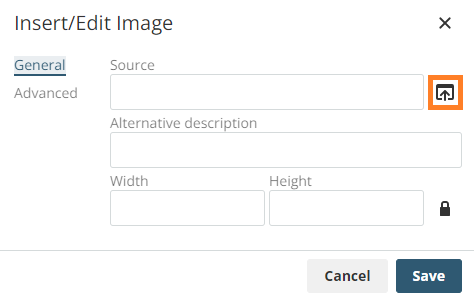
    6. Click the Insert/Edit Image button on the text editor.
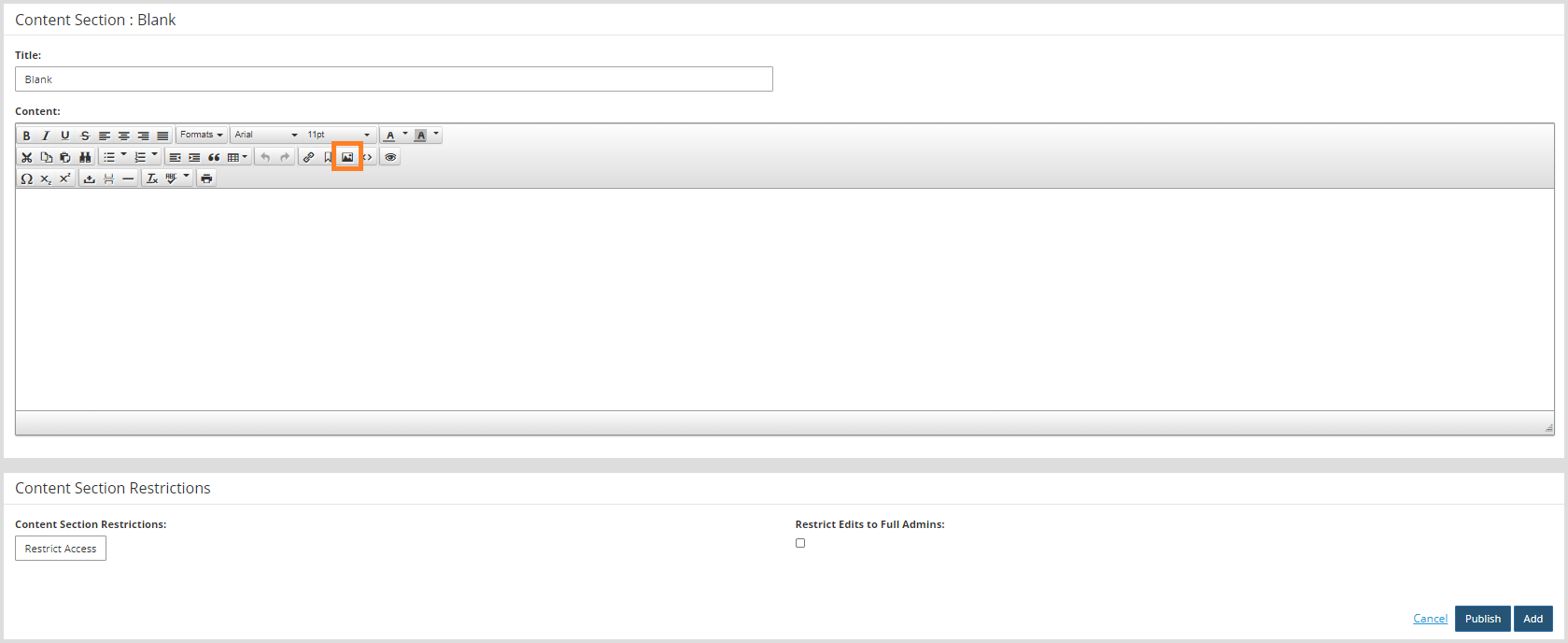
      Insert an image

    7. Click the Search button.


    8. Select the image from the Moxie Manager and click Insert, or click the Upload button to add a new image to the Moxie Manager.
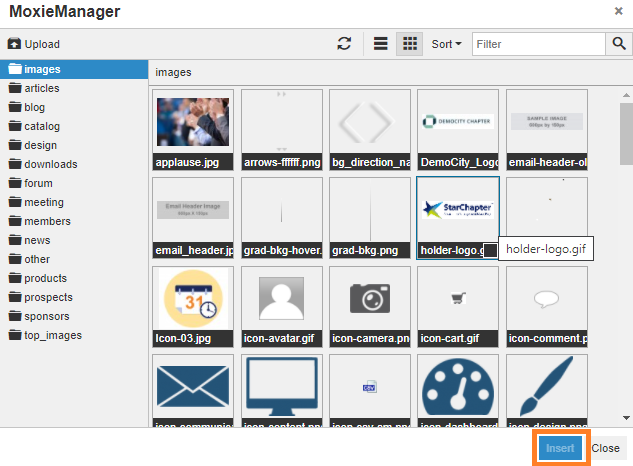
      Insert an image

    9. On the General tab, update the "Dimensions," if appropriate.
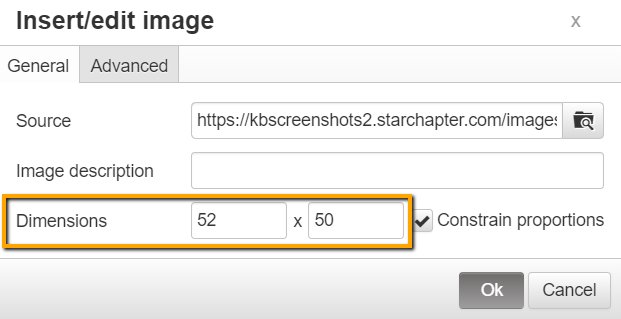
      Edit display dimensions of an image

    10. Click OK.
    11. If the image should be hyperlinked, that step can be completed at this point. 
    12. Click Add.
    13. When all updates have been made to the page, click Publish to make the updates live.

     

    Chapter Insights

    Posted by [email protected] on 02/14/2018 11:41 am  /   Content

    content part of redesign

    Consider Your Content as Part of Your Website Redesign

    member stories

    3 Reasons to Invest in Member Stories

    Cotent Blog Image - Advanced SEO – Name it Right, and they will Read

    Advanced SEO – Name it Right, and they will Read

    Content Blog Image - Advanced SEO – The 80/20 Rule for Success

    Advanced SEO – The 80/20 Rule for Success

    video for sponsorship

    Video is Key to Your Sponsor Strategy

    © 2026 StarChapter Software LLC All rights reserved.

    •  
      Board Training
    •  
      Services
    •  
      KB Home
    • Master Service Agreement
    • |
    • Privacy Policy
    . .