You are viewing this design in preview mode. The design MUST be published to be live on your website.
    •   New Board Member?
    •   Support
    •   Video Library
    • Workflow Library
    •  Page Content Library
    •  Email Builder Content Library

    Knowledgebase

    • Home
    • > Orders & Transactions
    • > Order Reports
    • > View StarPay Reports

    View StarPay Reports

    While other payment gateways must be accessed separately from StarChapter, StarPay has integrated reporting available through your Admin Area. If you are looking for a payment gateway solution, you can learn more about StarPay's options or apply for a StarPay account.

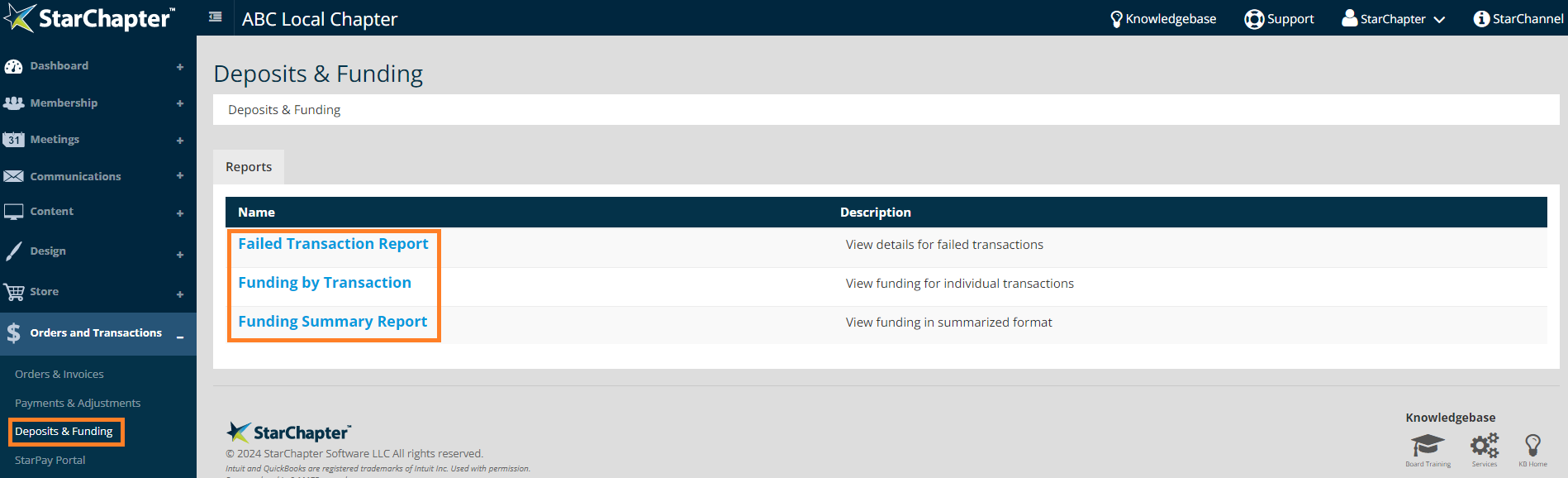
    1. Go to Orders and Transactions > Deposits & Funding.
    2. Click a report name to access the appropriate data.
      Failed Transaction Report - Reference failed transactions and the reason for the failure.  
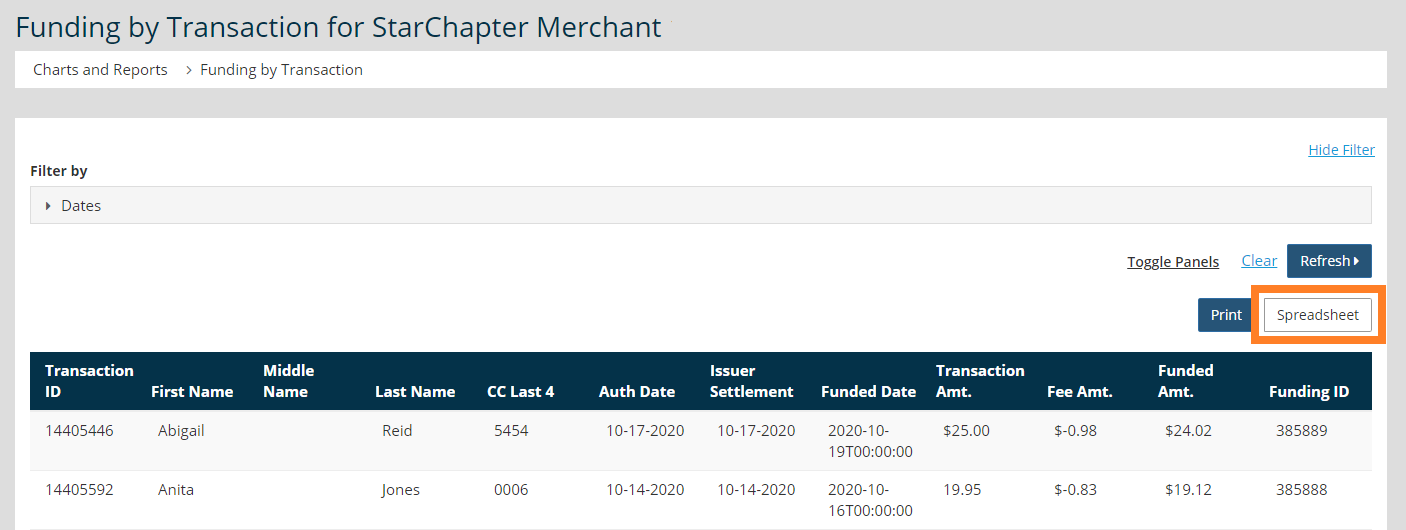
      Funding by Transaction
      - Review deposit associated with specific transactions. 
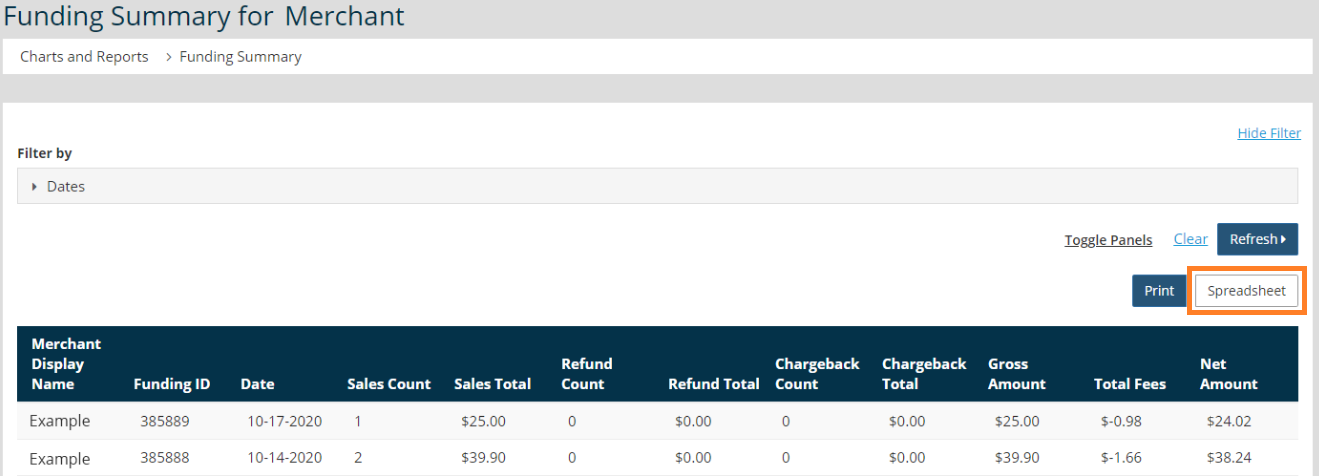
      Funding Summary Report - View summarized deposit details. This will indicate bulk deposits which may be cumulative of many individual transactions.


    3. Set the date range of interest and click Refresh.
    4. Click Spreadsheet to export the filtered report.

      Funding by Transaction Report
      access StarChapter Pay reports

      Funding Summary Report
      summer report


    Chapter Insights

    Posted by [email protected] on 02/20/2018 2:21 pm  /   Orders and Transactions

    Increase non-dues revenue

    How to Increase Your Non-Dues Revenue and Build a Strong Revenue Stream


    sponsorship revenue

    Building a Sustainable Revenue Stream with a Formal Sponsorship Program


    chapter finances

    A Plan for Your Chapter Finances is Key to Your Long-Term Success


    charge for meetings

    Why You Need to Charge for Meetings and Even More for Your Guests

    © 2026 StarChapter Software LLC All rights reserved.

    •  
      Board Training
    •  
      Services
    •  
      KB Home
    • Master Service Agreement
    • |
    • Privacy Policy
    . .