
Update Default Contact Addresses
Contact Addresses define where the system sends certain notifications. The Default contact address is the standard reply-to address on outgoing messages. Payment notices go to the Treasurer contact address. For organizations that manage membership locally, the Membership contact address receives notices when expired members are moved to the Non-Member Manager. The National contact address isn’t used by many organizations, but if enabled, it is used to send information to a parent organization about member profile changes completed at the local level.
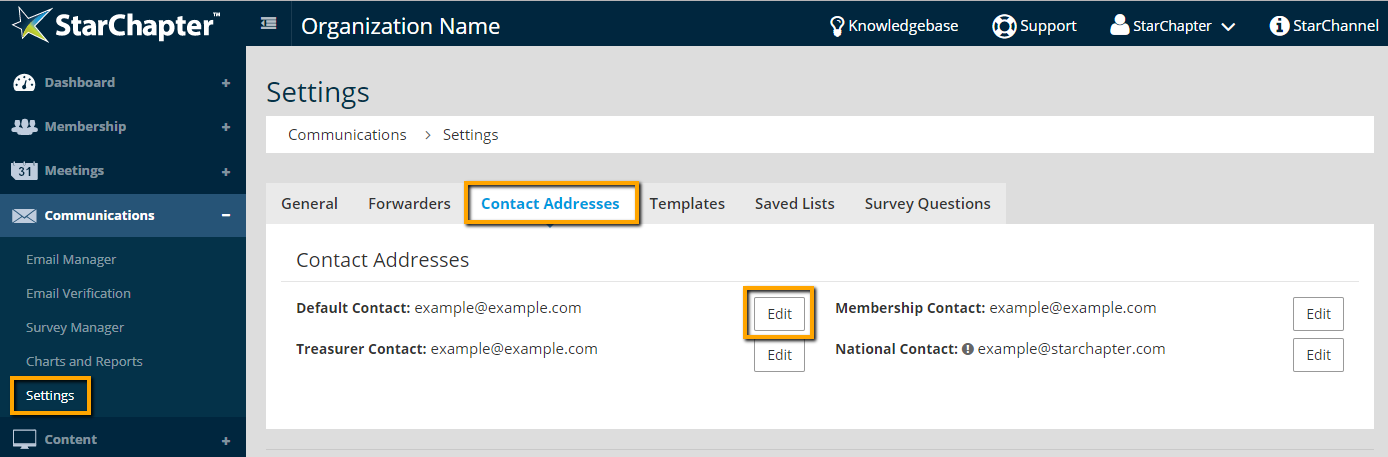
- Go to Communications > Settings > Contact Addresses.
- Click Edit next to the address that needs to be changed.
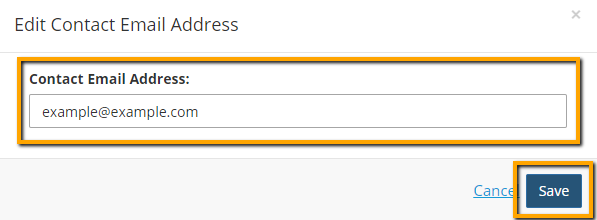
- Enter in the new email address in the Contact Address field.
- Click Save.

Warning: Contact Addresses MUST be set to email addresses on the system's domain name to ensure consistent deliverability.





