Create a Resume Page
The Classifieds tool within StarChapter's Ad Manager can manage ads for job listings, job seekers, or general classified ads. While all types of ads will display on the main /classifieds.php page, it is often helpful to separate those ad types to provide more focused resources to users. To create a resume repository, you'll first want to create a form to collect resume submissions and then add that link to the top of a page setup to include all job seeker ads.
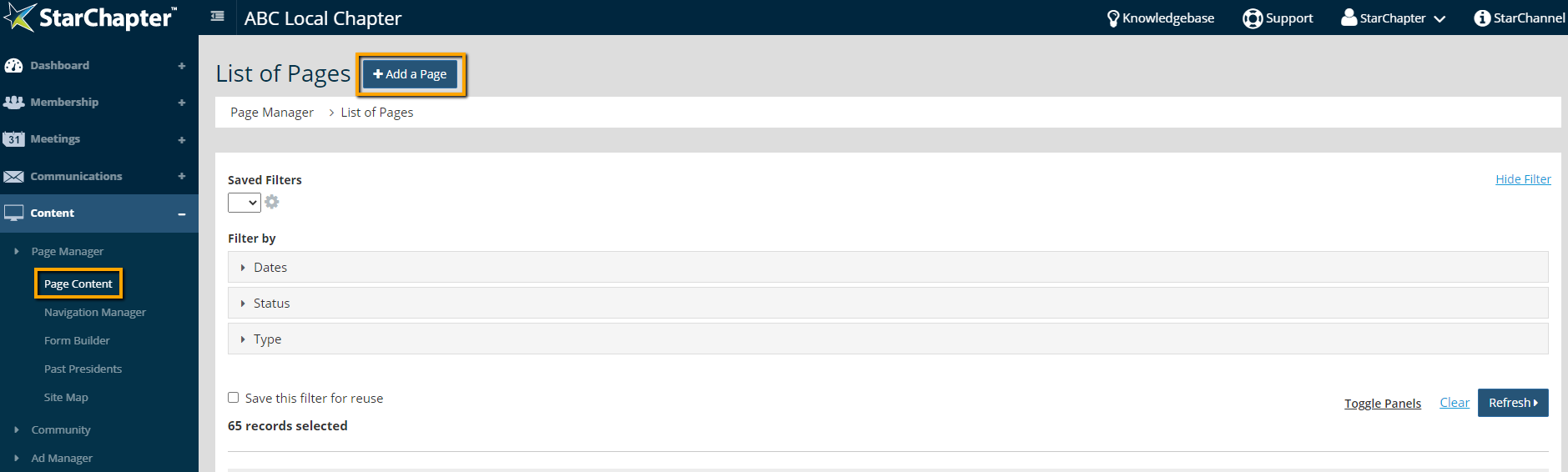
- Go to Content > Page Manager > Page Content.
- Click Add a Page.
- Name the page. This name will be the header at the top of the page.
- If the url of the page should be different than the autocompleted version, make that update.
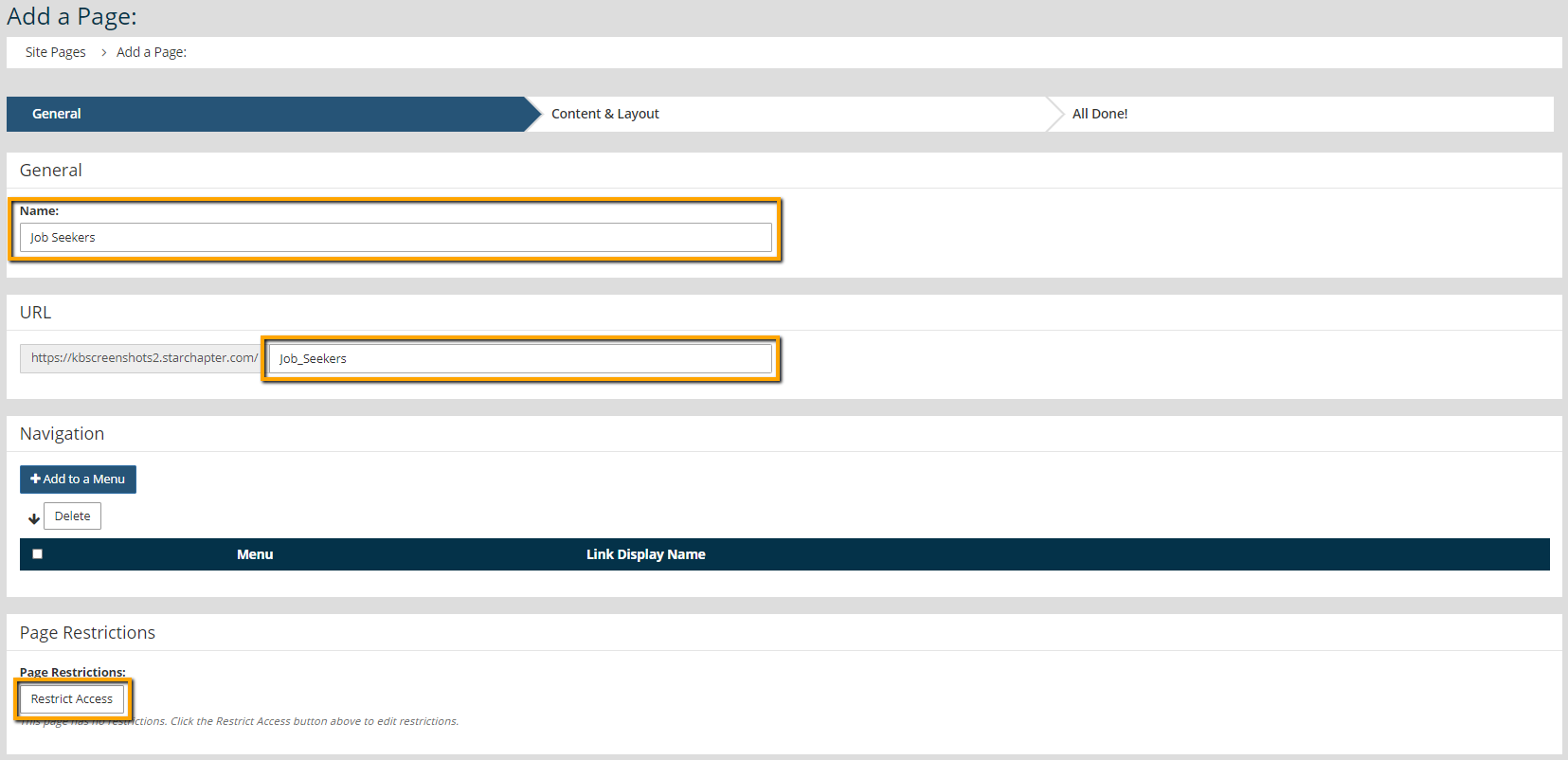
- If the page should be restricted to members, click Restrict Access and proceed through the prompts to restrict page access.
- Click Next.
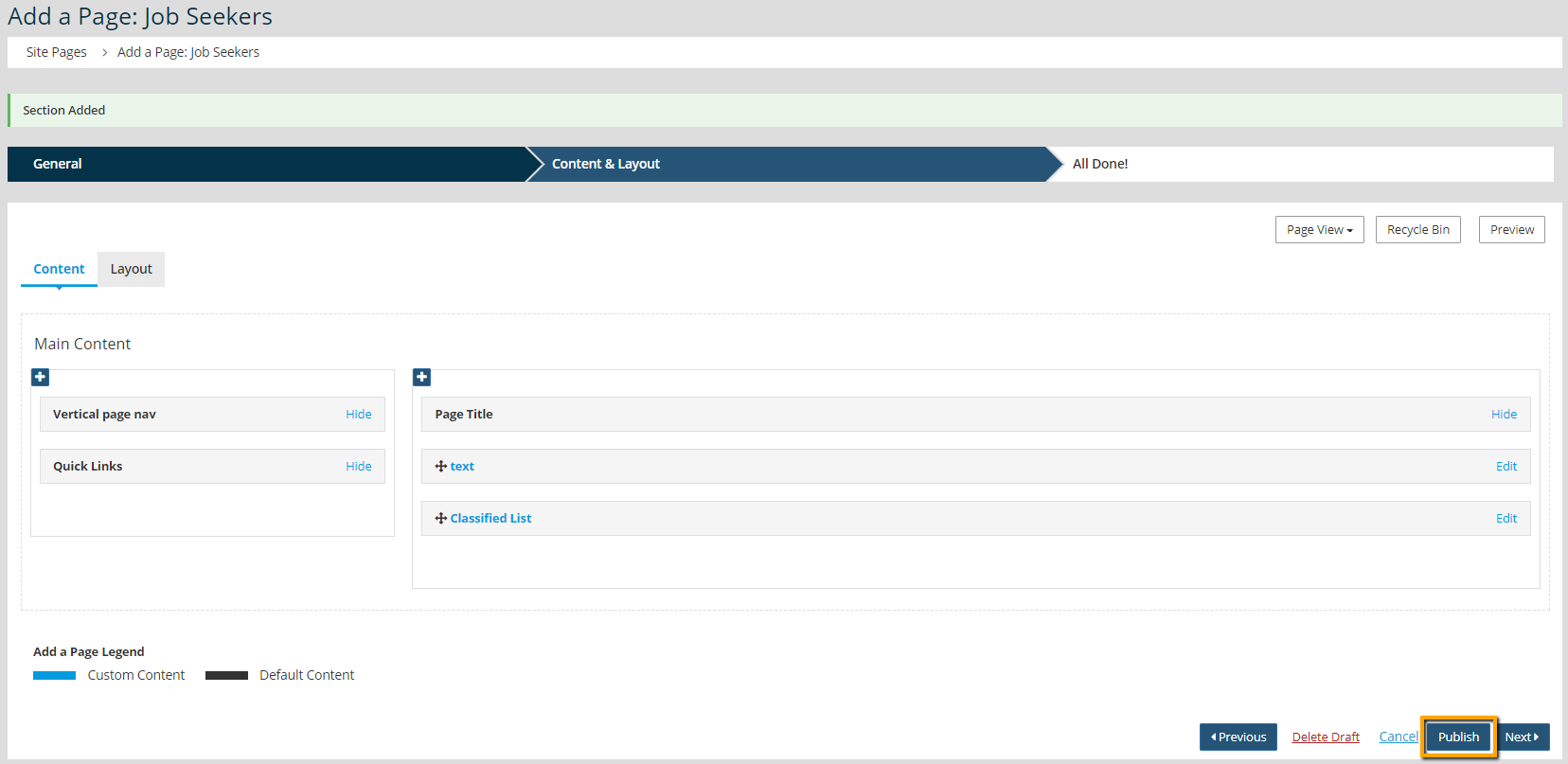
- Click the blue + in the main content column of the page layout.
- On the General tab, select a "Blank" content section.
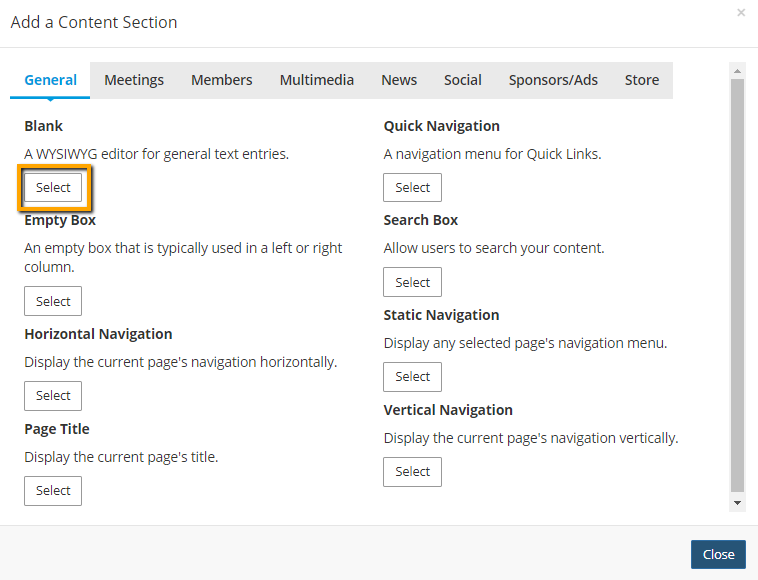
- Add any explanatory text or disclaimers needed. This will display at the top of the page, above any resumes.
- Also, add a link to the form that you created to collect resumes. If this page is being used in conjunction with the built-in classifieds or job listings pages, the form link should be added to a button for consistency.
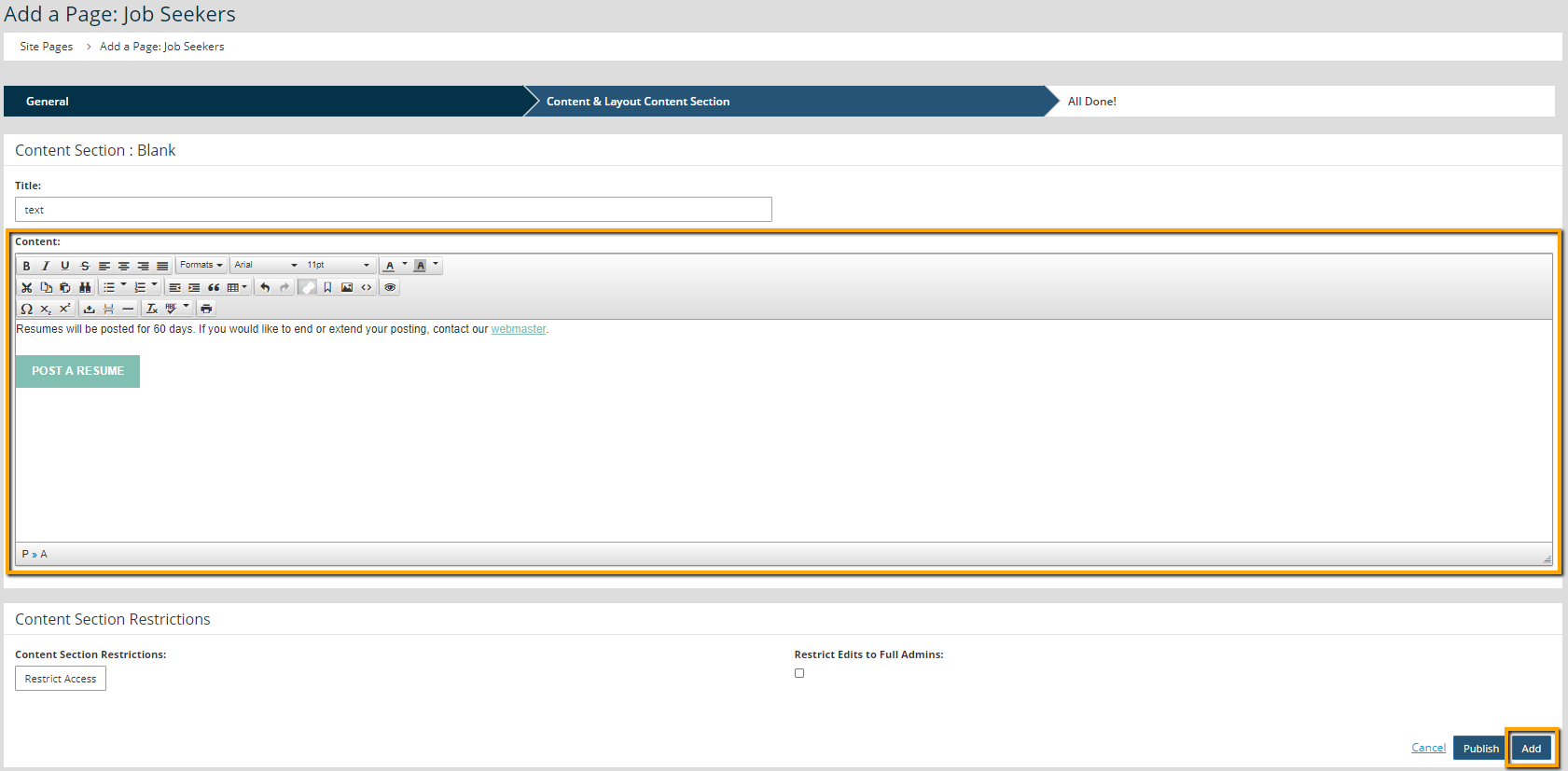
- Click Add.
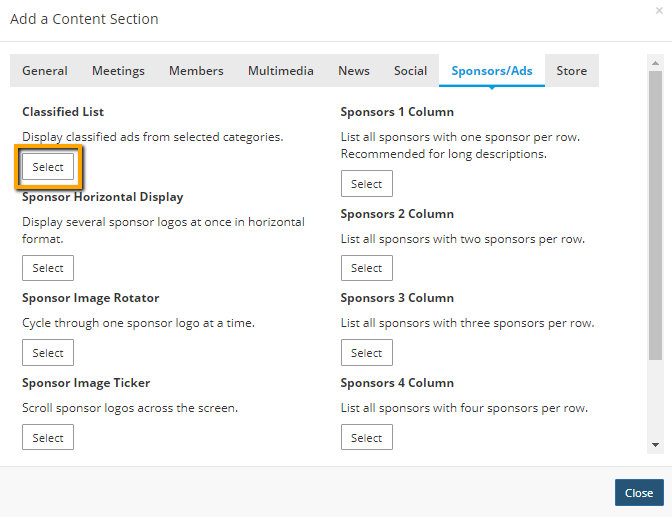
- Click the blue + in the main content column again.
- On the Sponsors/Ads tab, select "Classified List."
- Use the Type drop-down menu to select Job Seekers.
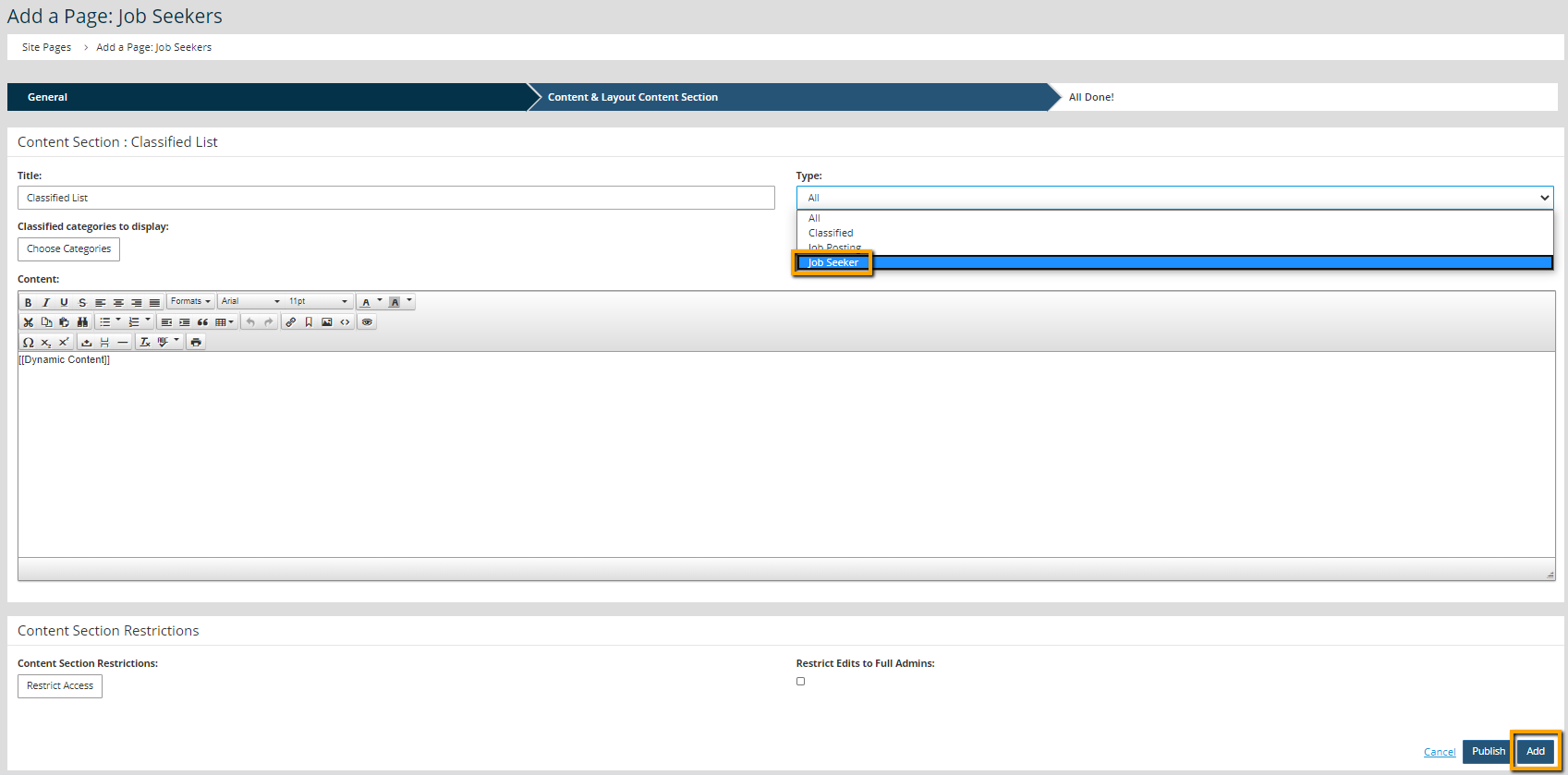
- Click Add.
- Click Publish.