
Clean Up Documents
The Documents tool within StarChatper allows you to store, organize, and easily share many different types of files, but it is not intended to be a long-term storage tool. Occasionally, documents should be reviewed to ensure that they are current and organized. Outdated or duplicate files can be deleted from the system to ensure that what is left is easier to manage and use.
Documents can be shared on other pages in the system using Document Download content sections or just by using the document-specific link on the page. In addition to those options, all uploaded documents will be visible on the /downloads.php page of your system. This page will display every document being stored in the Documents tool and keep them organized by folder.
Delete a Document
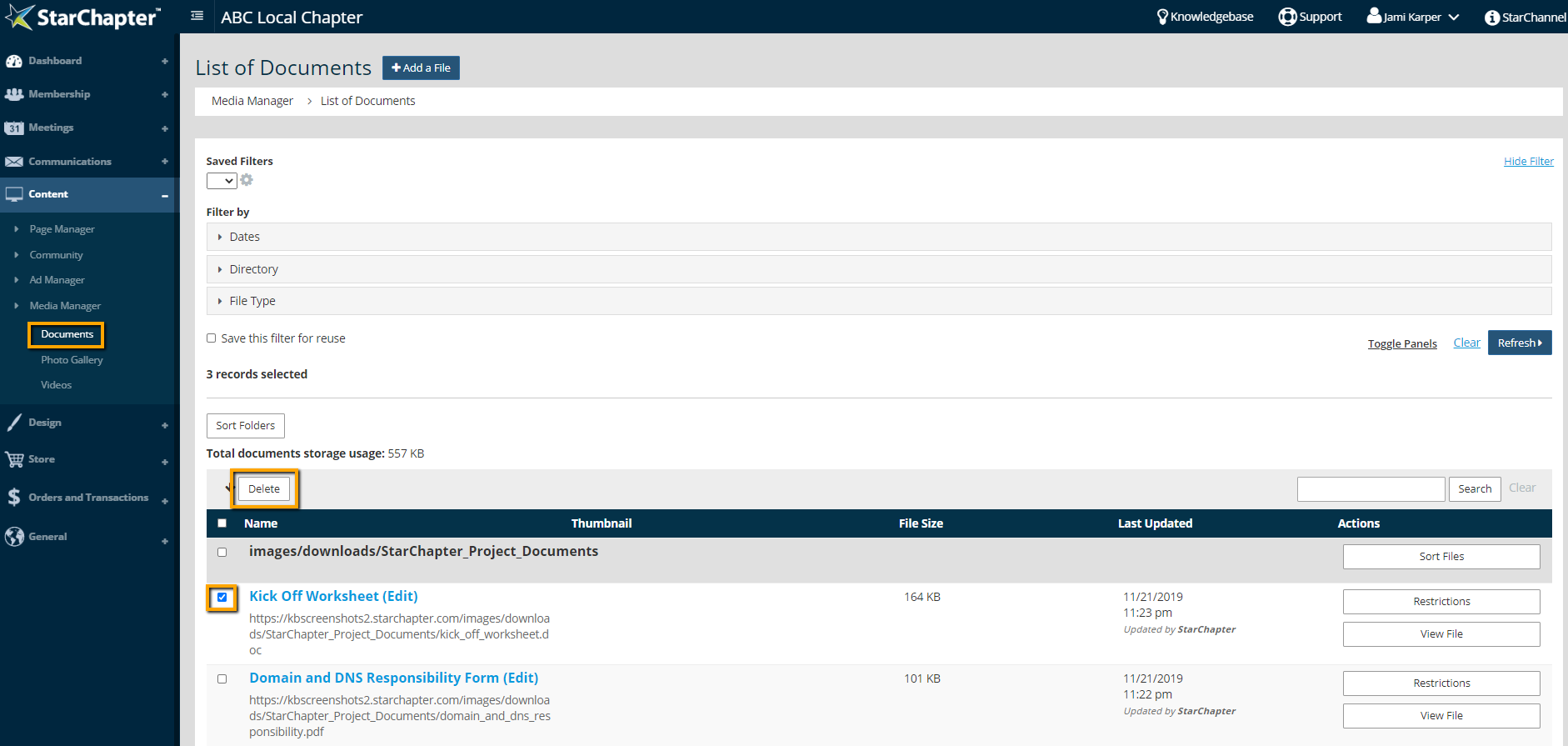
- Go to Content > Media Manager > Documents.
- Search for the document or documents that should be removed from the system.
- Check the box to the left of the document to be deleted
- Click the Delete button at the top left corner of the documents table.
Sort Documents within a Folder
- Go to Content > Media Manager > Documents.
- Click to open the Directory filter and select the folder to be organized.
- Click Refresh to filter the documents table.
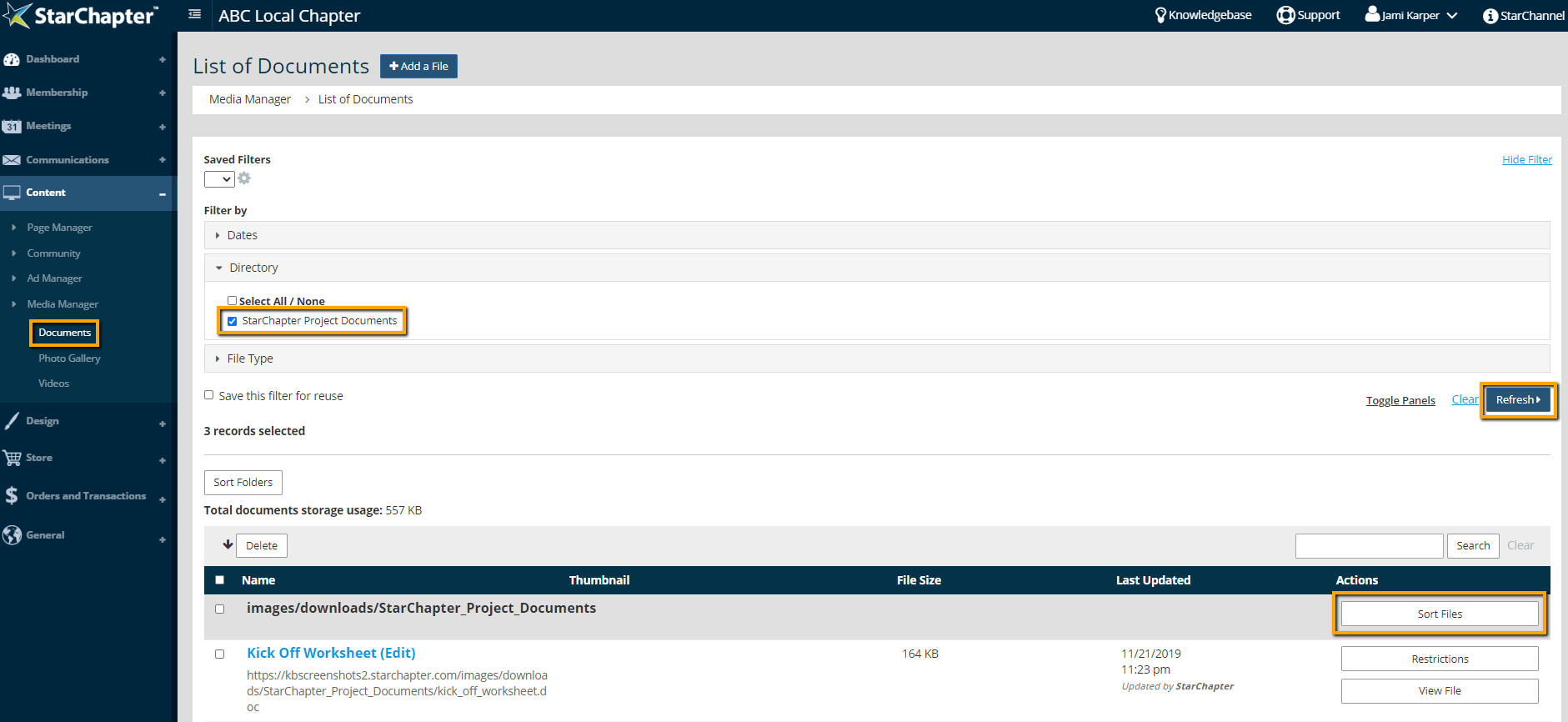
- Click the Sort Files button on that folder.
- Within the pop-up window, drag and drop files into your preferred order.
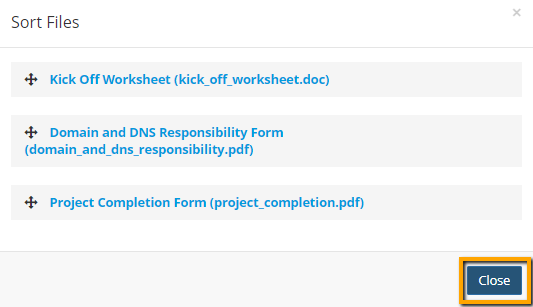
- Click Close.
Sort Folders
- Go to Content > Media Manager > Documents.
- Click the Sort Folders button at the bottom left corner of the document table.
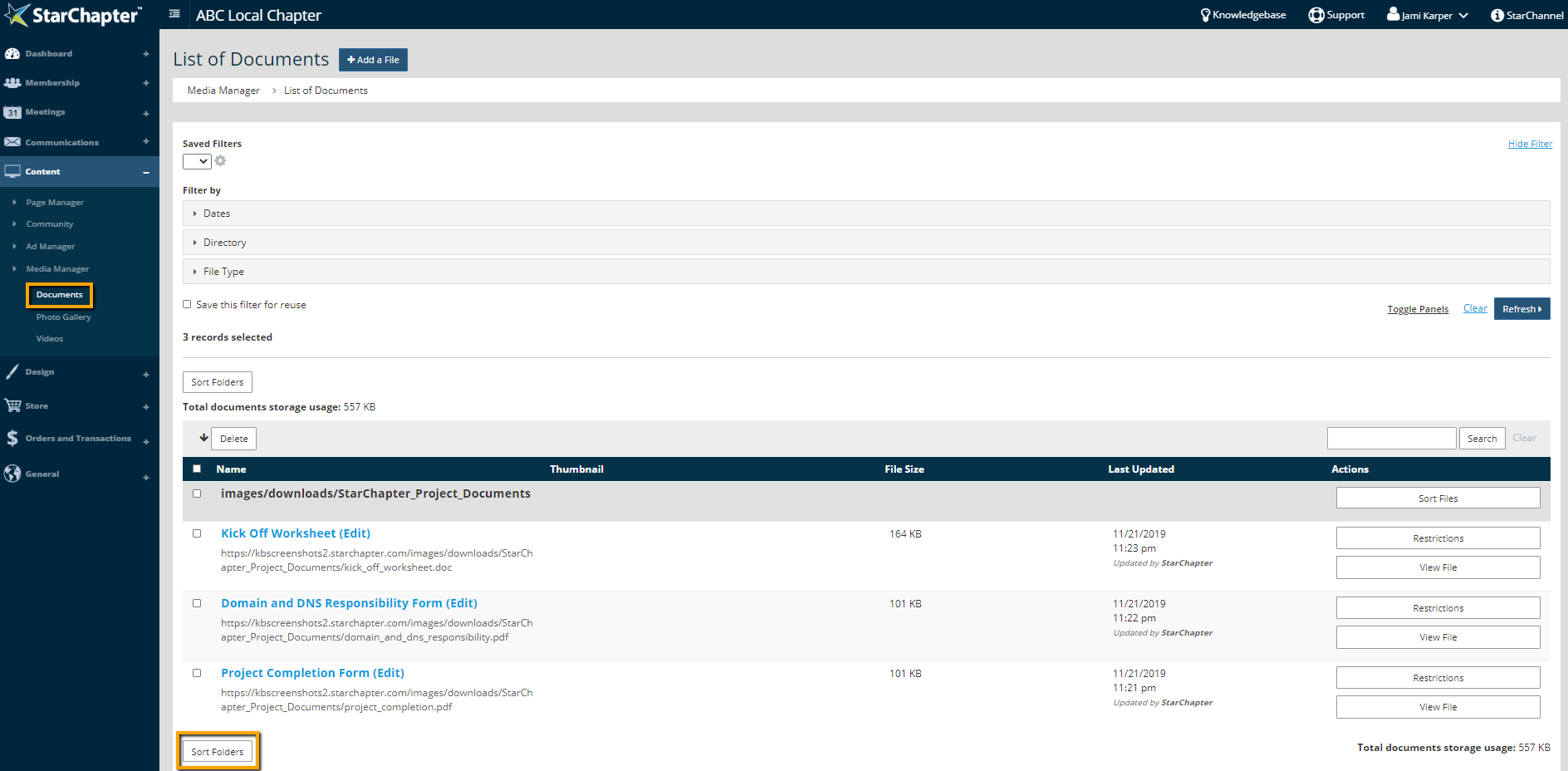
- In the pop-up window, drag and drop folders into your preferred order.
- Click Close.





