
Automate Renewal Messages
Automated renewal notices should only be used by organizations that collect local dues.
- Go to Communications > Send an Email.
- Click New Email and select Recurring Email.

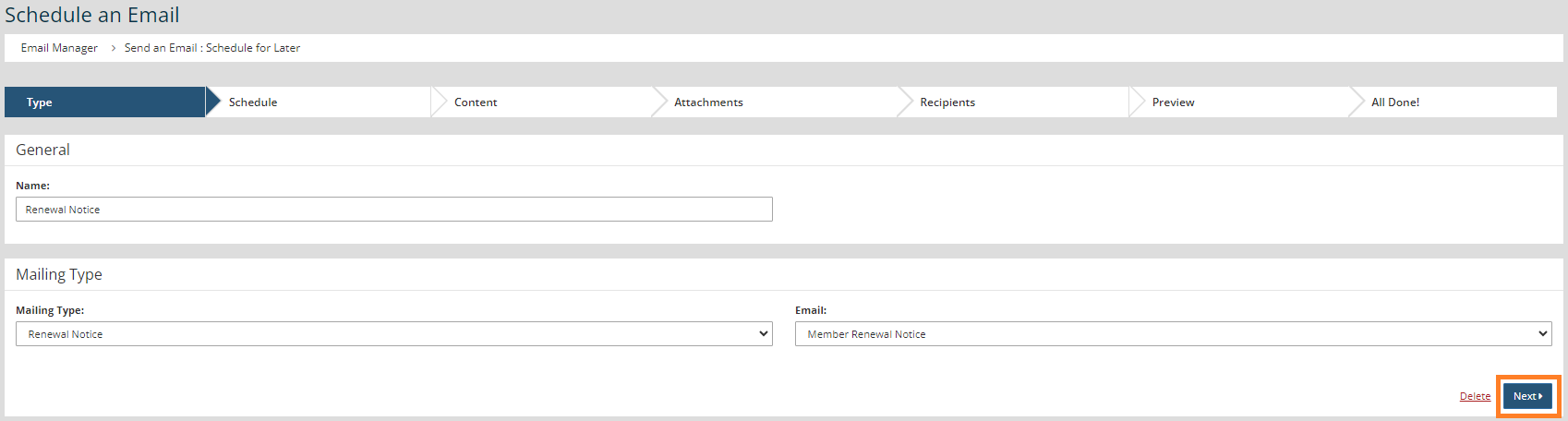
- Name the email, select Renewal Notice in the Mailing Type drop-down, and your preferred email build in the Email drop-down.
- Click Next
- Set Monthly in the Frequency drop-down, No End Date for the End Date, and choose the time of day for your mailing.
- Click Next three times until you arrive at the "Recipients" step.
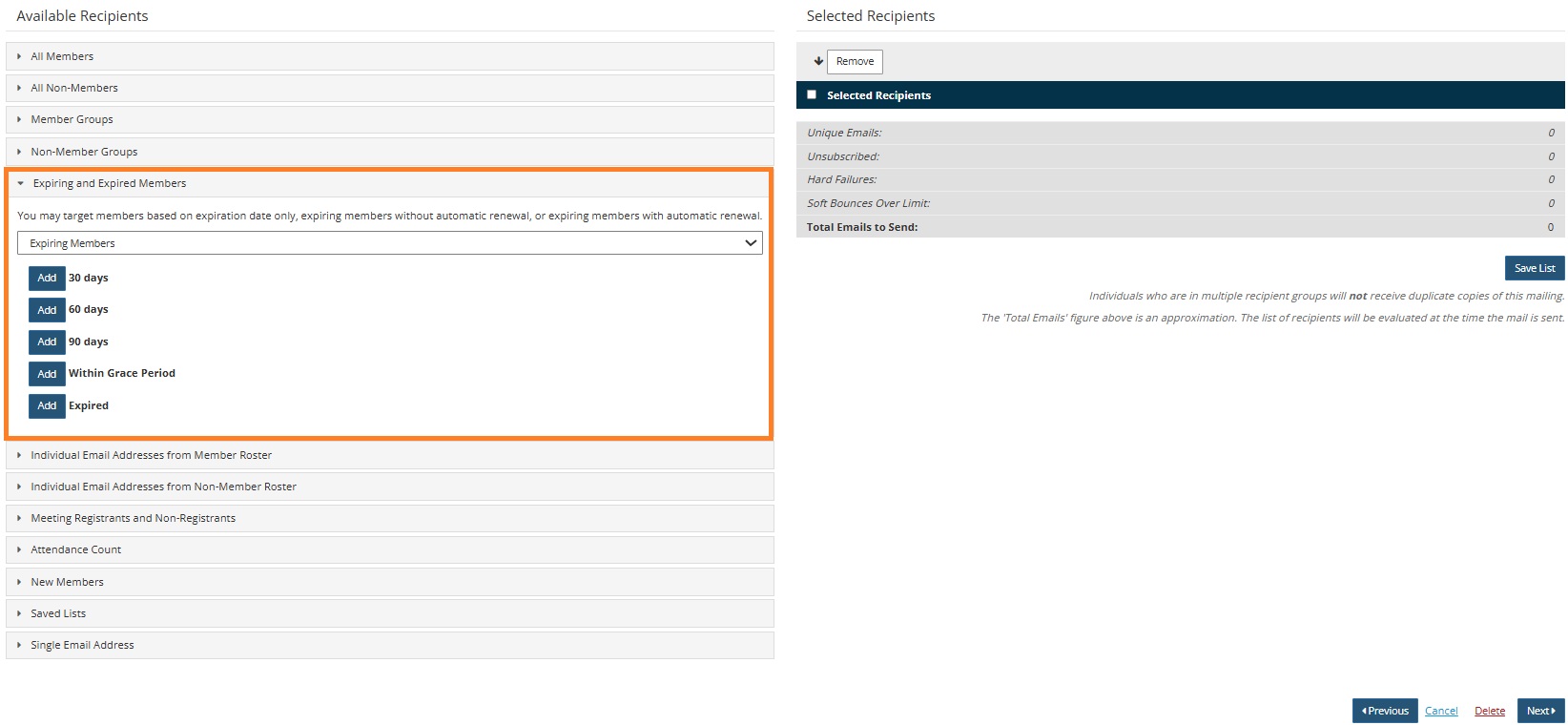
- Select the appropriate target category. You may target members based on expiration date only, expiring members without automatic renewal, or expiring members with automatic renewal.
- Using the Expiring Members filter, select the appropriate target category and the expiration groups that should be included in the mailing. Recipients will be determined at the time of the mailing rather than the time the message is scheduled. Adding all options will result in 4+ reminders being sent, depending on the "Member Expiry Settings" defined in Membership > Settings.
- Click Next.
- Click Finish.


