
Use Article Categories
Categories are useful when a large amount of content is being published over a wide range of topics. Categories allow website users to filter content in order to focus on their interests as well as allowing Admin Users to selectively share and promote specific categories of Articles.
Create New Article Categories
Creating the Article categories first will ensure that there are categories available when creating and categorizing an Article.
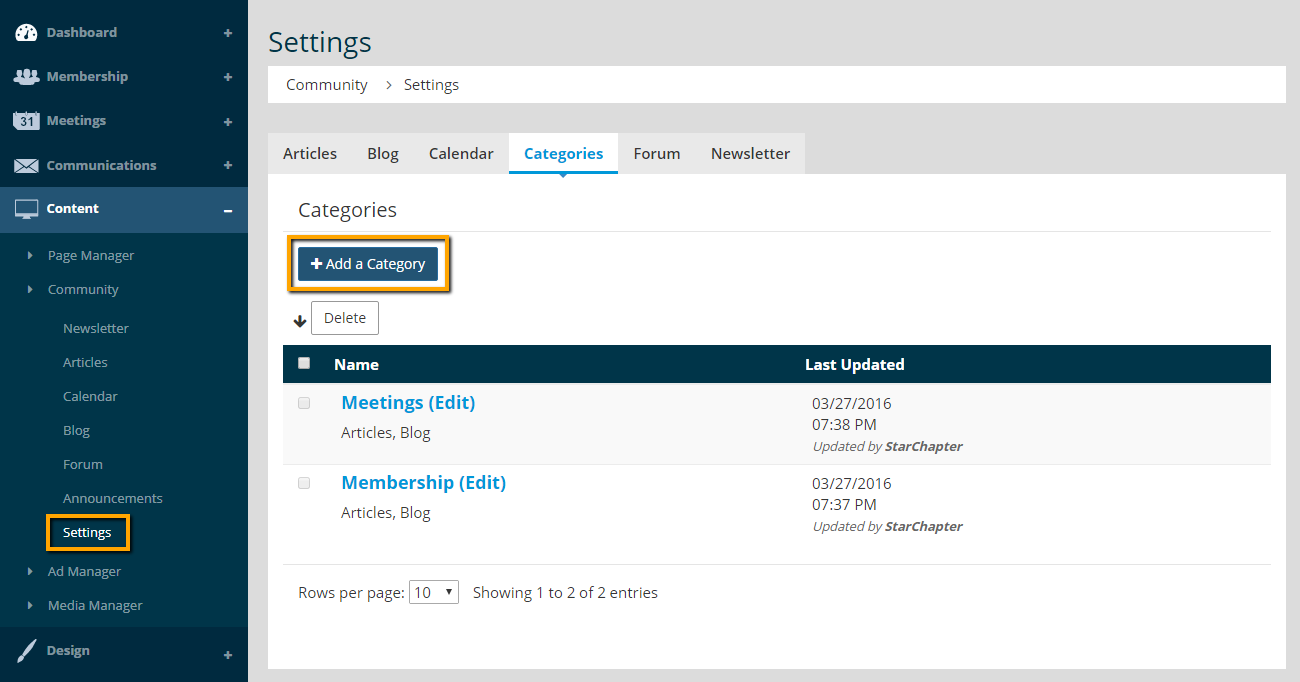
- Go to Content > Community > Settings > Categories.
- Click Add a Category.
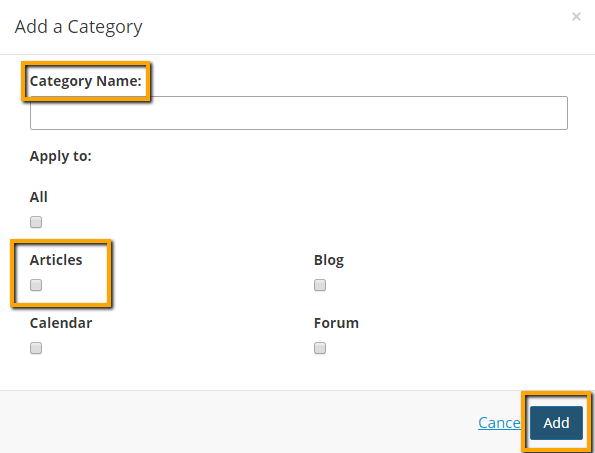
- Enter "Category Name."
- Select "Articles."
- Click Add.
Use Article Categories
The newly created Article category can be used to categorize a new or existing Article.
To utilize categories when creating a new Article:
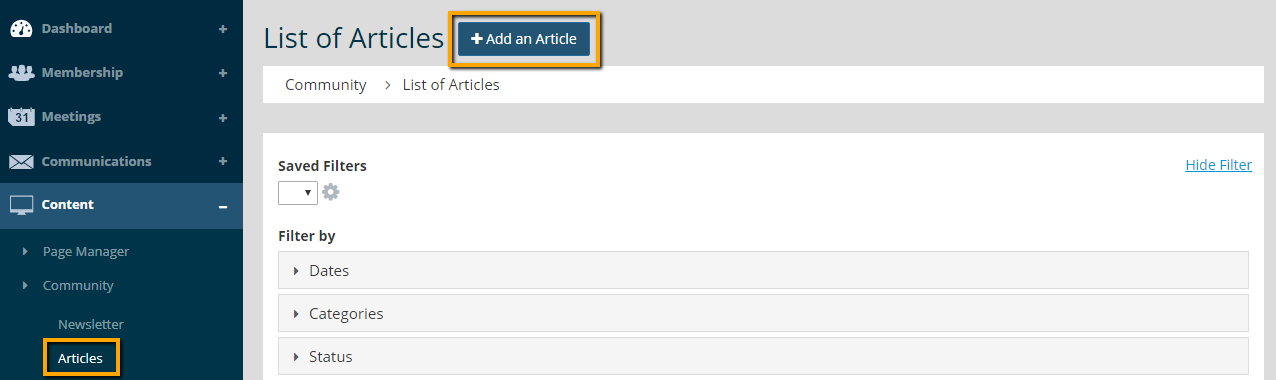
- Go to Content > Community > Articles.
- Click Add an Article.
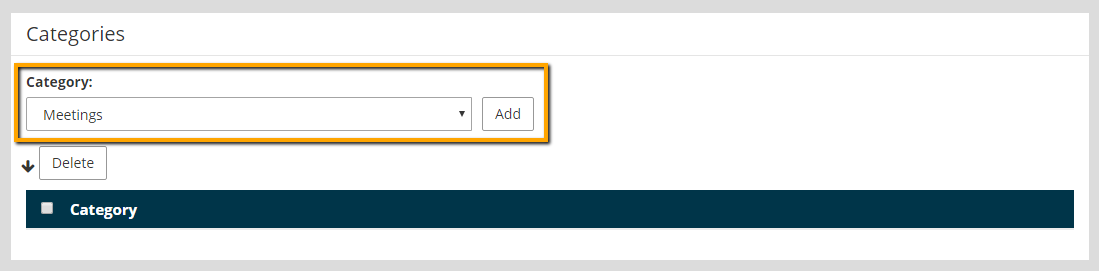
- Under the "Categories" section, select the category.
- Click Add.
To utilize categories in an existing article:
- Go to Content > Community > Articles.
- Click on an existing article.
- Click Edit on the Categories section.
- Select the correct Category, and click Add.

- Click Next to save changes.





