
Upload Documents to a Folder
Folders are an easy way to keep documents organized. Additionally, folders can be placed on pages to make updating file links quick and easy.
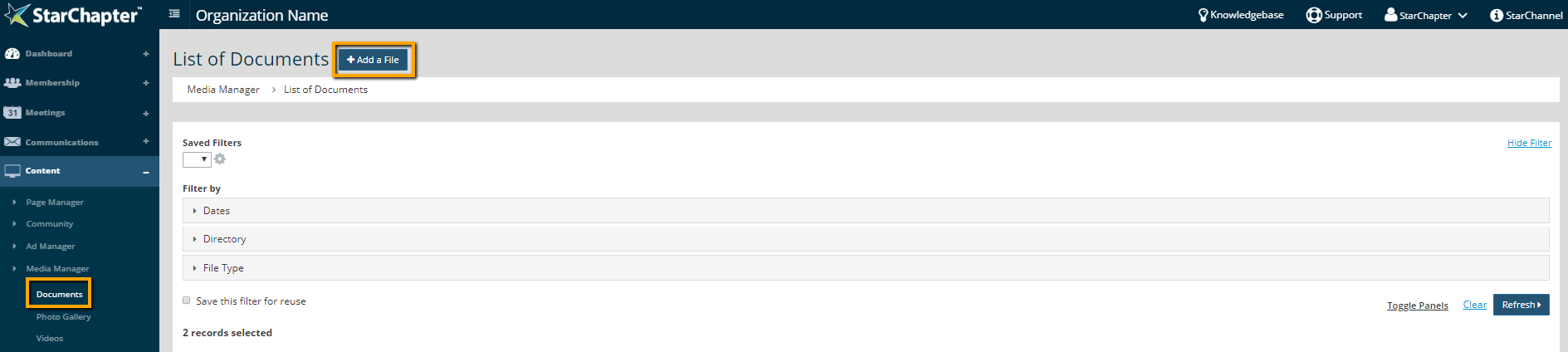
- Go to Content > Media Manager > Documents.
- Click Add a File.
- Enter a display name for a file.
- Update Restrictions, if appropriate.
- Select "Create New Folder" from the Subfolder drop-down and update the "New Subfolder name" field with the folder name. If the folder already exists, select it from the "Subfolder" drop-down.
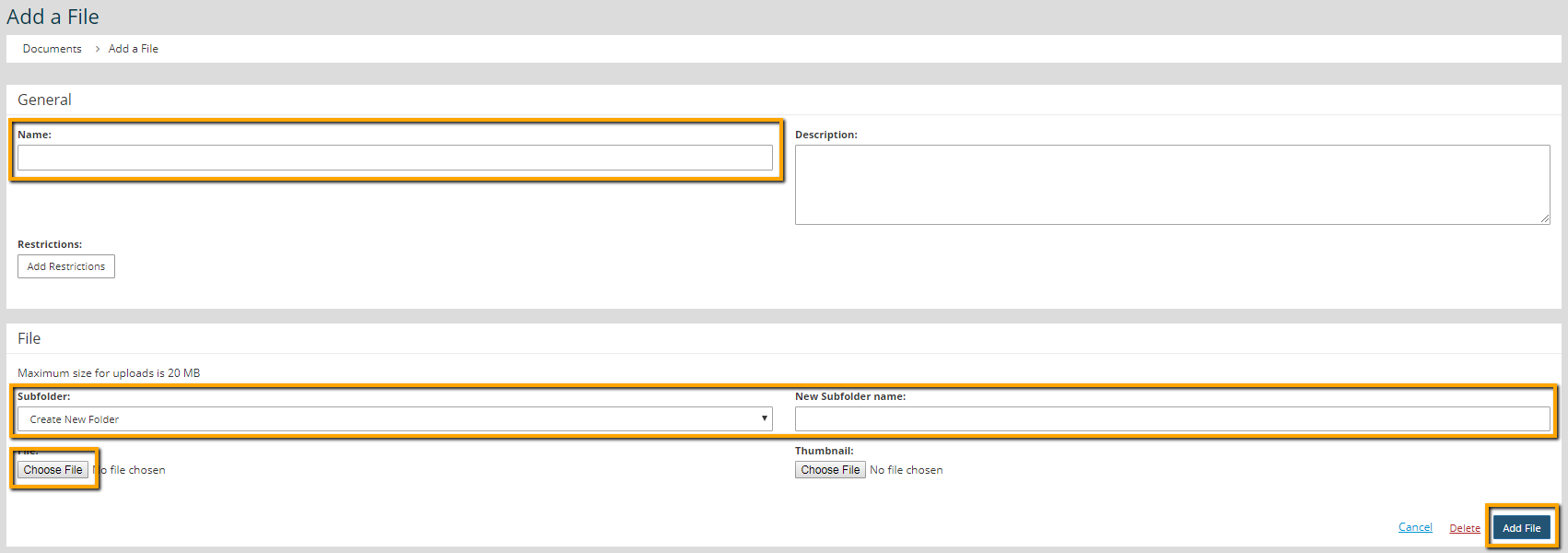
- Click Choose File and upload the document.
- Click Add File.





