You are viewing this design in preview mode. The design MUST be published to be live on your website.
    •   New Board Member?
    •   Support
    •   Video Library
    • Workflow Library
    •  Page Content Library
    •  Email Builder Content Library

    Knowledgebase

    • Home
    • > Dashboard
    • > Quick Start
    • > Update Your Organization's Contact Information

    Update Your Organization's Contact Information

    The Contact Information designated in StarChapter's configuration settings will be displayed by variables in email templates. The Contact Person is typically the President or Executive Director of the organization and should be updated after leadership transitions. The Mailing Address and Contact Phone Number may change with leadership transitions, depending on whether your organization has a central office.

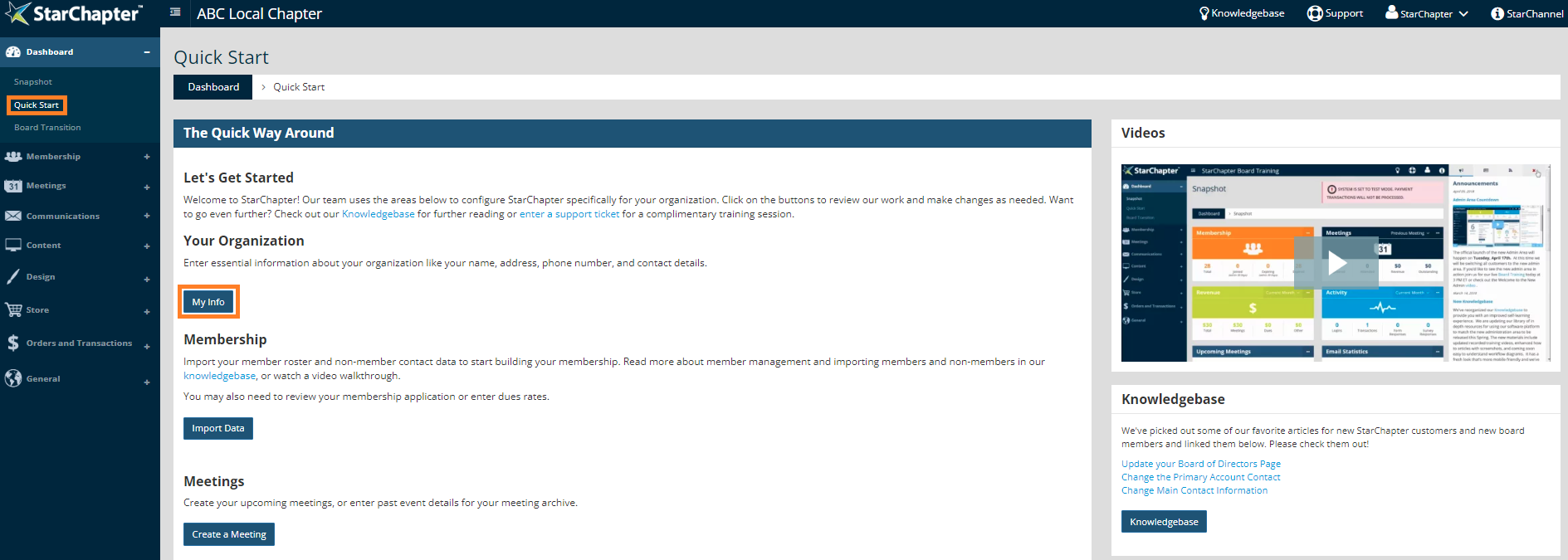
    1. Go to Dashboard > Quick Start.
    2. Click My Info.

      Click My Info Image

    3. Update fields in the Mailing Address area of the page.
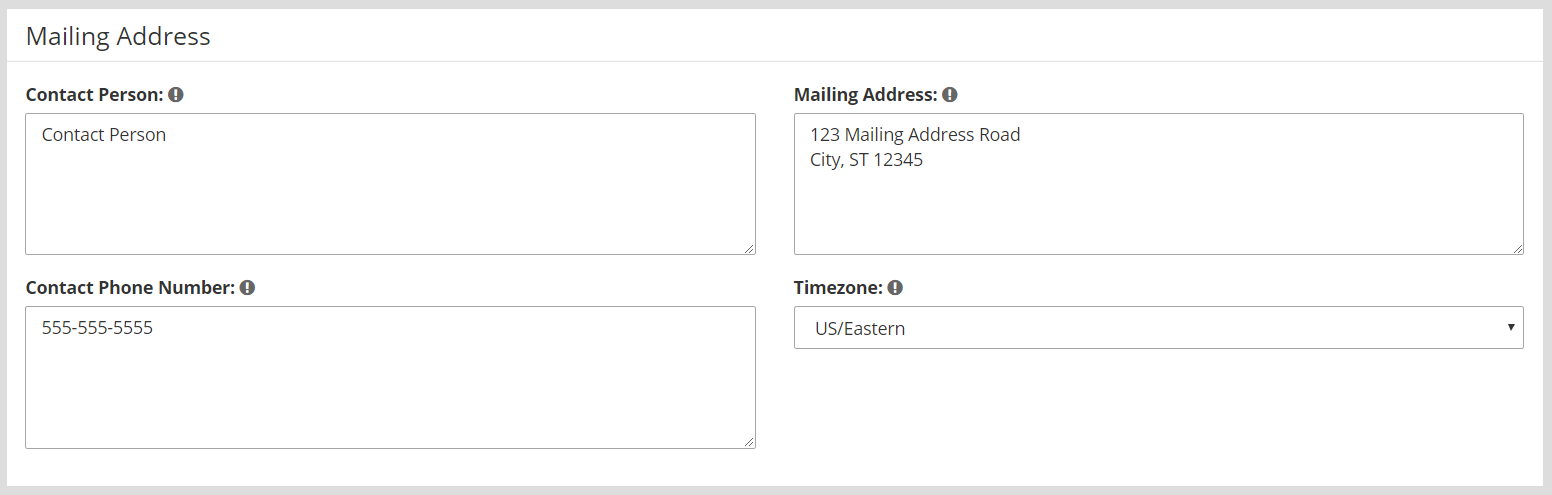
      contact information fields

    4. Click Next.

    © 2026 StarChapter Software LLC All rights reserved.

    •  
      Board Training
    •  
      Services
    •  
      KB Home
    • Master Service Agreement
    • |
    • Privacy Policy
    . .