You are viewing this design in preview mode. The design MUST be published to be live on your website.
    •   New Board Member?
    •   Support
    •   Video Library
    • Workflow Library
    •  Page Content Library
    •  Email Builder Content Library

    Knowledgebase

    • Home
    • > General
    • > Configuration
    • > Update Subject Line of Meeting Invoice

    Update Subject Line of Meeting Invoice

    By default, meeting invoices will have a subject line of "Invoice for missed YOUR ORGANIZATION NAME event." If your organization sends invoices prior to meetings, you will want to update this subject line to something more general. Be aware that this subject line will be used for all meeting invoices, so it should be general and not event-specific.

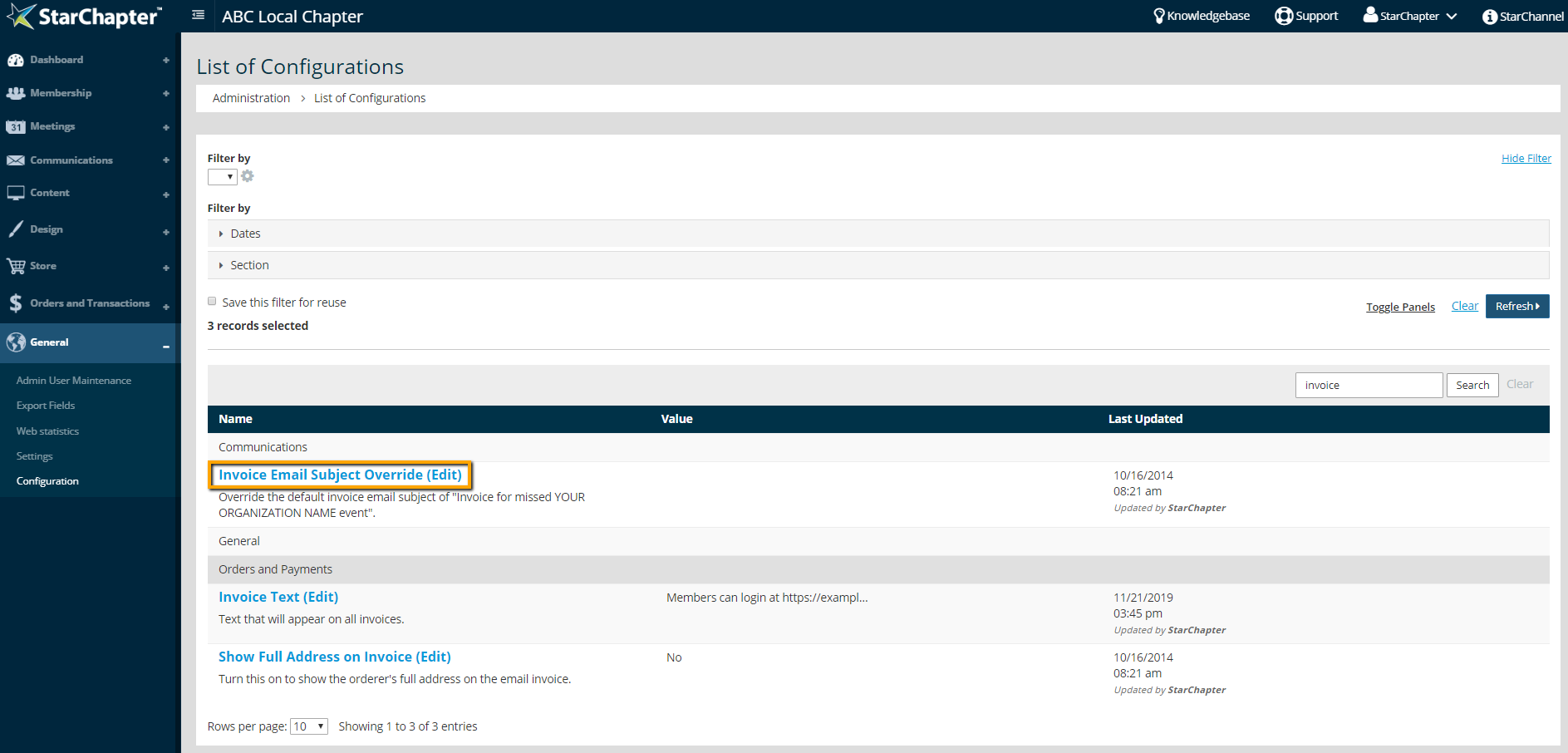
    1. Go to General > Configuration.
    2. Search for "invoice."

      System Configuration Settings

    3. Update the "Invoice Email Subject Override" setting.
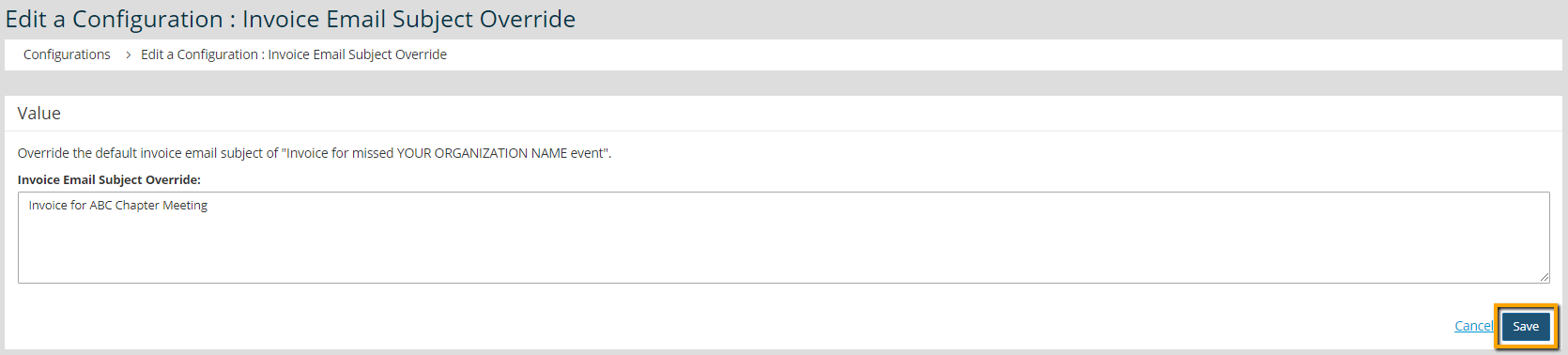
      Meeting Invoice Subject Override

    4. Click Save.

    Chapter Insights

    Posted by [email protected] on 07/25/2018 3:25 pm  /   General

    5 ingredients for chapter success

    5 Ingredients for Chapter Success


    virtual chapter structure

    Setting Up a Virtual Chapter Structure That Delivers for Your Association


    General Blog Image - Why We Think Associations Are More Important Now than Ever Before

    Why We Think Associations Are More Important Now than Ever Before

    © 2026 StarChapter Software LLC All rights reserved.

    •  
      Board Training
    •  
      Services
    •  
      KB Home
    • Master Service Agreement
    • |
    • Privacy Policy
    . .