You are viewing this design in preview mode. The design MUST be published to be live on your website.
New Board Member?
Support
Video Library
Workflow Library
Page Content Library
Email Builder Content Library
Knowledgebase
Home
> Meetings
> Settings
> Update Logo on Meeting Badges
Update Logo on Meeting Badges
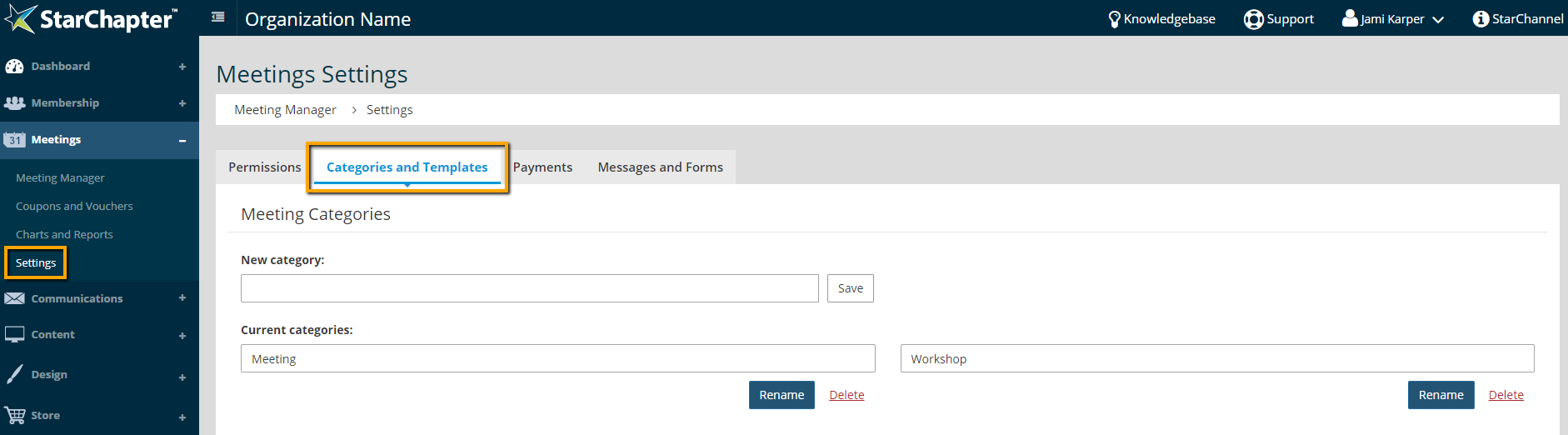
Go to
Meetings
>
Settings
>
Categories and Templates
.
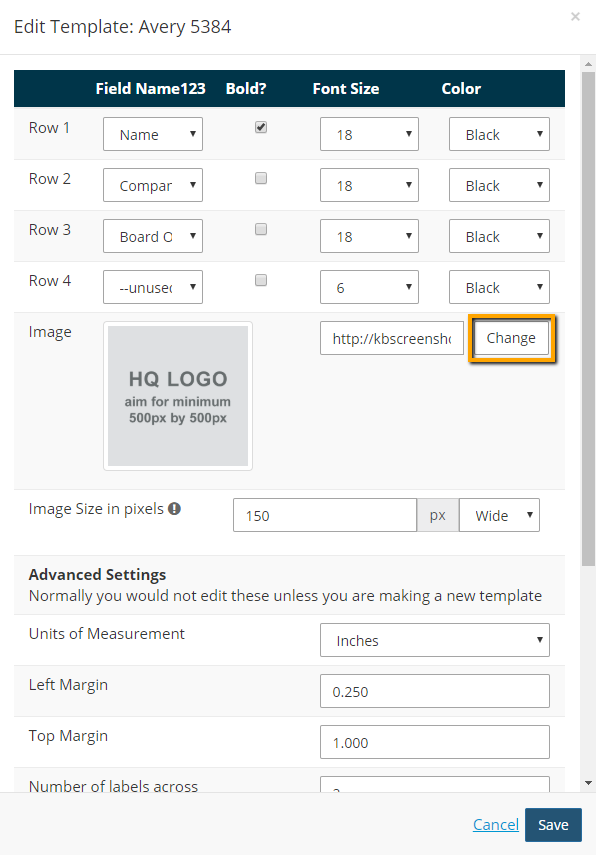
Under the Badge Template section, click
Edit
for the badge template you want to update.

For the Image field, click
Change
.
Click a different logo in the Moxie Manager, or click Upload to bring in a new image.
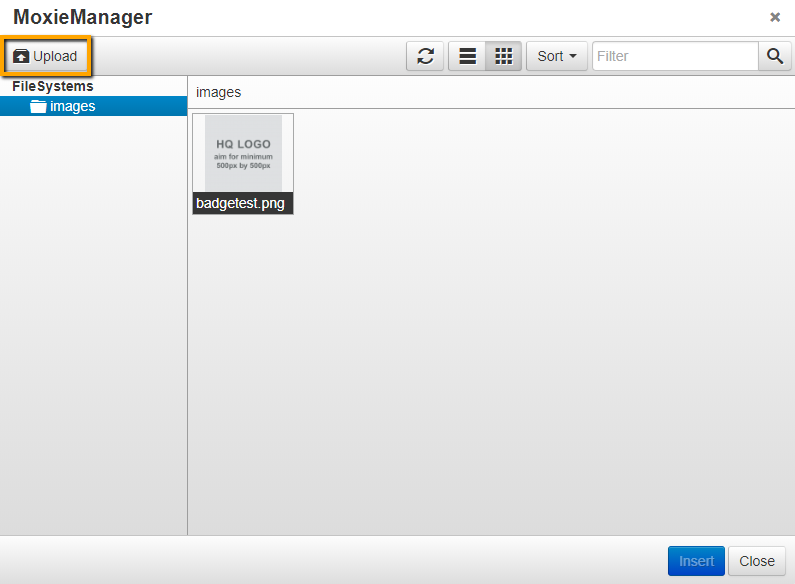
Click
Save
.
Chapter Insights
Posted by
[email protected]
on 03/07/2018 9:28 am /
Meetings
4 Ways Technology Can Increase Your Virtual Meeting Engagement
Turn Your Average Remote Events into Engaging Virtual Experiences
Hosting a Virtual Golf Event - It Can Be Done
Give Your Team the Direction They Need to Hold Successful Virtual Events