Update Board of Directors Page Templates
The Board of Directors page is a dynamic page which pulls information from Page Templates, Group assignments, and member profiles. The Page Templates define which fields will be displayed for all board members. Current layouts provide 4 template options, depending your display preference on your Board of Directors page. Refer to the number of columns on the Board display of your website to determine the correct template to edit.
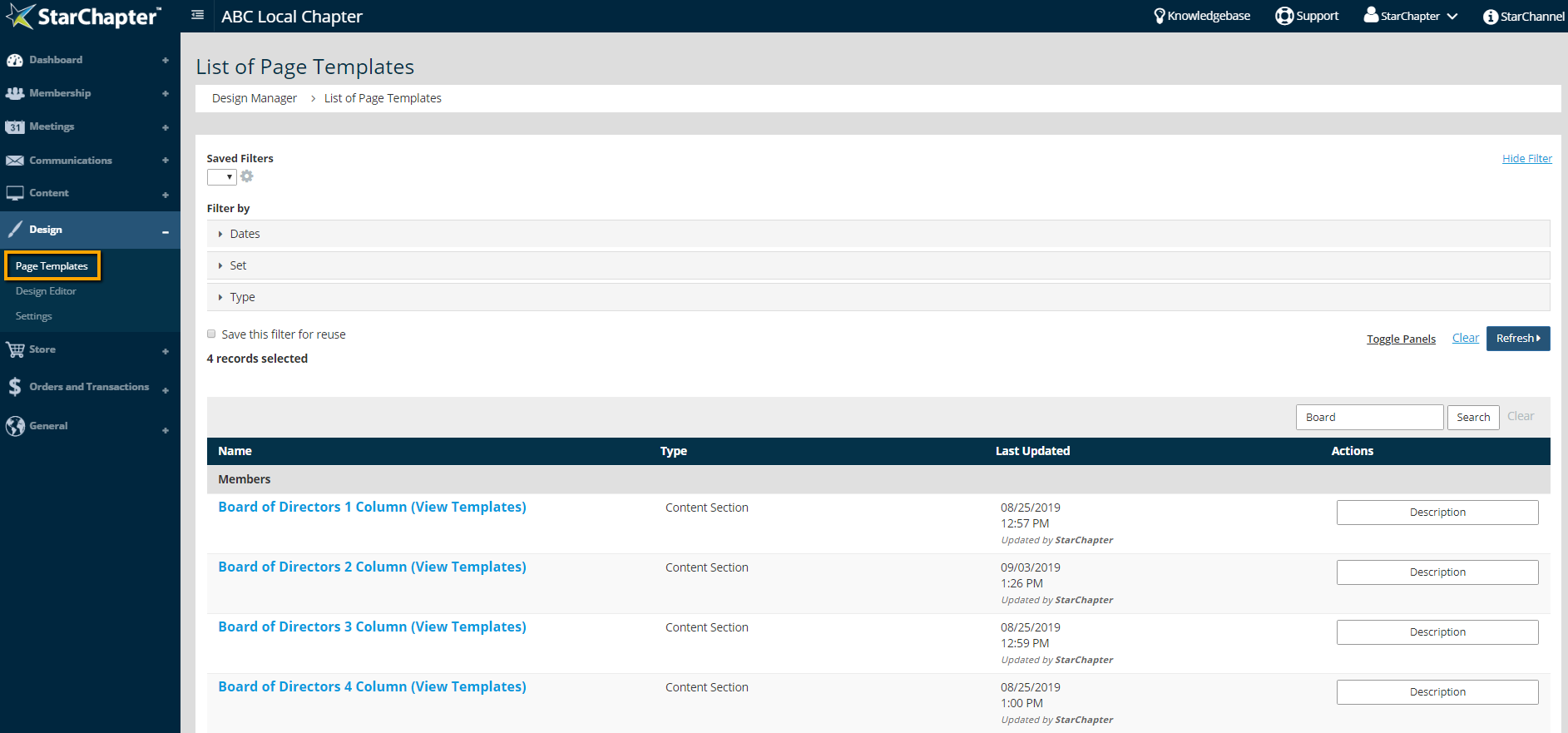
- Go to Design > Page Templates
- Search the template for "Board of Directors." Select the template with the number of columns used on your Board of Directors page.

Tip: See something different? You may be using a different website layout. Click the Get My How To button in the top, right corner of the page.
- Click Board Inner.
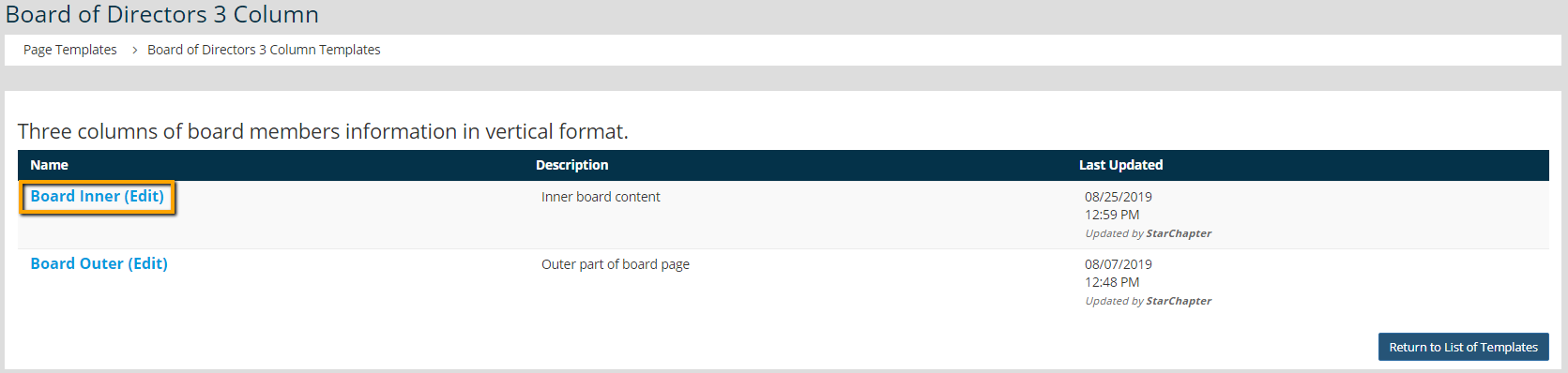

Warning: Do not edit the Board Outer template. This could potentially break the Board of Directors page.
- Add, remove, or format variables as needed. All available variables are displayed below the template.
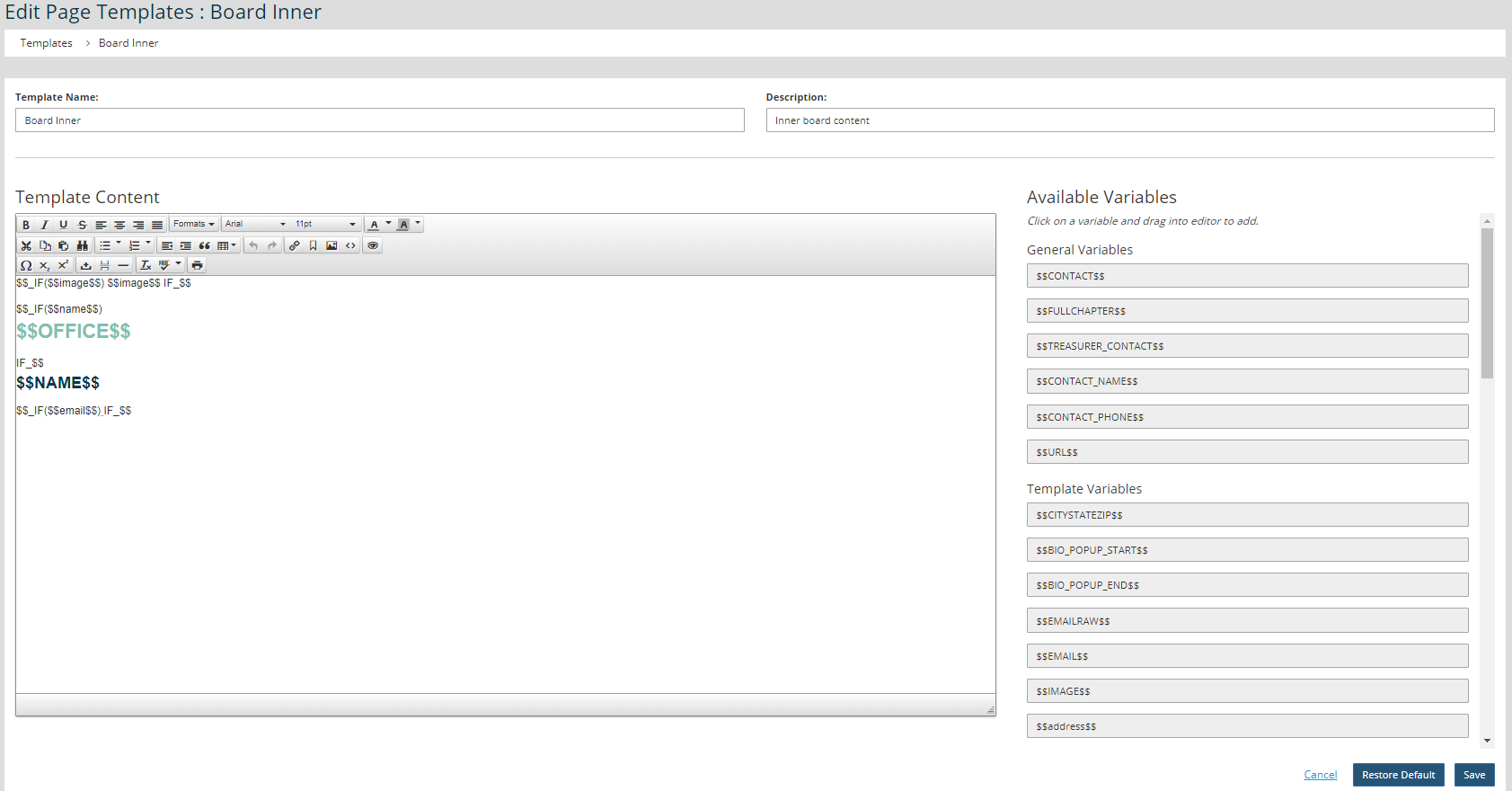
Tip: Variables display data from each member's profile in Member Manager. If that field is blank in the member's profile, a blank space shows on the board page. The $$_IF ($$variable$$) $$variable$$ IF_$$ statements eliminate blank spaces if member fields are blank.
- Click Save.
See Something Different?
Are you seeing something different in your admin area? It may be because you are on an older website layout. We’ve created a “How To” specifically for you.