You are viewing this design in preview mode. The design MUST be published to be live on your website.
    •   New Board Member?
    •   Support
    •   Video Library
    • Workflow Library
    •  Page Content Library
    •  Email Builder Content Library

    Knowledgebase

    • Home
    • > Store
    • > Catalog
    • > Unpublish a Catalog

    Unpublish a Catalog

    When a catalog is no longer needed, it should be unpublished. Unpublishing a catalog will not affect the associated products or reports in the system, but will remove the ability to place new orders. Unpublished catalogs can be published again in the future or eventually deleted if no longer needed.

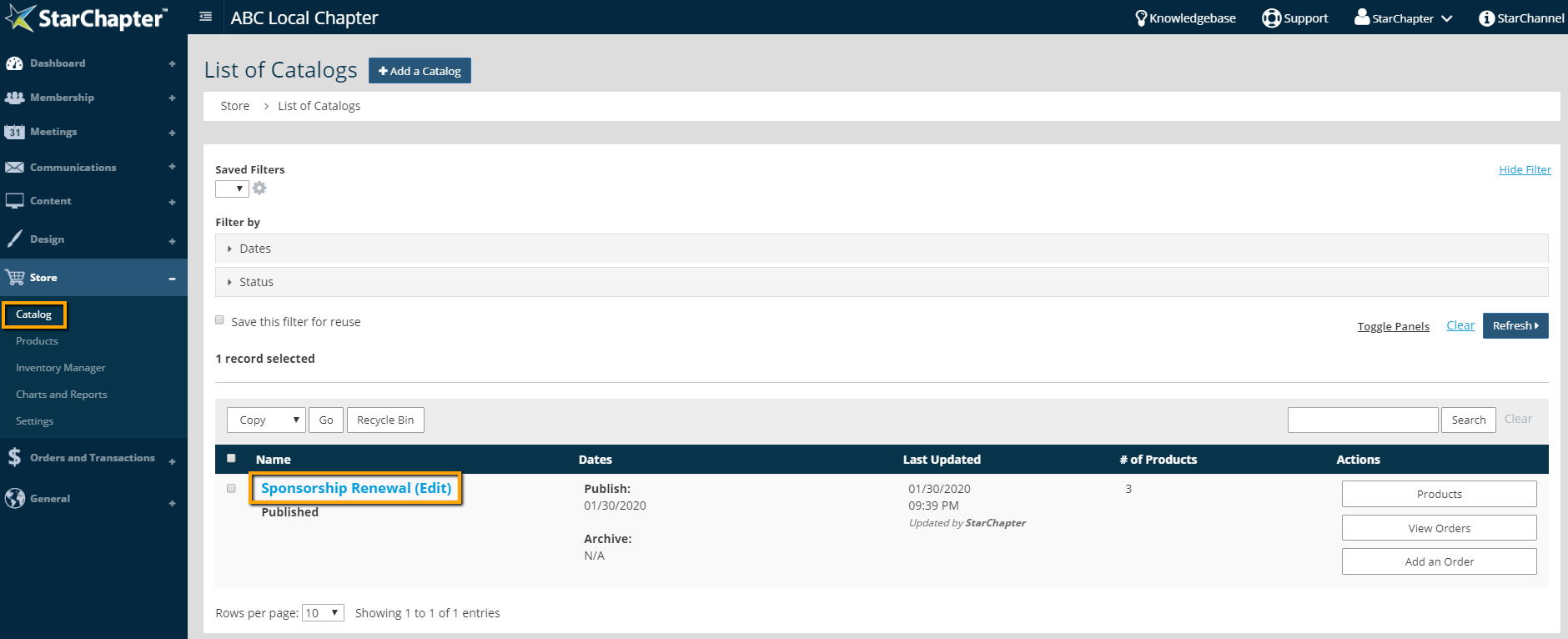
    1. Go to Store > Catalog.
    2. Click on the catalog of interest. 

      Catalog location

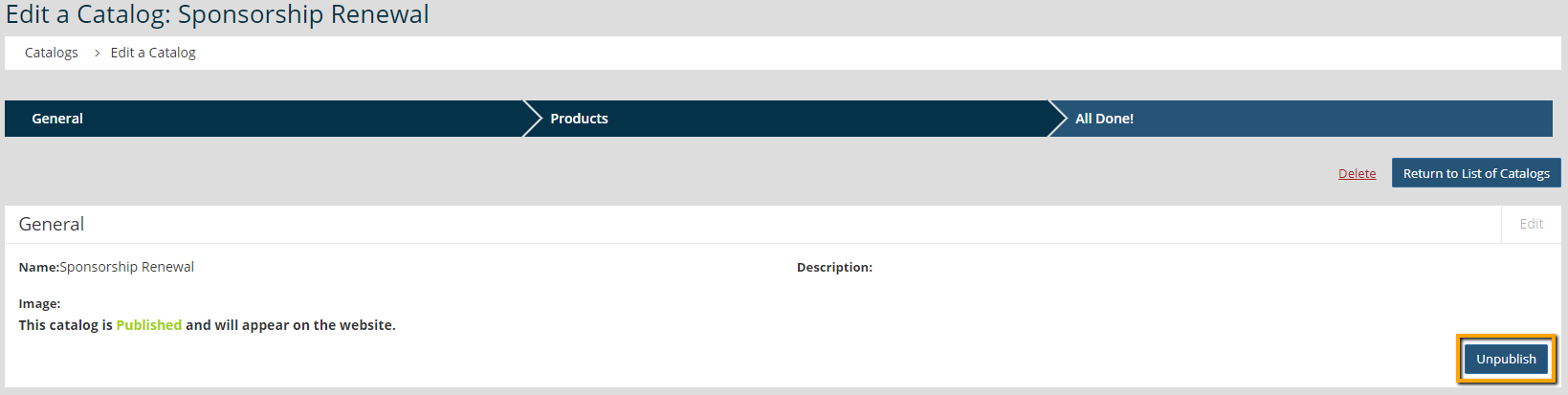
    3. Click the Unpublish button.

      unpublish button for a catalog

    Chapter Insights

    Posted by StarChapter on 03/07/2018 9:39 am  /   Store

     chapter swag

    You're Missing Out On Engagement If You're Not Offering Swag


    Store Blog Image - The Non-Dues Revenue Formula

    The Non-Dues Revenue Formula

    © 2026 StarChapter Software LLC All rights reserved.

    •  
      Board Training
    •  
      Services
    •  
      KB Home
    • Master Service Agreement
    • |
    • Privacy Policy
    . .