
Storage and Media
How Do I Know What My Allowed Storage Space Is?
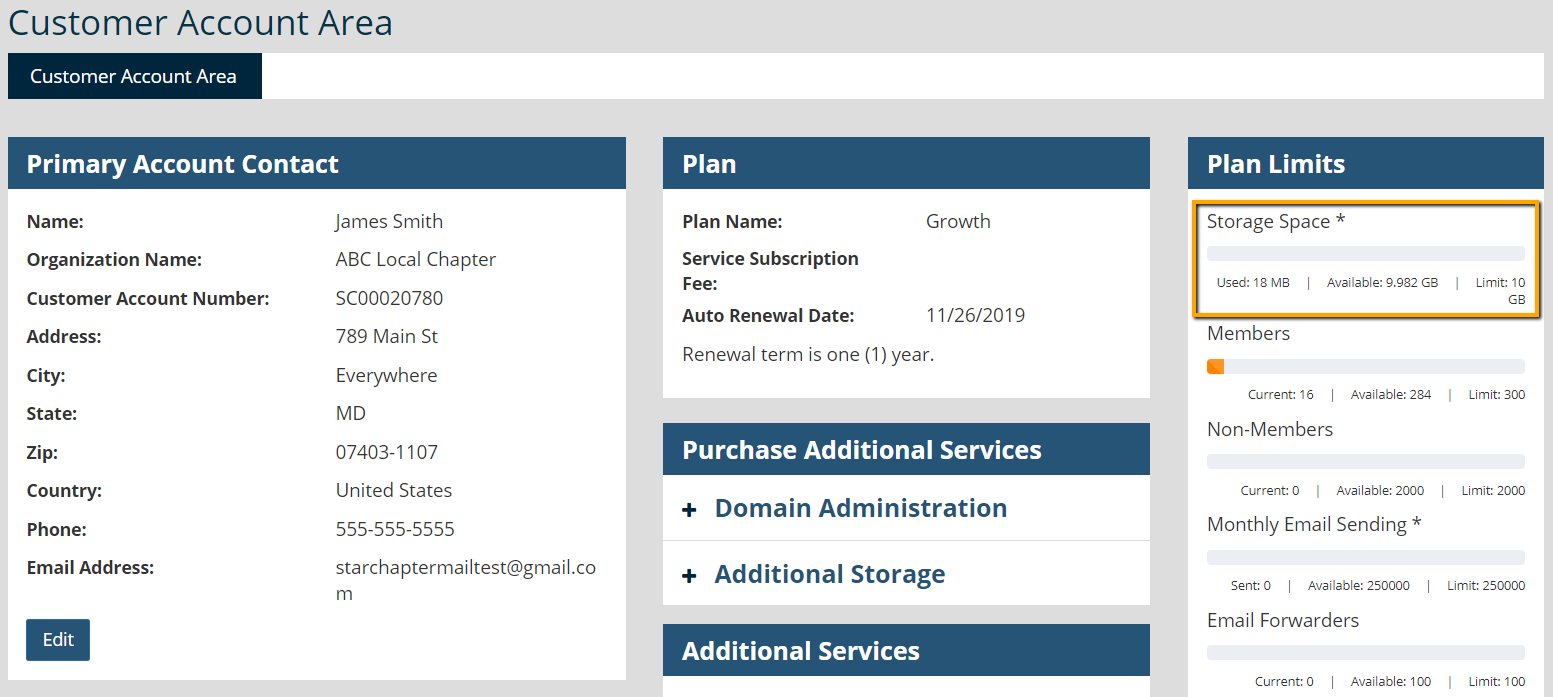
All plan limits, including storage space, are displayed in the Customer Account Area of each StarChapter system. Login to the Admin Area, click your admin username (person icon) at the top right of the page and select Customer Account Area. Storage space used and available are displayed at the top right of that page.
This meter updates nightly, so if you've just made some changes to delete or add large files, these may not be reflected right away.
What Happens When I Reach My Storage Limit?
Only file uploads are affected when the storage limit is reached. Meetings, registrations, payments, and normal chapter operations will continue as usual; however, no extra files, such as graphics, videos, or documents, can be uploaded.
How Do I Free Up Space?
As a general rule, content that is very old or that is not often used can usually be deleted. Videos tend to take up the most space, closely followed by PDFs with graphics intended for print. The Support Team can provide details on whats is taking up most of your space so that you can target your efforts. Please contact us by submitting a support ticket.
Can I Purchase Additional Storage Space?
To purchase more storage space from StarChapter, please contact the support team by submitting a ticket through the admin area of your service.
You could also use various other services to store additional content past the storage limit. Most services provide widgets for embedding their content into other sites, or you can link to the content. YouTube or Vimeo for videos and Google Docs for document hosting are popular services that supplement StarChapter's capabilities. These services offer some other advantages as well. YouTube allows you to create channels and playlists and Google Docs is used for collaborative document editing. Refer to the Video Library for more information on adding YouTube videos to StarChapter websites.
How Do I Minimize Storage Needs?
Hosting large documents or images remotely (see above) can reduce the amount of storage space needed. Additionally, downsize files when possible and save images or PDFs at a web-friendly resolution. If you are receiving images or PDF documents from a designer, they will be able to provide lower resolution files for download.





