You are viewing this design in preview mode. The design MUST be published to be live on your website.
    •   New Board Member?
    •   Support
    •   Video Library
    • Workflow Library
    •  Page Content Library
    •  Email Builder Content Library

    Knowledgebase

    • Home
    • > Content
    • > Documents
    • > Sort Document Order

    Sort Document Order

    Within StarChapter's Documents tool, files can be organized into folders and those folders can be placed on web pages to easily share documents. To manage the display order of document links, the files can be sorted within the admin area.

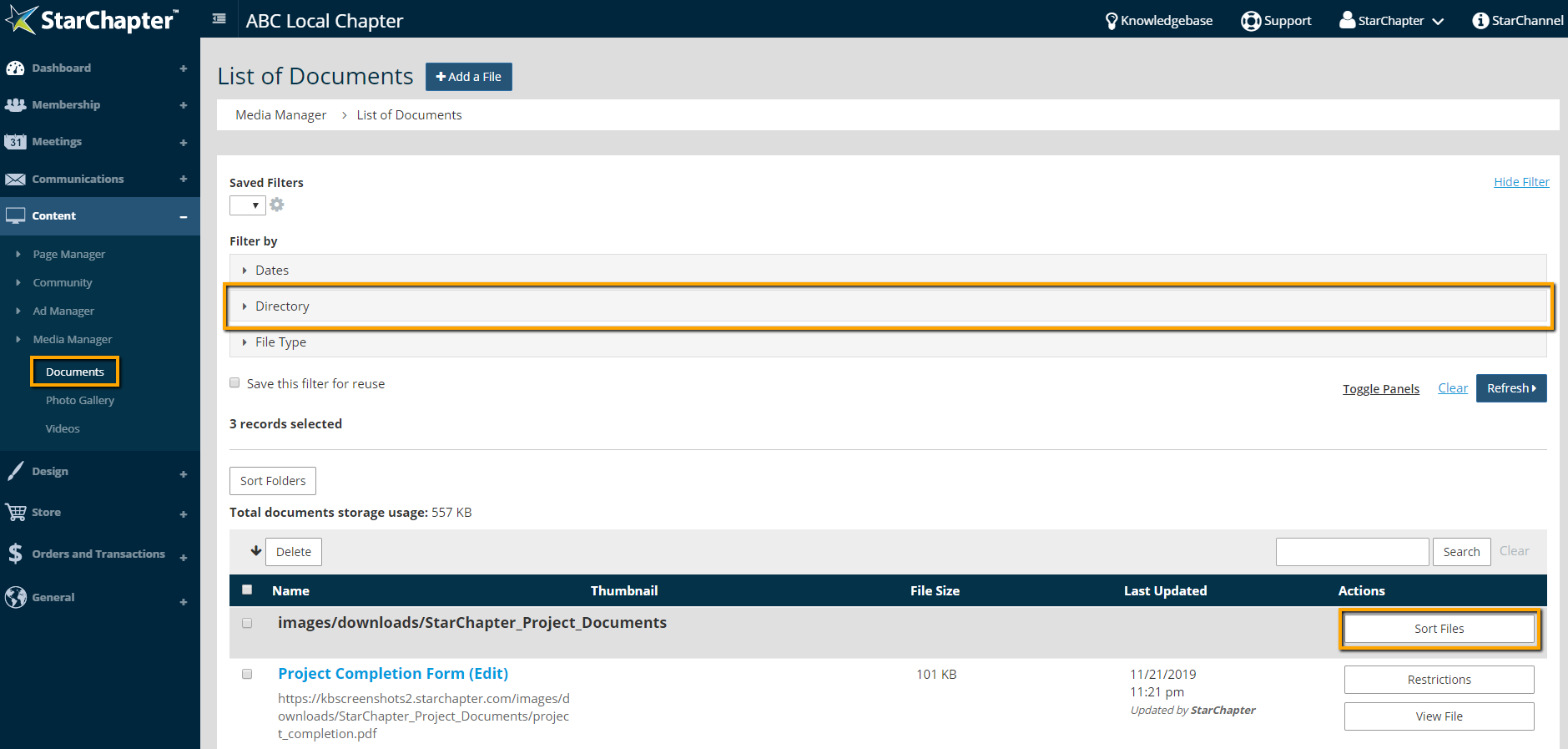
    1. Go to Content > Media Manager > Documents.
    2. If necessary, use the Directory filter to locate the folder of interest.
    3. Click Sort Files.

      Documents tool

    4. Drag and drop files into the desired order.
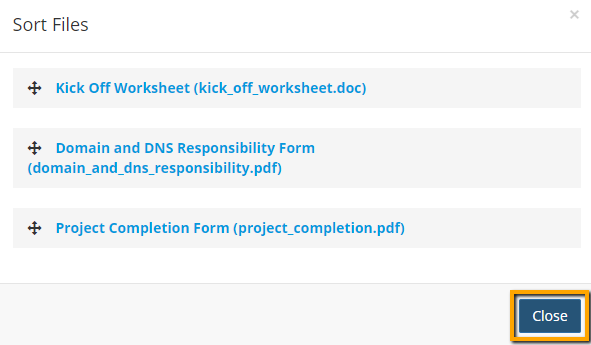
      Sort Documents

    5. Click Close.

    Chapter Insights

    Posted by [email protected] on 02/14/2018 11:41 am  /   Content

    content part of redesign

    Consider Your Content as Part of Your Website Redesign

    member stories

    3 Reasons to Invest in Member Stories

    Cotent Blog Image - Advanced SEO – Name it Right, and they will Read

    Advanced SEO – Name it Right, and they will Read

    Content Blog Image - Advanced SEO – The 80/20 Rule for Success

    Advanced SEO – The 80/20 Rule for Success

    video for sponsorship

    Video is Key to Your Sponsor Strategy

    © 2026 StarChapter Software LLC All rights reserved.

    •  
      Board Training
    •  
      Services
    •  
      KB Home
    • Master Service Agreement
    • |
    • Privacy Policy
    . .