Print Meeting Reports
StarChapter includes many meeting reports that are geared toward different purposes. A full list, including descriptions of the report contents, can be found in Meetings > Charts and Reports > Reports.
- Go to Meetings > Charts and Reports > Reports.
- Click the name of your report of interest.
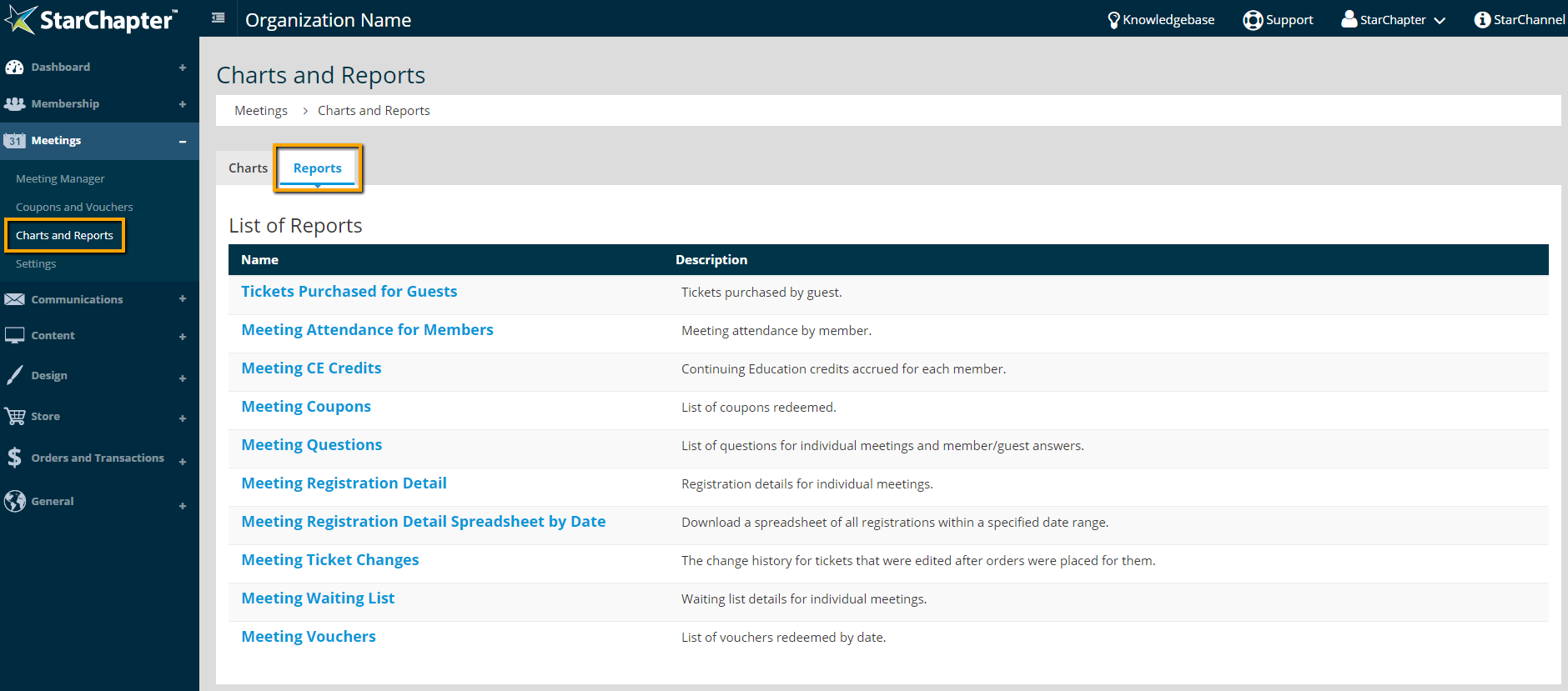

Tip: The Meeting Registration Detail is the most robust meeting report for managing active registrations. This is the report to print and have at your meeting's check-in table.
- If your report of interest is meeting specific, select that meeting from the drop-down menu and click Refresh.
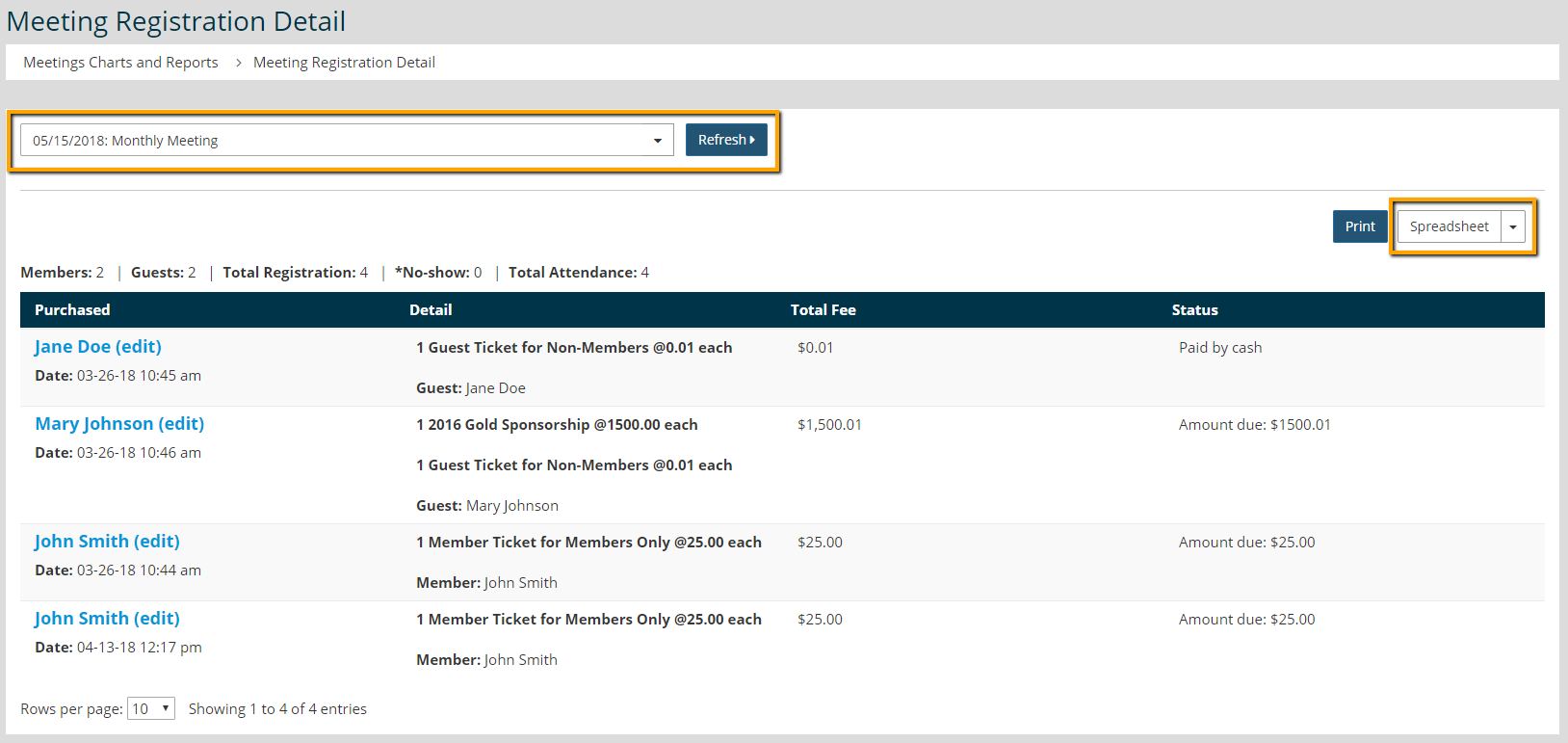
- Click Spreadsheet to export the report to Excel or Print to print the table directly.