You are viewing this design in preview mode. The design MUST be published to be live on your website.
    •   New Board Member?
    •   Support
    •   Video Library
    • Workflow Library
    •  Page Content Library
    •  Email Builder Content Library

    Knowledgebase

    • Home
    • > General
    • > Web Statistics
    • > Review Top File Downloads

    Review Top File Downloads

    Files uploaded to Content > Media Manager > Documents will be available for download on /downloads.php as well as any webpages or emails the links were shared. To review the number of downloads per file to measure the interest and engagement of your audience, Web Statistics reports are helpful.

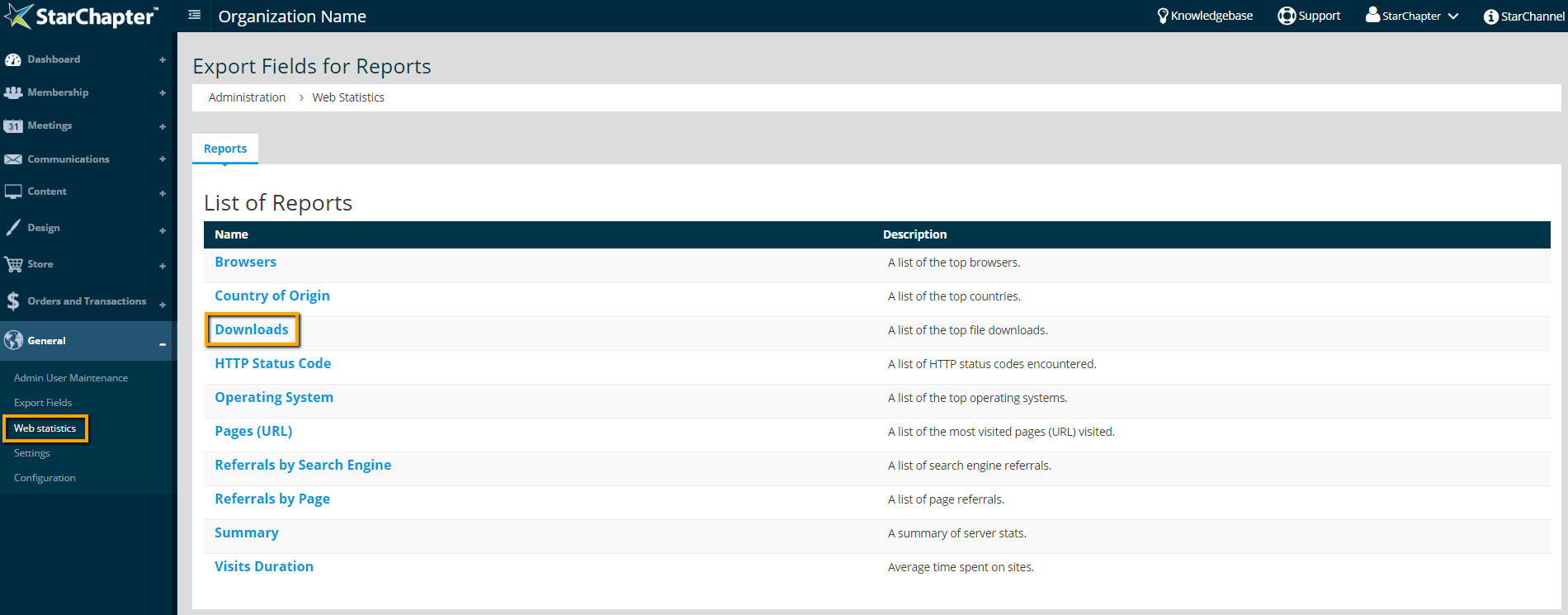
    1. Go to General > Web Statistics.
    2. Click the Downloads report.

      location of Downloads report

    3. The Date filter will default to the current month. Update that filter, as needed, and click Refresh.
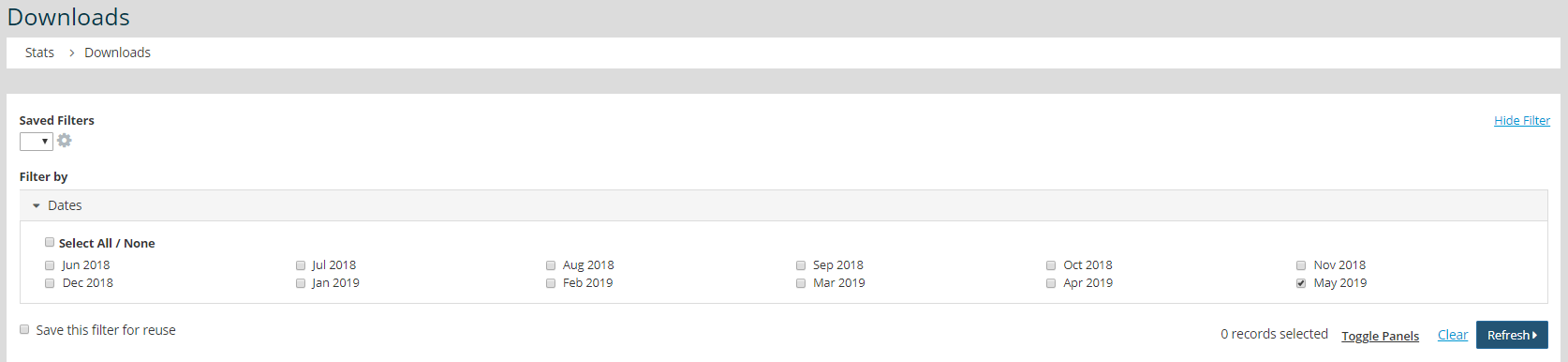
      date filter within Downloads report

    4. Review the Downloads column in the table to see how many times each file was downloaded during your selected timeframe.
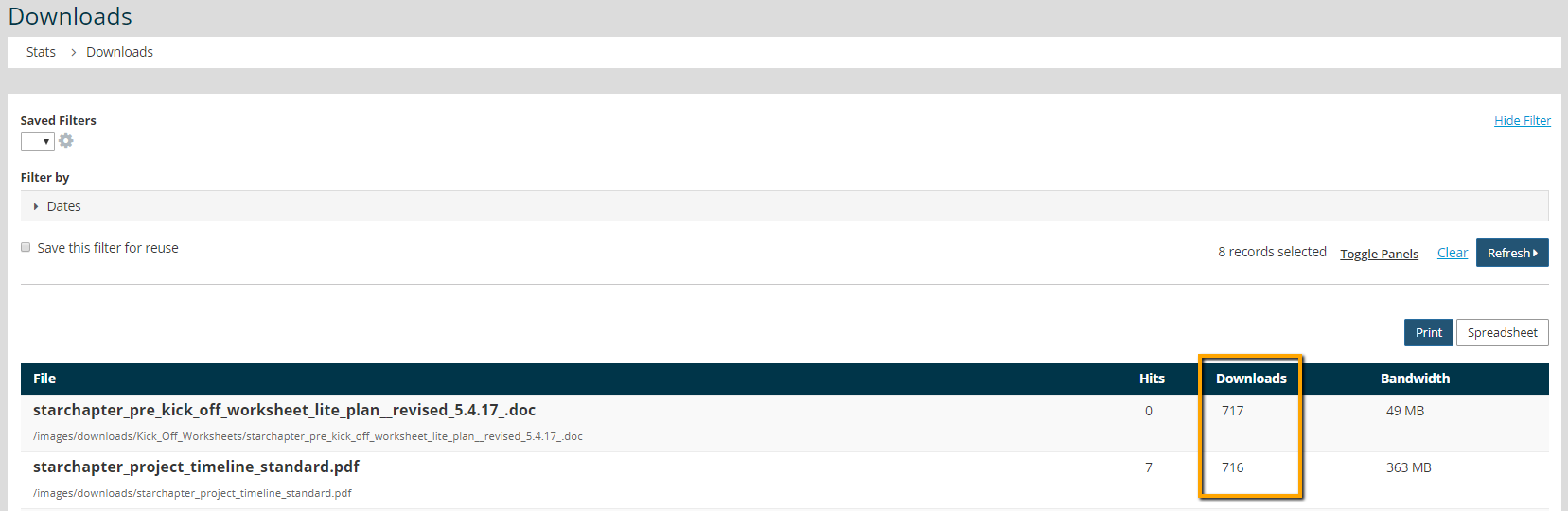
      review document download statistics


    Chapter Insights

    Posted by [email protected] on 07/25/2018 3:25 pm  /   General

    5 ingredients for chapter success

    5 Ingredients for Chapter Success


    virtual chapter structure

    Setting Up a Virtual Chapter Structure That Delivers for Your Association


    General Blog Image - Why We Think Associations Are More Important Now than Ever Before

    Why We Think Associations Are More Important Now than Ever Before

    © 2026 StarChapter Software LLC All rights reserved.

    •  
      Board Training
    •  
      Services
    •  
      KB Home
    • Master Service Agreement
    • |
    • Privacy Policy
    . .