Restrict Admin Access
When setting up an admin user, you have the ability to grant partial access if you only want the user to have access to specific areas of the system.
 |
Warning: Restricted admin users will not have access to the Customer Account Area, Design Editor, or Configuration tools, even if those options are checked within their permissions. Those areas are limited to Full Admin Users. |
- Go to General > Admin User Maintenance.
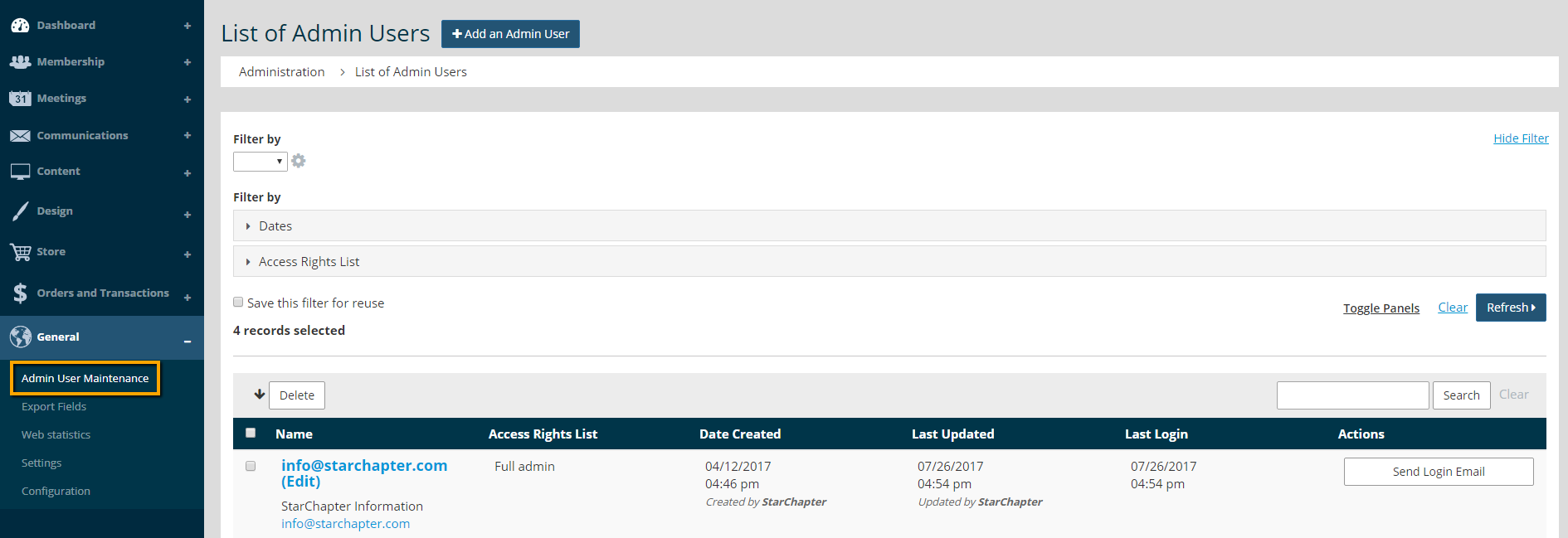
- Click on the admin profile to edit.

- Edit the Access Rights section.
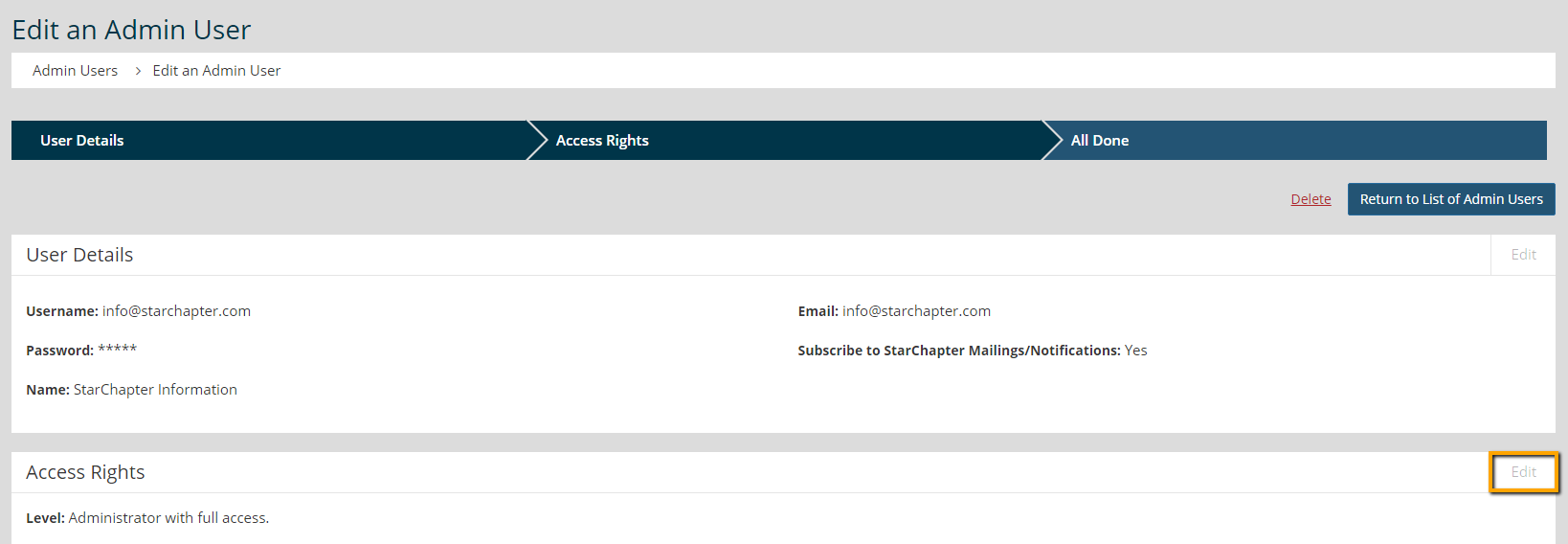
- Uncheck the Full access box.
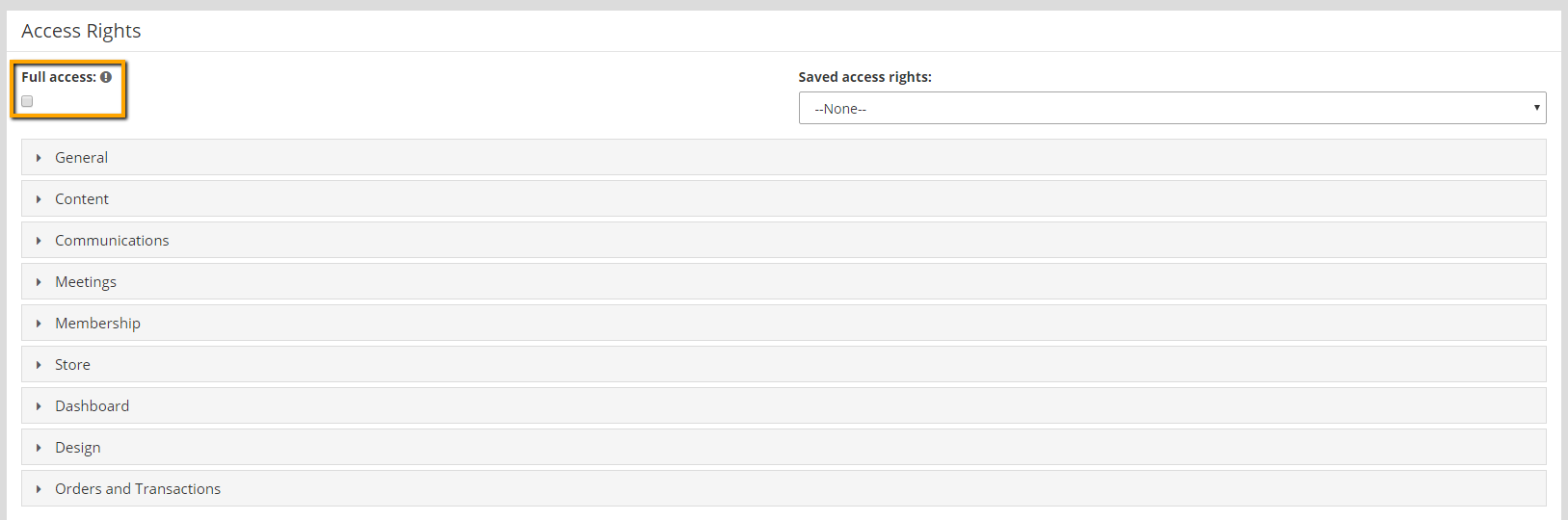
- Select the drop down for each section, and make your selections. If a box is unchecked, that means the admin user will not have access to that area of the system.
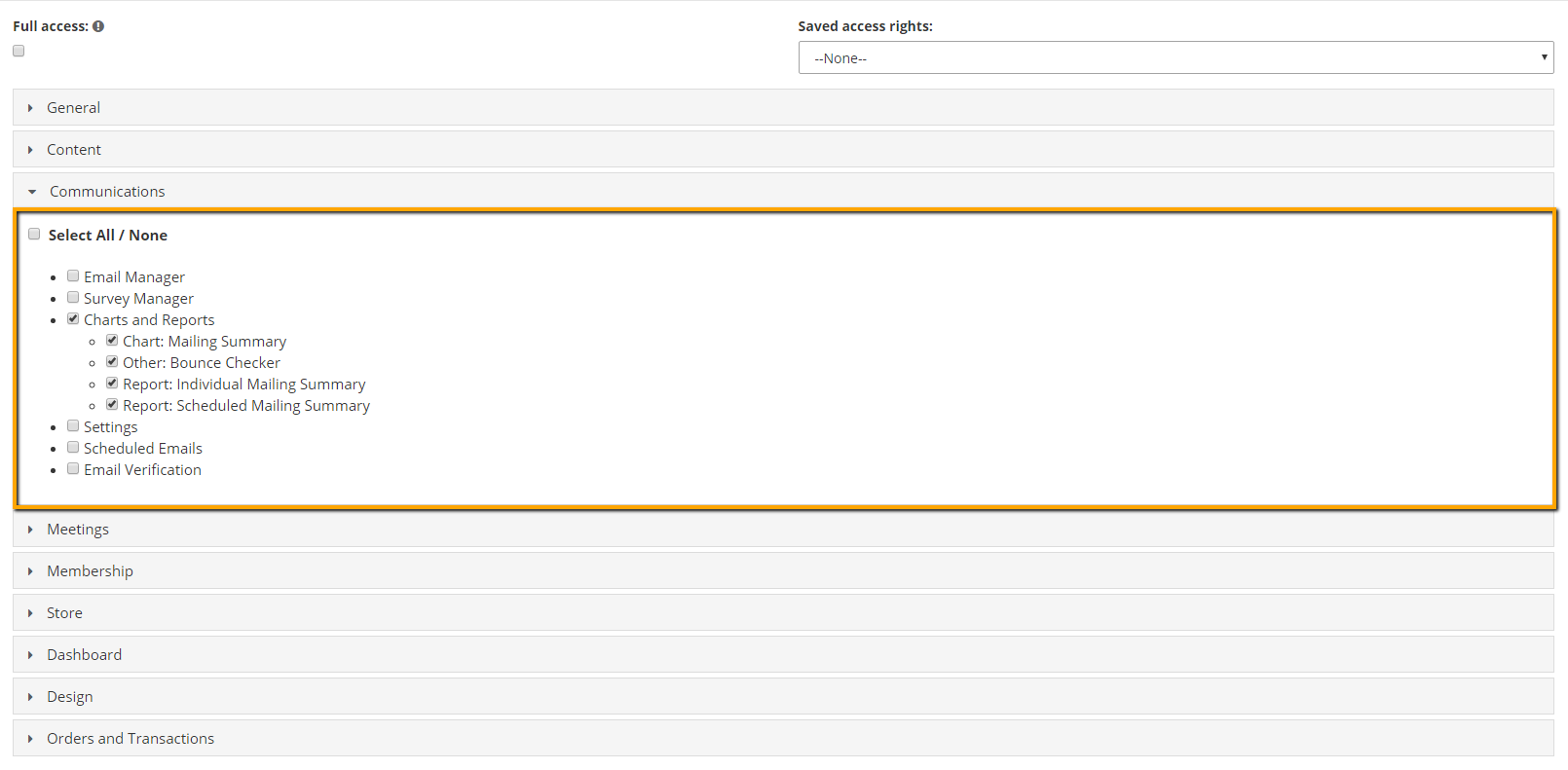

Tip: You can select a list from the Saved Access Rights drop down if you have multiple admin users who should have the same access. Your lists can be created and edited by going to General > Settings > Admin Users.
- Click Next to save your changes.