Remove the "Posted By" text on Blog or Article Posts
By default, certain community tools within StarChapter, including the Blog and Article tools, will include the name of the poster. This is a benefit when content is being added by various board members and committee members. When there is a single person posting content that is written by others, this can be misleading. In that case, the "posted by" text can be removed from the templates.
- Identify which templates should be edited. The "posted by" text will be displayed just below the title of the blog post or article title.

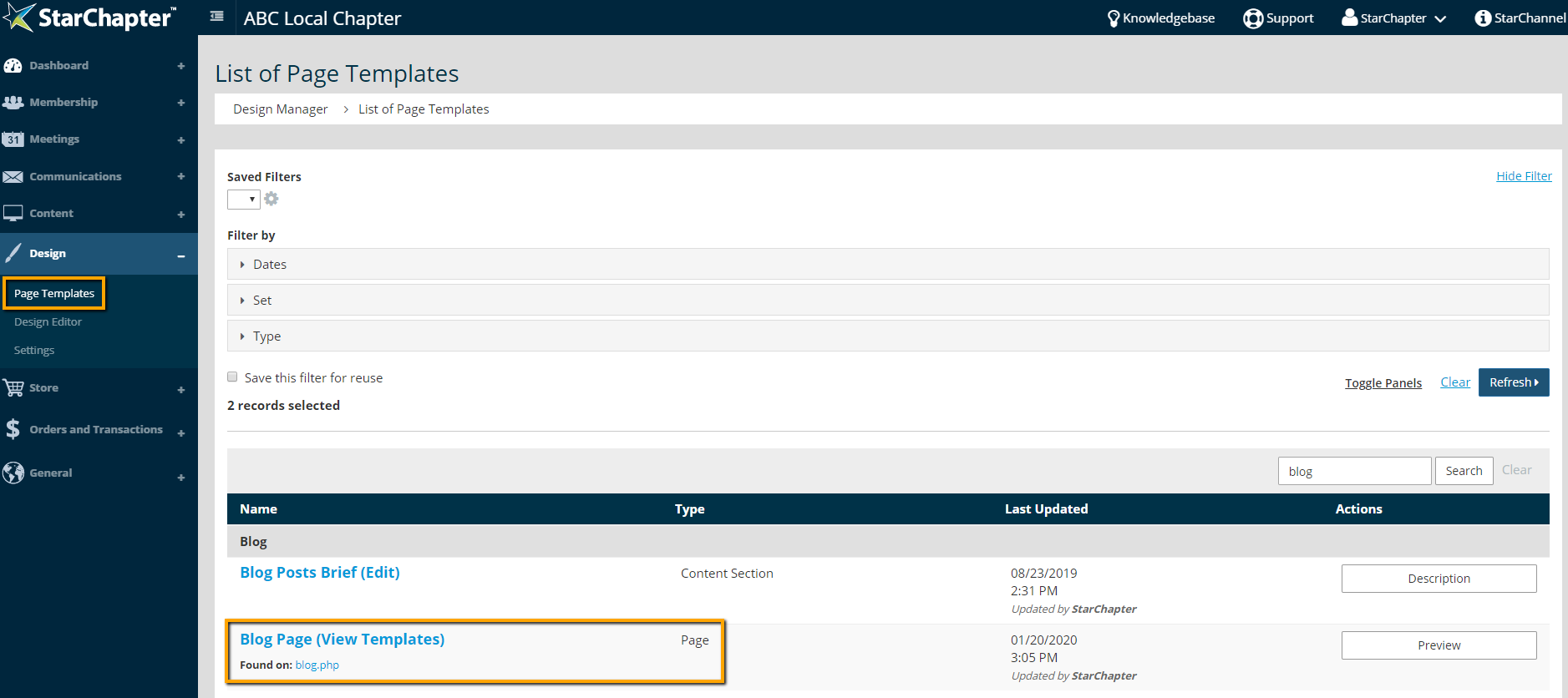
- Go to Design > Page Templates.
- Search for the name of the tool being used (blog or article).
- Click on the template identified as the "Page" template.
- Identify the correct template to edit. If unsure, click into a template and look for the "posted by" text. If it's not there, use the "Cancel" link to leave the template without making any changes.
Blog Templates - Edit the "Blog Content" and "Blog List Headers" templates.
Article Templates - Edit the "Full Article" template.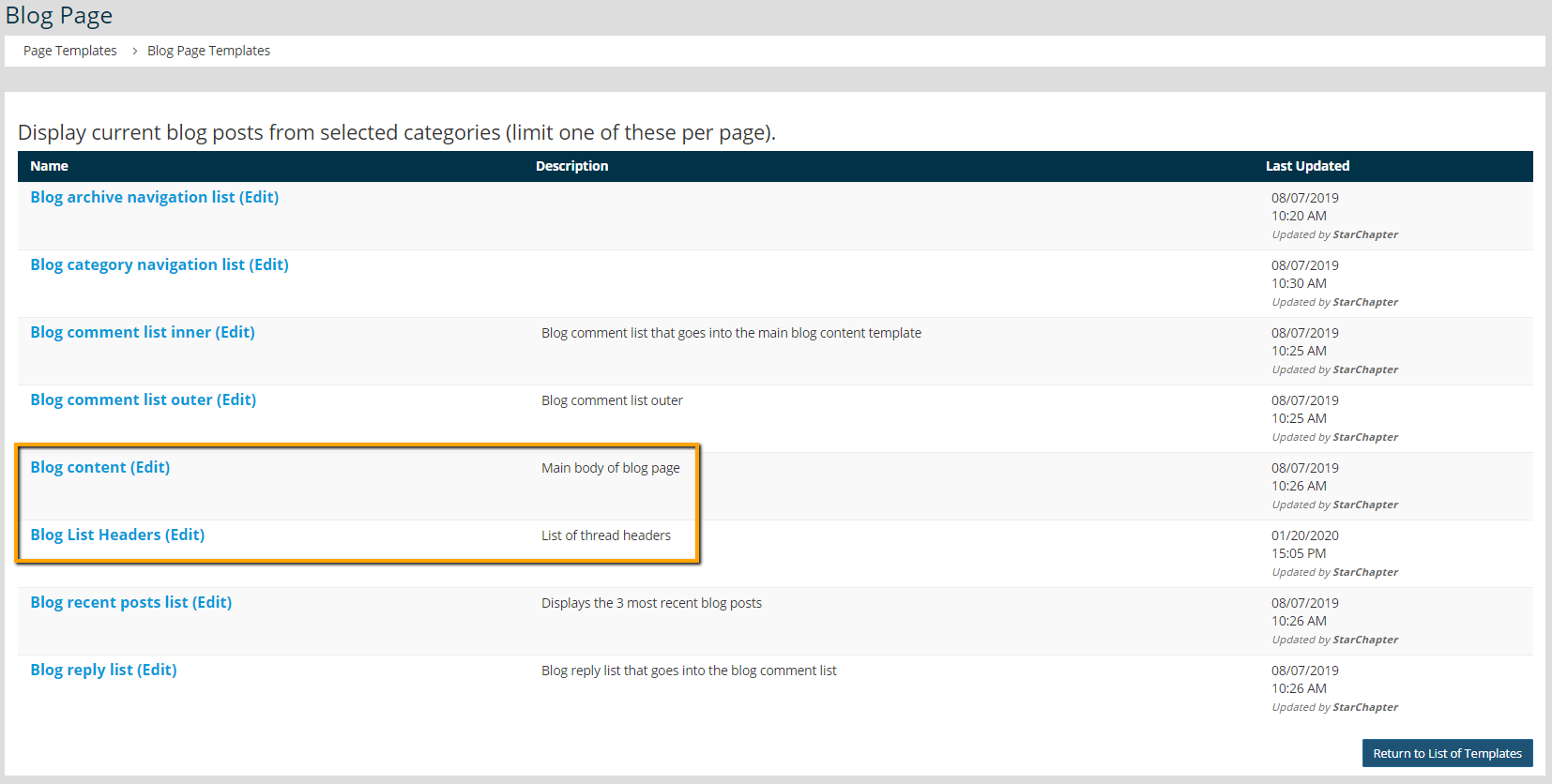
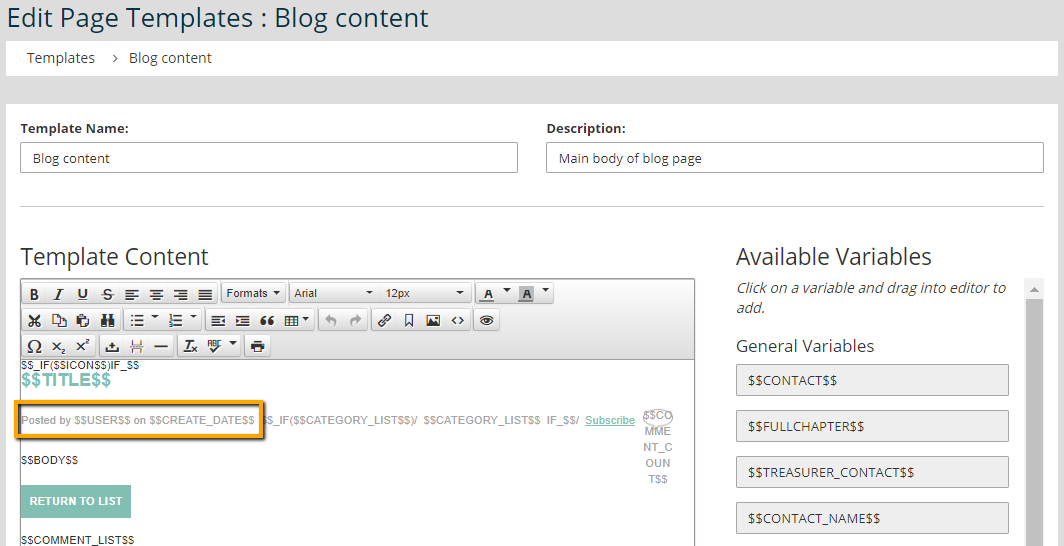
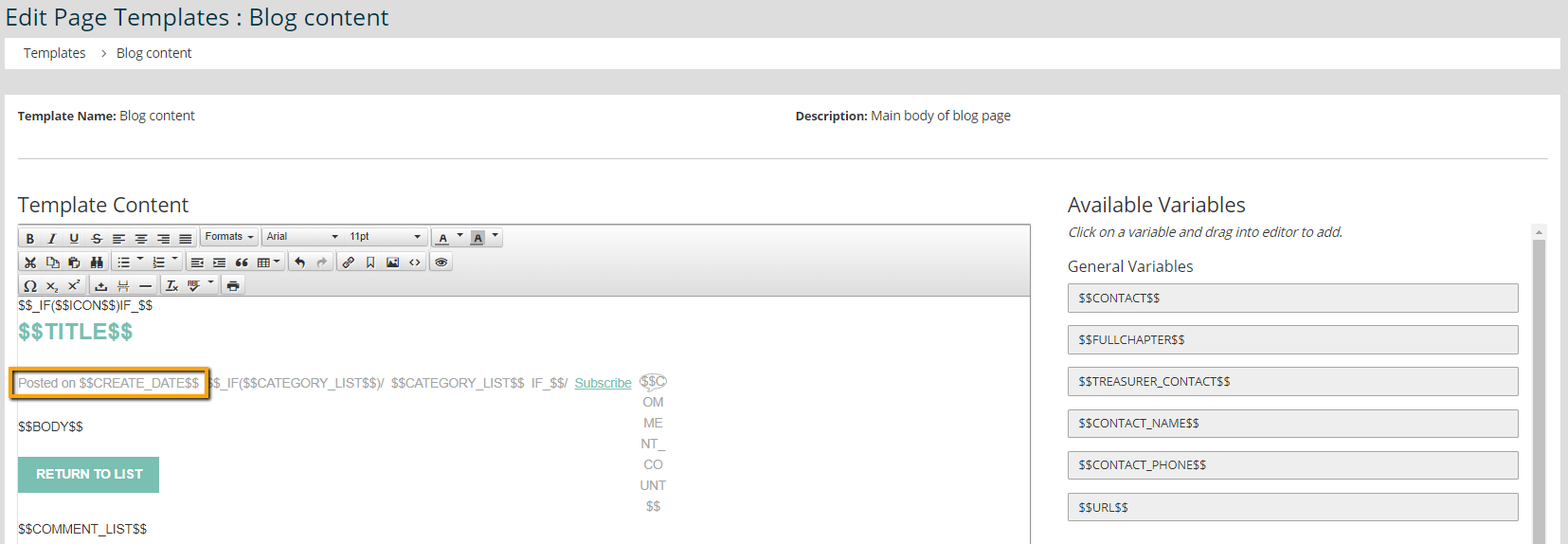
- Remove the text "by $$USER$$" as shown in the following two screenshots.
- Click Save.
- Confirm that the display on the website is as you want it.