
Redirect Form Submission Notifications
Form submissions within StarChapter will be saved in Content > Page Manager > Form Builder, in addition to being sent to a designated email address or group. Email Forwarders that are passed to new board members (e.g. [email protected]) are recommended so all forms don't have to be updated with each board transition.
- Go to Content > Page Manager > Form Builder.
- Review the Submission Emails column of the form table. This column indicates which email address or group the form is currently notifying when forms are submitted.
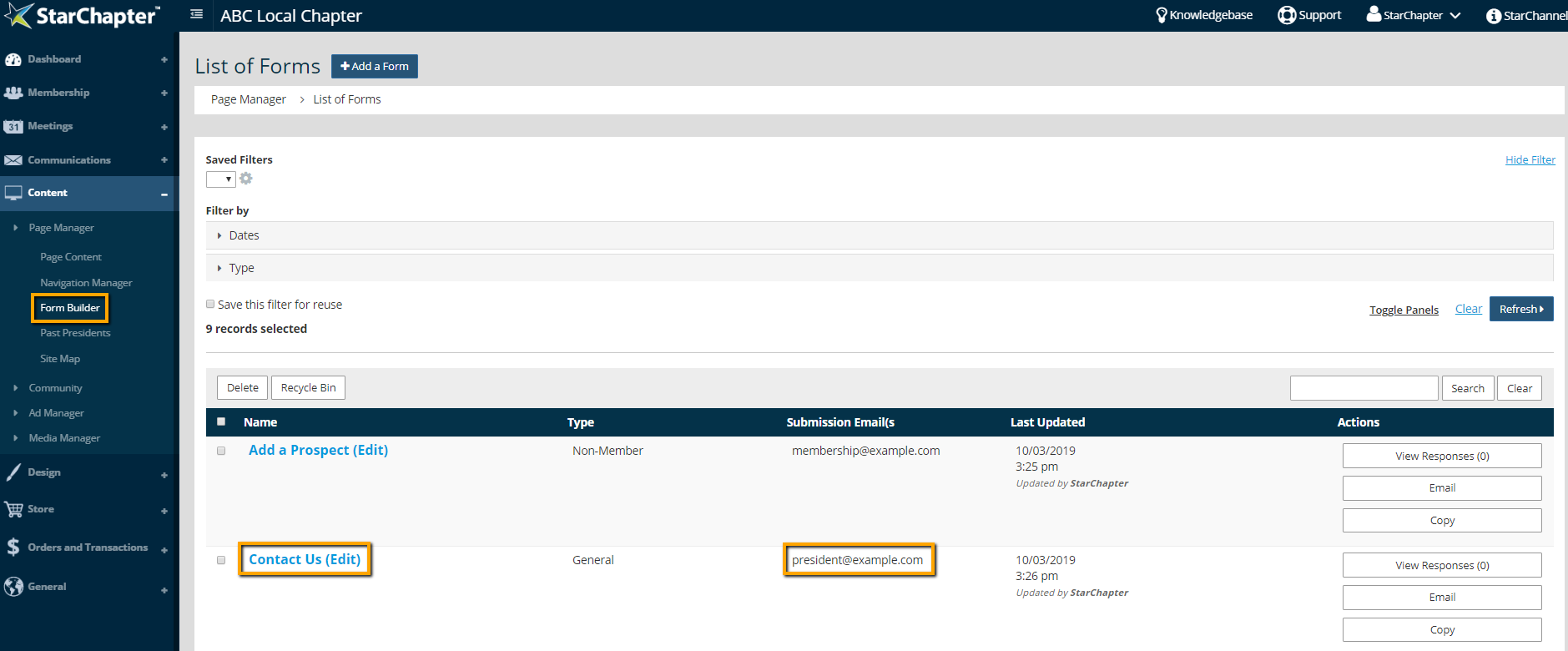
- If a change is needed, click the name of the form.
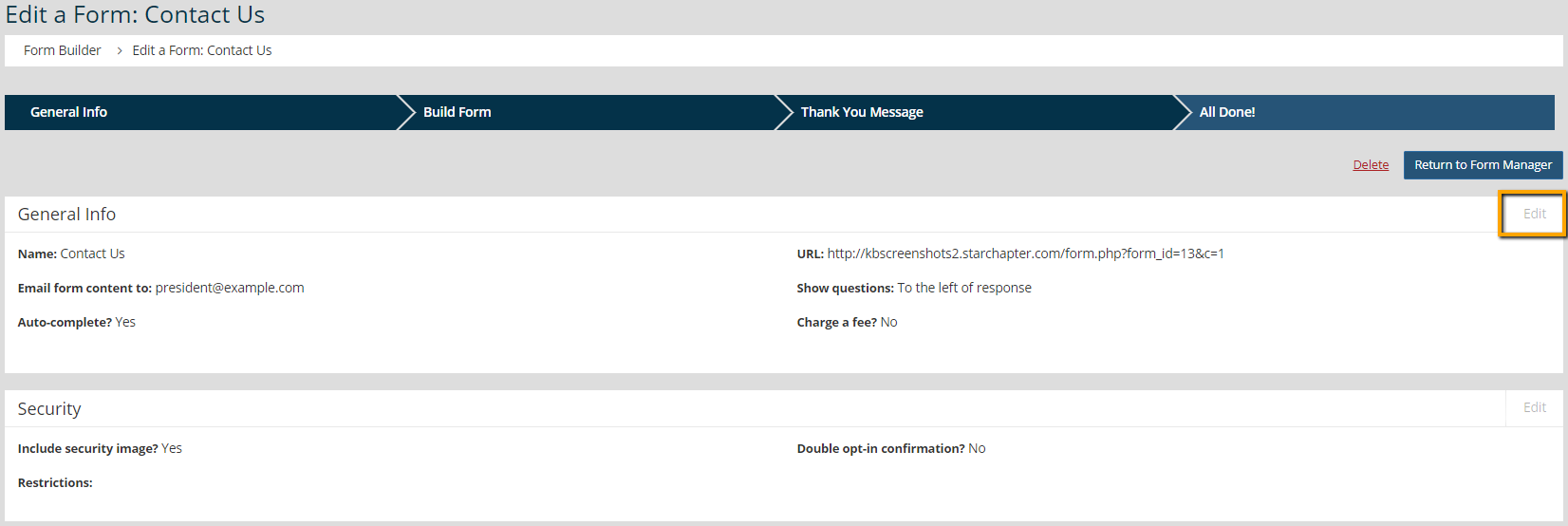
- Click Edit in the General Info section of the form.
- Confirm that the "Email form contents to" drop-down menu is set with your preference. Options include a single email address, multiple email addresses, or a group.
- Update the "Enter email address(es)" field or click the Group button to select the appropriate group.
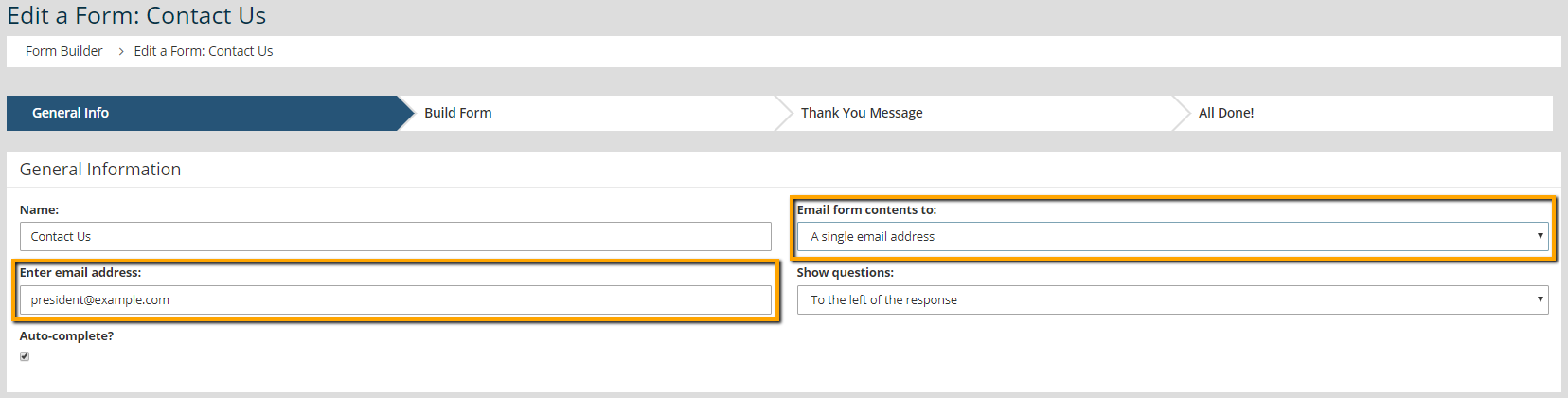
- Click Next to save the update.





