You are viewing this design in preview mode. The design MUST be published to be live on your website.
    •   New Board Member?
    •   Support
    •   Video Library
    • Workflow Library
    •  Page Content Library
    •  Email Builder Content Library

    Knowledgebase

    • Home
    • > General
    • > Export Fields
    • > PMI PDU Reporting

    PMI PDU Reporting

    PMI does not have an automated submission process, but reports are available from StarChapter with the necessary data to upload to PMI.  This report can be uploaded to CCRS.

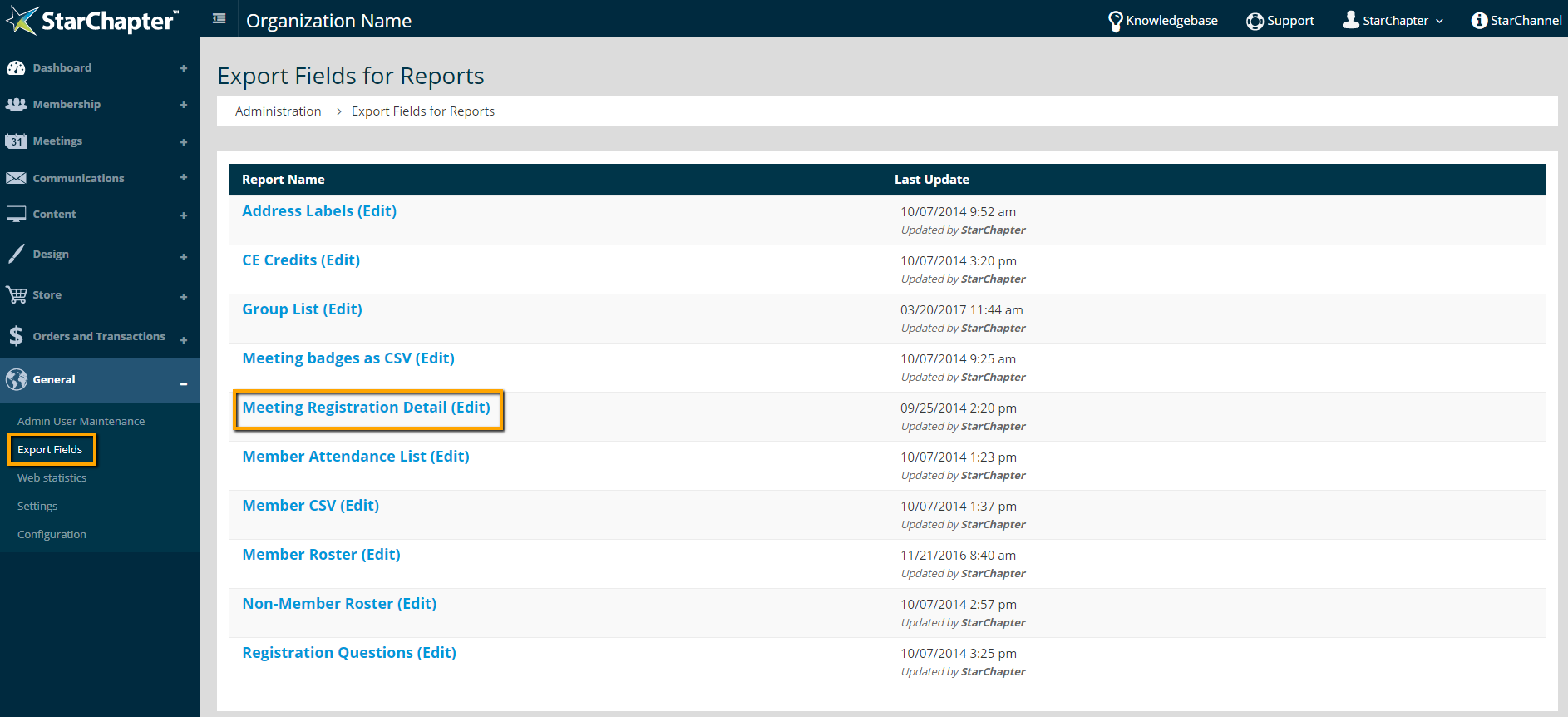
    1. Go to General > Export Fields 
    2. Click Meeting Registration Detail

      Location of Export Fields

    3. Use the drop-down list to Add Member ID, First Name, and Last Name fields to this report. These 3 fields are required by PMI.
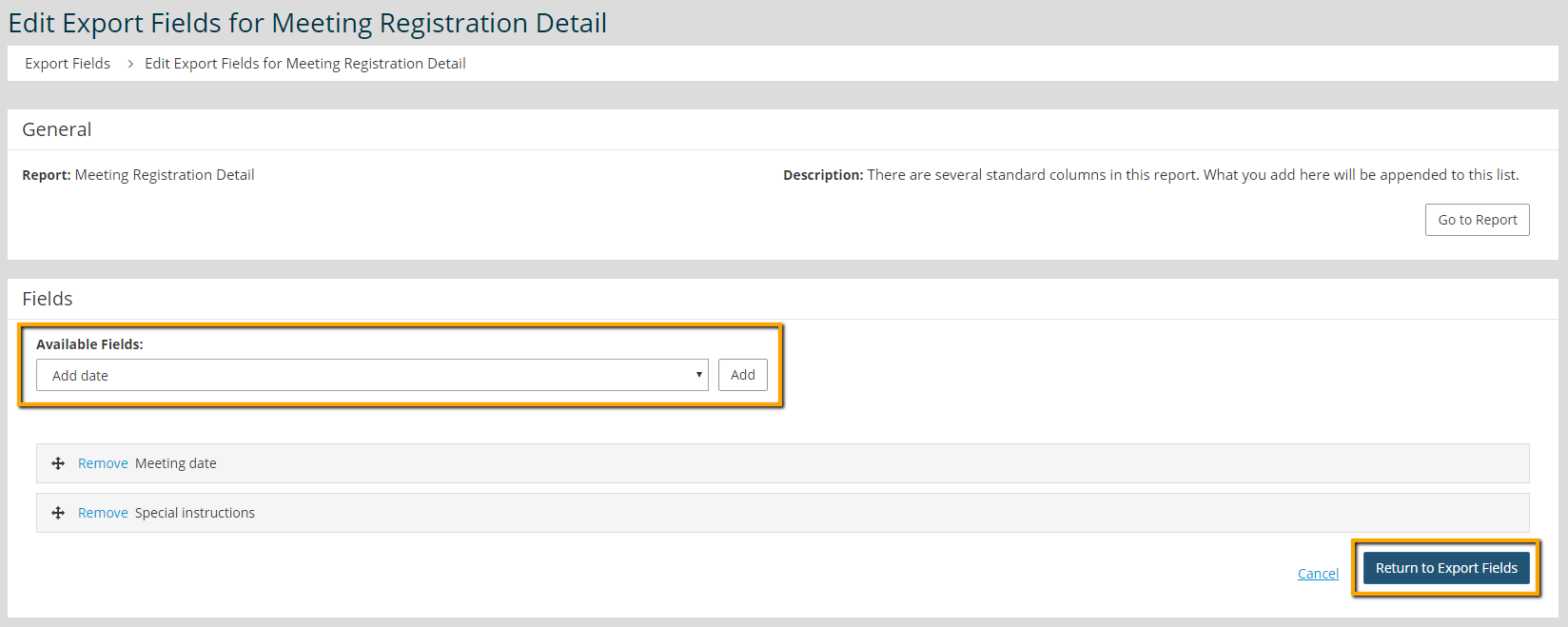
      Field Addition screen

    4. Click Return to Export Fields
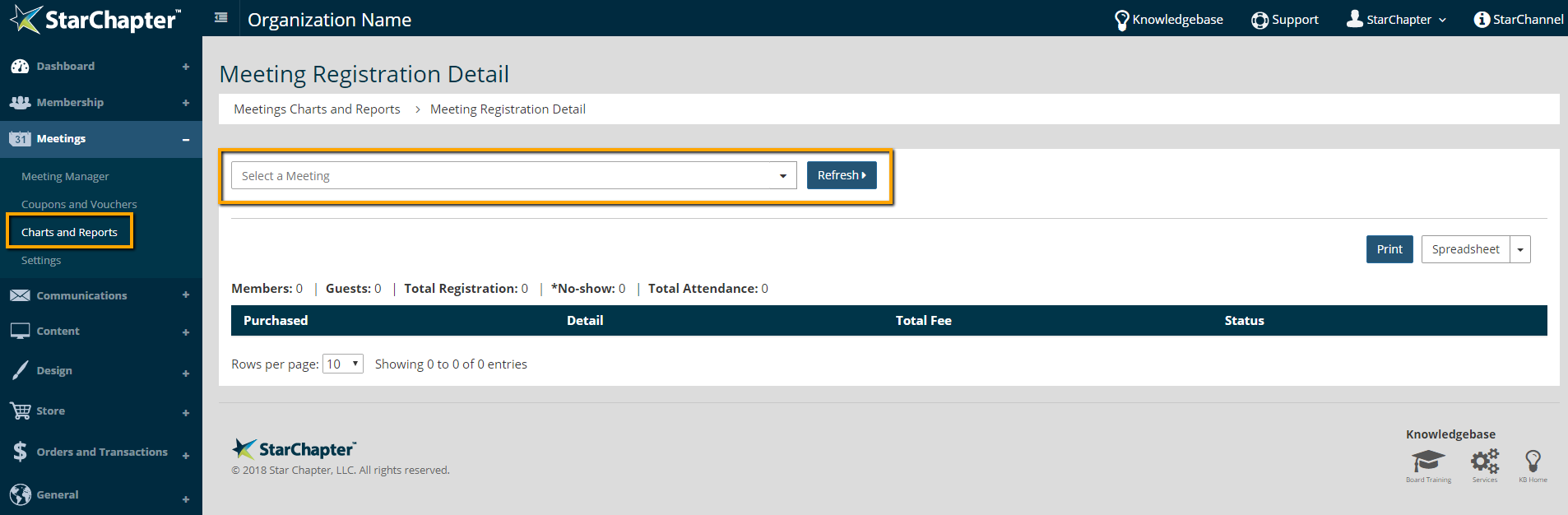
    5. Go to Meetings > Charts and Reports > Reports > Meeting Registration Detail
    6. Select the appropriate meeting from the drop-down list
    7. Click Refresh


    8. Click Spreadsheet to export the report
    9. Login to CCRS and submit this report. 
      Tip Icon

      Tip: PMI requires a three-column spreadsheet with no headers containing the PMI ID, the member's first name, and member's last name. See PMI's CCRS Batch Claims User Guide for full details to submit a batch claim.

    Chapter Insights

    Posted by [email protected] on 07/25/2018 3:25 pm  /   General

    5 ingredients for chapter success

    5 Ingredients for Chapter Success


    virtual chapter structure

    Setting Up a Virtual Chapter Structure That Delivers for Your Association


    General Blog Image - Why We Think Associations Are More Important Now than Ever Before

    Why We Think Associations Are More Important Now than Ever Before

    © 2026 StarChapter Software LLC All rights reserved.

    •  
      Board Training
    •  
      Services
    •  
      KB Home
    • Master Service Agreement
    • |
    • Privacy Policy
    . .