Open a Dues Order
Members are encouraged to open and process their own dues payments through their member profile. Member Renewal Notice emails can be automated to encourage this and links to the dues payment page (/memberdues3.php) can be included in navigation menus. In the event that a member mails in a check or cash and an existing dues order doesn't exist for that member, admins can open the order and process the payment through the Admin Area of StarChapter.
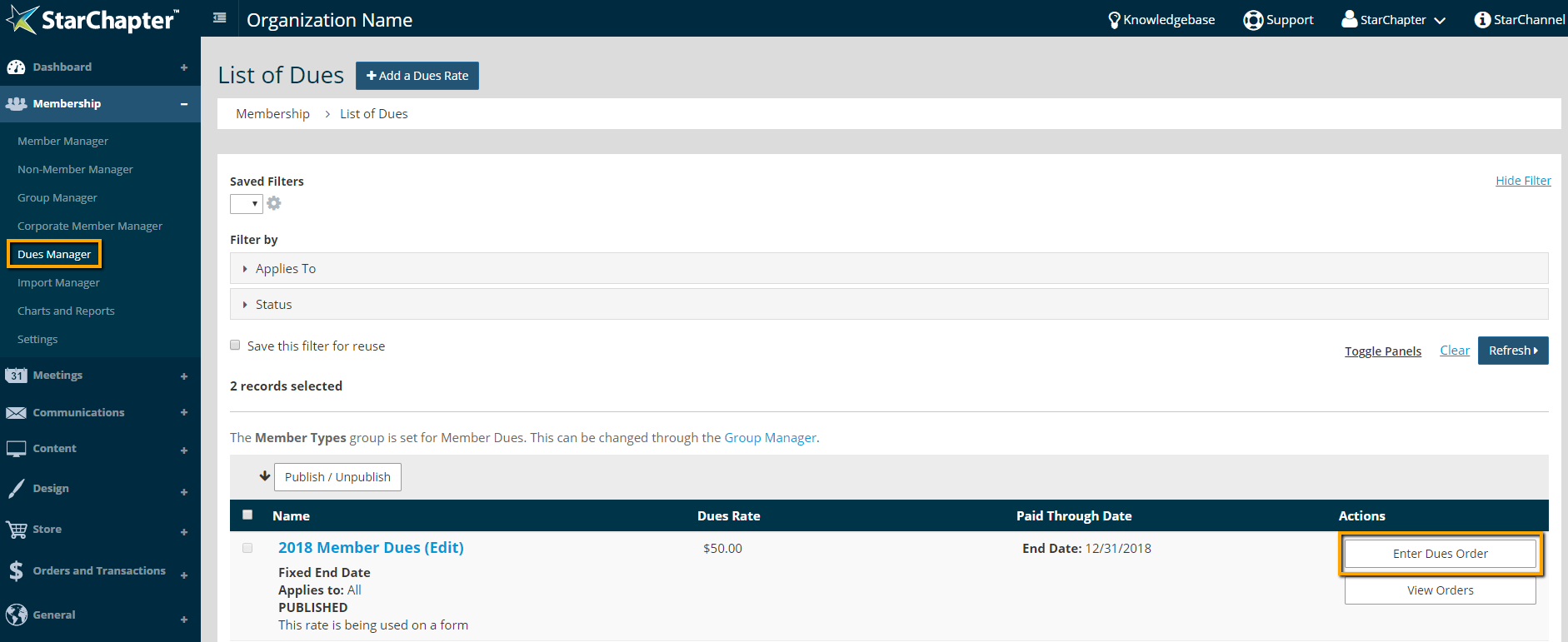
- Go to Membership > Dues Manager.
- Click Enter Dues Order next to the appropriate rate.
- Begin to type the member's name in the "Name" field and select the appropriate member from the drop-down of matching members.
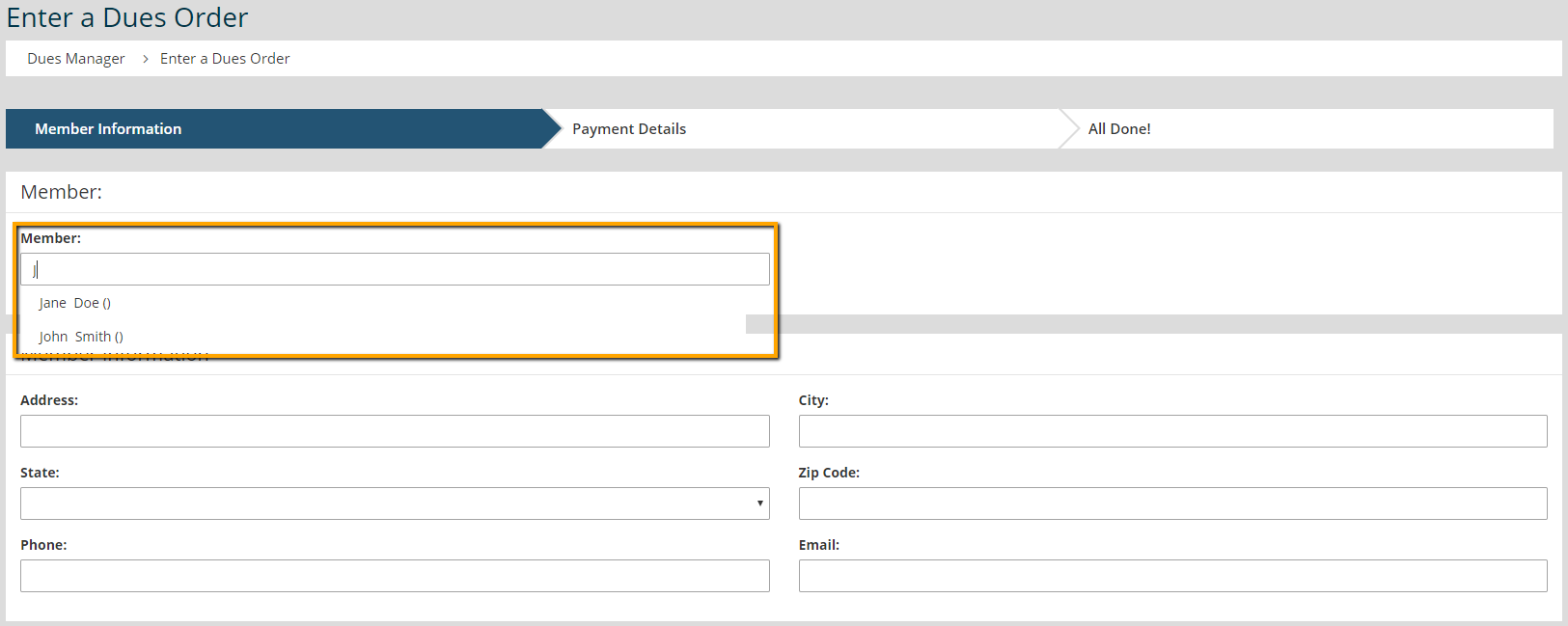

Tip: If the member's name does not appear in the drop-down list of members, they are not eligible for this dues rate. Review the member's profile to ensure that they are assigned to the appropriate Member Type group and their expiration will be forwarded with purchase of this new rate.
- Click Next.
- Select the appropriate option from the "Payment Method" drop-down. Fill in any additional information that is needed for the select Payment Method.
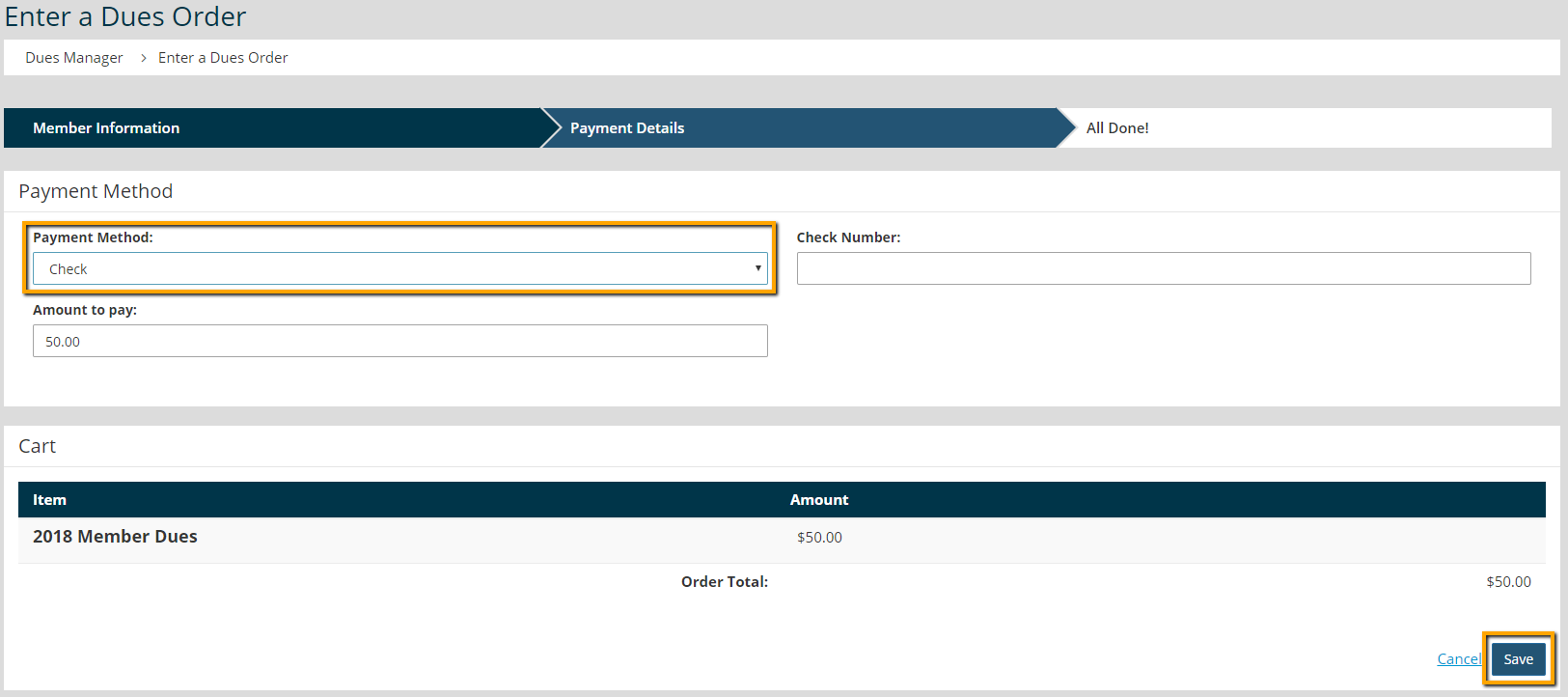
- Click Save.