Membership Reports
Built-In Membership Reports
Common membership reports are available in Membership > Charts and Reports > Reports in addition to customized reports that can be created within Member Manager. Within each report, click the Spreadsheet or Create Labels button to export the data.

ID Cards
ID cards can be printed based on information in either the Member or Non-Member Manager. Avery template 5361 is used and the information display on this template can be managed in Membership > Settings > Messages & Templates.
Mailing Labels
Mailing labels can be generated from the Member and/or Non-Member Manager. Avery template 5160 is used and the information display on this template can be managed in Membership > Settings > Messages & Templates.
Receivables
This is a report of all outstanding balances on member accounts.
Website Activity
View a report of the most recent and total logins for members and/or non-members. The date and time of the last login of each member can also be viewed on the Member Manager table.
Member Record Audit
View changes to member profiles, including the old and new data. This can be helpful when identifying when changes such as expiration dates or contact information updates were made.
Member Group Audit
This report lists all members who are not assigned to any group. If you have a group, such as Member Types, that should account for all members and there is a discrepancy in numbers, this is a good place to start.
Group Log Audit
View all group assignment changes for members and non-members. This report can help identify when a member was moved to the Non-Member Manager based on their addition to the Former Members group.
Custom Membership Reports
Create custom member reports based on member fields, group assignments, and other available filters within StarChapter
- Go to Membership > Member Manager > Flexible View.

- Use the Filter by and View by options to build your report. The Filter options will limit the member to the subset of interest. The View by options will identify which fields should be included on the report. Click Refresh when everything is selected.
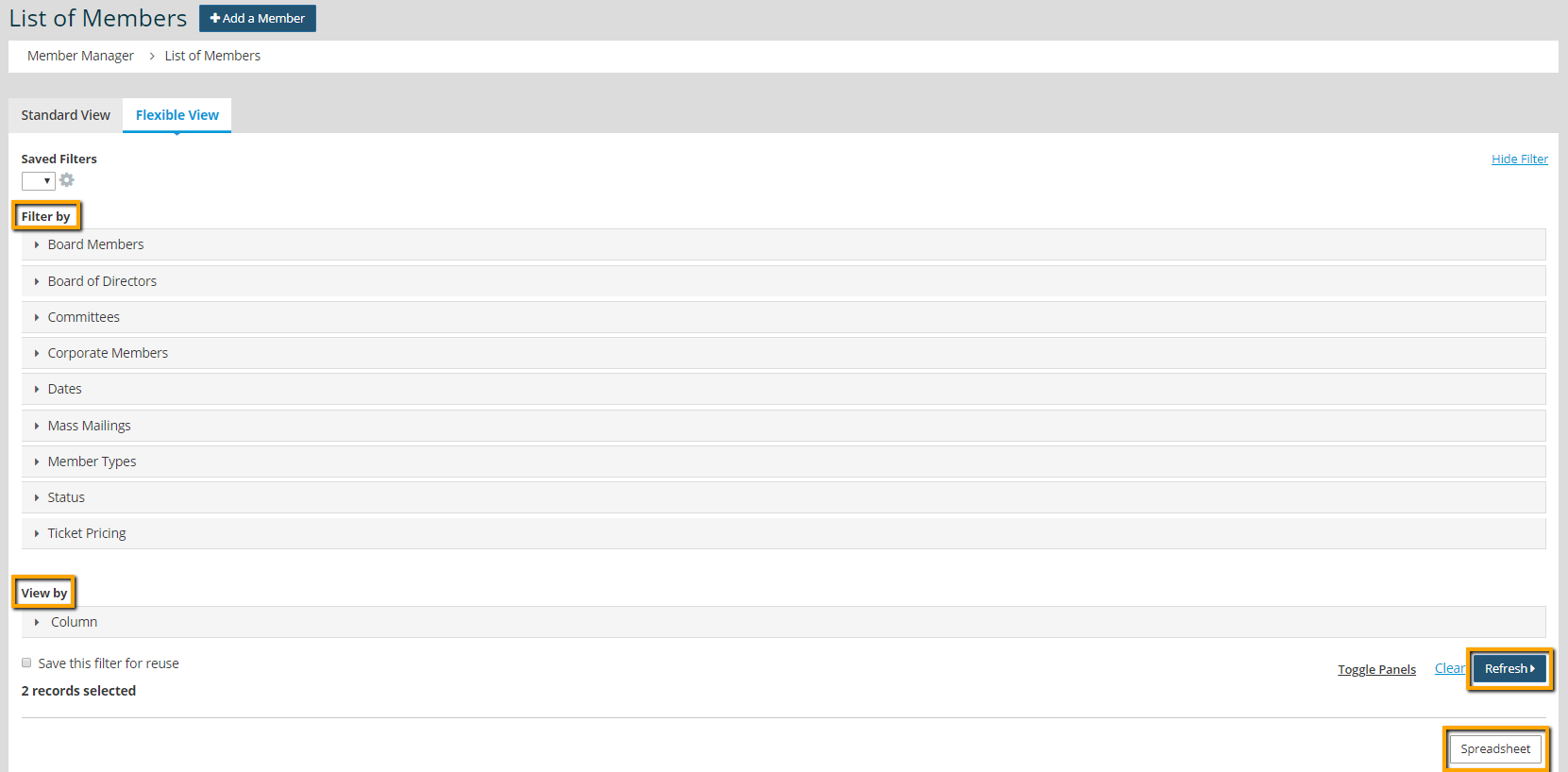
- Click Spreadsheet to export the report.