You are viewing this design in preview mode. The design MUST be published to be live on your website.
    •   New Board Member?
    •   Support
    •   Video Library
    • Workflow Library
    •  Page Content Library
    •  Email Builder Content Library

    Knowledgebase

    • Home
    • > Membership
    • > Import Manager
    • > Import Member Expiration Dates

    Import Member Expiration Dates

    StarChapter uses the member expiration date to determine login settings and communication recipients. Find your member expiration data in Membership > Member Manager. If member expiration dates do not display correctly in Member Manager, then there may be a problem with the import settings in Membership > Import Manager.

    1. Save the most up-to-date member roster as a comma separated value (CSV) spreadsheet
    2. Go to Membership > Import Manager
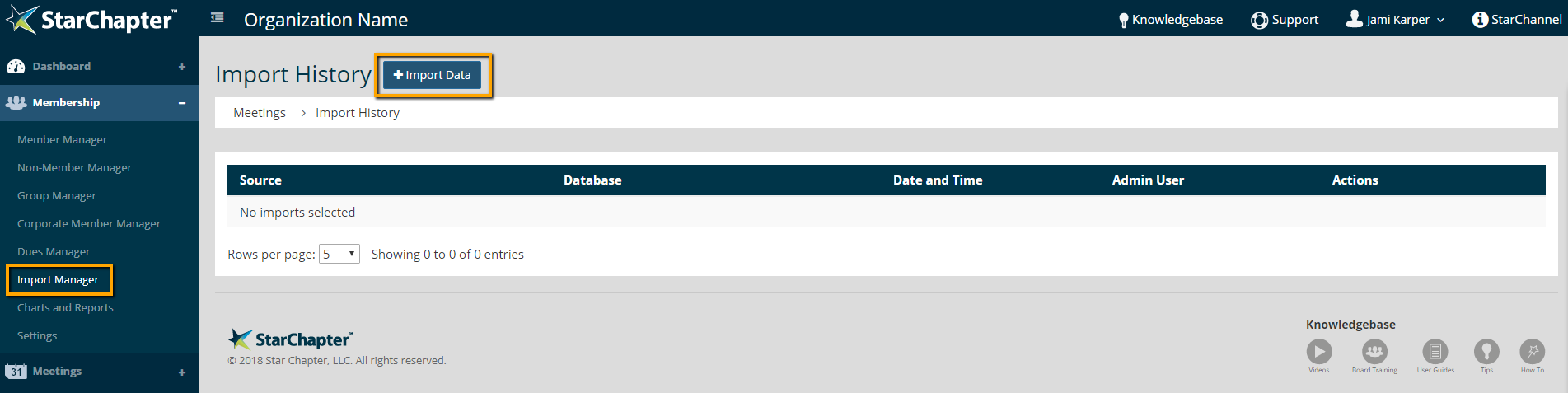
    3. Click Import Data

      Import Data button location

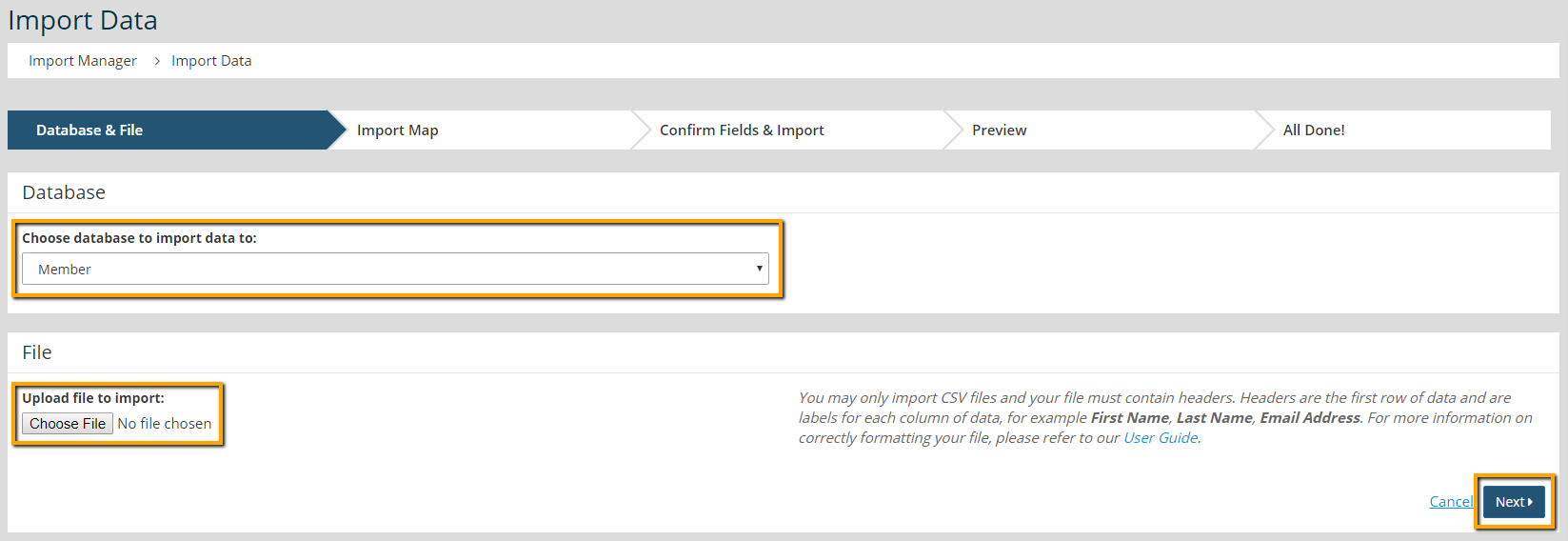
    4. In the Database and File section, choose the Member database. Then attach the spreadsheet.
    5. Click Next

      Import File Upload screen

    6. The import map that matches your spreadsheet import should pre-populate. Leave this as it is, and click Next.
    7. On the Confirm Fields & Import page, find the column "Database Field" and look for "Date paid through".
    8. Make sure to check the box next to the field name.
    9. Select the drop-down under "Column Name" to correspond with the expiration date column of your spreadsheet.
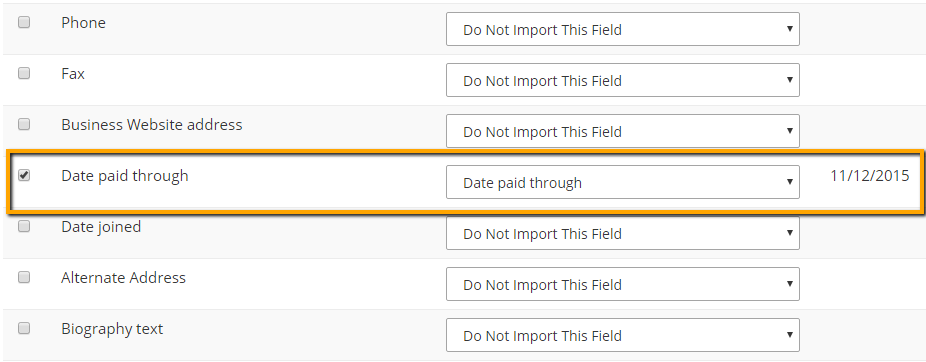
      Date Paid Through field location

    10. Click Next
    11. On the Preview page, review the numbers for updates, moves to Non-Member, New Records and Unchanged Records. If the numbers are correct, click Next.
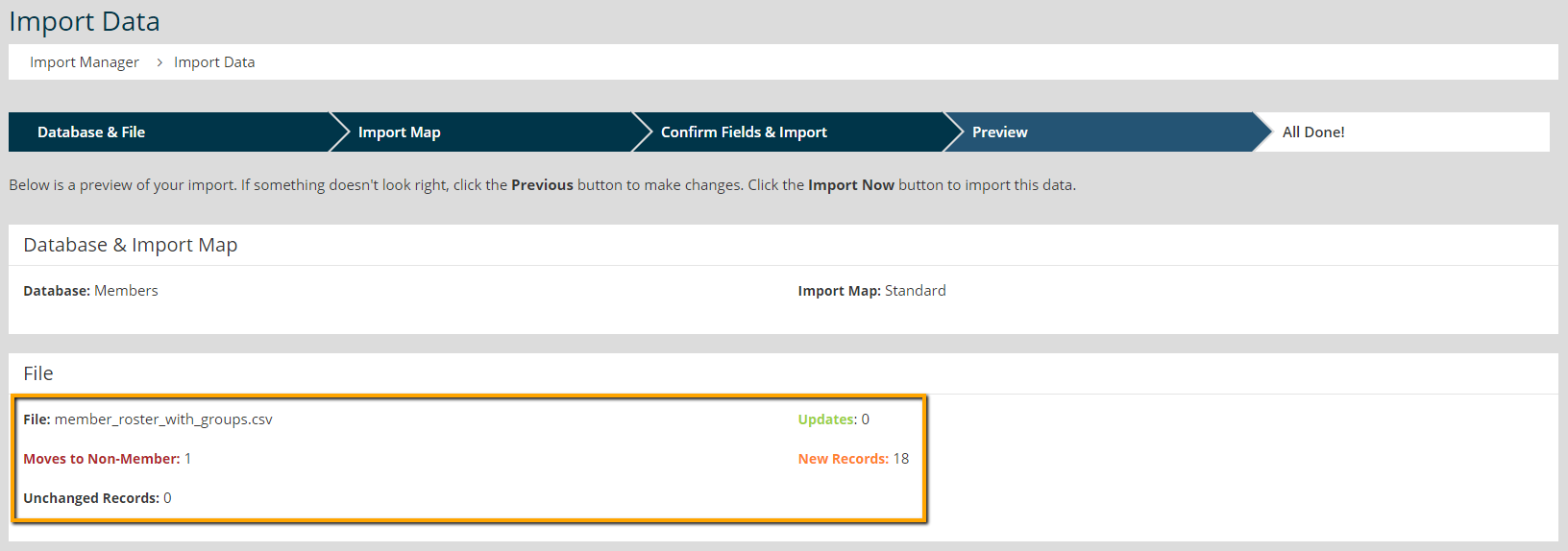
      Import Preview Totals

    12. Click OK to complete the import. Return to the Preview screen by clicking Cancel. 
    13. Go to Membership > Member Manager and review the "Exp. Date" fields for accuracy.

    Chapter Insights

    Posted by [email protected] on 02/12/2018 4:33 pm  /   Membership

    engaging members

    Are You Engaging with Your Members or Putting Everything on Hold?

    members engaged and active

    Making Chapter Changes that Keep Members Engaged and Active

    retention strategy

    Does Your Board Have a Member Retention Strategy?


    why members join

    Why Do Your Members Join? It's Not for the Reasons You May Think

    improve member retention

    Use Members' Reasons for Leaving to Keep Them from Going

    © 2026 StarChapter Software LLC All rights reserved.

    •  
      Board Training
    •  
      Services
    •  
      KB Home
    • Master Service Agreement
    • |
    • Privacy Policy
    . .