Import Full Names
While it's best to import a member roster with separate columns for first name, last name, and suffixes, your parent organization may instead provide a member roster with a column for full name instead. The "Split Name" feature in StarChapter can programmatically transform a full name in a single field into a first name, middle name, last name, and suffix. Enabling this configuration setting once will allow you to complete imports using that combined field moving forward.
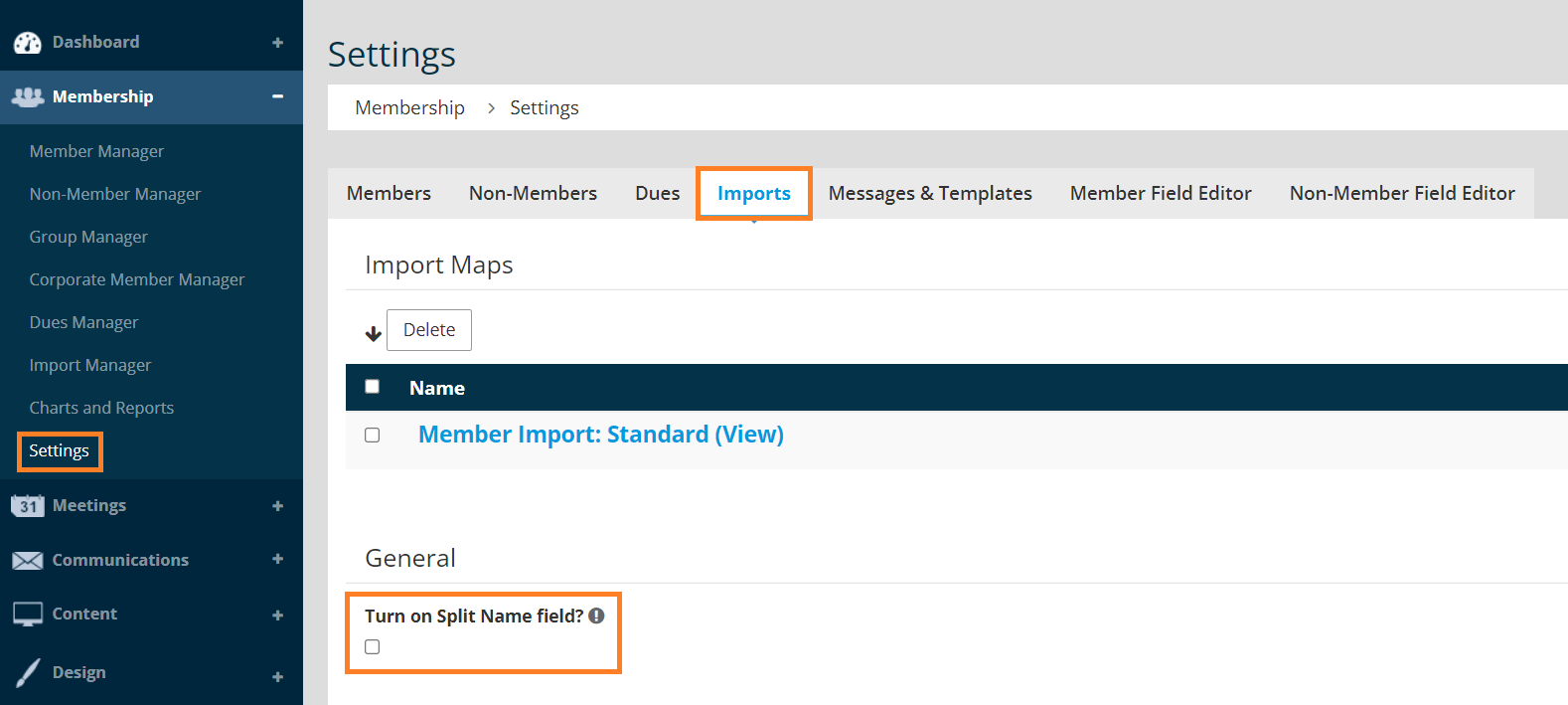
- Go to Membership > Settings > Imports.
- Check the box labeled "Turn on Split Name field?"
- During your next import, update the name fields. Update the "Full name to split into First, Middle, Last, Suffix" field to select the new name field from your roster. Set the individual name fields to "Do Not Import", and clear the associated check boxes.
Sample Full Name mapping:
Sample name fields mapping: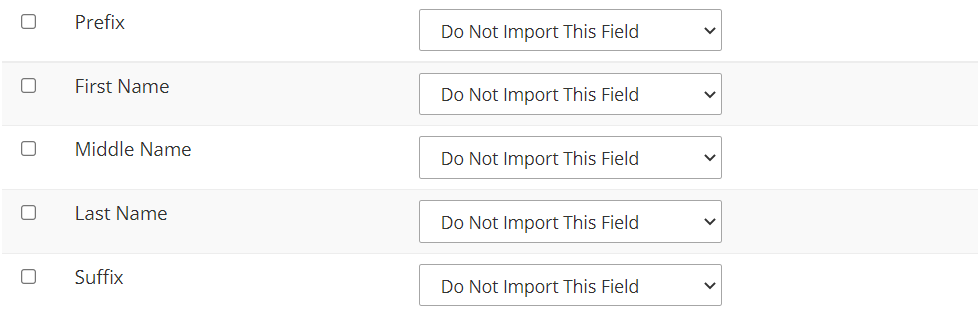
- Complete the import as usual.
- All following imports should proceed as normal and will not require any special steps.