You are viewing this design in preview mode. The design MUST be published to be live on your website.
    •   New Board Member?
    •   Support
    •   Video Library
    • Workflow Library
    •  Page Content Library
    •  Email Builder Content Library

    Knowledgebase

    • Home
    • > Content
    • > Classifieds
    • > Extend a Classified Ad

    Extend a Classified Ad

    Classified ads, which may include job listings, job seekers, or general sales, will be automatically archived at the end of the default archive period. If an ad should be extended, the archive date must be updated manually.

    1. Go to Content > Ad Manager > Classifieds.
    2. Locate the appropriate ad and click the ad link.
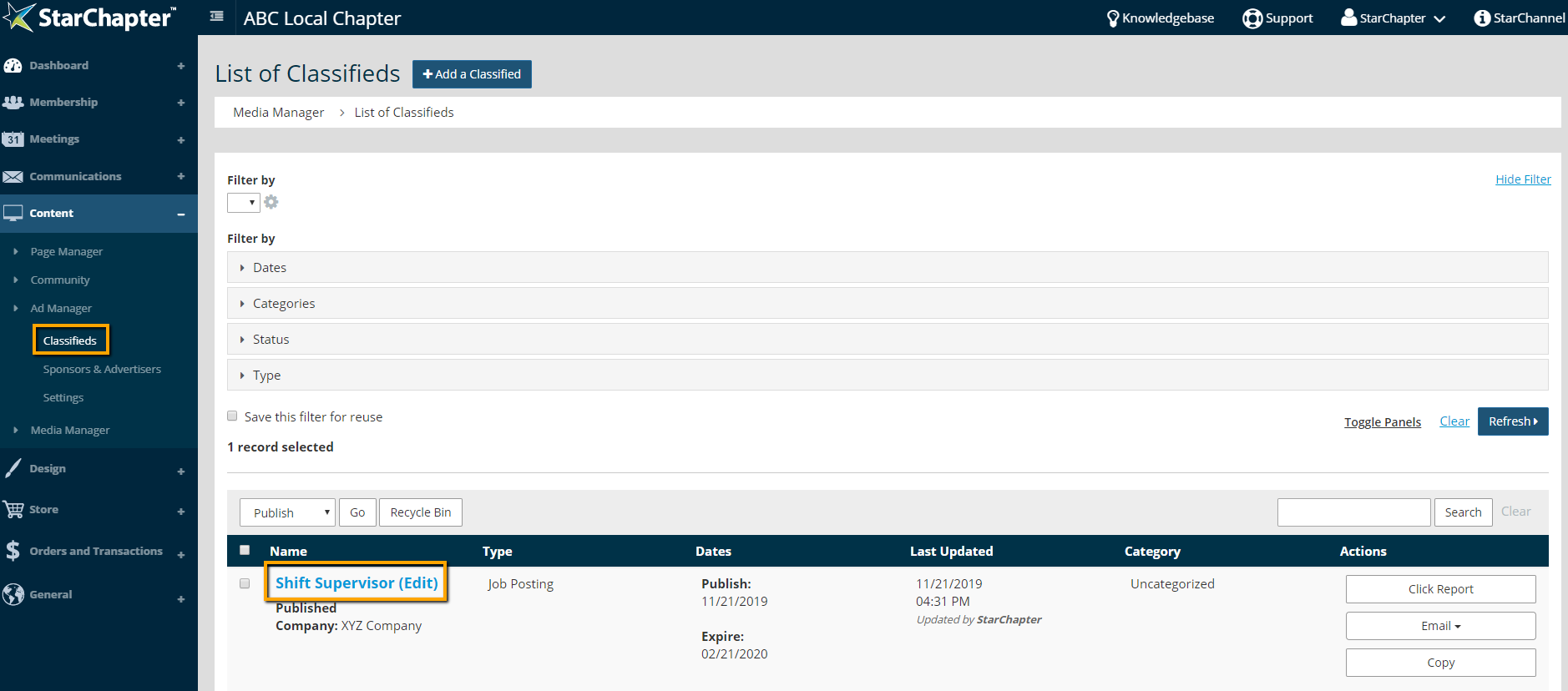
      Ad table

    3. Click Edit in the Dates section of the ad.
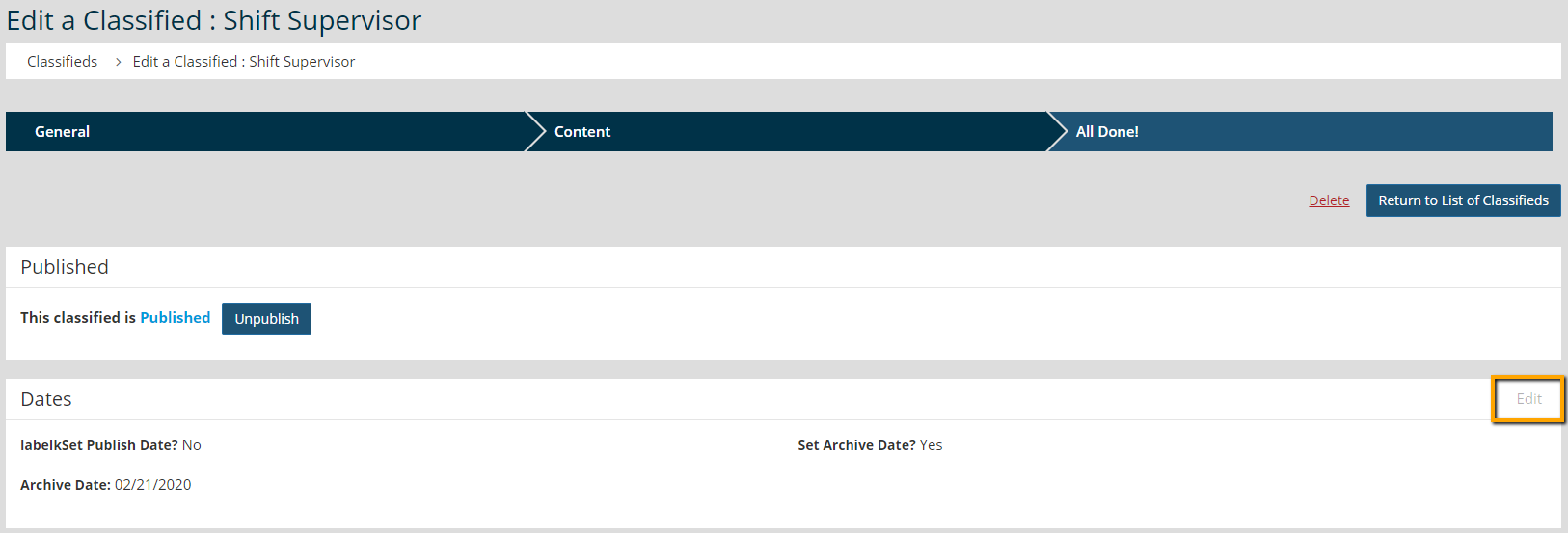
      date fields within classified ad

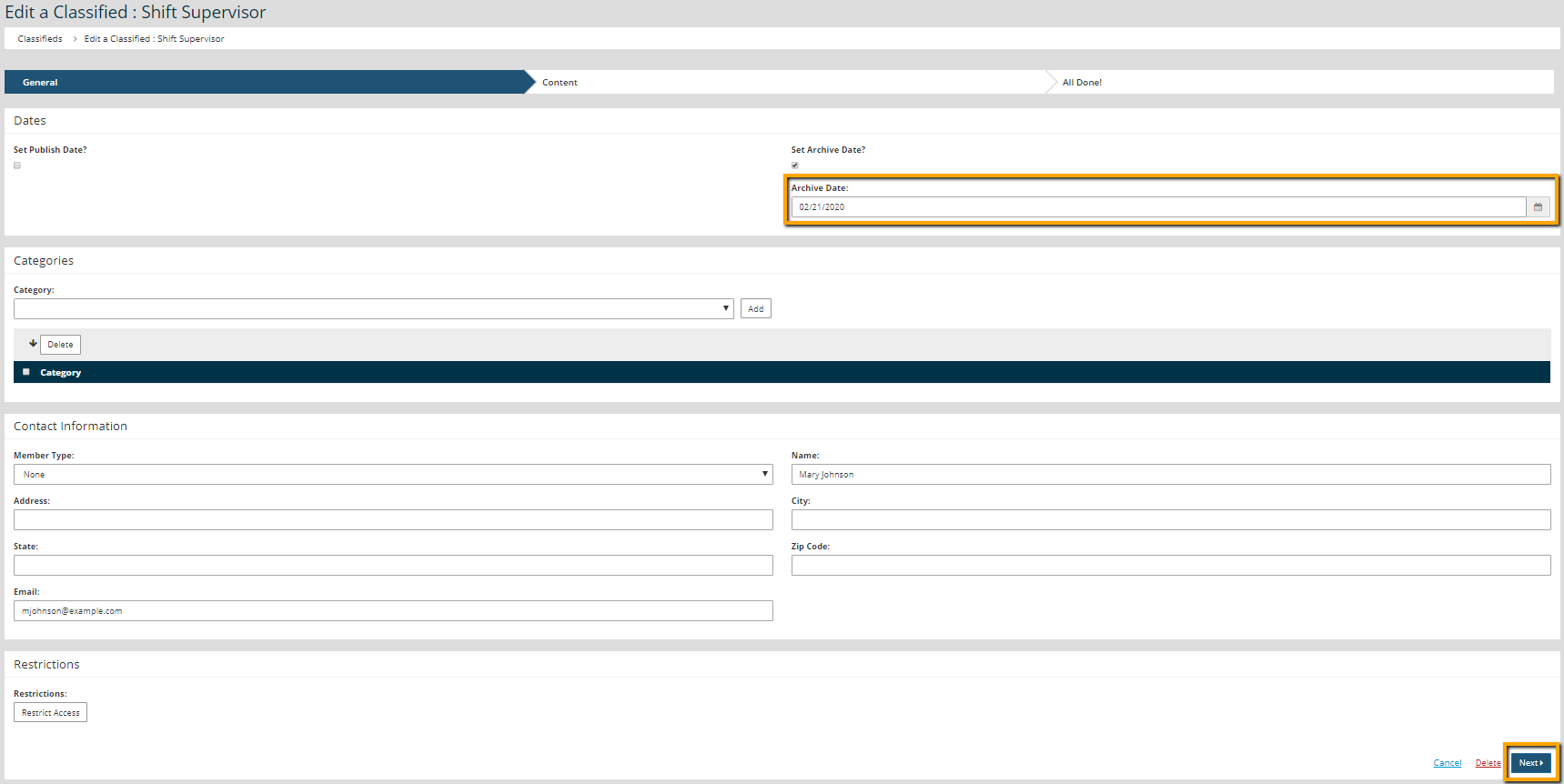
    4. Update the "Archive Date" field.

      update archive date within classified ad

    5. Click Next to apply the update.

    Chapter Insights

    Posted by [email protected] on 02/14/2018 11:41 am  /   Content

    content part of redesign

    Consider Your Content as Part of Your Website Redesign

    member stories

    3 Reasons to Invest in Member Stories

    Cotent Blog Image - Advanced SEO – Name it Right, and they will Read

    Advanced SEO – Name it Right, and they will Read

    Content Blog Image - Advanced SEO – The 80/20 Rule for Success

    Advanced SEO – The 80/20 Rule for Success

    video for sponsorship

    Video is Key to Your Sponsor Strategy

    © 2026 StarChapter Software LLC All rights reserved.

    •  
      Board Training
    •  
      Services
    •  
      KB Home
    • Master Service Agreement
    • |
    • Privacy Policy
    . .