Enabling the Automatic Membership Renewals Management Page
Most members will opt in to Automatic Membership Renewal when joining as a member or when renewing their membership. If a member has already paid their dues and did not opt in to autorenewals at the time of joining/renewing, they can still opt in to autorenewals on the Manage Renewal page. This page is accessible at /manage_renewal.php. To make this page easily found by your members, complete the following steps:
Step 1: Add Important information to the Manage Renewal Page
Add guidance on the Manage Renewal Page so members ensure they have a payment method saved in their member profile.
 |
Warning: If members do not have a stored credit card on file, their autorenewal will be unable to process. |
- Go to Content > Page Manager > Page Content.
- Search for "Manage Membership Renewal".
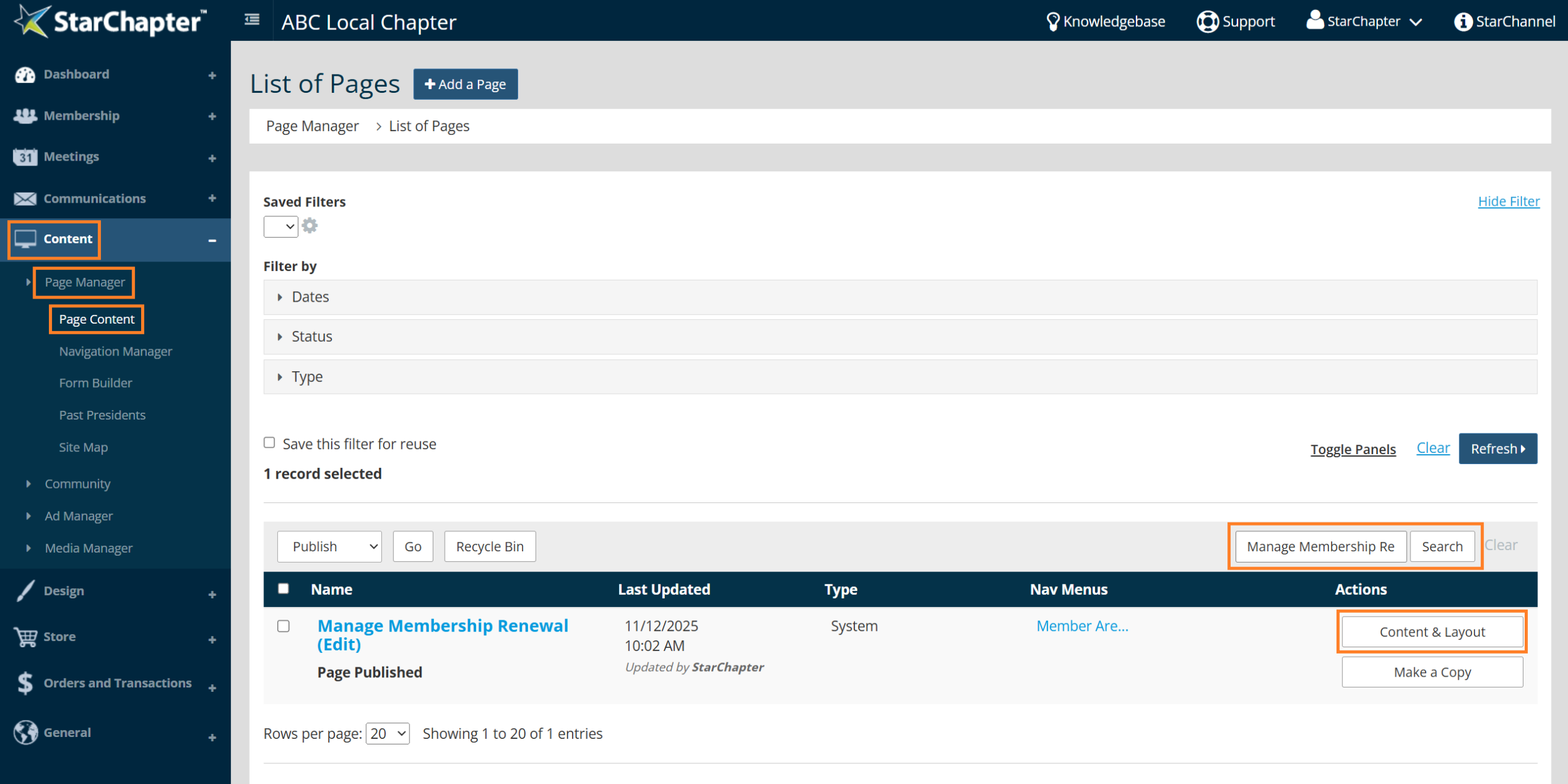
- Click Content & Layout.
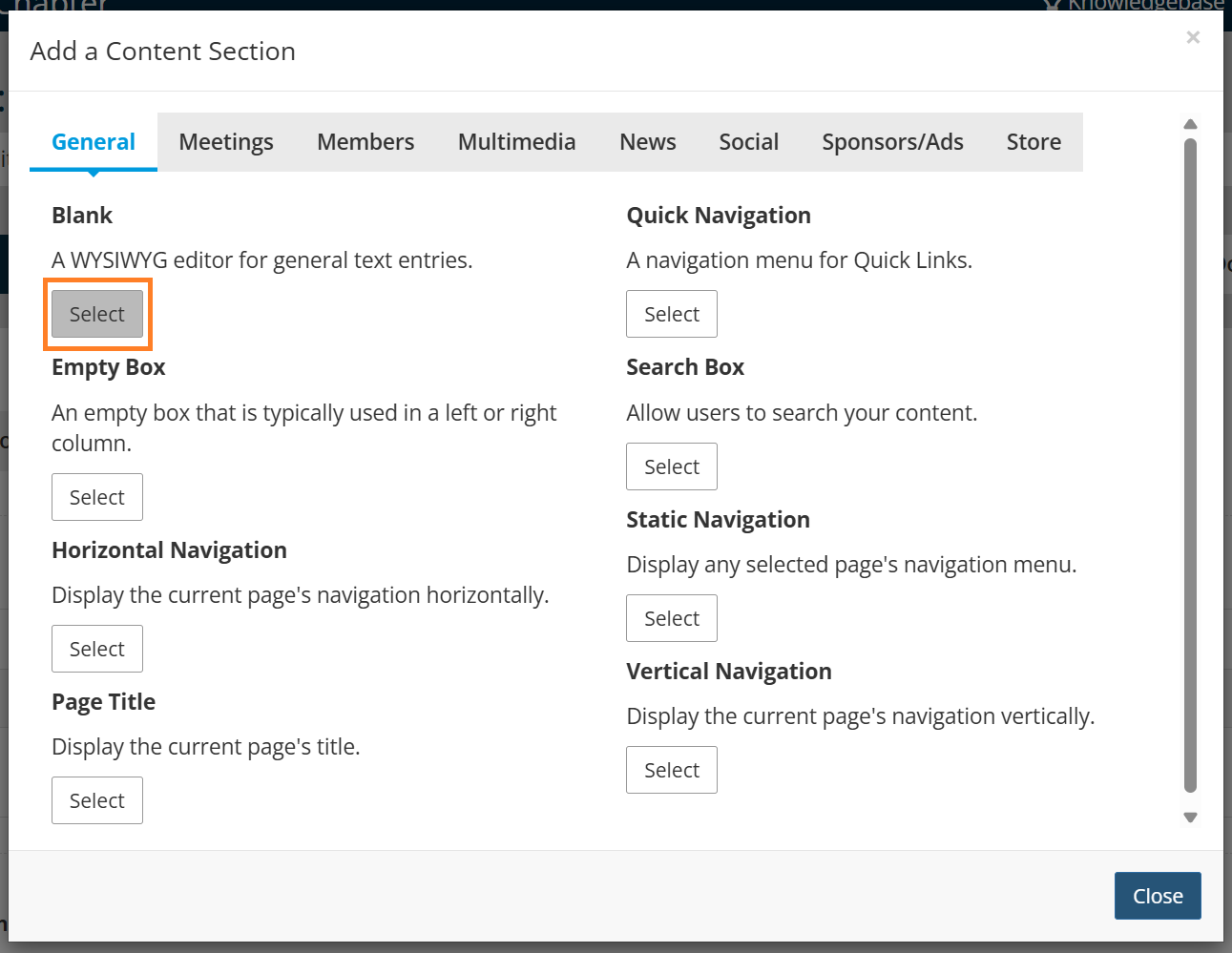
- Click the blue plus sign.

- Click Select on the Blank Content Section option.
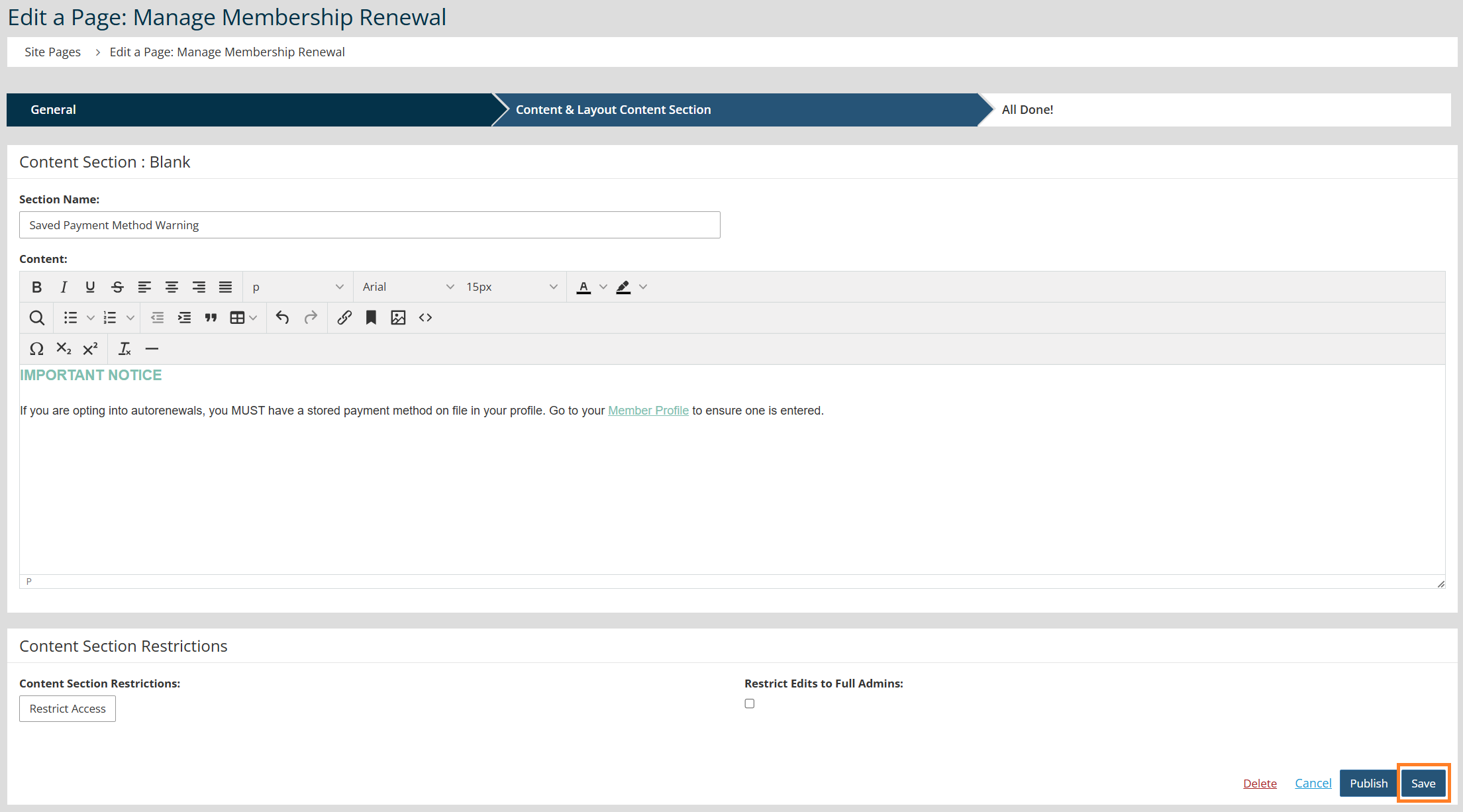
- Enter text. Recommended wording: If you are opting into autorenewals, you MUST have a stored payment method on file in your profile. Go to your Member Profile to ensure one is entered.
- Click Save.
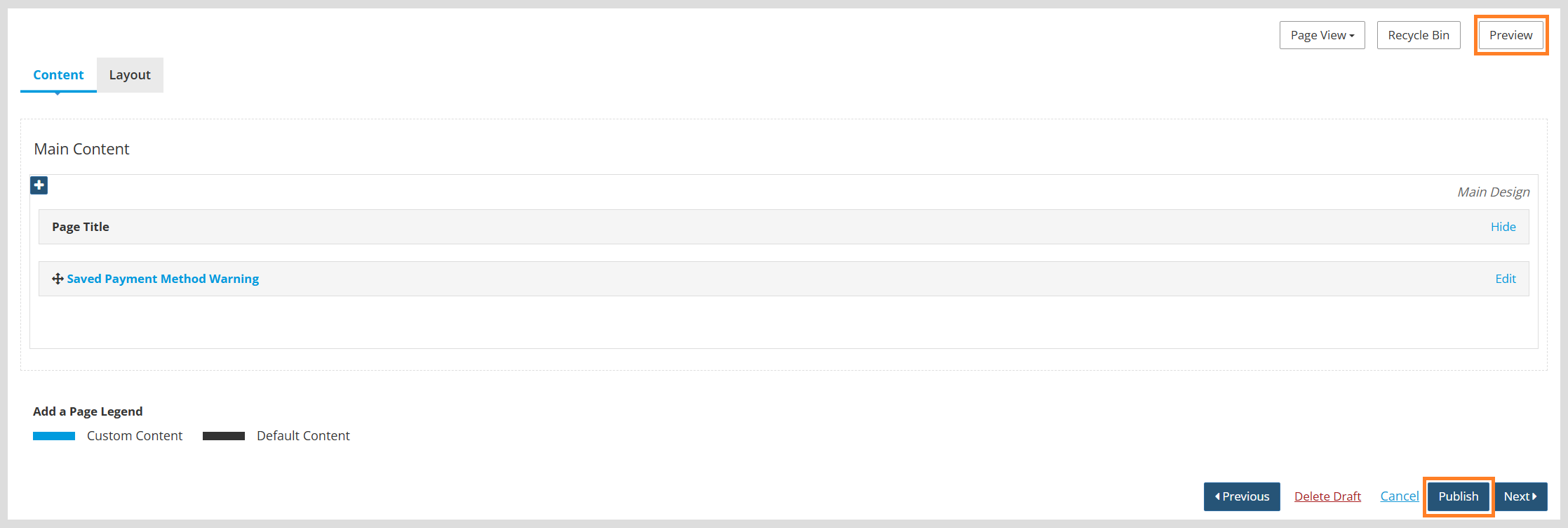
- Click Preview to review your changes.
- Click Publish to make your changes live.
Step 2: Add the Page to your Member Area Menu
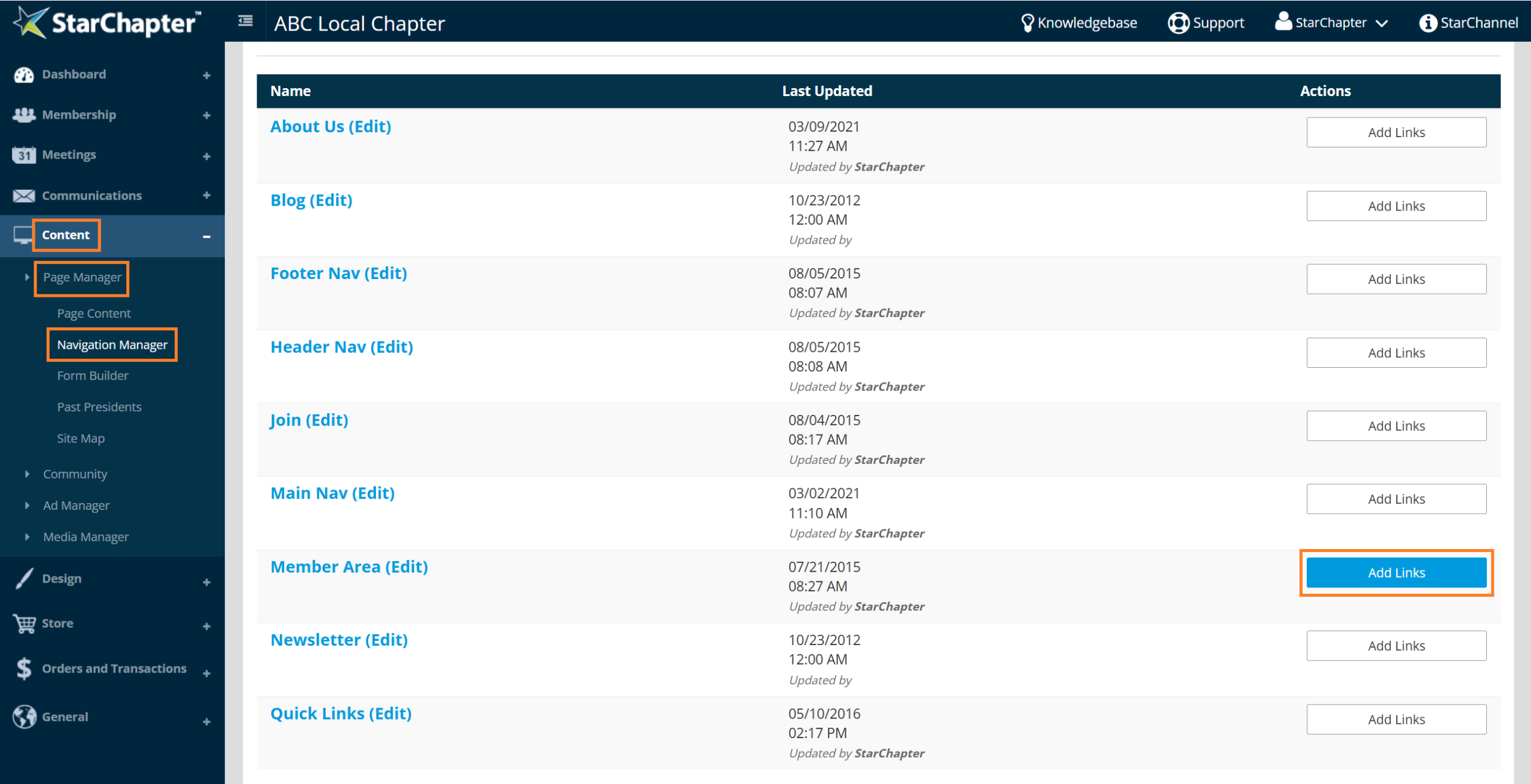
- Go to Content > Page Manager > Navigation Manager.
- Locate your 'Member Area' menu.
- Click Add Links to the right of this menu.
- Click + Add a Link.
- Complete the form.
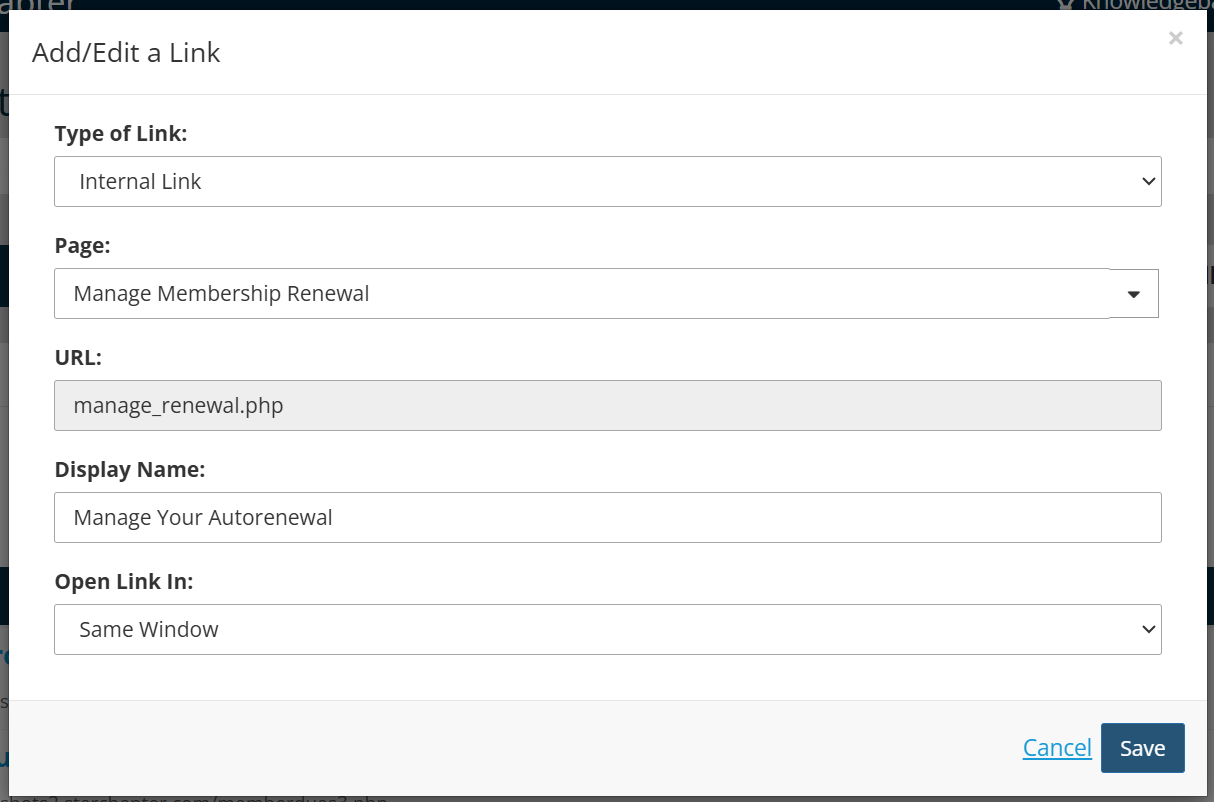
- For 'Type of Link', select Internal Link.
- For 'Page', search for 'Manage Renewal'.
- Update the 'Display Name' as desired.
- Click Save.
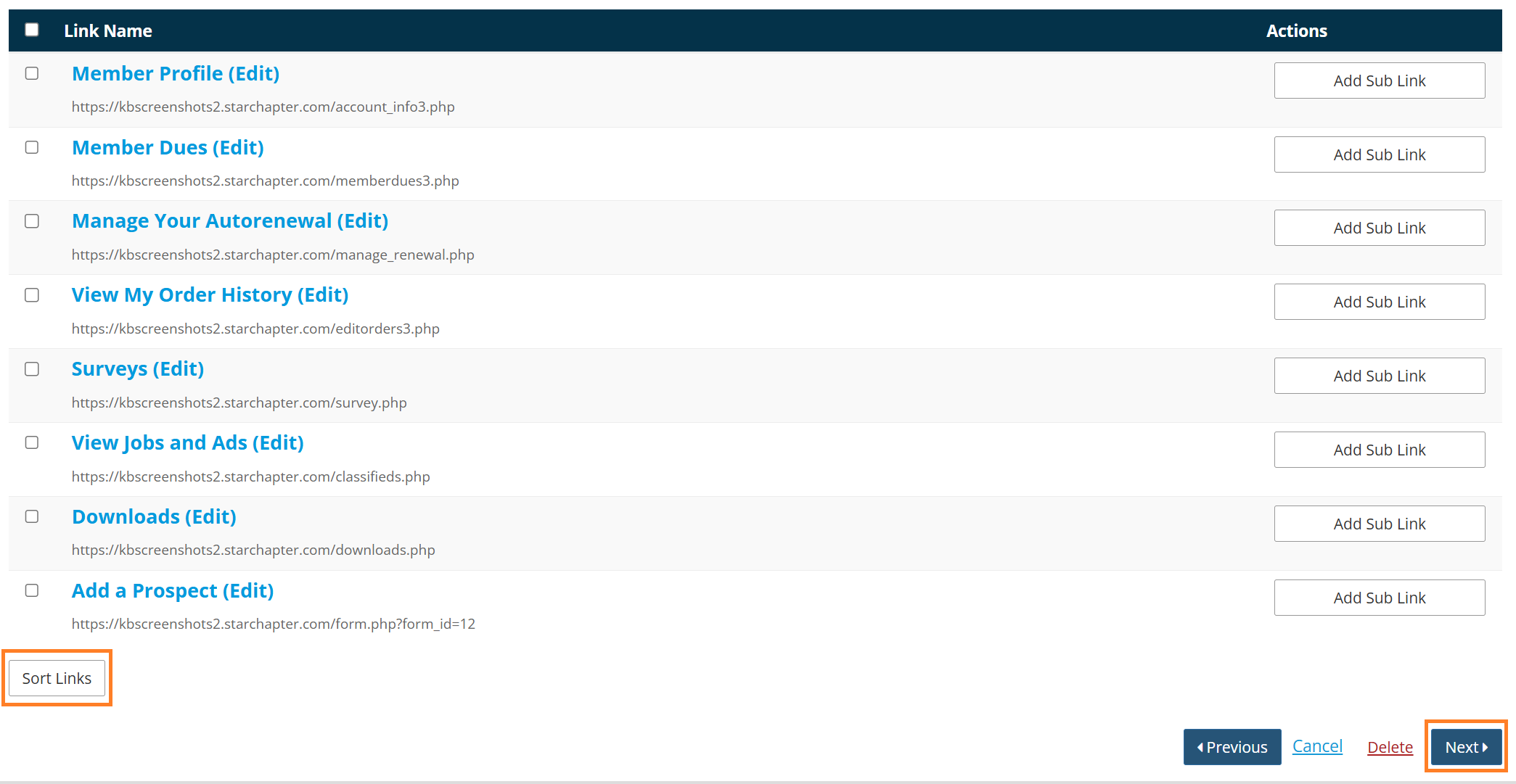
- Reorder the links as desired by clicking the Sort Links button at the bottom of the list.
- Click Next to save your changes.