You are viewing this design in preview mode. The design MUST be published to be live on your website.
    •   New Board Member?
    •   Support
    •   Video Library
    • Workflow Library
    •  Page Content Library
    •  Email Builder Content Library

    Knowledgebase

    • Home
    • > Membership
    • > Charts and Reports
    • > Download a Report of Outstanding Member Balances

    Download a Report of Outstanding Member Balances

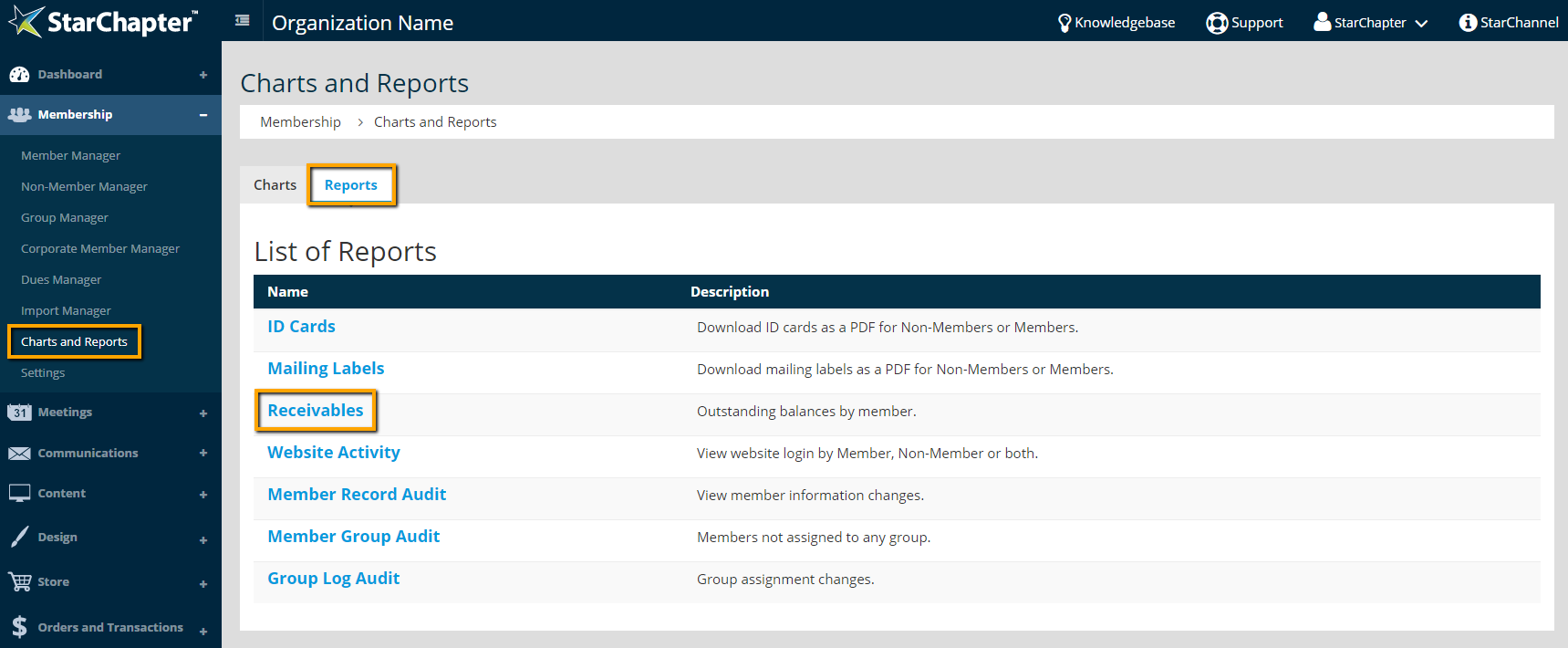
    1. Go to Membership > Charts and Reports.
    2. Click the Reports tab.
    3. Click the Recievables report.


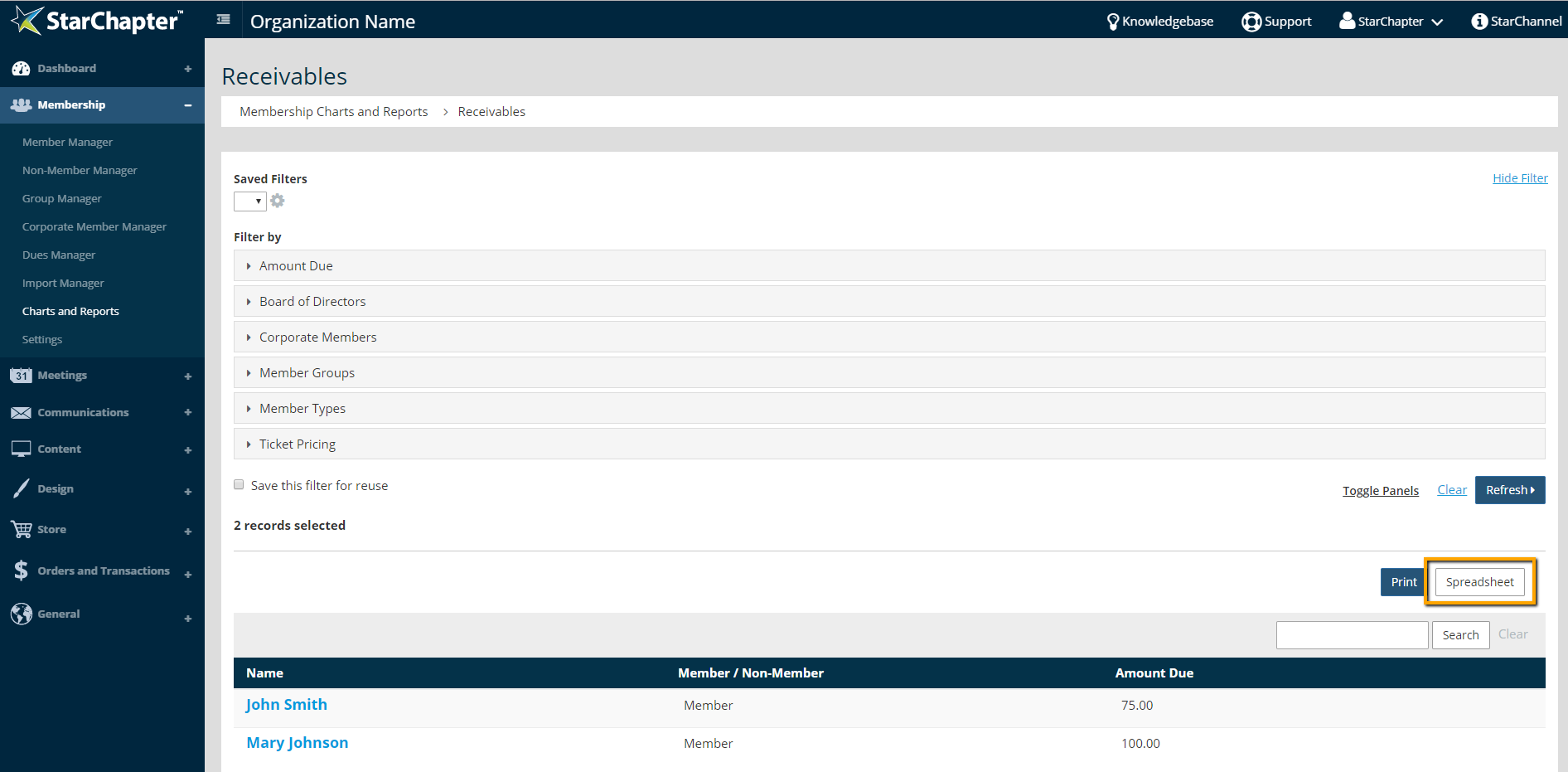
    4. Use the filters, if needed.
    5. Click the Spreadsheet button to export a report.

    Chapter Insights

    Posted by [email protected] on 02/12/2018 4:33 pm  /   Membership

    engaging members

    Are You Engaging with Your Members or Putting Everything on Hold?

    members engaged and active

    Making Chapter Changes that Keep Members Engaged and Active

    retention strategy

    Does Your Board Have a Member Retention Strategy?


    why members join

    Why Do Your Members Join? It's Not for the Reasons You May Think

    improve member retention

    Use Members' Reasons for Leaving to Keep Them from Going
    © 2026 StarChapter Software LLC All rights reserved.

    •  
      Board Training
    •  
      Services
    •  
      KB Home
    • Master Service Agreement
    • |
    • Privacy Policy
    . .