
Create a New Vertical Navigation Menu
A vertical navigation menu displays a list of page links on a specified page as well as any other pages included in the menu. Vertical menus may mirror or supplement the Main Navigation menu and they allow easy movement throughout your website.
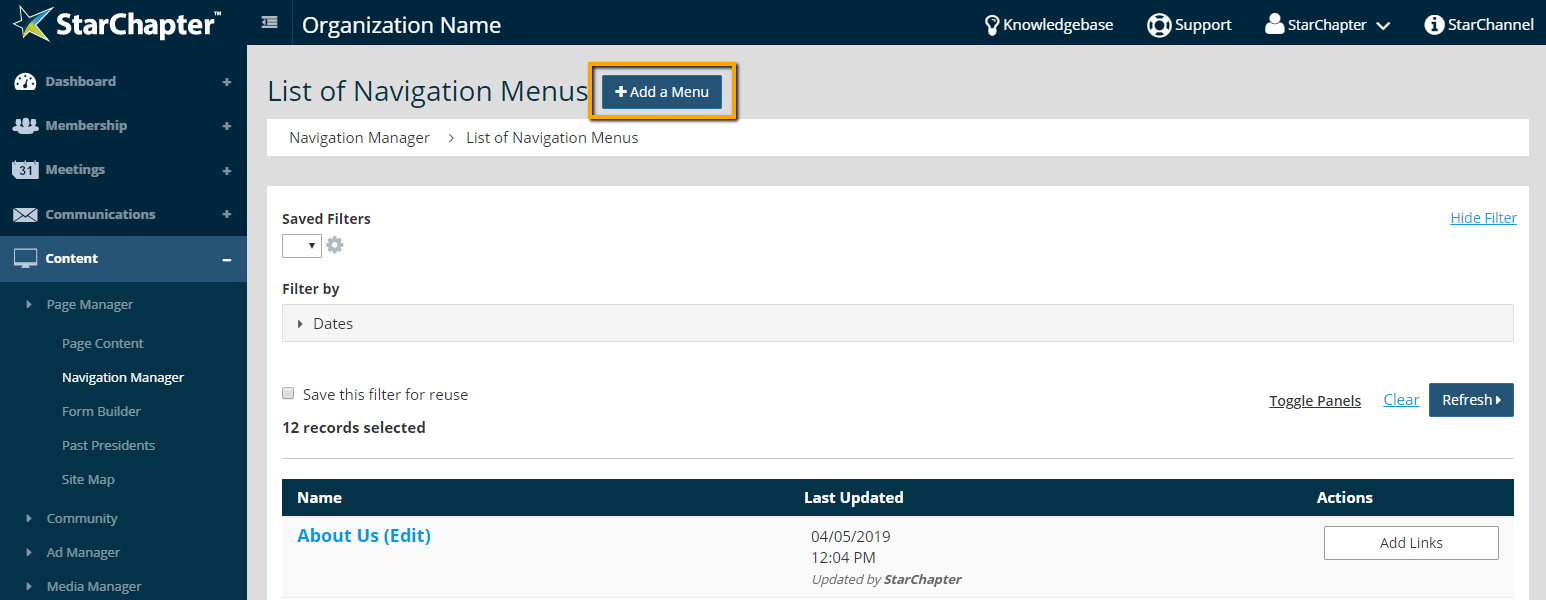
- Go to Content > Page Manager > Navigation Manager.
- Click Add an Menu.
- Enter a "Name" for the menu.
- Select a page from the "Landing Page" drop-down menu. The menu will display vertically on the page that is selected here.
- Select Vertically from the "Display Links" drop-down menu.
- Set the "Display Sub Links" field as desired.
- Set the "Display Restricted Pages" field as desired.
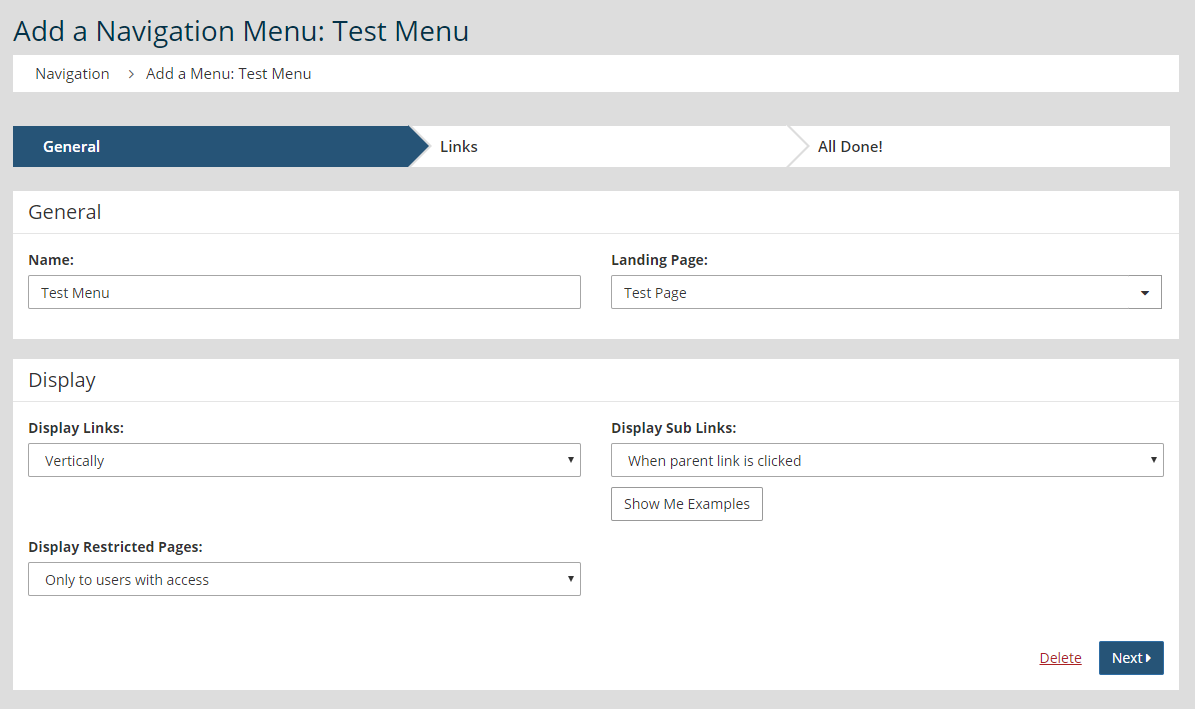
- Click Next.
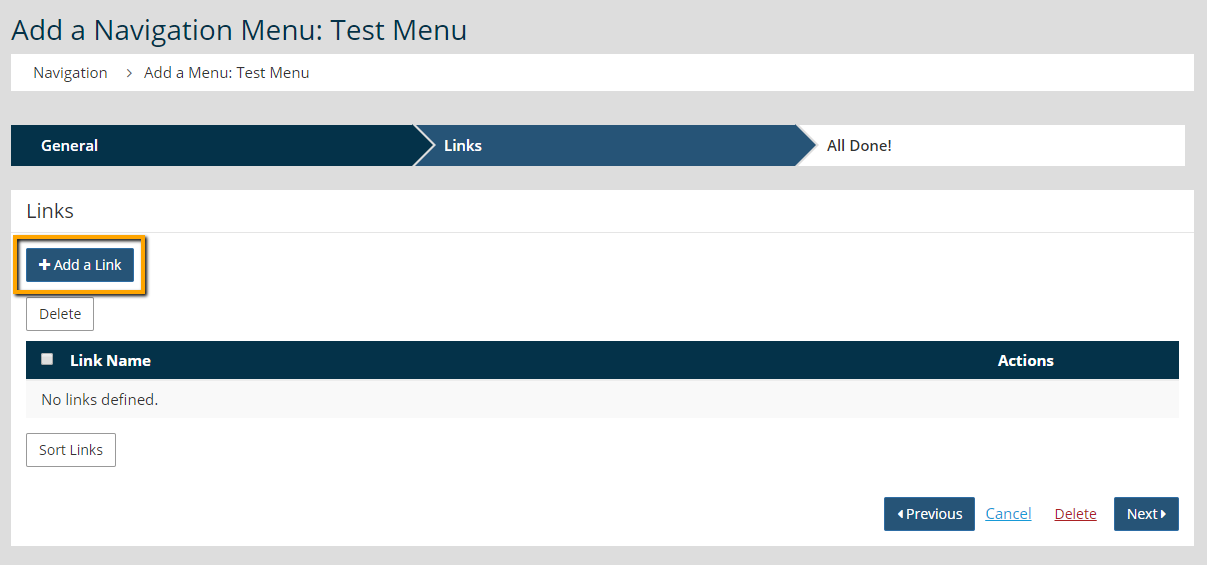
- Click Add a Link.
- Set the "Type of Link." The Internal Link options allows for a page that already exists in your StarChapter system to be added. The External Link option allows an external URL to be linked.
- If Internal Link was selected from the "Type of Link" drop-down, select an internal page from the "Page" field. If External Link was selected, enter in the external URL in the "URL" field.
- Change the "Display Name" field, if desired. This is the text that will display linked in the menu.
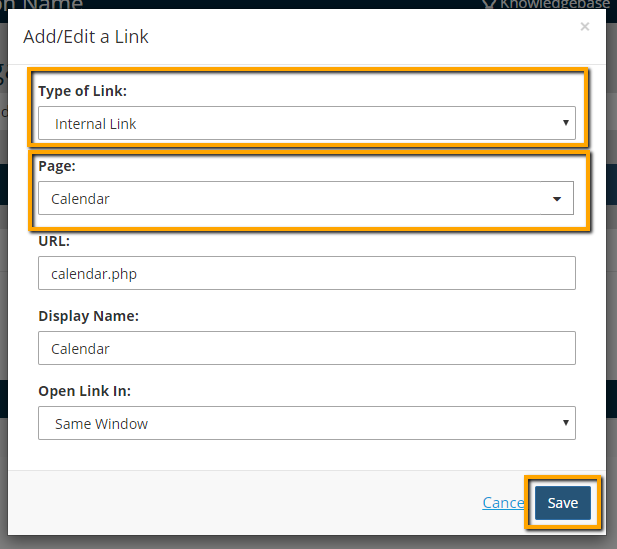
- Click Save.
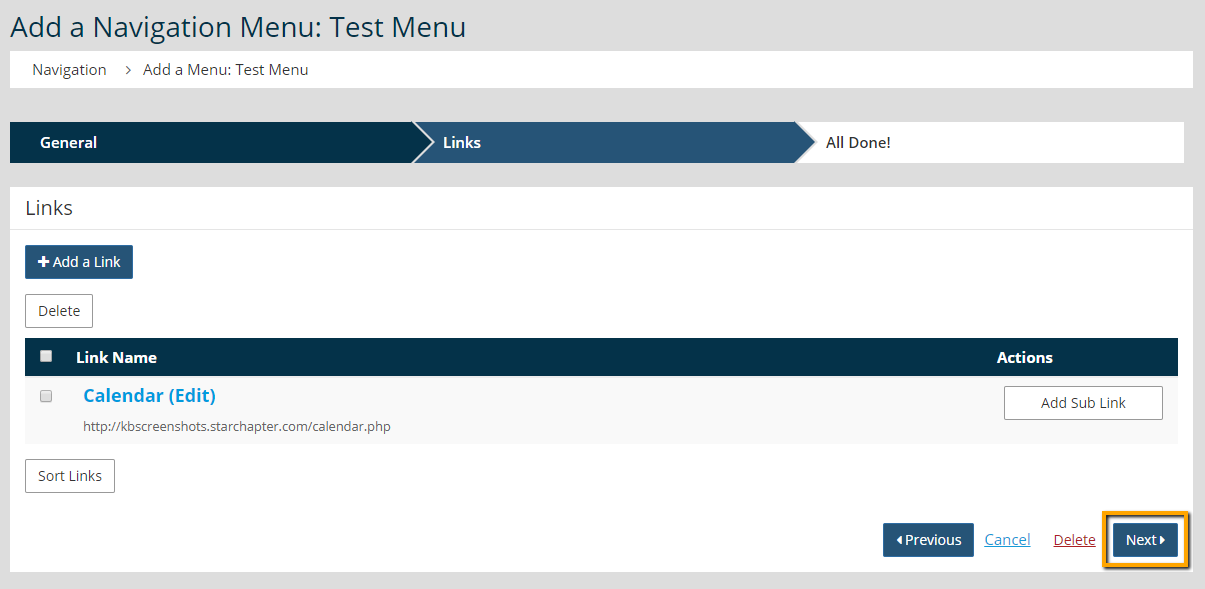
- Once all links have been added, click Next.





