Create a Members Only Announcement
Members Announcements will display on /members.php which is the landing page when members log in from the main login page. These announcements will not be accessible to the general public.
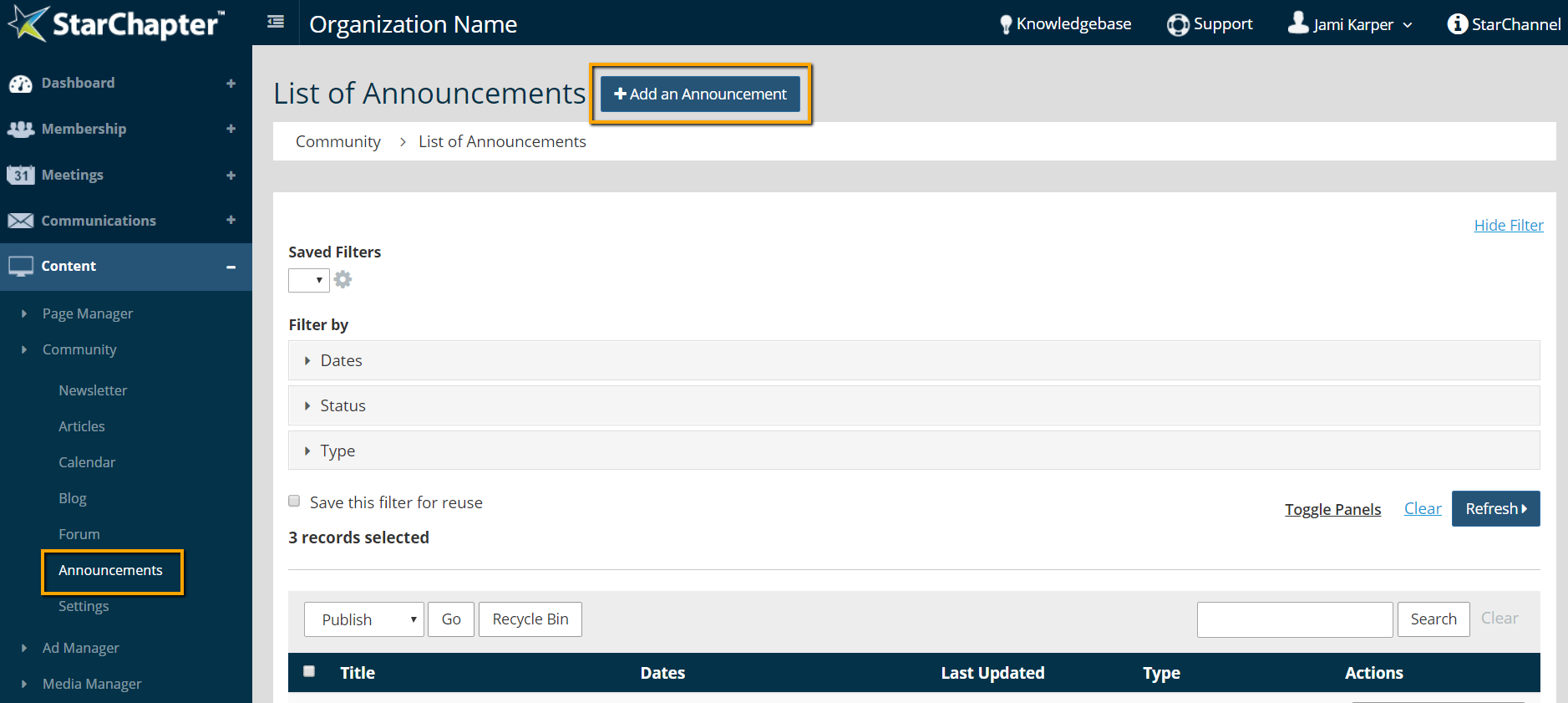
- Go to Content > Community > Announcements.
- Click Add an Announcement.
- Select Member from the Type drop-down menu.
- Set Publish and Expiration dates, if desired.
- Set Restrictions for "All Members" or for a specific member group. Unrestricted Member Announcements will display on the members.php page but be visible without a login.
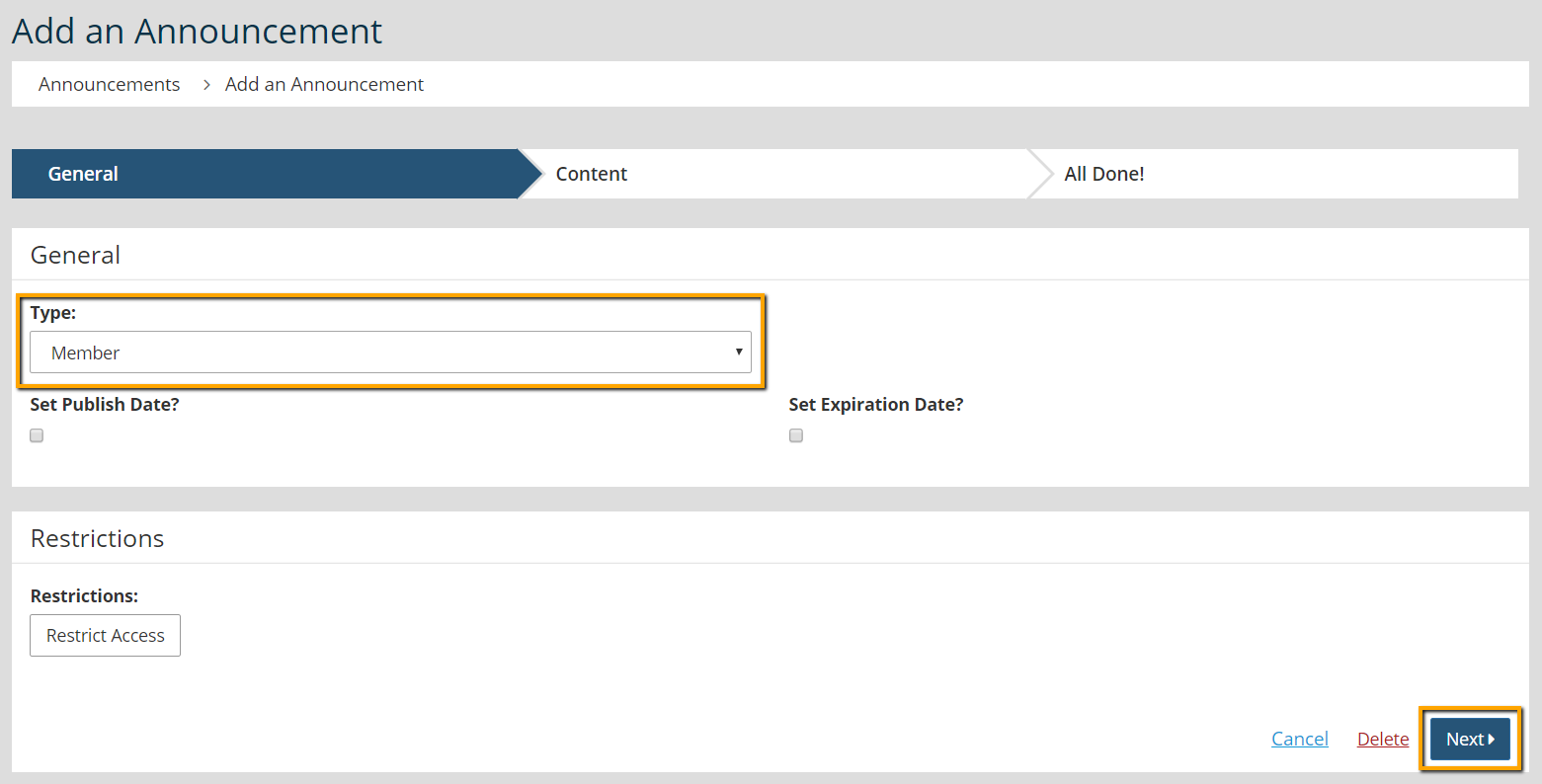
- Click Next.
- Add a Title and Content.
- Click Next.
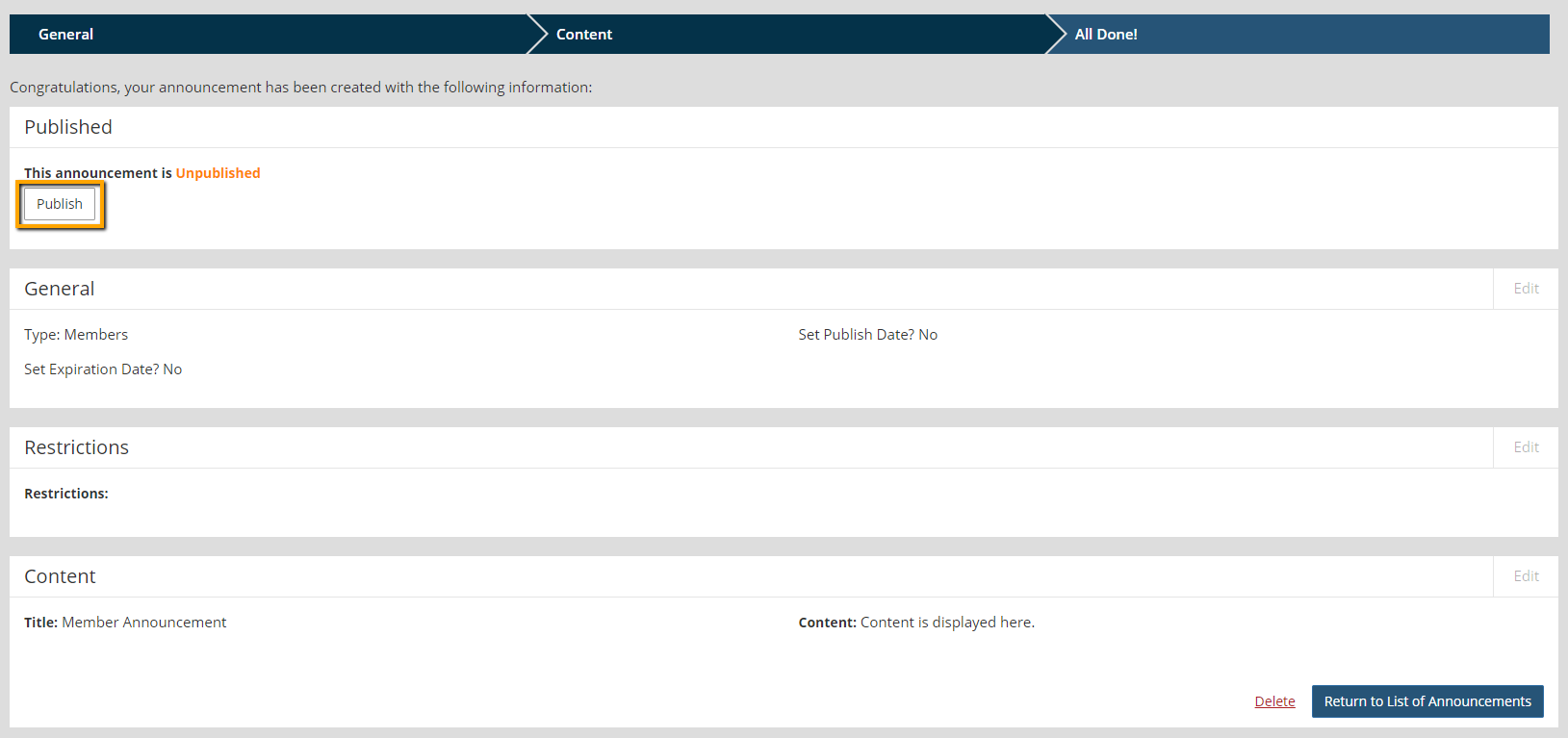
- Click Publish, if the announcement should be displayed immediately.