
Create Sponsor Categories
Categories allow you to organize your sponsor logos and display them by sponsorship levels on your website, if desired. Fees can also be associated with sponsor categories and then paid through sponsor forms.
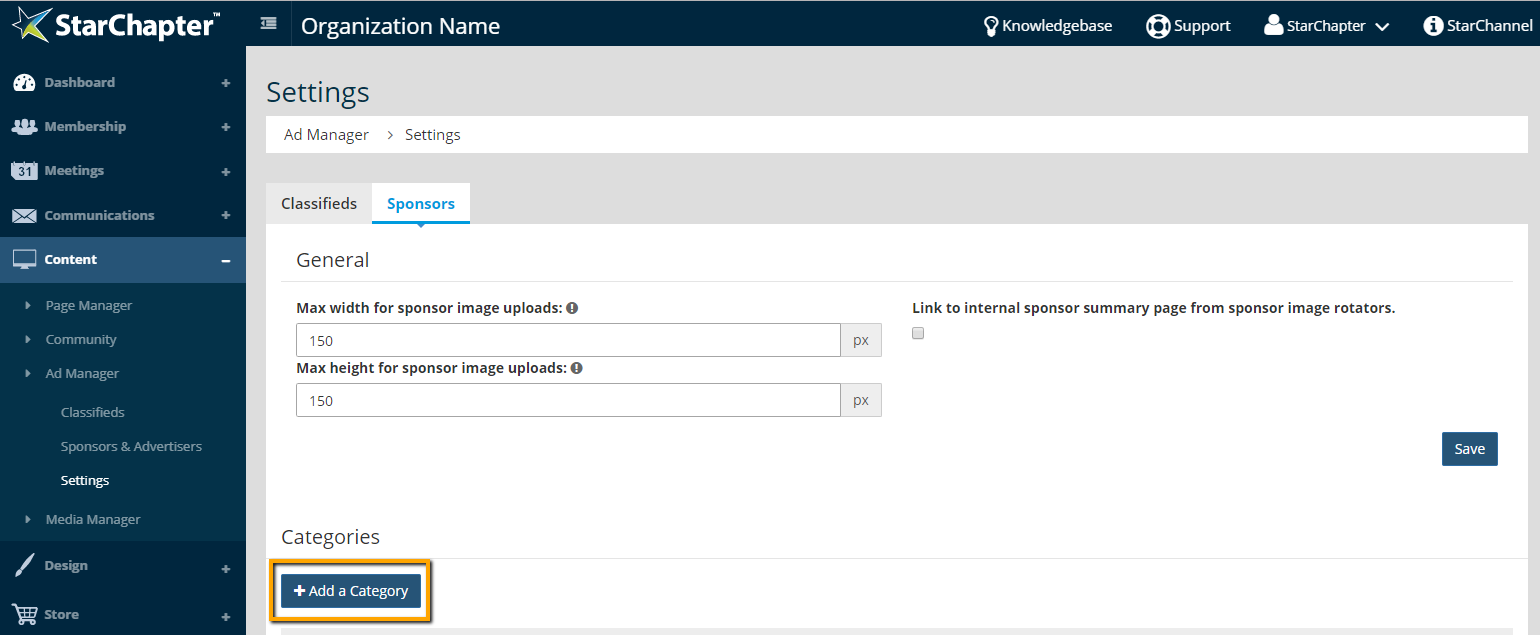
- Go to Content > Ad Manager > Settings.
- Click the Sponsors tab.
- Click Add a Category.
- Enter a "Category Name."
- Enter a "Description", if needed. This description is for internal reference only and will not display on the website.
- Set the "Expiration in months" field, if sponsors added to this category should expire in a certain timeframe.
- Set the "Fee amount", if desired. This fee will automatically apply to Sponsorship sign-up forms using this category.
- If this category of sponsors should display on the website, check the box next for "Show sponsors in this category on the Sponsors page of the website".
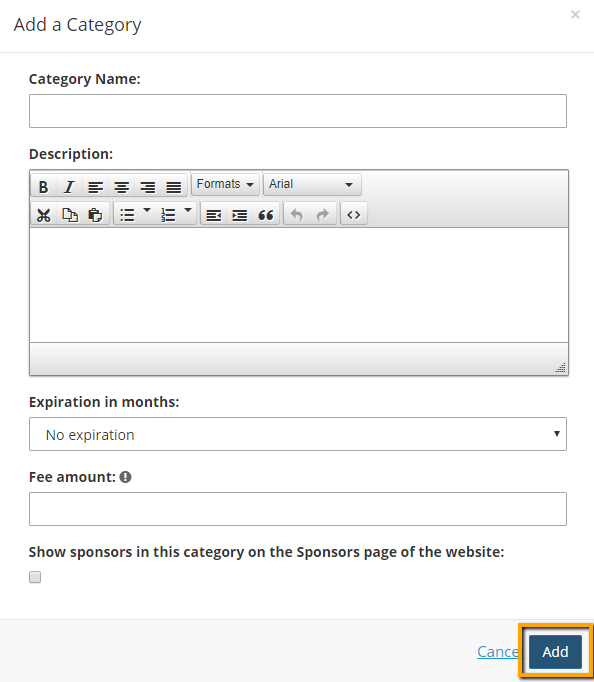
- Click Add.





