Create Committee Groups
Committees are a key part of any organization's leadership. Due to their unique position within an organization, committees are often setup a bit differently than other types of groups. In addition to targeted emails and web pages, committees can be displayed on a web display similar to the Board of Directors page. This requires a particular setup in Group Manager and allows you to easily update the group members as your committee members change in the future.
Setup Committees
- Go to Membership > Group Manager.
- Click Add Subgroups on the Member Groups group.
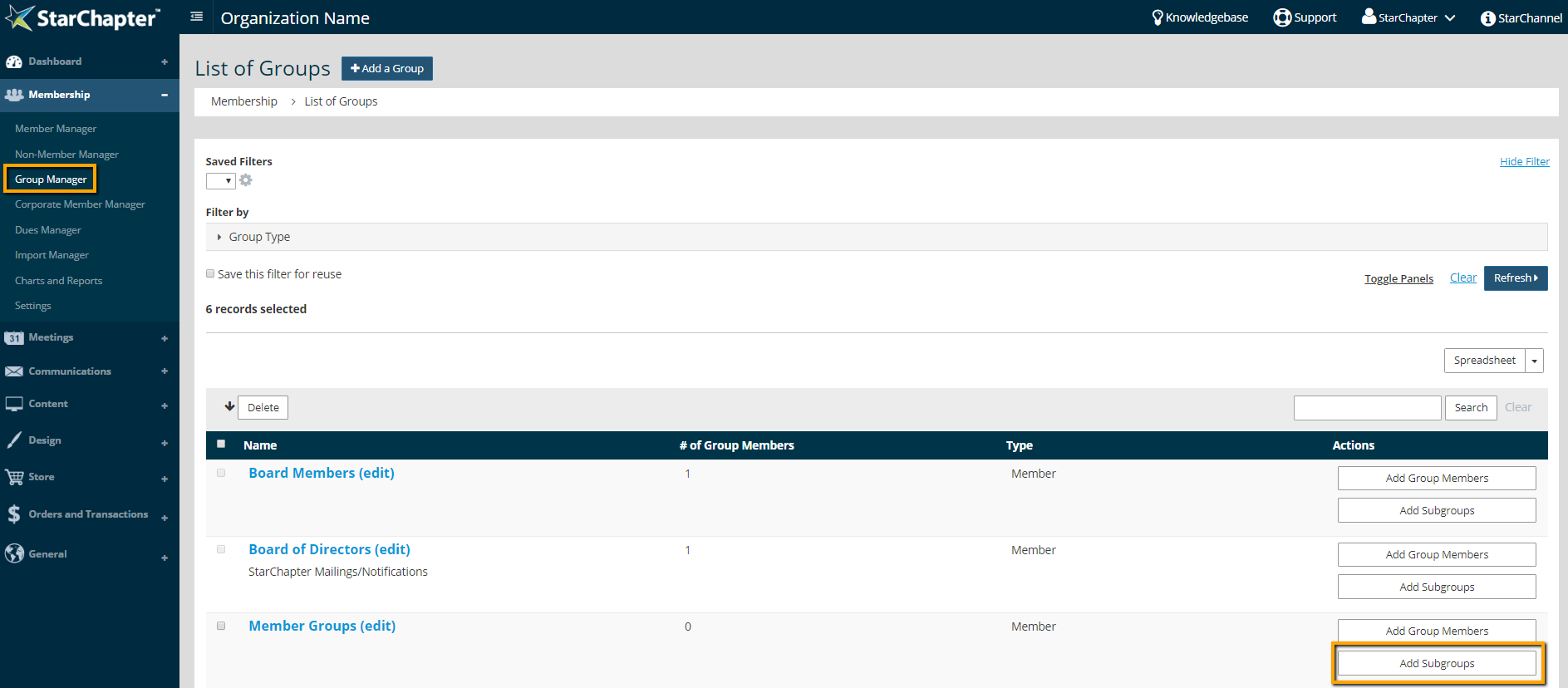

Warning: Do not change the name of this group. The group must be named "Member Groups" in order to connect to Group Displays on the website.
- Click Add a Subgroup.
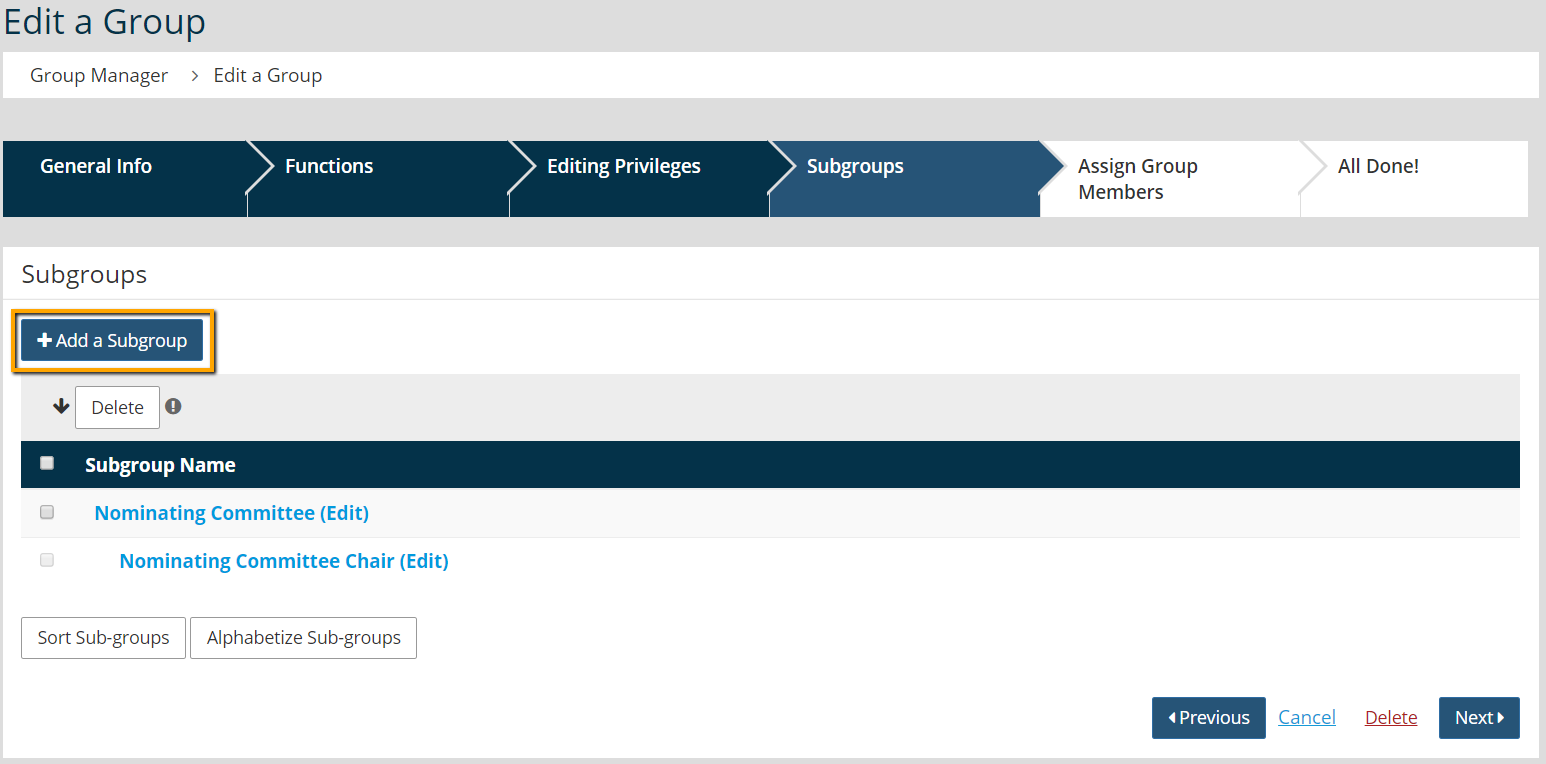
- Add the committee name to the Name field.
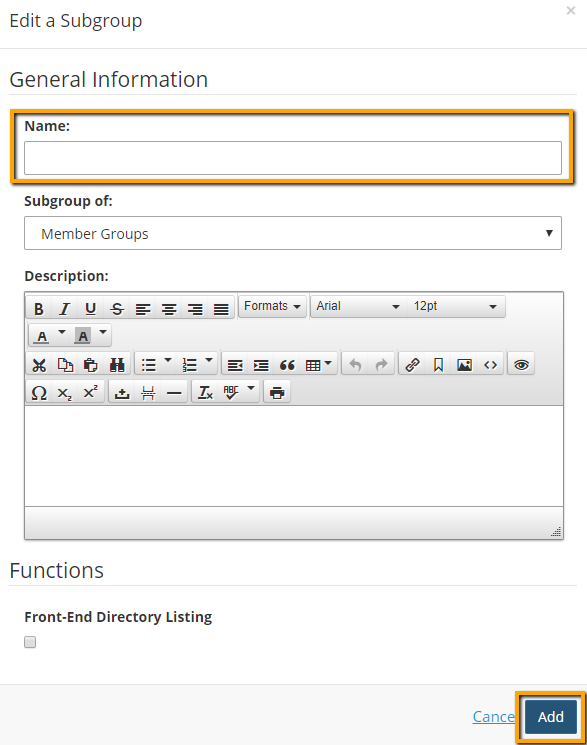
- Click Add.
- Click the Add a Subgroup button again.
- Add the committee position to the name field and select the committee name from the "Subgroup of" drop-down menu.
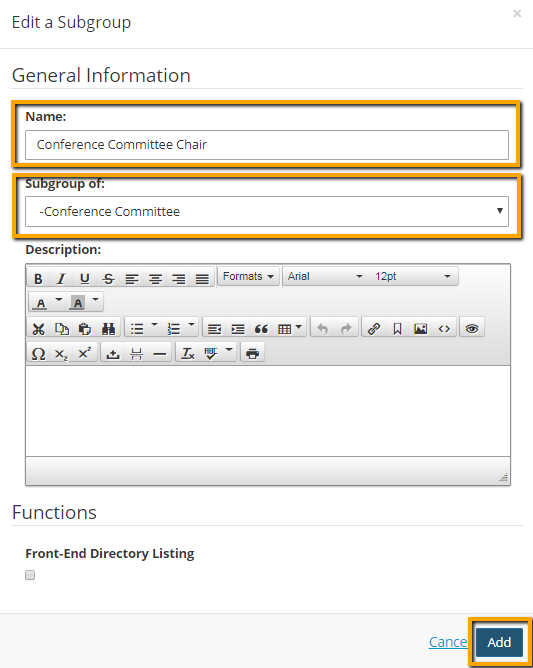
- Click Add. This will result in a position indented below the associated committee subgroup.
- Repeat steps 3 through 8 to add all committees and committee positions.
- Click Next.
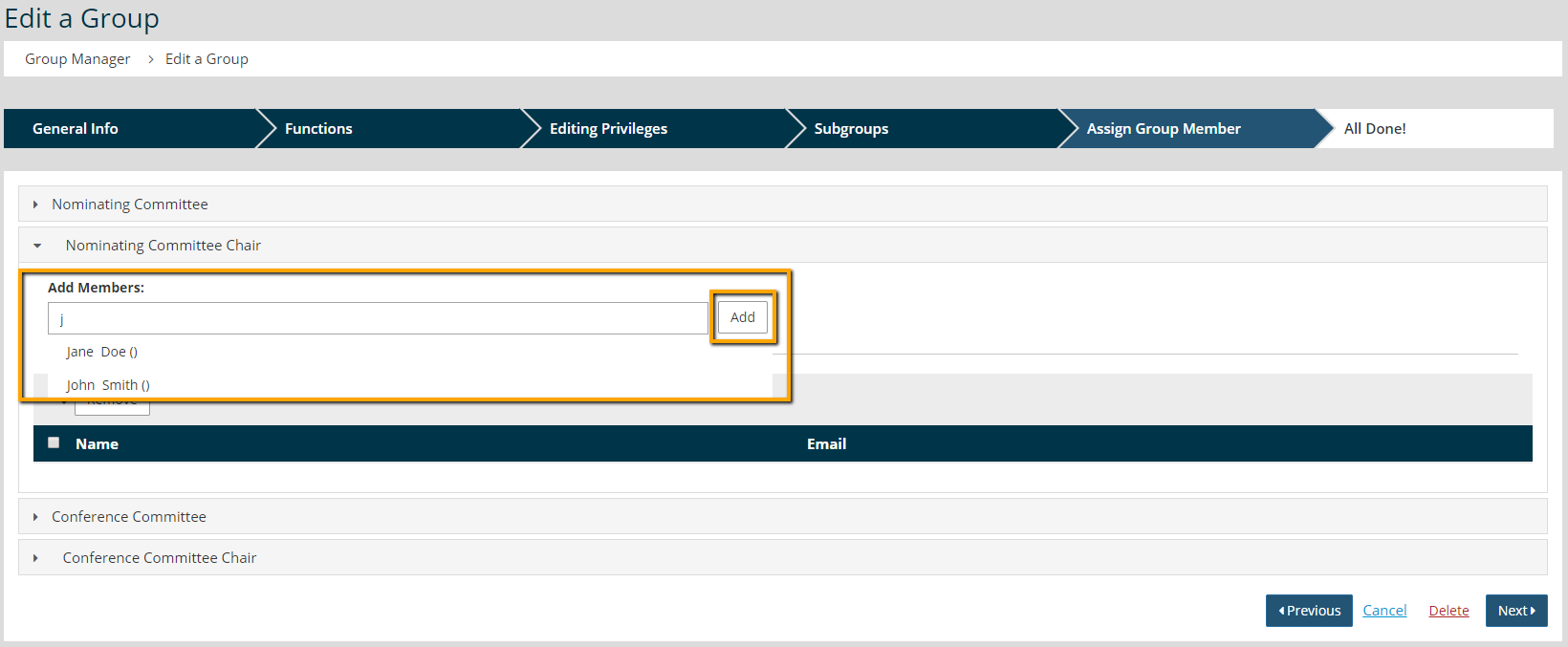
- Click Edit in the Assign Group Members area.

- Open a position group (the ones that are indented). Begin to type the appropriate member's name, select them from the drop-down of matching members, and click Add.
- Repeat step 12 until all members have been added to the appropriate position.
- Click Next.